
Disclosure: LabFin is reader-supported. If you sign up for a tool through links on this page, we may earn a commission at no extra cost to you. Commissions vary between providers and our ratings do not — here’s our full disclosure.
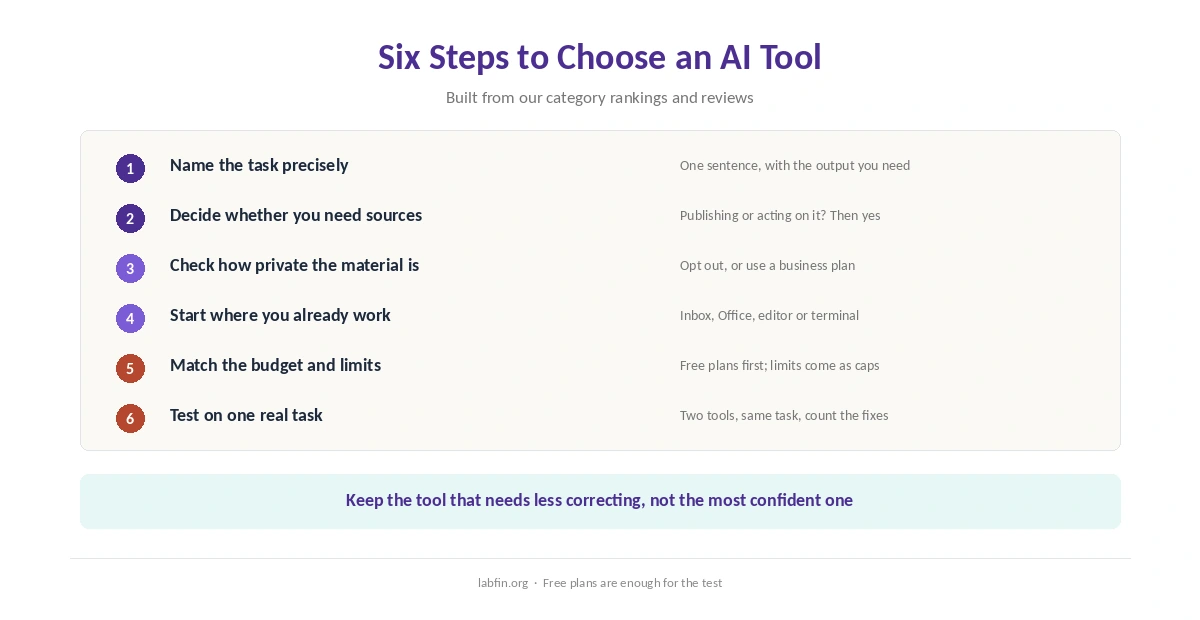
How to choose the right AI tool for a task comes down to five questions: what the task is, whether you need sources, how private the material is, where you already work, and what you can spend. The answers point to different tools, because no single assistant leads every category in our rankings.
This guide pulls those rankings together. Each category list orders tools by independent evidence where it exists, so use this page to pick a starting point. Then test that tool on one real piece of your own work.
How to Choose the Right AI Tool for a Task: The Short Answer
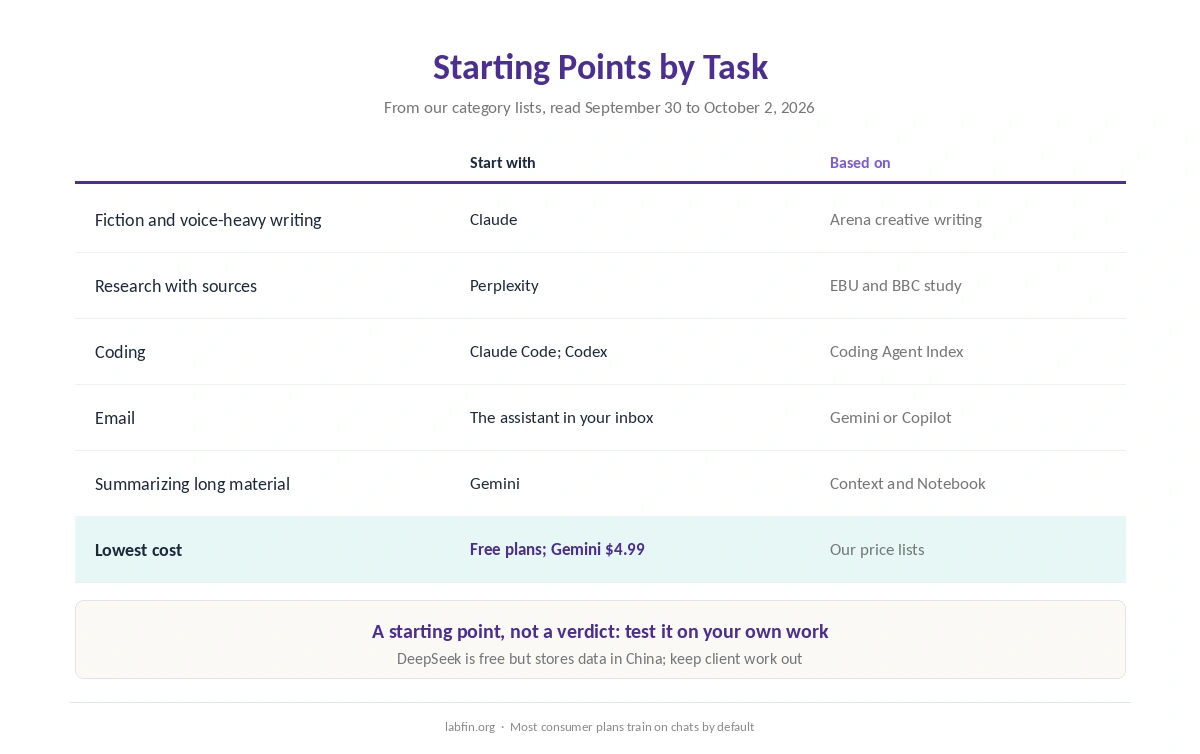
For writing, start with Claude, and for research with sources, Perplexity. Coding points to Claude Code or Codex, while email points to the assistant built into your inbox. Long material, finally, suits Gemini, which summarizes the most in our ranking.
Before any of that, check the data rules. Most consumer plans we review train on your chats by default, while their business plans usually do not. Finally, run the same real task in two tools on their free plans and keep the one that saves you more checking.
Step 1: Name the Task Precisely
“Help me write” covers fiction, emails and reports, and different tools lead each of those. So write the task as one sentence with its output, such as “summarize this report into a one-page brief”. Then match it to a category below.
| Task | Starting point in our ranking | Full list |
|---|---|---|
| Fiction and voice-heavy writing | Claude | Best AI for writing |
| Research with sources | Perplexity | Best AI for research |
| Coding | Claude Code; Codex for value | Best AI for coding |
| The assistant in your inbox | Best AI for email writing | |
| Summarizing long material | Gemini | Best AI for summarization |
Other jobs have their own lists. For spreadsheets, see the best AI for data analysis. Students can start with the best AI for students, and everyday planning fits the best AI for productivity.
Step 2: Decide Whether You Need Sources
If you will publish, cite or act on the answer, you need sources you can open. Among the assistants tested by the EBU and BBC in October 2025, Perplexity had the fewest news answers with significant issues, at 30%. Our list of the best AI for research covers the rest of its record.
For the main assistants, the table below shows which offer cited research, a coding agent and image generation.
| Tool | Cited research | Coding agent | Image generation |
|---|---|---|---|
| ChatGPT | Deep research on every plan | Codex on every plan | Yes |
| Claude | Research on paid plans | Claude Code on Pro and Max | Not covered in our sources |
| Gemini | Deep Research, free with limits | Antigravity CLI, free with a quota | Yes |
| Perplexity | Citations on every answer; Research mode | Computer agent, on credits | Yes, on Pro |
| Microsoft Copilot | Researcher on Microsoft 365 Premium | Code, usage billing announced | Not covered in our sources |
| Grok | Not covered in our sources | Grok Build | Yes |
| DeepSeek | Not covered in our sources | Through Codex via the API | Not covered in our sources |
Even so, every tool still makes mistakes, so open the cited pages yourself. Our guide to fact-checking AI output lists the quick checks.
Step 3: Check How Private the Material Is
Nearly every consumer plan we review trains on your chats by default, so look for the opt-out first. Business plans from ChatGPT, Claude, Gemini, Perplexity and Grok, by contrast, skip training by default.
⚠️ DeepSeek also stores data in China, so keep client and personal material out of it. For anything confidential, use a business plan or turn off training, where the plan allows it, before you paste.
Step 4: Start Where You Already Work
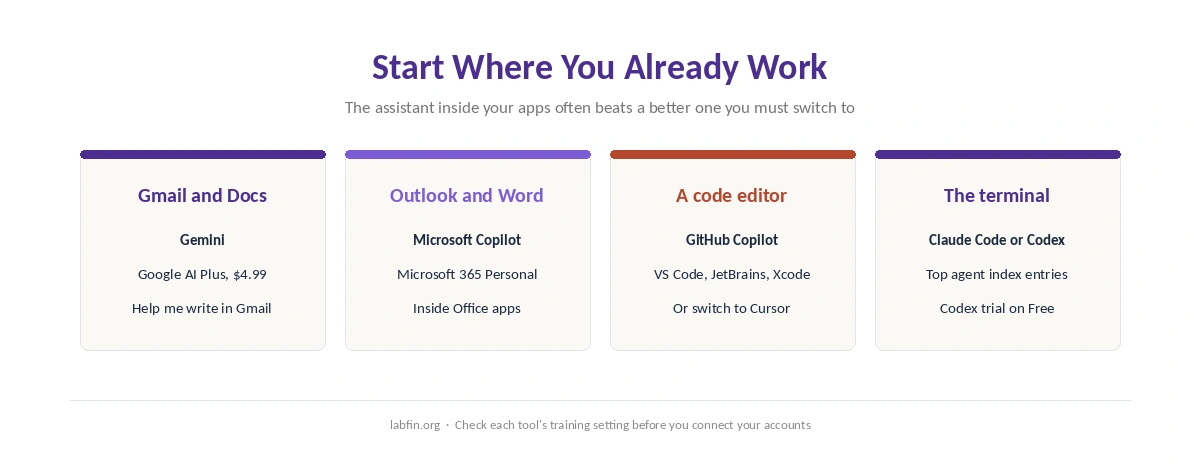
The best tool is often the one already inside your apps. For example, Gmail users get Gemini’s writing help on Google AI Plus, and Outlook and Word users get Microsoft Copilot with Microsoft 365 Personal. Our list of the best AI for email writing compares both.
The table below, in addition, shows where each main assistant runs and whether it offers an API.
| Tool | Where you can use it | API for developers |
|---|---|---|
| ChatGPT | Web, desktop and mobile apps | Yes (OpenAI API) |
| Claude | Web, desktop and mobile apps; Claude Code in terminal and IDEs | Yes (Claude API) |
| Gemini | Web and mobile apps; Gmail and Google Docs on paid plans | Yes (Gemini API, free tier available) |
| Perplexity | Web and apps | Agent API; Sonar API retired Sep 27 |
| Microsoft Copilot | Windows, Edge and Microsoft 365 apps | Not a model API |
| Grok | grok.com, X and apps | Yes (Grok 4.7 API) |
| DeepSeek | Web, iOS and Android | Yes; open weights for V4.1 Flash |
For code, GitHub Copilot works inside most editors, while Cursor replaces the editor, as our Cursor review explains. In the terminal, Claude Code and Codex lead our coding list.
Step 5: Match the Budget and the Limits
Most assistants have a free plan, and paid tiers mostly start between $8 and $20 a month. Google AI Plus costs $4.99, and DeepSeek’s app is free. Our list of the cheapest AI tools ranks the low end.
However, no standard paid plan we review publishes a message count, either. Limits come as sessions, weekly caps or credits instead, so check our page on AI tool limits before you rely on one.
How to Choose the Right AI Tool for a Task: Test on Real Work
The last step in how to choose the right AI tool for a task is a test. Take one task you do every week and run it in your top two choices on their free plans. Afterwards, compare what matters to you: errors you had to fix, how close the draft was to your voice, and time saved. Our guide on how to compare AI model outputs sets out the steps.
Keep the tool that needs less correcting, not the one that sounds more confident. If neither wins clearly, our comparison of free and paid AI tools shows what upgrading adds.
How We Research
This guide on how to choose the right AI tool for a task summarizes our category lists and reviews, read on September 30 to October 2, 2026. The source studies include the EBU and BBC study and Arena’s leaderboards. Each list names its ordering rule and its sources, such as Arena’s leaderboards, Artificial Analysis and the EBU and BBC study.
We run no tests of our own, and our about page explains how we score. Where a category has no independent evidence, the list says so and orders tools by our review scores.
How to Choose an AI Tool: FAQ
Name the task precisely, decide whether you need sources, check how private the material is, start where you already work, and match the budget. Then test two tools on one real task.
In our ranking, Claude leads for fiction and voice-heavy work, based on Arena’s creative-writing board. For everyday documents, Gemini, ChatGPT and Microsoft Copilot are close.
Perplexity has the strongest tested record in our research list, with the fewest significant issues among four assistants in the EBU and BBC study.
Start with one that fits your main task and data rules. Add a second only for a job the first handles poorly, such as sourced research or coding.
Often, for occasional use. Paid tiers add higher limits, stronger models and features such as research reports, but check the training rules on both.
The Verdict
Choosing an AI tool works best as a short process, not a brand loyalty. Name the task, settle the source and privacy questions, and start inside the apps you already use.
Then let one week of real work decide. In short, to choose the right AI tool for a task, pick the one that leaves you the least to fix.