
Disclosure: LabFin is reader-supported. If you sign up for a tool through links on this page, we may earn a commission at no extra cost to you. Commissions vary between providers and our ratings do not — here’s our full disclosure.
This Ollama review covers a free, open-source runtime for running AI models on your own computer or server. Ollama, for example, runs open models such as Llama, DeepSeek, Qwen and Gemma, and exposes them through a simple command line and local API.
The local software is MIT-licensed, so it is free for any use, including commercial. However, local models trail the leading cloud assistants, and Ollama’s optional cloud service sends prompts to its servers.
Ollama Review: Is It Worth It in 2026?
For developers and anyone building on local models, yes. It is free, open source, scriptable and widely supported by other tools.
For people who want a point-and-click app, LM Studio is easier. Our LM Studio review covers the desktop alternative.
What Ollama Does
First, Ollama downloads open models and runs them locally with one command. Its local API, moreover, lets your own code, editors and agents call those models.
In 2025 and 2026, it also added hosted cloud models, web search support and coding-agent integrations, according to its Wikipedia entry. So the same workflow can switch between local and cloud models.
What Ollama Costs
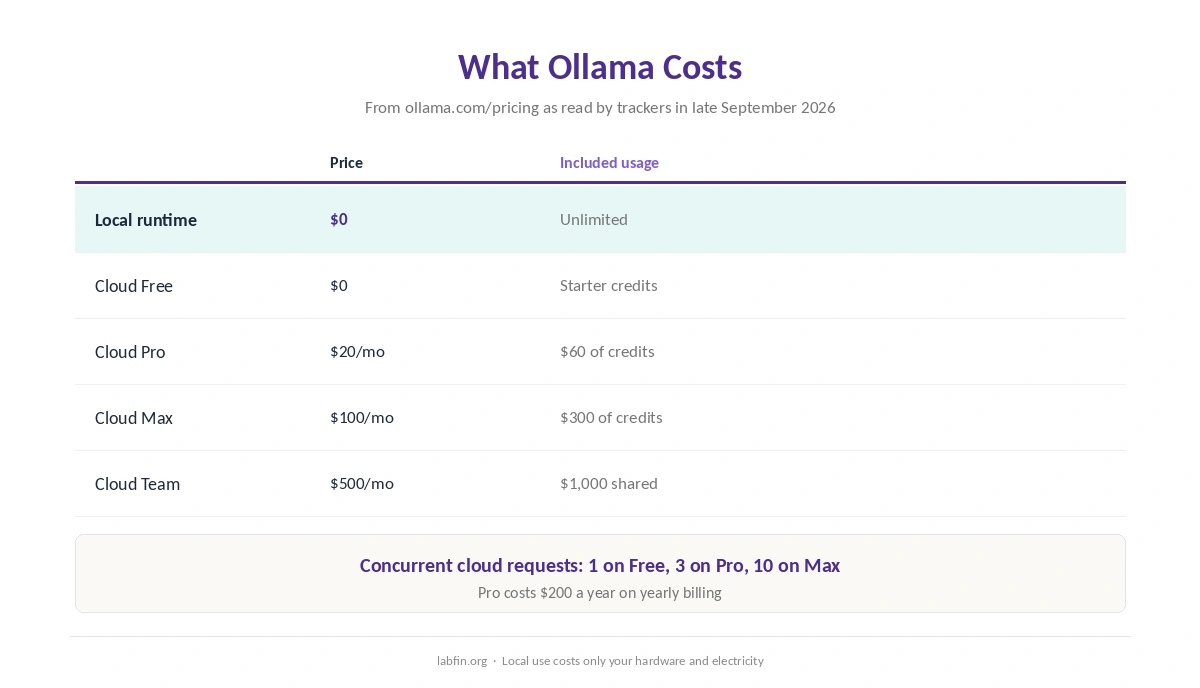
The local runtime costs nothing and has no usage limits. Ollama Cloud, by contrast, sells monthly plans with usage credits, as trackers read its pricing page on September 25 and 26, 2026.
| Plan | Price | Included usage | Concurrent requests |
|---|---|---|---|
| Local runtime | $0 | Unlimited on your hardware | Your hardware |
| Cloud Free | $0 | Starter credits, starter models | 1 |
| Cloud Pro | $20/mo, or $200/yr | $60 of credits a month | 3 |
| Cloud Max | $100/mo | $300 of credits a month | 10 |
| Cloud Team | $500/mo | $1,000 of shared credits | Not stated |
So for local use, your real cost is hardware and electricity. Our list of the cheapest useful AI tools compares paid assistants, and our guide to free AI workflows covers free cloud plans.
Setup and Interface
Ollama installs on macOS, Windows and Linux, and you pull a model with a short command. It is built around the command line and API, so it suits developers more than casual users.
Many desktop apps, however, can use Ollama as their engine, which adds a chat window on top. Our guide to using AI for coding projects covers editor setups.
Which Models It Runs
Ollama runs open-weight models, for example Llama, DeepSeek, Qwen and Gemma. It does not run Claude, GPT-6 or Gemini locally, since those are cloud-only.
DeepSeek’s open weights, moreover, let you avoid its hosted service in China, as our DeepSeek review and guide to DeepSeek for coding explain.
What Independent Evaluations Show
For this Ollama review, we found no independent test of Ollama itself, which is a runtime rather than a model. The open models it runs, however, score below the leading cloud models on independent boards.
Therefore, expect more errors on hard questions. Our guides to AI benchmarks explained and why AI gets facts wrong explain why.
Privacy and Security
Local models keep prompts on your machine, and the code is open for anyone to inspect. Cloud models, by contrast, run on Ollama’s servers, so prompts leave your computer.
Security researchers, moreover, have examined risks from Ollama servers left open to the internet by mistake. So keep the API on your own machine or network unless you add authentication. Our guide to which AI tools train on your data covers cloud tools.
Who Makes Ollama
The company behind it, Ollama, Inc., is a startup founded by Jeffrey Morgan and Michael Chiang. Its runtime, moreover, is published under the MIT license.
Ollama vs LM Studio
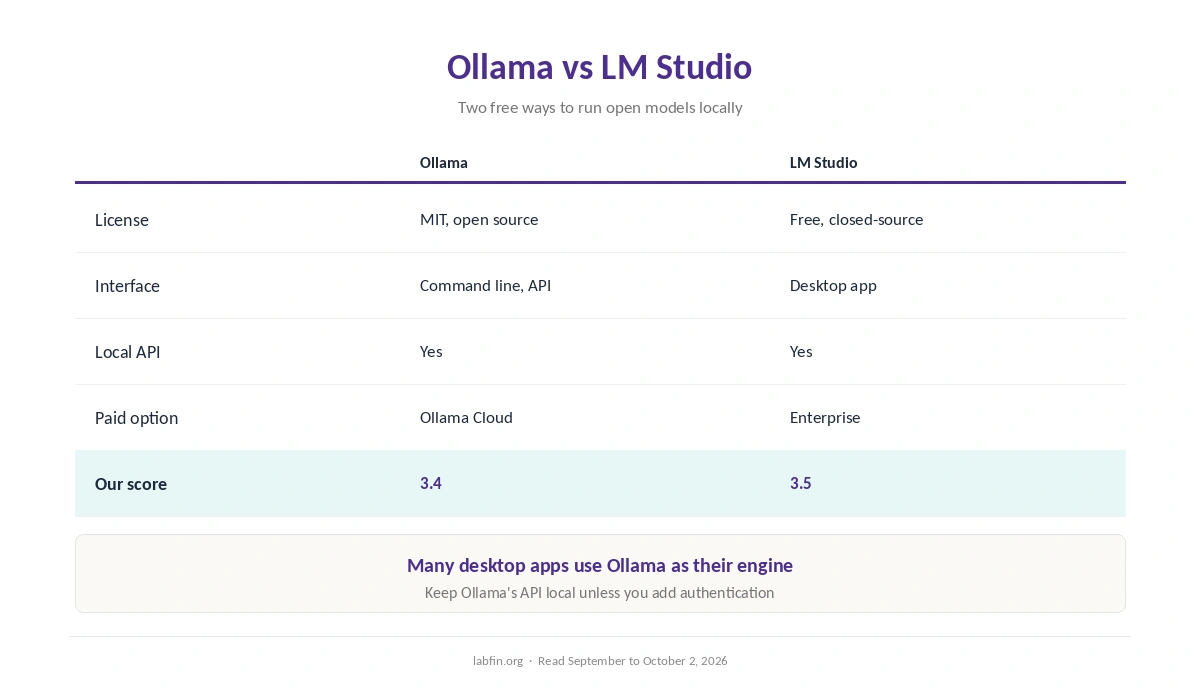
In short, Ollama is open source and command-line first, and it adds an optional paid cloud. LM Studio, by contrast, is a free but closed-source desktop app with a model browser and chat window. Our Ollama vs LM Studio comparison also weighs an open-source engine against a desktop app.
Both, however, serve a local API for your code. Our list of the best AI tools for developers covers related tools.
Who Should Use Ollama
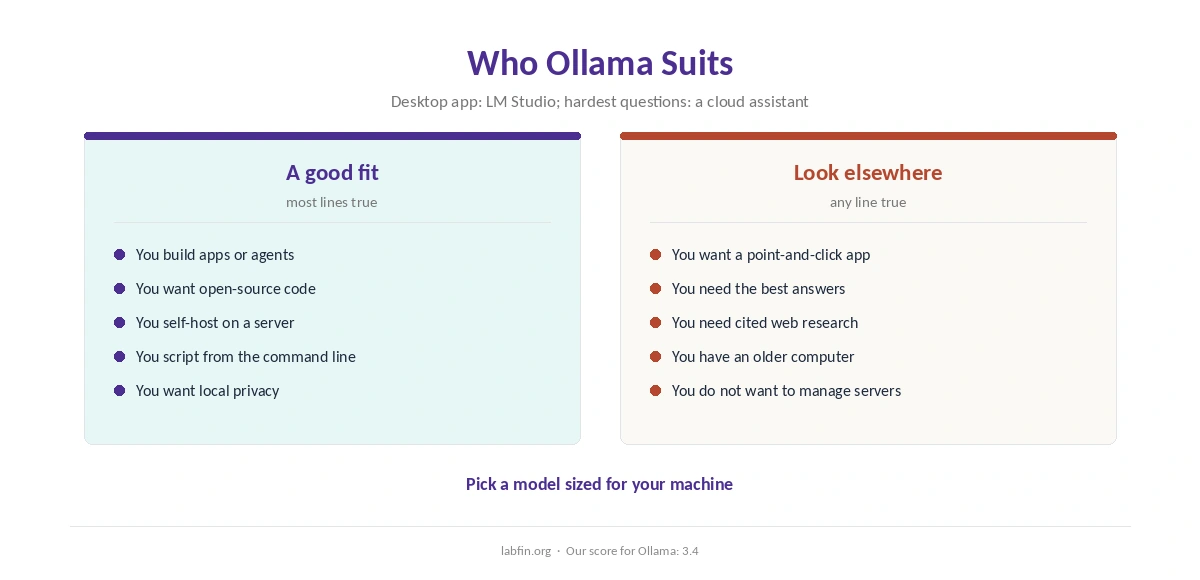
Overall, Ollama suits developers, self-hosters and teams that want open-source local models behind an API. It also suits anyone who wants to inspect the code.
By contrast, it suits people who want a chat app with no setup, or the best possible answers, less. Our list of DeepSeek alternatives covers cloud options, and our Claude review covers the top-rated one.
How We Research
This Ollama review takes pricing from trackers that read ollama.com/pricing in September 2026, including one dated September 25, and features from Ollama’s Wikipedia entry.
We did not test it on our own hardware. Our about page explains the criteria.
Ollama Review FAQ
Yes for local use: the runtime is MIT-licensed and unlimited. Ollama Cloud has a free tier, then Pro at $20 a month and Max at $100.
Local models keep prompts on your machine. Cloud models run on Ollama’s servers, so prompts leave your computer.
Yes. The runtime is published under the MIT license.
Ollama for open source, scripting and servers; LM Studio for a point-and-click desktop app.
Not without care. Researchers have examined risks from servers left open by mistake, so keep the API local or add authentication.
Ollama
Open source, local and scriptable
Ollama runs open models locally for free under the MIT license and serves them through a simple API, with an optional cloud for larger models. Against that, local models trail the cloud leaders, setup favors developers, and exposed servers need securing.
The Verdict
Ollama is the standard open-source way to run AI models locally, and many other tools build on it. Its MIT license, moreover, makes it free for any use.
The rest of this Ollama review holds the score at 3.4, since local models trail the cloud leaders and setup favors developers. So use it for private and automated work, and keep a cloud assistant for hard questions.