
Disclosure: LabFin is reader-supported. If you sign up for a tool through links on this page, we may earn a commission at no extra cost to you. Commissions vary between providers and our ratings do not — here’s our full disclosure.
The best local AI tools on this list, in our order, are LM Studio, Ollama, Tabnine and DeepSeek’s open weights. Each can run entirely on hardware you control, so prompts and code need not leave your machine or network.
We rank them by their overall scores in our reviews. Local models, however, trail the leading cloud assistants on independent tests, so each entry below also names what you give up.
Best Local AI Tools: The Short Answer
Among the best local AI tools on this list, LM Studio ranks first: it is a free desktop app with a model browser and chat window, and it is free for work use too. Ollama, meanwhile, is the open-source choice for developers who script and self-host. Our guide to setting up a local AI stack also walks through six steps.
For company code that must stay inside the network, by contrast, Tabnine runs on your own servers or fully offline. DeepSeek’s open weights, finally, are a strong model to run inside LM Studio or Ollama. Our Ollama vs LM Studio comparison also covers license and setup.
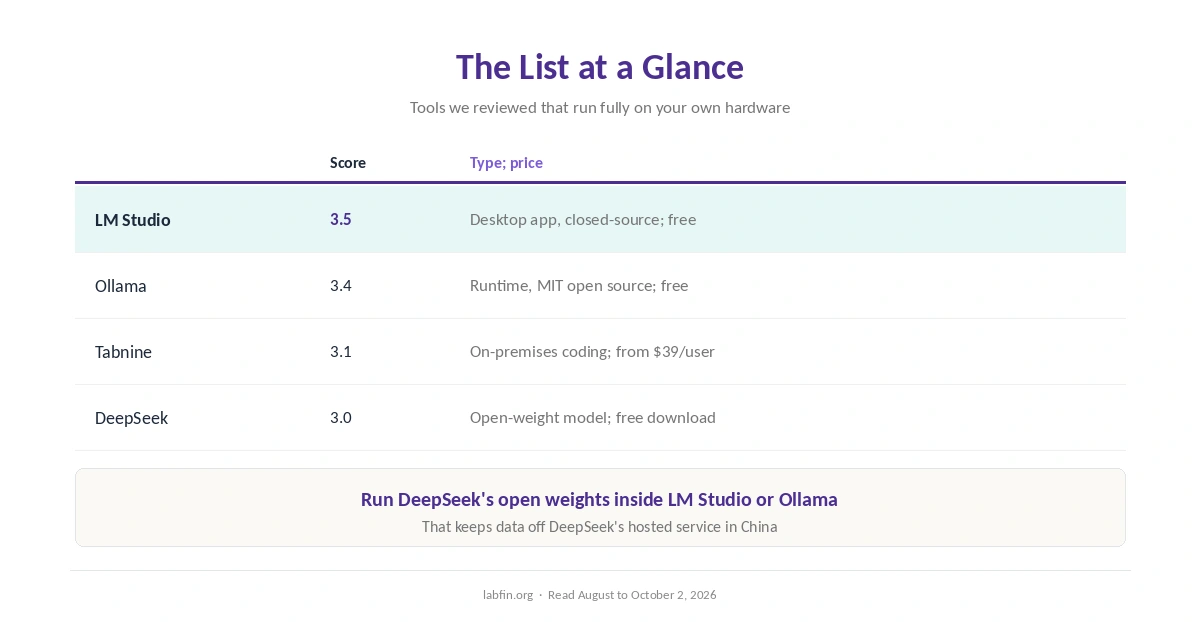
The List at a Glance
| Tool | Our score | Type; price |
|---|---|---|
| LM Studio | 3.5 | Desktop app, closed-source; free |
| Ollama | 3.4 | Runtime, MIT open source; free locally |
| Tabnine | 3.1 | Coding assistant, on-premises; from $39 per user |
| DeepSeek | 3.0 | Open-weight model; free to download |
How We Ordered This List
This list includes only tools we have reviewed that can run fully on your own hardware. Within that group, our overall review score decides the order.
Other local tools exist, such as Jan, GPT4All and llama.cpp, but we have not reviewed them yet. Our list of the best AI tools for privacy covers cloud tools with strict data terms.
1. LM Studio: The Easiest Desktop App
LM Studio downloads open models from Hugging Face, runs them with llama.cpp or Apple’s MLX, and serves an API compatible with OpenAI’s for your code. It has been free for personal and work use since July 2025.
What you give up, though: it is closed-source, and an Enterprise tier is needed to embed it in a product you sell. Our LM Studio review covers the details.
2. Ollama: Open Source for Developers
Ollama, by contrast, is MIT-licensed, scriptable from the command line, and serves a local API that many apps and agents use. Its optional Ollama Cloud starts at $20 a month for larger models.
What you give up, however: it is built for developers, and cloud models send prompts to Ollama’s servers. Our Ollama review explains the trade-offs, and our list of the best AI tools for developers covers related tools.
3. Tabnine: Private Coding for Organizations
Tabnine keeps no customer code, never trains on it, and runs in a private VPC, on your own servers or in a fully disconnected network. It also works as a plugin in VS Code, JetBrains IDEs and other editors.
What you give up, though: it sells only to organizations, from $39 per user on yearly contracts. Our Tabnine review covers deployment, and our guide to using AI for coding projects covers safe settings.
4. DeepSeek: A Strong Open-Weight Model
DeepSeek publishes open weights, so you can run its models inside LM Studio or Ollama and keep data local. That avoids its hosted service, which stores data in China.
What you give up, however: the largest versions need serious hardware, and smaller ones trail the cloud leaders. Our DeepSeek review and guide to DeepSeek for coding explain self-hosting.
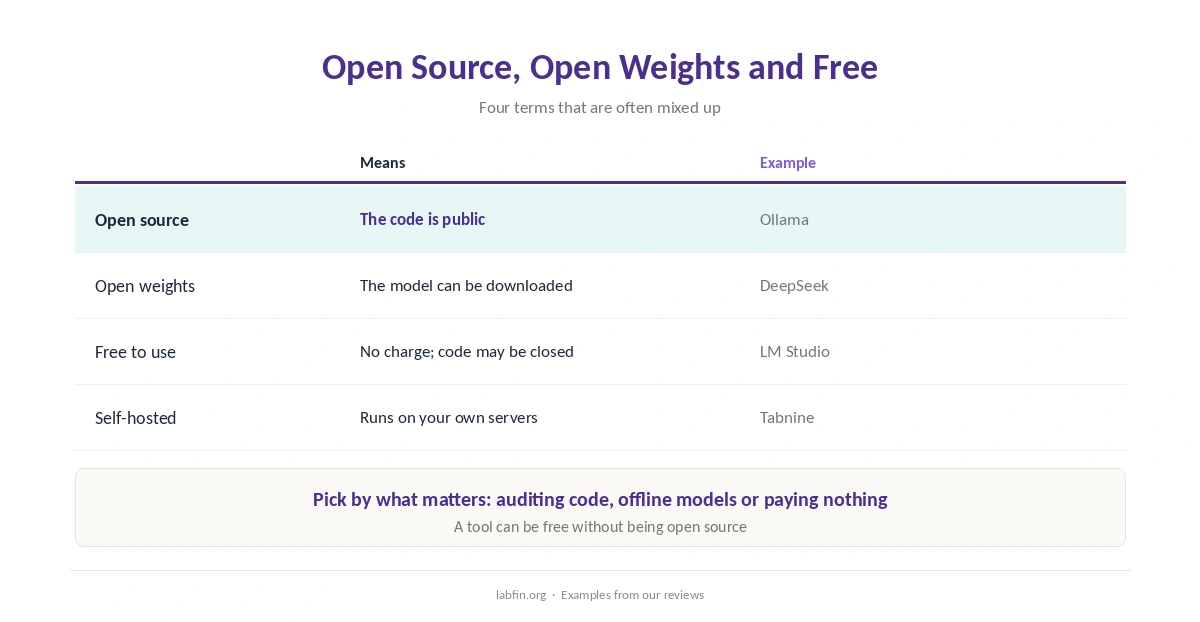
Open Source, Open Weights and Free
These terms are often mixed up. Open source means the code is public, as with Ollama. Open weights, by contrast, means the model itself can be downloaded, as with DeepSeek.
Free to use, finally, means no charge, as with LM Studio, whose code is closed. So check which one matters to you: auditing code, running a model offline, or simply paying nothing.
Hardware and Expectations
Small models run on a recent laptop, while larger ones need more memory or a strong graphics card. Speed, therefore, depends on your machine more than on the tool. Our list of the cheapest useful AI tools compares paid cloud options.
Expect weaker answers than Claude or ChatGPT on hard questions, and check facts carefully, as our guide to why AI gets facts wrong explains.
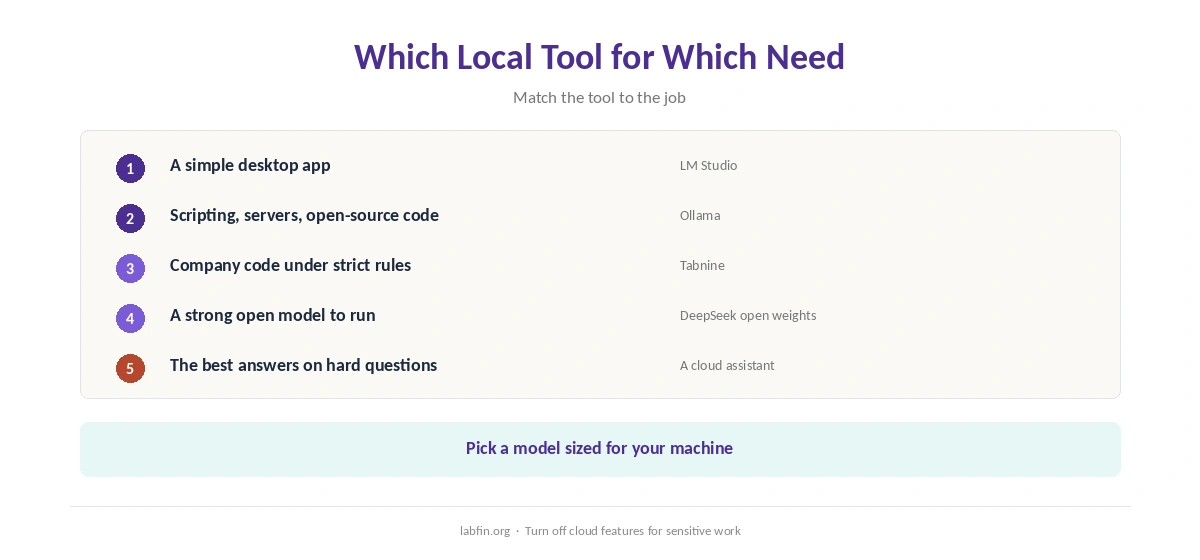
Which Local Tool for Which Need
A simple desktop app points to LM Studio. Scripting, servers and open-source code, by contrast, point to Ollama.
Company code under strict rules calls for Tabnine. As for the model itself, finally, download DeepSeek or another open model and run it in either app. Our list of AI tools with no account required also explains why no login is not anonymous.
When the Cloud Is Still Better
For the strongest answers, cited web research and long-document tools, cloud assistants lead. Their business plans, moreover, skip training by default, as our guides to Claude pricing and ChatGPT pricing explain.
How We Research
This list of the best local AI tools draws on our reviews of each tool, read against the company’s site, terms or pricing pages and recent guides between August and October 2, 2026. One example source is Ollama’s Wikipedia entry.
We run no hardware tests of our own, and our about page explains the criteria.
Best Local AI Tools FAQ
On this list, LM Studio ranks first: a free desktop app that runs open models on your computer. Ollama is the open-source choice for developers.
Local models keep prompts on your machine. Cloud features, such as Ollama Cloud or web search, are the exception.
Ollama, under the MIT license. LM Studio is free but closed-source; DeepSeek publishes open weights.
No. They are cloud-only. Local tools run open models such as DeepSeek, Qwen, Llama and gpt-oss.
Small models run on a recent laptop; larger ones need more memory or a strong graphics card.
The Verdict
The best local AI tools on this list keep your data on hardware you control, at the cost of smaller models. LM Studio is easiest, Ollama is open source, and Tabnine covers private company code.
So run local for private and offline work, and keep a cloud assistant for the hardest questions.