
Disclosure: LabFin is reader-supported. If you sign up for a tool through links on this page, we may earn a commission at no extra cost to you. Commissions vary between providers and our ratings do not — here’s our full disclosure.
Ollama vs LM Studio compares the two most common ways to run open AI models on your own computer. Ollama, for example, is an open-source runtime you drive from the command line or an API. LM Studio, by contrast, is a free desktop app with a model browser and chat window.
Our reviews also score LM Studio 3.5 and Ollama 3.4. Both run the same kinds of open models, so the interface and license carry most of the weight.
Ollama vs LM Studio: The Short Answer
Choose LM Studio, first, if you want a point-and-click app: browse models, download one and chat. It has been free for personal and work use since July 2025.
Choose Ollama instead, however, if you script, self-host or want open-source code. Its runtime is MIT-licensed, and many apps and agents use it as their engine.
Head to Head
| Criterion | Ollama | LM Studio |
|---|---|---|
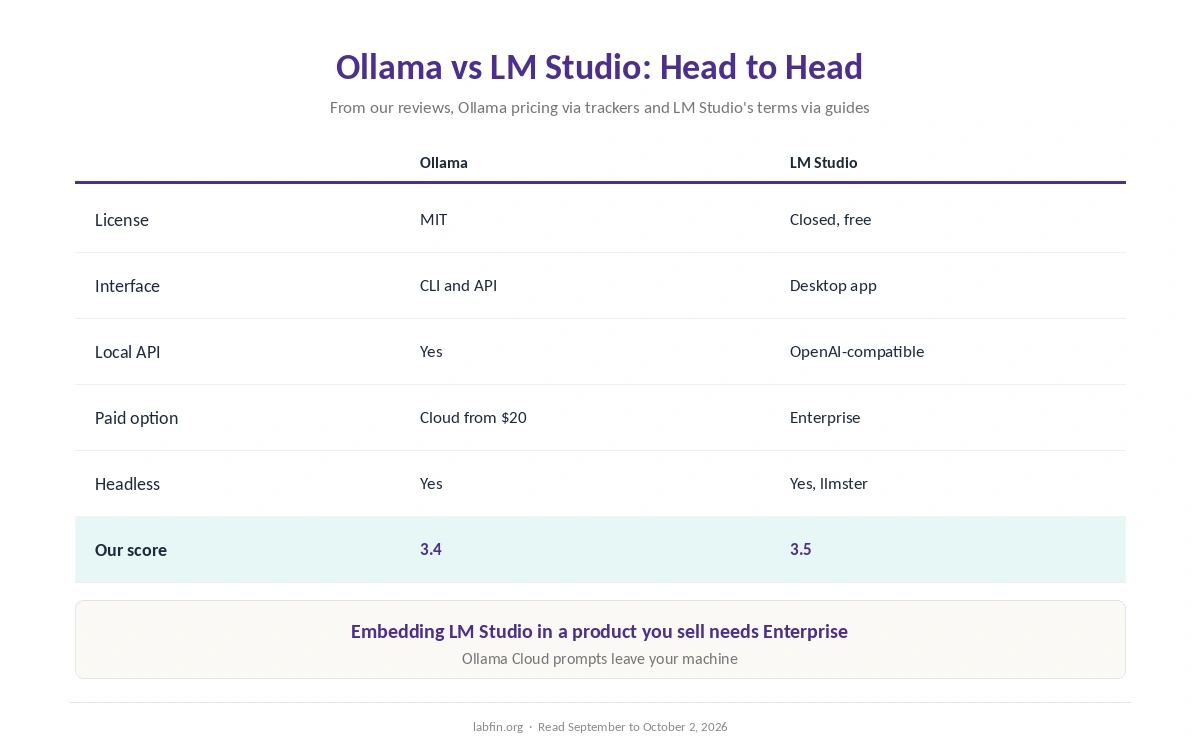
| License | MIT, open source | Free, closed-source |
| Interface | Command line and API | Desktop app with chat |
| Local API | Yes | Yes, OpenAI-compatible |
| Paid option | Ollama Cloud from $20/mo | Enterprise, by quote |
| Headless servers | Yes | Yes, via llmster |
| Commercial use | Any, under MIT | Free at work; product embedding needs Enterprise |
| Our score | 3.4 | 3.5 |
Interface and Setup
LM Studio searches Hugging Face for models, warns when one is too large for your machine, and opens a chat window straight away. As a result, it suits people new to local AI. Our guide to free AI workflows covers other no-cost setups.
Ollama, on the other hand, pulls and runs a model with one short command. Many desktop apps, moreover, use Ollama as their engine, which adds a chat window on top.
APIs and Automation
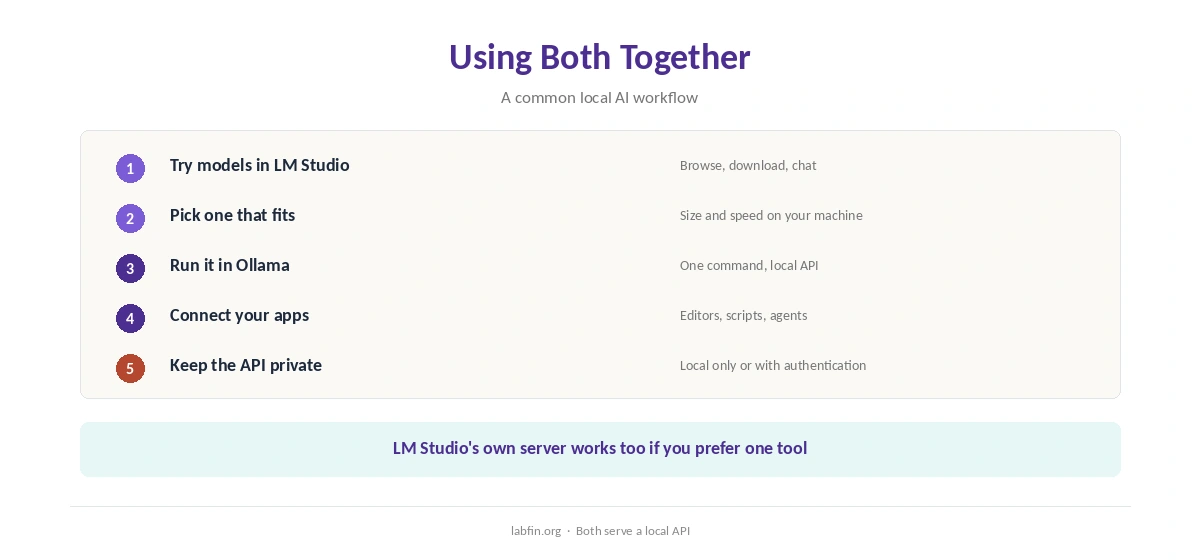
Both serve a local API, so your own code, editors and agents can call a model. LM Studio’s server is compatible with OpenAI’s API, and Ollama’s API is widely supported by other tools.
For servers, Ollama runs headless by design, and LM Studio added a headless mode called llmster in 2026. Our guide to using AI for coding projects covers agent setups.
License and Cost
Ollama’s runtime is MIT-licensed, so you can use, inspect and build on it freely. Its optional Ollama Cloud, meanwhile, starts at $20 a month for larger models.
LM Studio is free to use at work, but its code is closed, and embedding it in a product you sell needs an Enterprise agreement, guides report. Our list of the best AI tools for developers covers related tools.
Privacy and Security
Both keep prompts on your machine when you run models locally. Cloud features, however, send data out: Ollama Cloud runs on Ollama’s servers, and LM Studio’s web search works when you are logged in.
Ollama servers left open to the internet, moreover, have drawn attention from security researchers, so keep the API local or add authentication. Our list of the best AI tools for privacy covers both.
Models
Both run open-weight models such as DeepSeek, Qwen, Llama and gpt-oss. Neither, however, runs Claude, GPT-6 or Gemini, which are cloud-only.
Local models trail the cloud leaders on independent boards, as our local AI vs cloud AI comparison explains.
Our guide to DeepSeek for coding covers one popular model, and our DeepSeek review covers its data terms.
Our Claude review, in addition, covers a cloud model for the hardest questions, where local models still fall short.
Winners by Category
In short, LM Studio wins on ease of use, model browsing and a built-in chat window. It also suits beginners far better.
Ollama, on the other hand, wins on open source, scripting, server use and its optional cloud. Overall, in this comparison our scores are close, 3.4 against 3.5, so the interface decides.
Which One to Choose
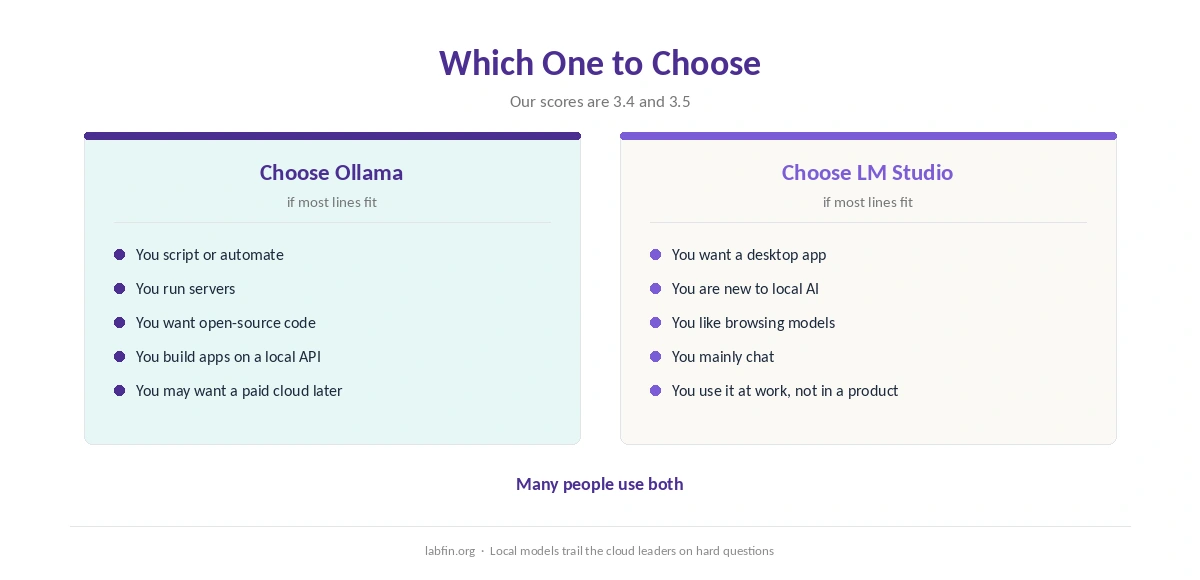
Overall, take LM Studio if you want a desktop app to chat with local models. By contrast, take Ollama if you build apps, run servers or want to inspect the code. Our guide to setting up a local AI stack also covers security for local servers.
Many people, therefore, use both: LM Studio to try models, Ollama to run them in scripts. Our list of the best AI tools with no account required covers both as private options.
How We Research
This comparison reuses the sources behind our reviews of each tool, including Ollama’s Wikipedia entry and guides reading LM Studio’s terms, between September and October 2, 2026.
We run no hardware tests of our own. Our about page explains the criteria, and our guide to which AI tools train on your data covers cloud defaults.
Ollama vs LM Studio FAQ
Our scores are close: LM Studio 3.5 and Ollama 3.4. LM Studio is easier; Ollama is open source and better for scripts and servers.
Yes for local use. Ollama Cloud costs from $20 a month, and LM Studio sells an Enterprise tier.
Ollama, under the MIT license. LM Studio is free but closed-source.
Yes. Many people try models in LM Studio and run them in scripts with Ollama.
Largely: both run open-weight models such as DeepSeek, Qwen, Llama and gpt-oss.
The Verdict
Overall, Ollama vs LM Studio is close on our scores but differs in style. LM Studio is the friendlier desktop app; Ollama is the open-source engine.
So pick LM Studio to chat, Ollama to build, or both. Either way, keep local servers private.