
Disclosure: LabFin is reader-supported. If you sign up for a tool through links on this page, we may earn a commission at no extra cost to you. Commissions vary between providers and our ratings do not — here’s our full disclosure.
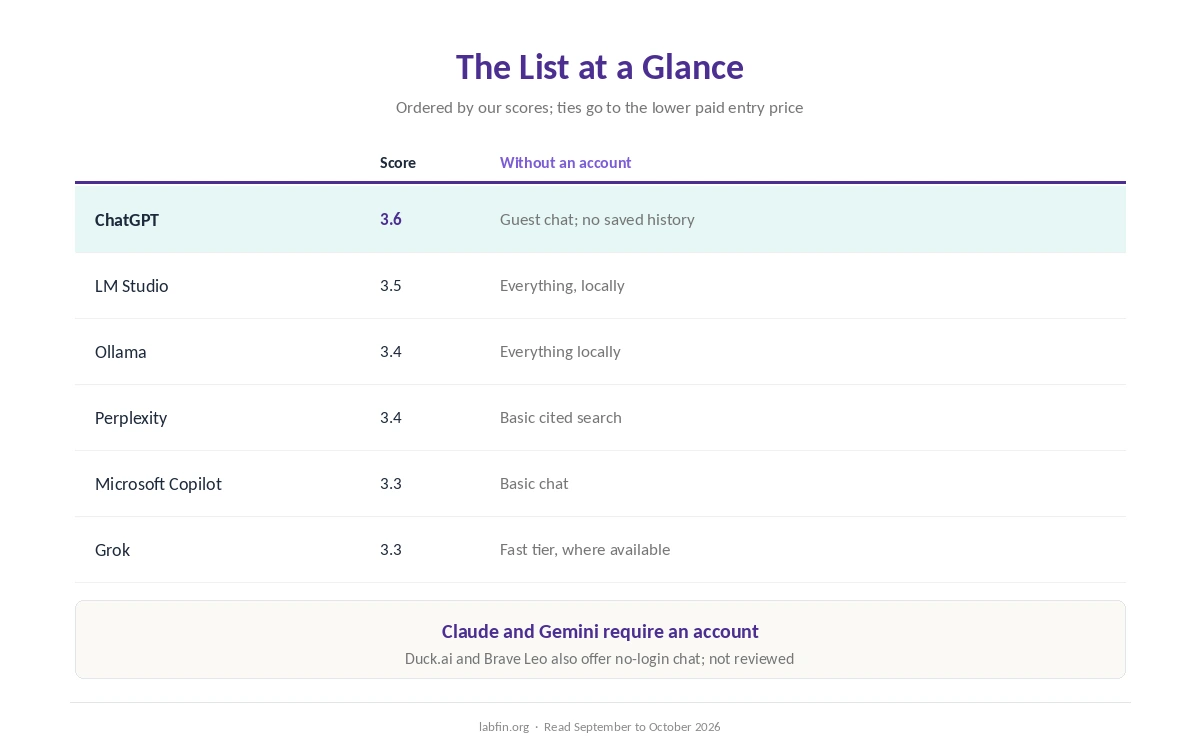
The best AI tools with no account required on this list are ChatGPT, LM Studio, Ollama, Perplexity, Microsoft Copilot and Grok. We rank them, moreover, by their scores in our reviews.
Signed-out use is always limited, however, and no login is not the same as anonymous. Each entry below names what works without an account and what you give up.
Best AI Tools With No Account Required: The Short Answer
Among the best AI tools with no account required here, ChatGPT ranks first for quick chat in a browser: it ties on our top score of 3.6 and offers guest access in supported countries, without saved history. Microsoft Copilot, meanwhile, has one of the richest guest modes.
For real privacy, by contrast, LM Studio and Ollama need no account at all and keep prompts on your computer. Claude and Gemini, however, require an account.
The List at a Glance
| Tool | Our score | Without an account |
|---|---|---|
| ChatGPT | 3.6 | Guest chat; no saved history |
| LM Studio | 3.5 | Everything, on your computer |
| Ollama | 3.4 | Everything locally; cloud needs sign-in |
| Perplexity | 3.4 | Basic cited search; anonymous threads |
| Microsoft Copilot | 3.3 | Basic chat; sign-in adds features |
| Grok | 3.3 | Fast tier only, where available |
How We Ordered This List
This list includes only tools we review that work without an account. Our review scores decide the order, and ties go to the lower paid entry price, as in our list of the best AI tools.
So Ollama, free locally, sits above Perplexity, and Copilot, via Microsoft 365 Personal at $9.99, above Grok. Other no-login chats exist, such as Duck.ai and Brave Leo, but we have not reviewed them.
1. ChatGPT: Guest Chat in a Browser
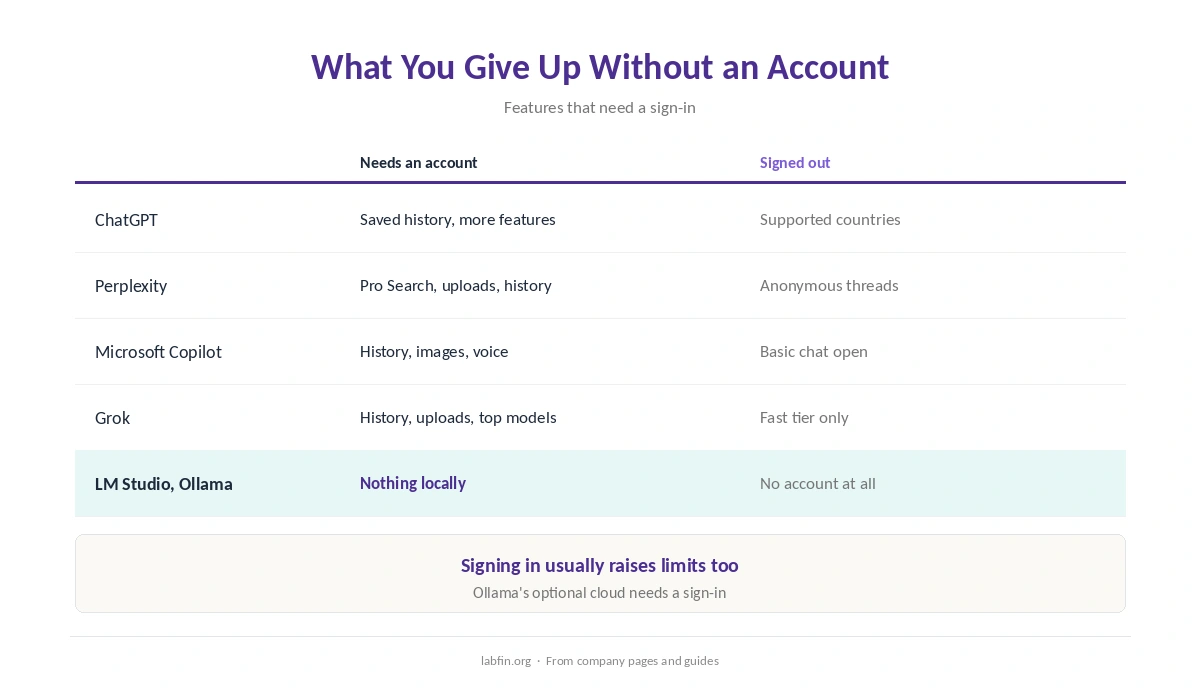
First, ChatGPT lets you chat without an account in supported countries, but conversations are not saved. Signing in, therefore, adds history, more features and higher limits.
What you give up: signed-out chats follow OpenAI’s privacy policy, which may allow use for improving services. Our ChatGPT review covers the free plan.
2. LM Studio: No Account at All
LM Studio, by contrast, is a free desktop app that runs open models on your computer, with no account and no prompts leaving your machine. It is also free for personal and work use.
What you give up, however: local models trail the cloud leaders, and you need a capable computer. Our LM Studio review covers setup.
3. Ollama: Open Source, No Account
Ollama, for its part, runs open models locally under the MIT license, with no account for local use. Its optional cloud, by contrast, needs a sign-in.
What you give up, though: it is built for developers and the command line. Our Ollama review explains the trade-offs.
4. Perplexity: Cited Search Without Signing In
Perplexity, meanwhile, answers searches with citations without an account, and its unsigned threads are anonymous by default, its documentation says. Pro Search, deep research, uploads and history, however, need an account.
Our Perplexity review covers the plans, and our Perplexity for research guide covers cited searches.
5. Microsoft Copilot: A Rich Guest Mode
Microsoft, for example, says Copilot works without signing in for basic chat. Signing in, moreover, adds chat history, image creation, longer conversations and voice.
What you give up: the free app shows ads, and we could not confirm its training rule. Our Microsoft Copilot review covers the details.
6. Grok: Fast Tier Without an X Account
Grok, finally, works on grok.com without an X account in many regions, but only with its fast model, no history and tight caps, guides report.
What you give up, however: availability varies by country. Our Grok review covers its plans, and our ChatGPT vs Perplexity comparison weighs the top two guest options.
No Login Is Not Anonymous
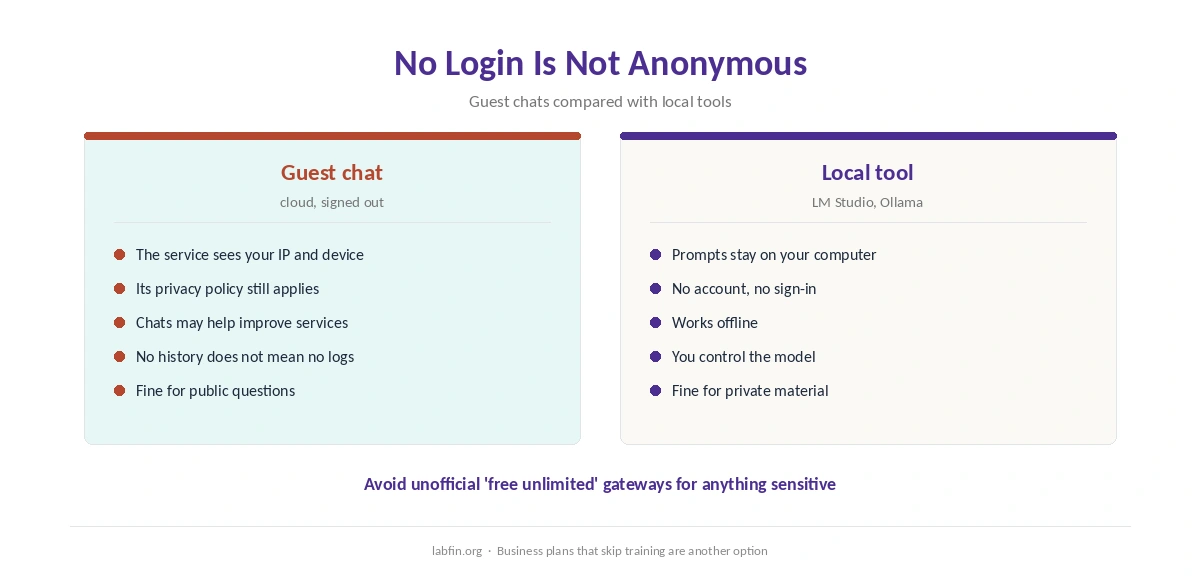
However, signed-out services still see your IP address and device, and each company’s privacy policy applies. So do not paste personal or work material into a signed-out chat.
For real privacy, therefore, use a local tool, or a business plan that skips training. Our guide to which AI tools train on your data and list of the best AI tools for privacy cover both.
Avoid Unofficial Free Gateways
Many sites, moreover, promise free, unlimited access to ChatGPT, Claude or Gemini with no account. Their terms and data handling, however, are often unclear, so we do not recommend them for anything sensitive.
How We Research
This list of the best AI tools with no account required draws on our reviews and on company pages and guides about signed-out access, read between September and October 2, 2026. One example source is Ollama’s Wikipedia entry.
Access rules, however, change and vary by country. Our about page explains the criteria, and our guide to free AI workflows covers free plans with accounts.
Best AI Tools With No Account Required FAQ
Yes, in supported countries, with limits and no saved history.
ChatGPT, Perplexity, Microsoft Copilot and Grok offer guest access; LM Studio and Ollama need no account at all for local use.
No. Both require an account.
No. Services still see your IP address and device, and their privacy policies apply.
A local tool such as LM Studio or Ollama, which keeps prompts on your computer.
The Verdict
The best AI tools with no account required on this list split into two groups. ChatGPT, Perplexity, Copilot and Grok offer quick guest chats, while LM Studio and Ollama skip accounts entirely by running locally.
So use guest chats for quick public questions, and local tools for anything private.