
Disclosure: LabFin is reader-supported. If you sign up for a tool through links on this page, we may earn a commission at no extra cost to you. Commissions vary between providers and our ratings do not — here’s our full disclosure.
Local AI vs cloud AI comes down to control against capability. Local AI, for example, runs open models such as DeepSeek or Qwen on your own computer through tools like LM Studio or Ollama, so prompts stay with you. Cloud AI, by contrast, runs on a provider’s servers and gives you the strongest models, such as Claude, ChatGPT and Gemini.
Neither is better for everything. This comparison, moreover, covers privacy, quality, cost, features and upkeep, and ends with a hybrid setup many people use.
Local AI vs Cloud AI: The Short Answer
Choose local AI, first, when data must stay on your machine, when you work offline, or when you want no subscription. LM Studio and Ollama are both free for local use. Our guide to setting up a local AI stack also walks through six steps.
Choose cloud AI instead, however, for the best answers, web research and long-document tools. Business plans, moreover, skip training by default, which closes much of the privacy gap.
Head to Head
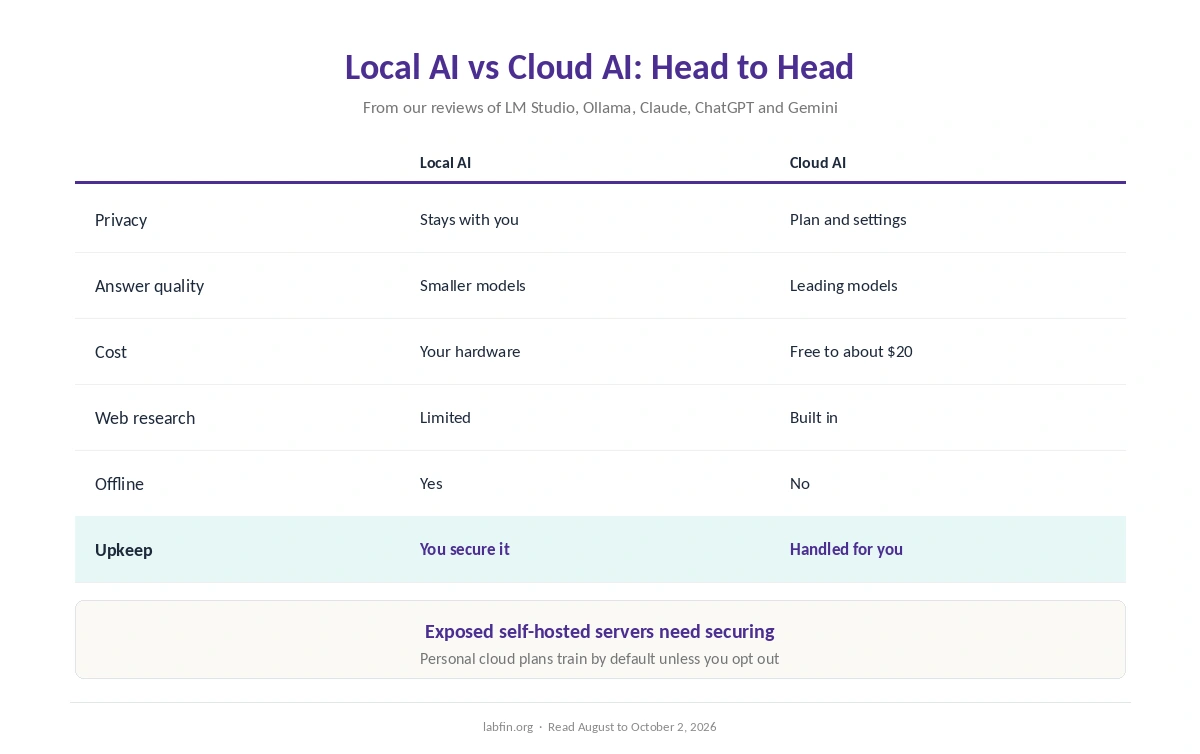
| Criterion | Local AI | Cloud AI |
|---|---|---|
| Where it runs | Your computer or server | Provider’s servers |
| Privacy | Prompts stay with you | Depends on plan and settings |
| Answer quality | Smaller open models | Leading models |
| Cost | Free software; your hardware | Free plans to about $20 a month |
| Web search and research | Limited | Built in |
| Works offline | Yes | No |
| Upkeep | You update and secure it | Handled for you |
Privacy
First, local models keep prompts and files on your hardware, which suits sensitive or regulated work. Cloud tools, by contrast, process data on their servers, and personal plans of Claude, ChatGPT and Perplexity train by default unless you opt out.
Business plans, however, skip training by default. Our guide to which AI tools train on your data and list of the best AI tools for privacy cover the details.
Answer Quality
Cloud leaders top independent boards: Claude’s Opus 5.5 led Arena’s creative-writing board, and Claude Code led the September agent index. Open models you can run locally, however, score below them.
Therefore, expect more errors locally on hard questions, as our guide to AI benchmarks explained explains.
Cost
For example, LM Studio is free for personal and work use, and Ollama is free and open source locally. Your real cost, therefore, is hardware and electricity.
Cloud assistants, meanwhile, have free plans, and paid plans run about $20 a month. Our comparison of AI plans and prices covers them.
Features
Cloud assistants, for example, add web search, deep research, long-document tools, images and polished apps. Local tools, by contrast, focus on chat and a local API for your own code.
Our LM Studio review and Ollama review cover what each local tool includes.
Our ChatGPT review, by contrast, covers a cloud assistant with deep research, images and Office add-ins.
Setup and Upkeep
Cloud tools, for example, need only a sign-in. Local AI, however, needs a capable computer, model downloads and updates.
Self-hosted servers, moreover, need securing: researchers have examined risks from Ollama servers left open to the internet by mistake.
The Hybrid Setup
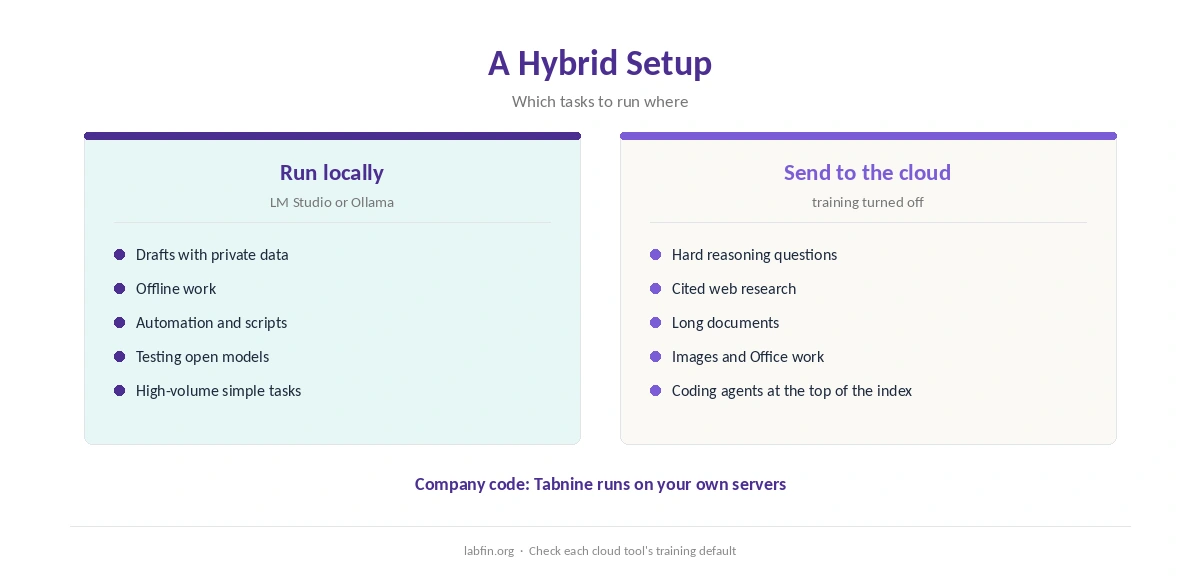
In practice, many people also use both. Run a local model for drafts that contain private data, quick offline tasks and automation, then send hard questions and research to a cloud assistant with training turned off.
For company code, moreover, Tabnine offers a middle path: on-premises deployment with commercial support, as our Tabnine review explains.
Which One to Choose
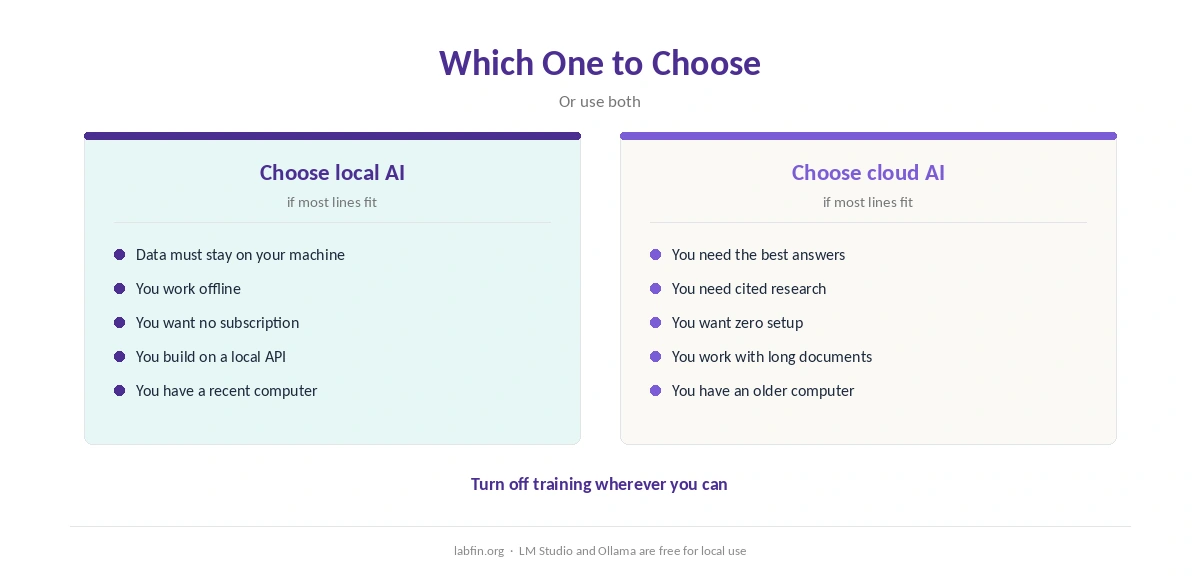
Overall, take local AI if privacy, offline work or zero subscription matter most. By contrast, take cloud AI if you need the best answers, research and convenience.
In practice, therefore, the answer to local AI vs cloud AI is often a mix. Our list of the best AI tools covers the cloud side, and our guide to free AI workflows covers free combinations.
How We Research
This local AI vs cloud AI comparison draws on our reviews of each tool and on independent boards, read between August and October 2, 2026. One example source is Ollama’s Wikipedia entry.
We run no hardware tests of our own. Our about page explains the criteria, and our DeepSeek review covers an open-weight model.
Our Claude review, in addition, covers the cloud model that led Arena’s writing board.
Local AI vs Cloud AI FAQ
For privacy, offline work and cost, often yes. For answer quality, research and convenience, cloud AI leads.
Local models keep prompts on your machine. Cloud features such as web search are the exception.
No. They are cloud-only. Local tools run open models such as DeepSeek, Qwen, Llama and gpt-oss.
Business plans skip training by default; personal plans need training turned off.
Yes. Many people run private drafts locally and send hard questions to a cloud assistant.
The Verdict
Overall, local AI vs cloud AI is control against capability. Local keeps data with you for free; cloud gives you the strongest models and features.
So use local for private and offline work, cloud for hard questions, and turn off training wherever you can.