
Disclosure: LabFin is reader-supported. If you sign up for a tool through links on this page, we may earn a commission at no extra cost to you. Commissions vary between providers and our ratings do not — here’s our full disclosure.
GitHub Copilot pricing in 2026 starts with a free plan and then runs from Pro at $10 a month to Pro+ at $39 and Max at $100. For organizations, Business costs $19 a seat and Enterprise $39.
Since June 1, 2026, however, the plan price is only part of the story. Chat, agents and the CLI now draw down monthly AI credits, and part of each allowance can change. This GitHub Copilot pricing guide explains both, as read on GitHub’s documentation on October 2, 2026. Our GitHub Copilot review covers the assistant itself.
GitHub Copilot Pricing: The Short Answer
For most developers, Pro at $10 a month is the right start. It includes unlimited completions and 1,500 AI credits for chat and agents, and it costs half as much as Cursor Pro, Claude Pro or ChatGPT Plus.
Heavier users, by contrast, should compare Pro+ at $39 with 7,000 credits against buying extra credits at $0.01 each. Teams, meanwhile, get Business at $19 a seat, which also keeps their code out of training by default.
Every GitHub Copilot Plan and Price
| Plan | Price | AI credits a month |
|---|---|---|
| Free | $0 | Not itemized; 2,000 completions |
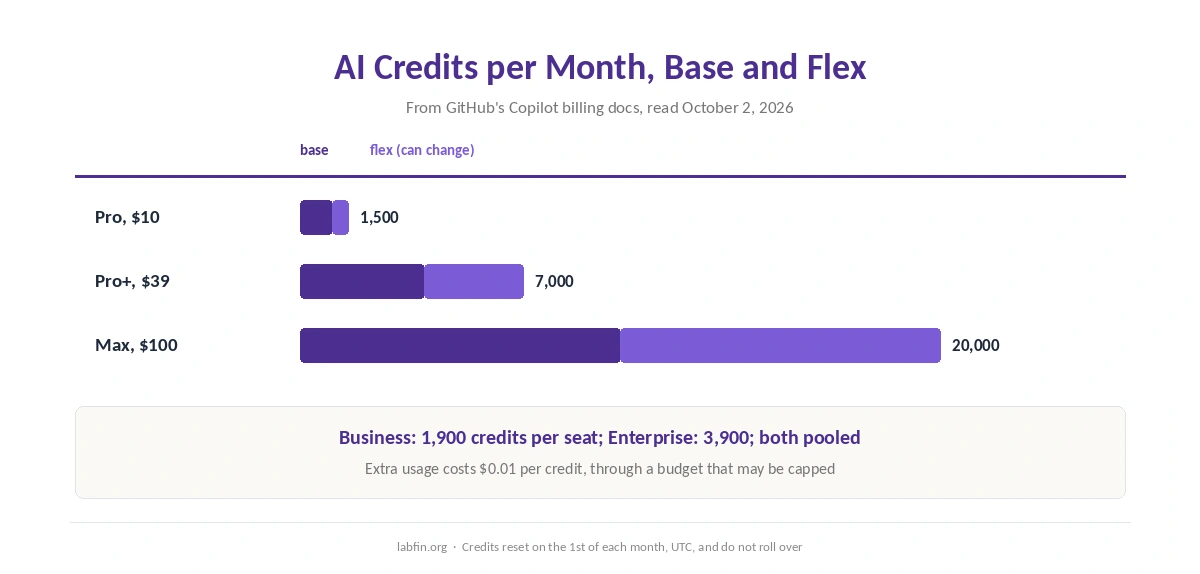
| Pro | $10/mo | 1,500 (1,000 base + 500 flex) |
| Pro+ | $39/mo | 7,000 (3,900 base + 3,100 flex) |
| Max | $100/mo | 20,000 (10,000 base + 10,000 flex) |
| Business | $19 a seat | 1,900 per user, pooled |
| Enterprise | $39 a seat | 3,900 per user, pooled |
How AI Credits Work
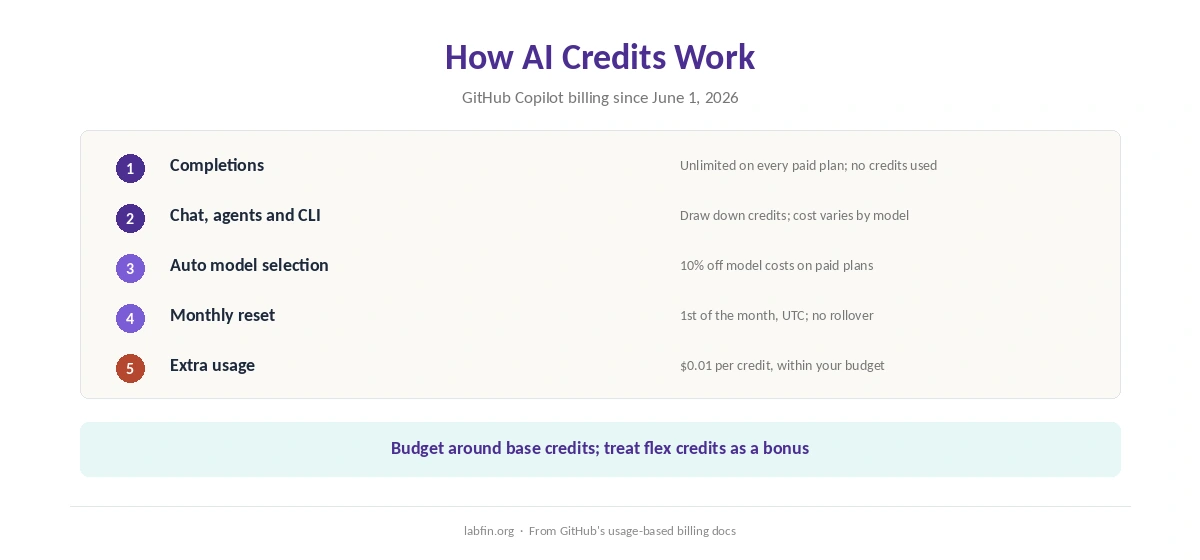
First, completions stay unlimited on every paid plan, so only chat, agents and the CLI draw down credits. Different models, however, cost different amounts, and auto model selection earns a 10% discount on model costs on paid plans.
Credits also reset on the first of each month, in UTC, and do not roll over. Beyond the allowance, extra usage costs $0.01 per credit through a budget you set, though GitHub warns it may be capped.
Base and Flex Credits
In addition, each individual plan splits its allowance into base and flex credits. Pro, for example, has 1,000 base credits and 500 flex, and GitHub says the flex part can change.
⚠️ So treat flex credits as a bonus rather than a promise, as our comparison of AI tool limits also advises. If your work depends on a fixed amount, budget around the base figure, and check GitHub’s billing docs each month.
Free and Student Plans
Copilot Free, for example, includes 2,000 completions a month and limited chat and agent use, with auto model selection only. Verified students get Copilot Student at no cost, also limited to auto model selection.
In addition, verified teachers and maintainers of popular open-source projects get Pro free. Our list of the best AI for coding beginners compares Copilot Free with other free options.
Business and Enterprise
For organizations, Copilot Business costs $19 a seat a month with 1,900 credits per user, pooled across the organization. Enterprise, meanwhile, costs $39 a seat with 3,900 pooled credits per user and requires GitHub Enterprise Cloud.
Both, moreover, are excluded from the training change of April 24, 2026, so GitHub does not train on their interaction data. Our list of the best AI for business compares business plans across tools.
Training and Refunds
On Free, Pro and Pro+, GitHub has used interaction data to train its models since April 24, 2026, unless you opt out under Settings, then Privacy. Earlier opt-outs carry over, and private repositories at rest are not used, GitHub’s announcement says.
On refunds, you can cancel any time, effective at the end of the billing cycle. If an organization seat replaces your personal plan, moreover, GitHub prorates a refund.
GitHub Copilot vs Other Coding Plans
Cursor Pro costs $20 a month for a full AI editor, as our Cursor pricing guide explains. Claude Code and Codex, meanwhile, come with Claude Pro and ChatGPT Plus at $20, as our Claude pricing and ChatGPT pricing guides explain. Each of those, however, includes chat and other tools beyond code.
Copilot, therefore, is the cheapest of these, and its paid plans also list models from six providers, including Claude and GPT. Our list of GitHub Copilot alternatives covers the trade-offs, and our comparisons of ChatGPT vs GitHub Copilot and Claude vs GitHub Copilot go deeper. Both also cover the training defaults.
Which GitHub Copilot Plan to Choose
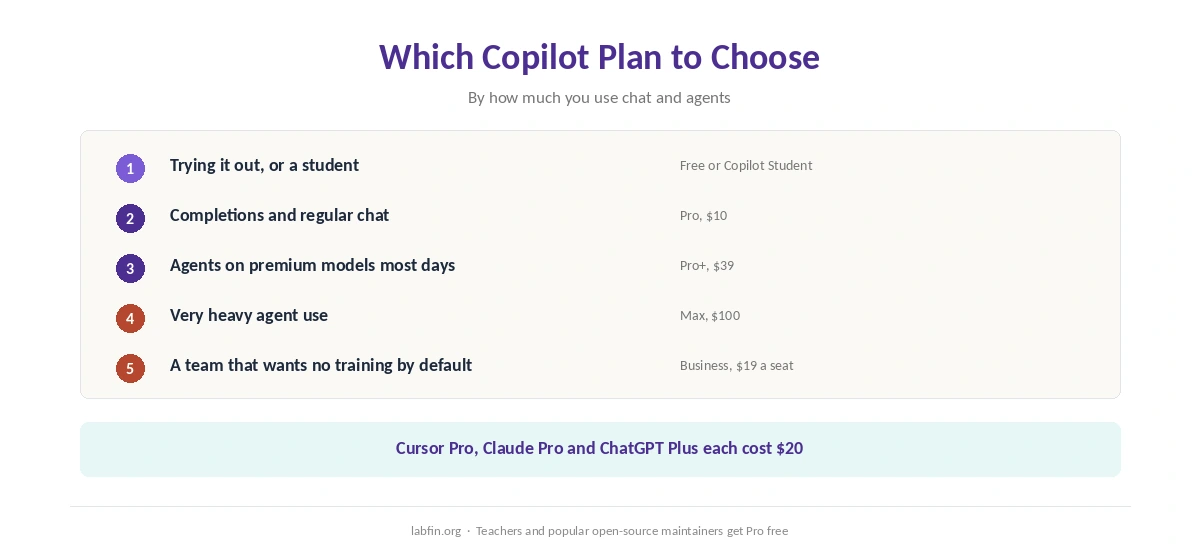
In short, GitHub Copilot pricing rewards starting small. For example, try Free, and take Pro if you want unlimited completions and regular chat in your editor.
Move to Pro+, however, if you run agents on premium models most days, and to Max only for very heavy use. Teams, by contrast, should choose Business for pooled credits and no training by default.
How We Research
Prices and credits come from GitHub’s Copilot documentation on individual plans and usage-based billing, read on October 2, 2026. The training change comes from GitHub’s announcement of March 25, 2026.
Our about page explains how we work. Our breakdown of AI tool costs also adds up a year of each plan.
For agent scores, see our list of the best AI for coding. For a workflow that keeps credit use down, our guide to using AI for coding projects helps.
GitHub Copilot Pricing FAQ
Copilot Free is $0. Pro costs $10 a month, Pro+ $39 and Max $100. Business costs $19 a seat and Enterprise $39.
Since June 1, 2026, chat, agents and the CLI draw down monthly AI credits. Completions stay unlimited on paid plans, and extra credits cost $0.01 each.
1,500 a month: 1,000 base credits and 500 flex credits, which GitHub says can change.
Yes. Verified students get Copilot Student at no cost, with auto model selection only. Verified teachers and popular open-source maintainers get Pro free.
On Free, Pro and Pro+, yes, since April 24, 2026, unless you opt out under Privacy. Business and Enterprise are excluded.
The Verdict
GitHub Copilot pricing undercuts its main rivals, with Pro at $10 against their $20. The catch is the credit system: flex credits can change, and agent-heavy months can need extra credits or a higher tier.
So start on Free or Pro, watch your credit usage for a month, and opt out of training on personal plans before you open private code.