
Disclosure: LabFin is reader-supported. If you sign up for a tool through links on this page, we may earn a commission at no extra cost to you. Commissions vary between providers and our ratings do not — here’s our full disclosure.
Of the tools on this list, the best AI for email writing works inside the inbox you already use. Gemini writes inside Gmail from $4.99 a month, and Microsoft Copilot writes inside Outlook from $9.99. ChatGPT and Claude work from their own chat windows, and Perplexity’s inbox assistant needs its $200 Max plan.
We rank by how close each tool gets to your mailbox, according to its maker’s documents. The sections below explain the order, then cover each tool’s email features, price and catch.
Best AI for Email Writing: The Short Answer
Among the best AI for email writing on this list, pick by your inbox. Gmail users get Help me write, Proofread and suggested replies on Google AI Plus. In the US, Help me write works even on a free personal account. Outlook users get Copilot inside Outlook with Microsoft 365 Personal. Our guide to using AI for email sequences maps one job per email before drafting.
Chat-based tools add a step. ChatGPT’s Gmail connector drafts from a chat and, since about June 2026, sends after you approve, guides report. Claude can read your Gmail for research, and Perplexity’s Email Assistant works inside Gmail and Outlook on Max only.
The List at a Glance
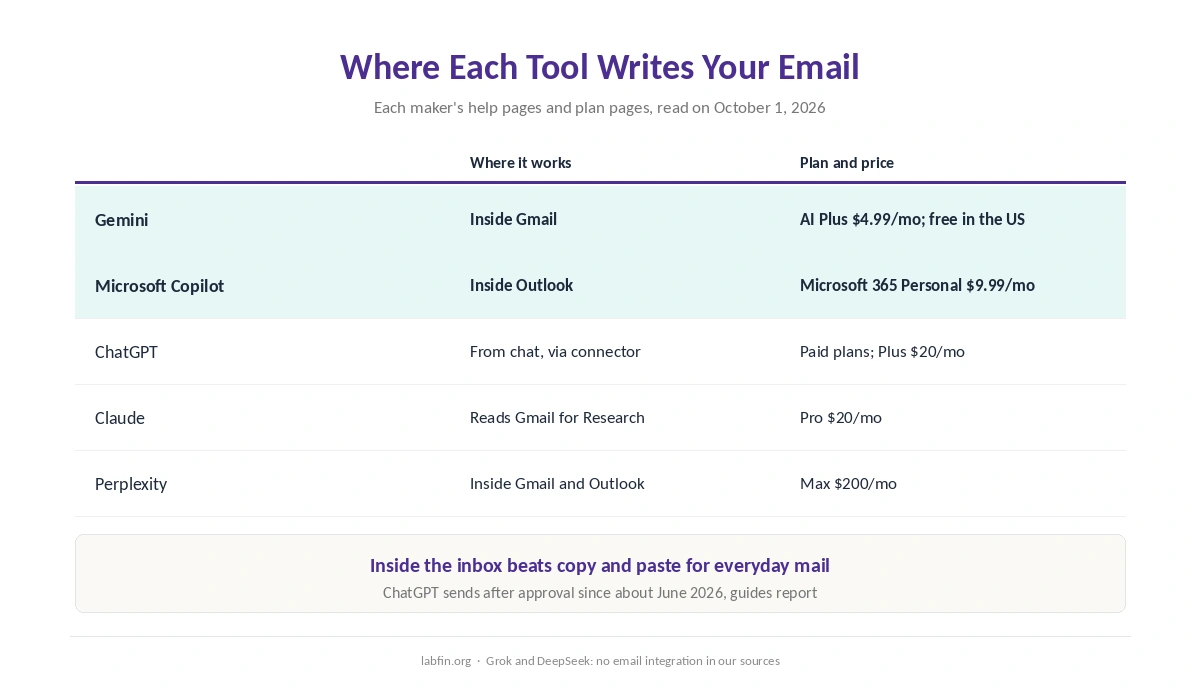
| Tool | Where it writes email | Plan and price |
|---|---|---|
| Gemini | Inside Gmail: Help me write, Proofread, replies | Google AI Plus $4.99/mo; free in the US |
| Microsoft Copilot | Inside Outlook | Microsoft 365 Personal $9.99/mo |
| ChatGPT | From chat via Gmail or Outlook connector | Paid plans; Plus $20/mo |
| Claude | Reads Gmail for Research; drafts in chat | Pro $20/mo |
| Perplexity | Email Assistant inside Gmail and Outlook | Max $200/mo |
How We Ordered the Best AI for Email Writing
This list of the best AI for email writing judges each tool on its plans up to about $20 a month. Tools that draft inside your mail app come first, then tools that reach your mail from a chat, then tools that only read it. Within each group, the cheaper plan comes first. Perplexity’s inbox assistant needs its $200 Max plan, so it comes last.
We left Grok and DeepSeek off because the sources behind our reviews document no email integration for them. For general writing quality, our list of the best AI for writing uses a different measure.
1. Gemini: Inside Gmail, From $4.99
Google’s Gmail Help says Help me write drafts new emails and refines existing ones. It works with a Google AI or eligible Workspace plan in several languages worldwide, and on personal accounts in the US. Google AI Plus, at $4.99 a month, also adds Proofread, suggested replies and AI overviews of long threads.
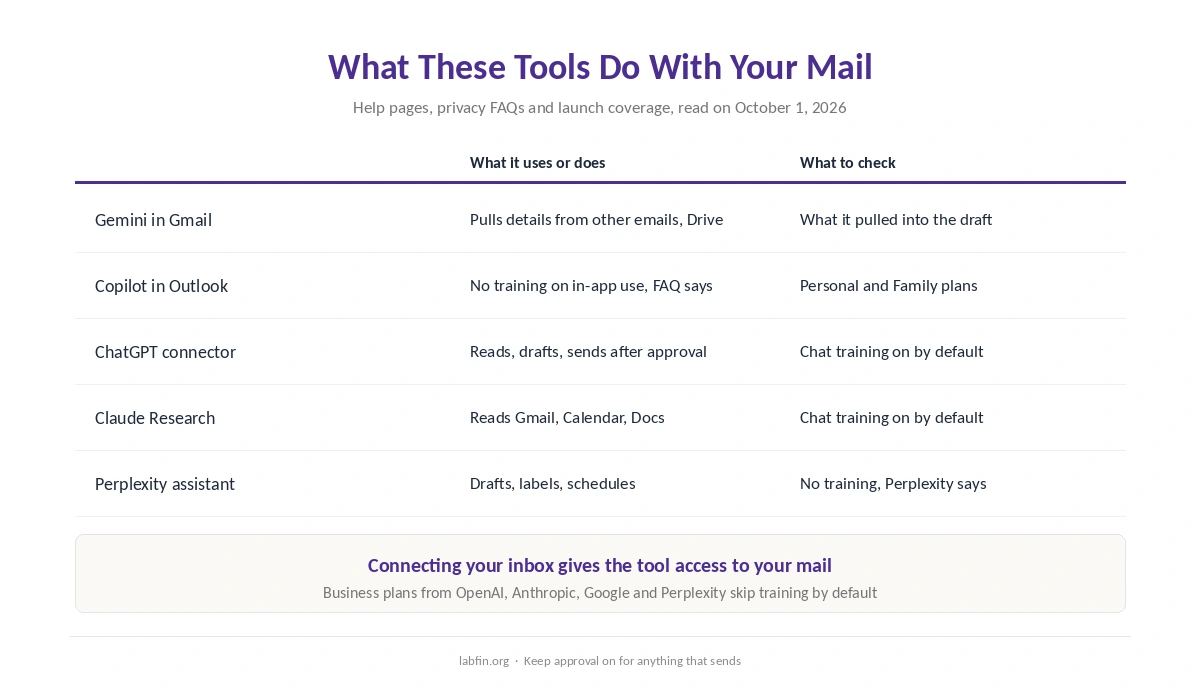
The catch: Google says Help me write draws on details from your other emails and Drive files to personalize drafts, so check what it pulls in. In January 2026, Google also removed the Gemini side panel in Gmail for US AI Pro and Ultra subscribers, 9to5Google reported. Details are in our Gemini review.
2. Microsoft Copilot: Inside Outlook, From $9.99
Microsoft 365 Personal costs $9.99 a month and puts Copilot inside Outlook, Word and Excel, with 1 TB of storage. Microsoft’s privacy FAQ says it does not train on Copilot use inside the Microsoft 365 apps on Personal and Family plans.
The catch: the free Copilot app shows ads without a Microsoft 365 subscription, and Microsoft publishes no usage limits. Details are in our Microsoft Copilot review.
3. ChatGPT: Gmail and Outlook From Chat
On paid plans, ChatGPT’s Gmail connector can search, read and draft from your inbox. Since about June 2026 it can also send a drafted message after you approve it, from the web app and without attachments, according to guides from Carly and Fyxer. Fyxer reports that Outlook works the same way.
The catch: you write from ChatGPT, not inside your mail app, and chats train OpenAI’s models on personal plans until you opt out. Details are in our ChatGPT review, and our ChatGPT vs Gemini comparison covers the Gmail angle.
4. Claude: Reads Your Mail for Research
Claude’s Research, on paid plans, can search across Gmail, Google Calendar and Google Docs when you connect them, according to Anthropic’s help article. Claude Pro costs $20 a month or $200 a year, and Claude shows no ads.
The catch: the sources behind our reviews document reading your mail, not writing inside it, so drafts happen in chat and you paste them in. Details are in our Claude review.
5. Perplexity: An Inbox Assistant on Max
Perplexity launched Email Assistant in September 2025 for Gmail and Outlook. It drafts replies in your tone, labels messages and schedules meetings, and it asks for approval before sending, according to coverage at launch. Perplexity said it does not train on your email data, PCWorld reported.
The catch: it needs Perplexity Max, at $200 a month or $2,000 a year. Details are in our Perplexity review.
Which Tool for Which Inbox
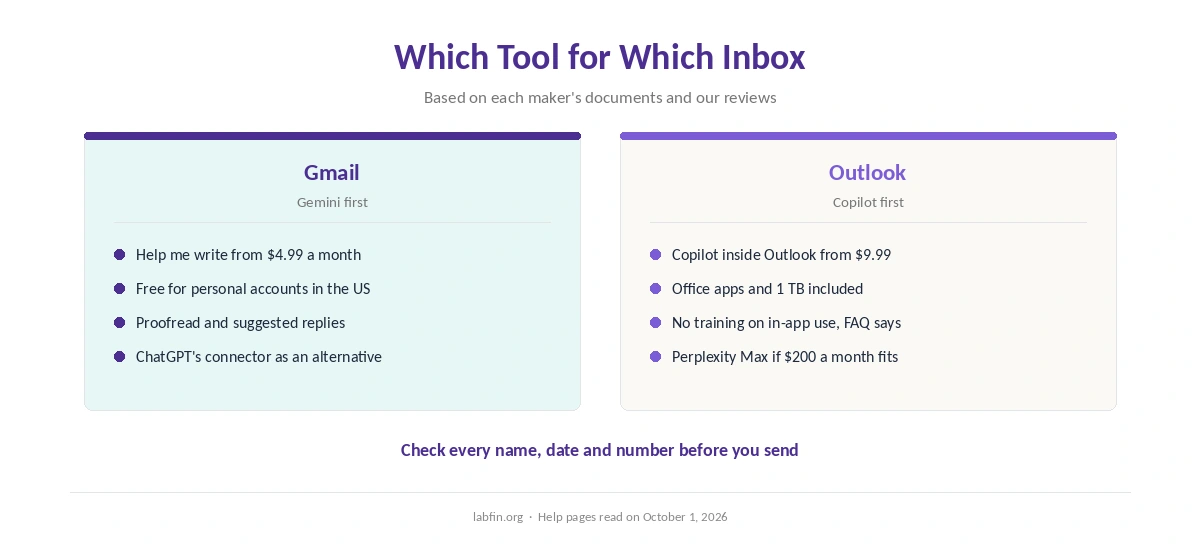
The best AI for email writing on this list depends on where your mail lives. Gmail: Gemini, from $4.99, or free in the US. Outlook: Microsoft Copilot, from $9.99 with the Office apps. Both, from one chat: ChatGPT on a paid plan. Hands-off inbox help: Perplexity Max, if $200 a month fits. For what each plan costs over a year, see our yearly cost breakdown. Our guide on whether Google’s paid Gemini plan is worth it lists every plan and what it adds.
Before You Let AI Write Your Email
Check every name, date and number in a draft, since AI can pull the wrong detail from another thread. Keep approval on for anything that sends, and read the draft as the recipient would.
Mind what you connect. Most consumer plans train on chats by default, and connecting your inbox gives the tool access to your mail. Business plans from OpenAI, Anthropic, Google and Perplexity skip training by default.
How We Research
This list draws on each maker’s help pages, such as Gmail’s Help me write article, and on our individual reviews, read on October 1, 2026. Where a feature comes from third-party guides or launch coverage, we name the source.
We run no email tests of our own and show no sample drafts. Our criteria live on our about page.
Best AI for Email Writing FAQ
Of the tools on this list, the one inside your inbox: Gemini for Gmail from $4.99 a month, or Microsoft Copilot for Outlook from $9.99.
Help me write works on free personal Google accounts in the US. Elsewhere, it needs a Google AI plan, from Google AI Plus at $4.99 a month.
Through its Gmail connector on paid plans, since about June 2026, after you approve each message, guides report. It runs from the web app without attachments.
Claude’s Research can read Gmail, Calendar and Docs when connected on paid plans. The sources behind our reviews do not document drafting inside Gmail.
Perplexity’s Email Assistant drafts, labels and schedules inside Gmail and Outlook, but only on Max at $200 a month.
The Verdict
Among the best AI for email writing on this list, the right pick is the one already in your inbox. Gemini fits Gmail from $4.99 a month, and Microsoft Copilot fits Outlook from $9.99. ChatGPT suits people who handle mail from a chat, and Perplexity Max suits people who want an inbox assistant and can pay $200 a month. Our page on the best AI for blogging covers which tools handle research, drafting and SEO data on one plan.
Whichever you choose, keep approval on before anything sends and check every detail in a draft.