
Disclosure: LabFin is reader-supported. If you sign up for a tool through links on this page, we may earn a commission at no extra cost to you. Commissions vary between providers and our ratings do not — here’s our full disclosure.
To train AI on your own content for everyday work, you do not need training at all. Instead, they give an assistant their documents and instructions, so it answers from that material, for example in a project or a source-grounded notebook.
True training, called fine-tuning, changes a model’s weights and suits developers with large, stable datasets. This guide, moreover, sets out five options, from simplest to hardest, and which one fits which job.
How to Train AI on Your Own Content: The Short Answer
First, put standing instructions and reference files in a project in ChatGPT or Claude. For answers that must come only from your documents, use a source-grounded tool such as Gemini Notebook, which cites passages.
For a team’s knowledge, by contrast, use workspace AI such as Notion AI. Developers, finally, can build retrieval over their documents and fine-tune only when retrieval falls short.
Grounding vs Training
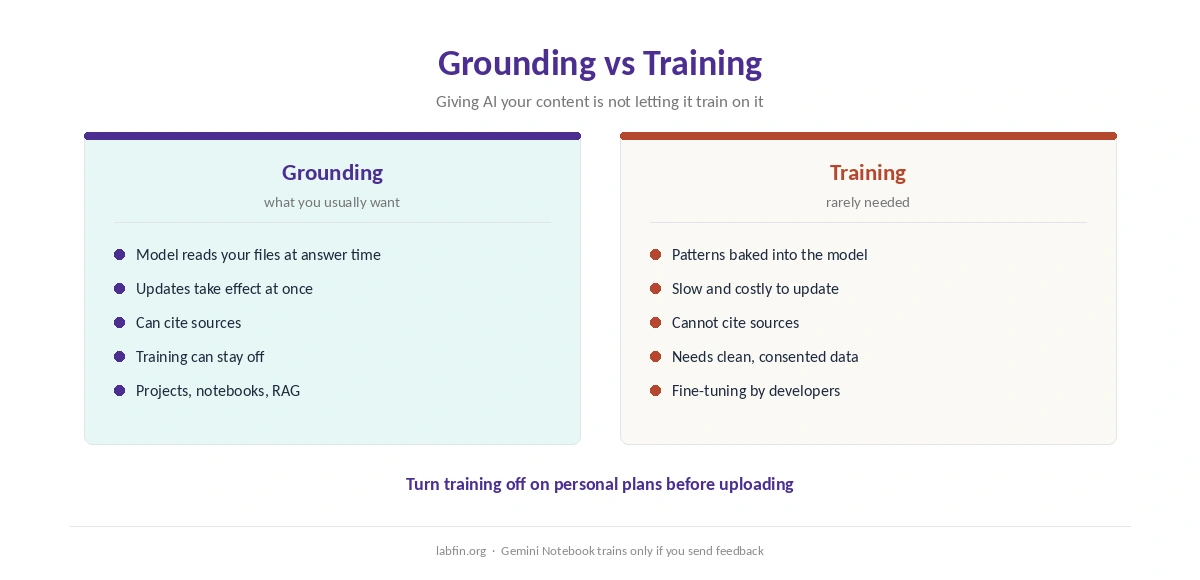
Grounding means the model reads your material at answer time, so updates take effect at once and sources can be cited. Training, in contrast, bakes patterns into the model, which is slower, costlier and harder to update.
For facts that change, such as prices or policies, grounding is therefore the safer choice. Our guide to reducing AI hallucinations explains why grounded answers err less.
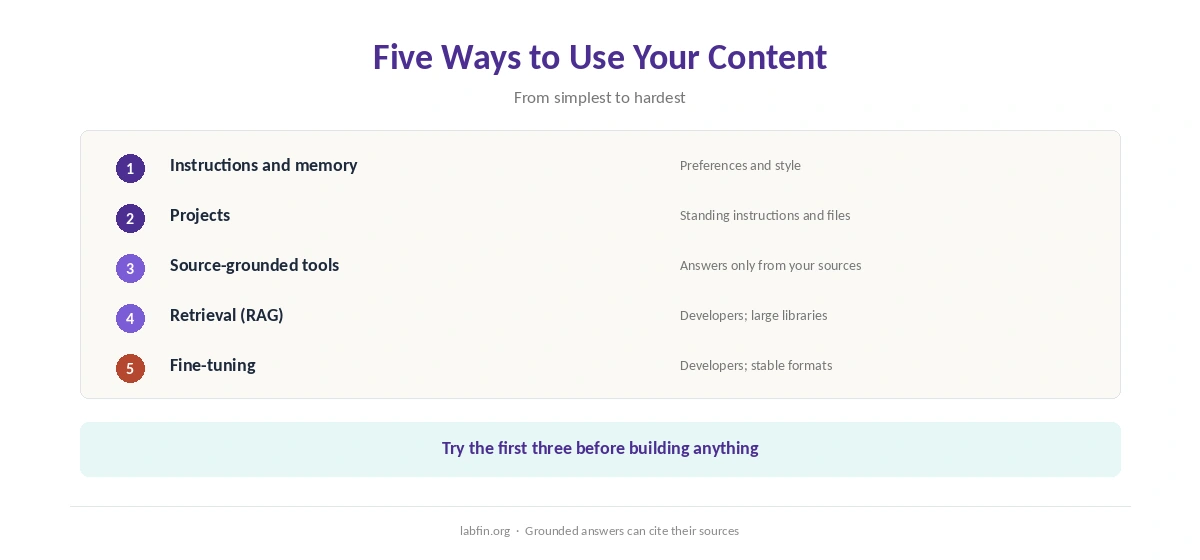
Option 1: Instructions and Memory
Custom instructions and memory tell an assistant who you are and how you work, across chats. They suit preferences and style, not large documents, as our guide to building a personal AI workflow covers.
Our guide to creating brand voice guidelines for AI shows how to write instructions that stick.
Option 2: Projects
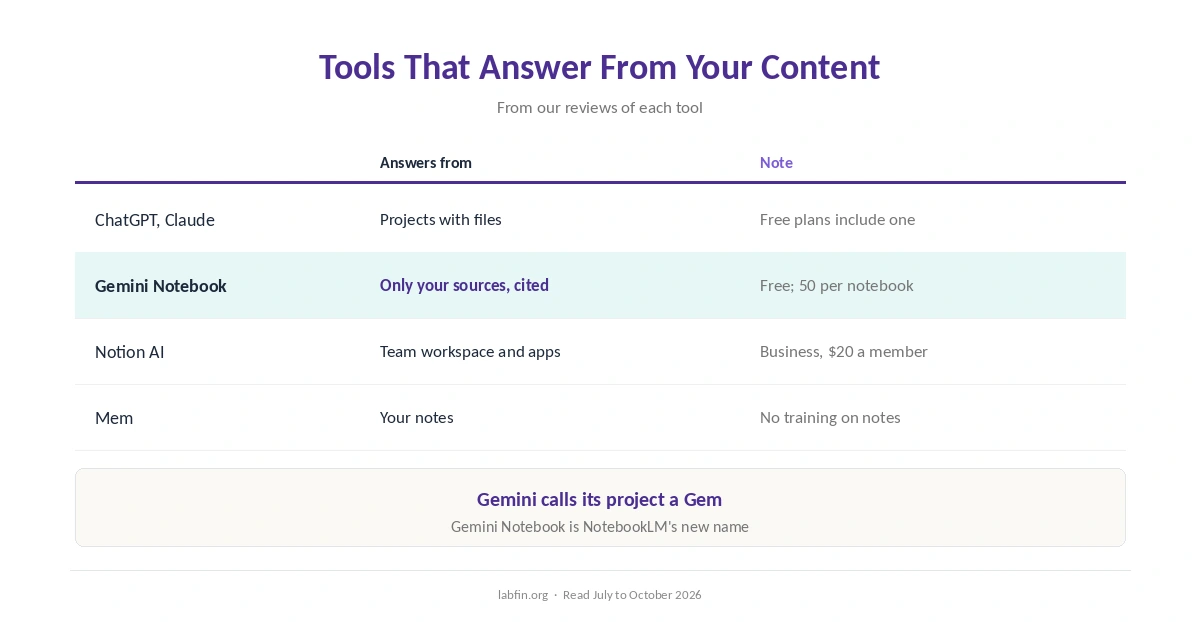
ChatGPT and Claude call it a project, and Gemini calls it a Gem: a space with standing instructions and files that every chat inside can use. All three offer one on free plans, as our ChatGPT review and Claude review cover.
For long files in Claude, our guide to using Claude for long documents covers limits.
Option 3: Source-Grounded Tools
Gemini Notebook answers only from the sources you add, with citations to each passage, and it is free with 50 sources per notebook. Our NotebookLM review covers its limits, and our Perplexity vs NotebookLM comparison weighs it against search.
Notion AI, similarly, answers across a team’s workspace and connected tools on Business, and Mem answers from your notes. Our Notion AI review and Mem review compare them.
Option 4: Retrieval for Developers
Retrieval-augmented generation, or RAG, searches your documents for relevant passages and sends them to a model with each question. It scales to large libraries and keeps answers current.
Developers build it with a model API and a search index. Our list of the best AI tools for developers compares APIs, and our guide to setting up local AI covers private setups.
Option 5: Fine-Tuning
Fine-tuning trains a model further on your examples, which can lock in a format or style. However, it needs clean data, testing and upkeep, and it does not keep facts current.
When you train AI on your own content, therefore, try instructions, projects and retrieval first, and fine-tune only when they fall short.
Your Content and Their Training
Giving an assistant your files does not require letting it train on them. In fact, turn training off on personal plans before uploading, as our guide to which AI tools train on your data explains.
Gemini Notebook, for example, does not train on your sources unless you send feedback, and Mem rules out training general models on your notes.
How We Research
This guide on how to train AI on your own content draws on our reviews of each tool, read between July and October 4, 2026, and on Gemini Notebook’s help center.
We run no fine-tuning tests of our own. Our about page explains how we research.
How to Train AI on Your Own Content FAQ
Not in the app; instead, add them to a project so ChatGPT reads them when answering.
A project in ChatGPT or Claude, or a source-grounded tool such as Gemini Notebook.
RAG feeds relevant passages at answer time; fine-tuning changes the model itself.
No. Turn training off on personal plans; projects and notebooks still read your files.
Gemini Notebook, which cites the passages it used.
The Verdict
To train AI on your own content, start by not training it: give it your material through instructions, projects or a source-grounded tool. Fine-tuning, however, is a developer’s last step.
So ground first, keep training off, and fine-tune only when a stable task demands it.