
Disclosure: LabFin is reader-supported. If you sign up for a tool through links on this page, we may earn a commission at no extra cost to you. Commissions vary between providers and our ratings do not — here’s our full disclosure.
To use AI for internal linking well, start from data. List every link on your site, find pages with few inbound links, and only then ask AI to draft linking sentences. AI, for example, writes natural sentences quickly, but it cannot see your site’s link graph unless you give it one.
This guide, moreover, uses our own linking pass on this site as a worked example, then sets out a six-step workflow and rules. It works with ChatGPT, Claude or a coding agent that can run a small script.
How to Use AI for Internal Linking: The Short Answer
First, export your posts and count inbound links per page with a short script; a coding agent can write it. Then pick target pages with the fewest links and, for each, two to four relevant pages that should point to it.
Next, however, ask AI for one sentence per link, in your voice, with a descriptive anchor, and review every placement before publishing.
Our Own Example
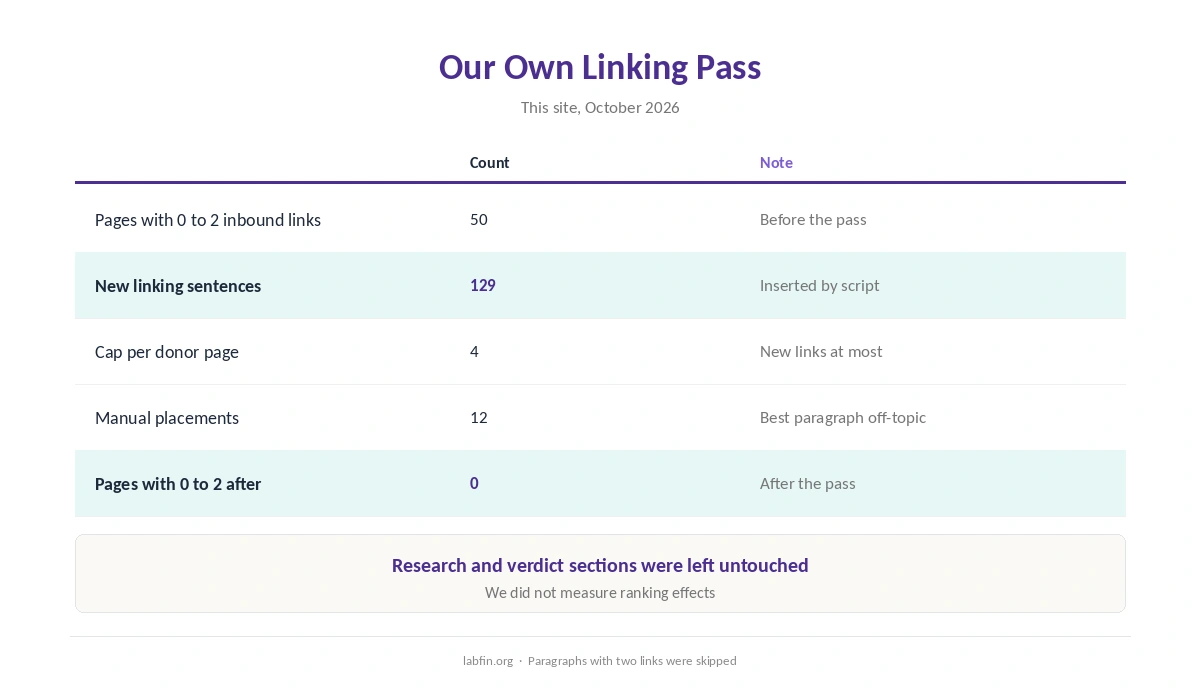
In October 2026, we audited every article on this site at the time. Of those, 50 had two or fewer inbound links from other articles. A script, therefore, matched each one to related pages from our editorial notes and inserted 129 sentences.
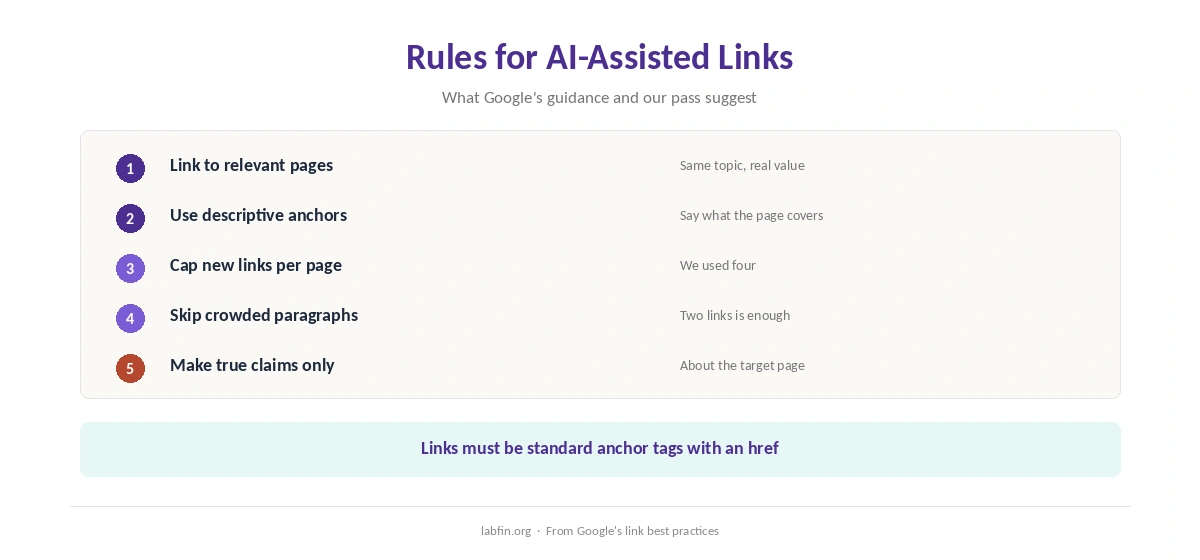
We capped new links at four per page and skipped our research and verdict sections. We also skipped paragraphs that already had two links. Twelve placements, in addition, needed a human choice because the best-scoring paragraph was off-topic.
Step 1: Export and Count Links
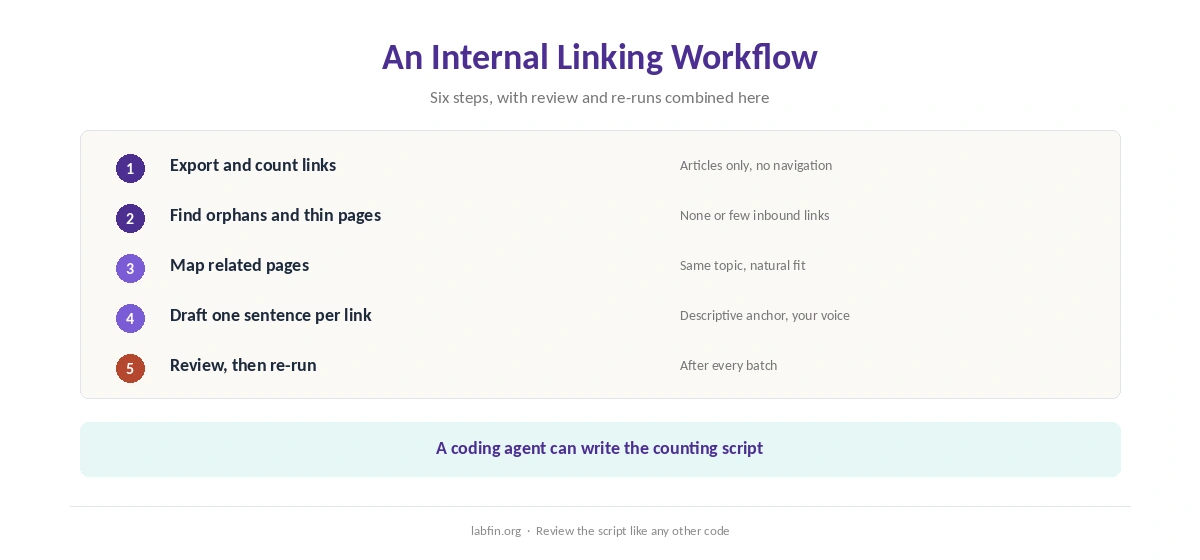
Export posts from your CMS, then count links between articles, leaving out navigation and footer links. A coding agent such as Claude Code can write this script, as our Claude Code review covers.
Our guide to using AI for coding projects covers safe settings, and our guide to reviewing AI-generated code applies to the script too.
Step 2: Find Orphans and Thin Pages
List pages with no inbound links, then pages with only one or two. In our audit, as a result, new articles topped this list, since older pages had not linked to them yet.
Step 3: Map Related Pages
For each target, choose donor pages on the same topic. A review, for example, links to its comparisons, and a list to its reviews. Our guide to using AI for keyword research helps group topics, and our guide to using AI for content outlines covers briefs.
Step 4: Draft One Sentence per Link
Give the AI the target’s title, a short summary and the donor paragraph, and ask for one sentence that adds value. Write two variants per target, moreover, so repeated links do not read identically.
Our guide to creating brand voice guidelines for AI keeps the sentences in your voice, and our guide to writing better prompts covers the request.
Step 5: Review Every Placement
Check that each sentence fits its paragraph and makes a true claim about the target. It also should not crowd the paragraph with links. Also avoid sentences that describe the target page in ways it does not support, as our guide to fact-checking AI output explains.
Step 6: Re-Run After Each Batch
When you use AI for internal linking, count links again after publishing, and add new articles to the map. Internal linking, therefore, is a routine, not a one-off project.
What Google Says
Google’s link documentation asks for crawlable links, meaning standard anchor tags with an href, and descriptive anchor text. It also advises linking to relevant pages rather than stuffing links.
Our guides to ChatGPT for SEO and Claude for SEO cover other SEO tasks.
Related SEO Guides
Our guides to using AI for headlines and using AI for meta descriptions cover the rest of on-page work.
How We Research
This guide on how to use AI for internal linking draws on our own linking pass of October 2026 and on Google’s link best practices.
We report no ranking effects, since we did not measure them. Our about page explains how we research.
How to Use AI for Internal Linking FAQ
It drafts linking sentences well; a script finds where links are needed, and you review each placement.
Export your posts, count inbound links between articles, and list pages with none or very few.
Enough to help readers; we capped new links at four per page in our own pass.
Descriptive text that says what the target page covers, not “click here”.
No. We skipped research and verdict sections and paragraphs that already had two links.
The Verdict
AI makes internal linking faster when data decides where links go and a human checks each one. On its own, however, it cannot see your site.
So count links, find thin pages, map topics, draft sentences and review them. That is how to use AI for internal linking without clutter.