
Disclosure: LabFin is reader-supported. If you sign up for a tool through links on this page, we may earn a commission at no extra cost to you. Commissions vary between providers and our ratings do not — here’s our full disclosure.
To use AI for keyword research well, let it brainstorm, group and explain, then check every keyword against real search data. A chatbot can list hundreds of ideas in seconds, but it does not know how often people search for them.
This guide, moreover, sets out a six-step workflow, the prompts that work, and the free data sources that confirm demand. It works with ChatGPT, Claude, Gemini or Perplexity, as our best AI tools list compares.
How to Use AI for Keyword Research: The Short Answer
First, give the AI your topic, audience and product, and ask for seed keywords and questions. Then ask it to group them by search intent and suggest which page should target each group.
Next, however, check volume and trends in a real data source, such as Google Search Console for your own site. AI estimates of search volume are guesses, as our guide to why AI gets facts wrong explains.
What AI Does Well, and What It Cannot
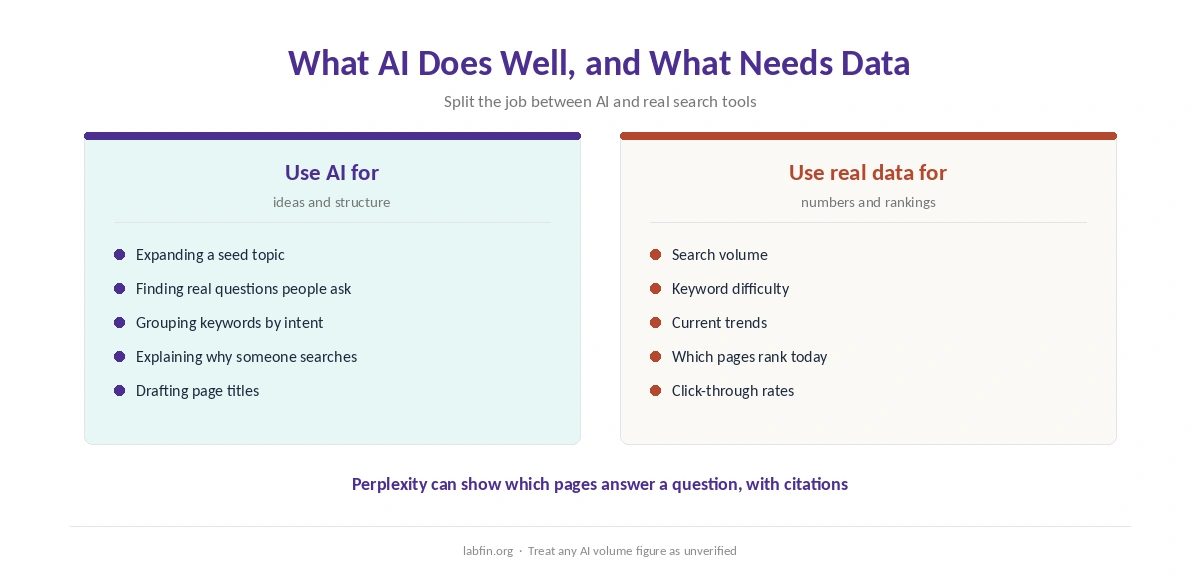
AI is good at expanding a topic into related terms, questions and synonyms, and at grouping them by intent. It also explains why a searcher might use a phrase, which helps you write the right page.
It cannot, however, report reliable search volumes, keyword difficulty or current trends from its training data. Those numbers need a live data source, so treat any figure an AI gives as unverified. Our guide to fact-checking AI output explains how to check claims.
Step 1: Describe the Topic and Audience
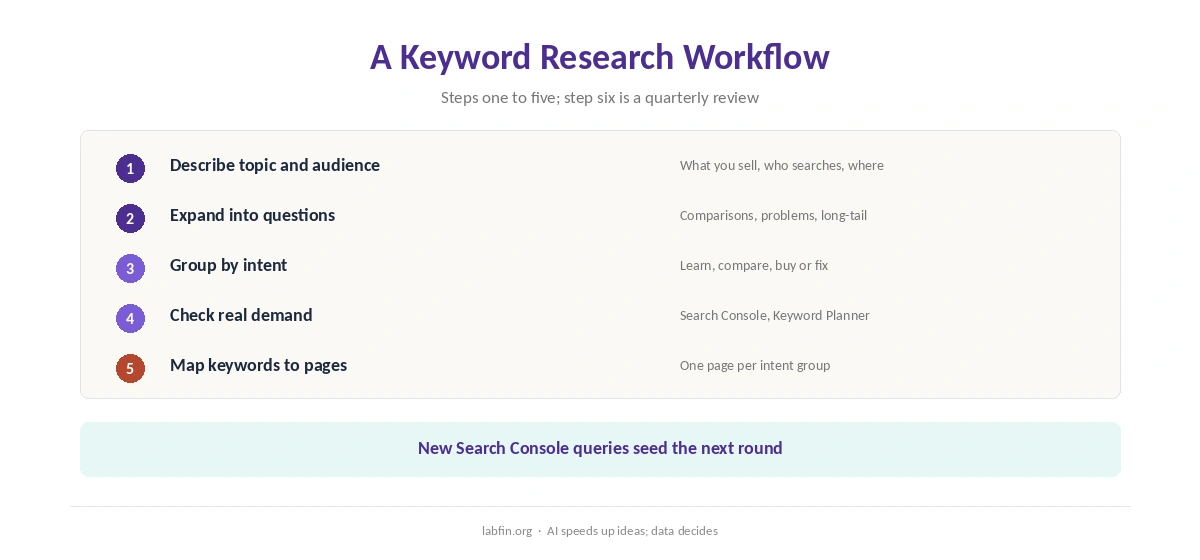
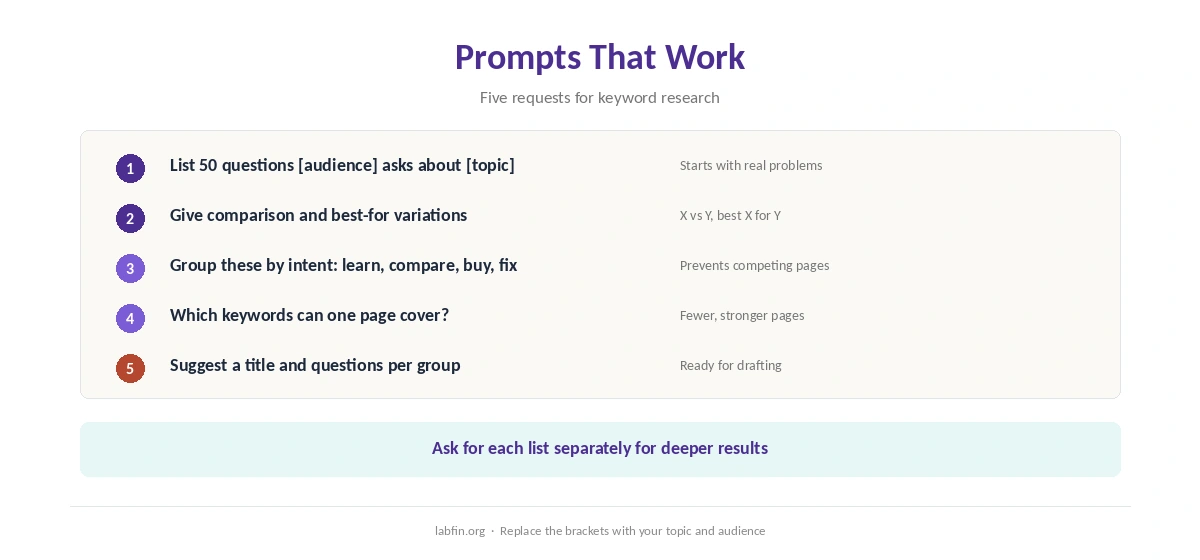
Start with context: what you sell or write about, who reads it, and where they are. A prompt such as “list 50 questions small-business owners ask about payroll software” works far better than “payroll keywords”.
Our guide to writing better prompts covers how to add context.
Step 2: Expand Into Questions and Variations
Ask for questions, comparisons, problems and long-tail phrases, for example “X vs Y”, “best X for Y” and “how to X without Y”. Perplexity, moreover, can show what pages already rank for a phrase, with citations.
Ask for each list separately, since mixed requests tend to give shallower results. Our guide to Perplexity for research covers cited searches.
Step 3: Group by Search Intent
Ask the AI to sort keywords into intent groups: learn, compare, buy or fix. Then ask which keywords in each group one page could cover together.
Grouping, therefore, prevents several pages competing for the same search. Our guide to using AI for SEO content covers the next step.
Step 4: Check Demand With Real Data
For a site that already has traffic, Google Search Console shows the queries people actually used to find you, with impressions and clicks. Google’s Keyword Planner, meanwhile, gives volume ranges for new terms.
When you use AI for keyword research, drop keywords with no real demand, even if the AI suggested them confidently. Keep, however, niche questions that match your audience closely, since they often convert well.
Step 5: Map Keywords to Pages
Ask the AI to suggest one page per intent group, with a working title and the questions it should answer. Then compare the plan with your existing pages to avoid duplicates.
Claude, for example, handles long keyword lists and site maps in one Project. Our guides to Claude for SEO and using Claude for long documents explain the setup.
Step 6: Review Every Quarter
Search behavior changes, so rerun the workflow every few months. Search Console, moreover, shows new queries your pages start to appear for, which are good seeds for the next round.
Our guide to ChatGPT for SEO covers a similar routine in ChatGPT, and our guide to ChatGPT for marketing covers campaign keywords.
Mistakes to Avoid
Do not trust AI search volumes, difficulty scores or claimed rankings. Do not, moreover, publish one page per tiny keyword variation, which splits your content.
Finally, check that a keyword fits your audience, not just a large number. Our list of the best AI for blogging covers writing the pages themselves.
How We Research
This guide on how to use AI for keyword research draws on our reviews of each assistant and on Google Search Console‘s public documentation, read between September and October 2, 2026.
We run no ranking tests of our own. Our about page explains how we research, and our list of the best AI for marketing covers related tools. Our guide to free AI workflows shows a no-cost setup.
How to Use AI for Keyword Research FAQ
It can brainstorm and group keywords well, but it cannot report reliable search volumes. Check demand in a real data source.
Any leading assistant can brainstorm; Perplexity adds cited views of pages that already rank. Volume data must come from a search tool.
No. Treat any volume or difficulty number from a chatbot as a guess.
Google Search Console shows queries for your own site, and Google’s Keyword Planner gives volume ranges.
Every few months, using new queries from Search Console as seeds.
The Verdict
AI makes keyword research faster at the idea stage: expanding topics, finding questions and grouping by intent. It does not, however, replace real search data.
So brainstorm with AI, confirm with data, and map one page per intent. That is how to use AI for keyword research without chasing phantom demand.