
Disclosure: LabFin is reader-supported. If you sign up for a tool through links on this page, we may earn a commission at no extra cost to you. Commissions vary between providers and our ratings do not — here’s our full disclosure.
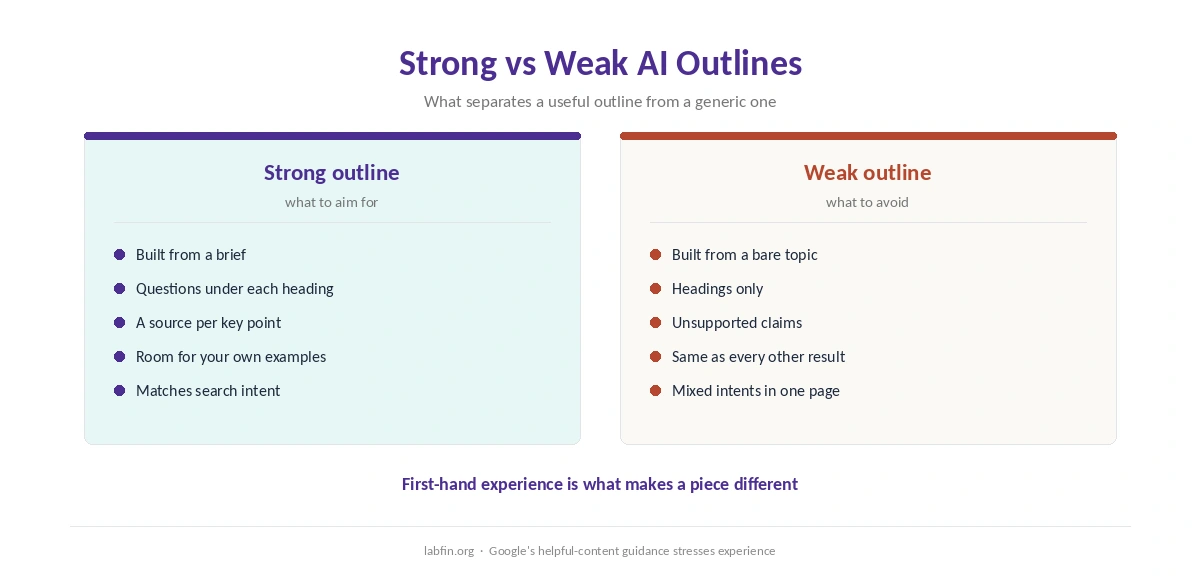
To use AI for content outlines well, give it a clear brief and real sources first, then ask for headings with the questions each section must answer. Asked for an outline from a bare topic, by contrast, AI tends to return the same generic headings everyone else has.
This guide, moreover, sets out a six-step workflow, prompts that work, and how to add the expertise AI cannot supply. It works with Claude, ChatGPT, Gemini or Perplexity.
How to Use AI for Content Outlines: The Short Answer
First, write a short brief: reader, goal, search intent and what makes your piece different. Then collect sources, and ask the AI for an outline with headings, questions per section and the source each point relies on.
Next, however, check the outline against your sources and add your own examples to every section. Our guide to using AI for keyword research covers the intent step.
Step 1: Write a Brief
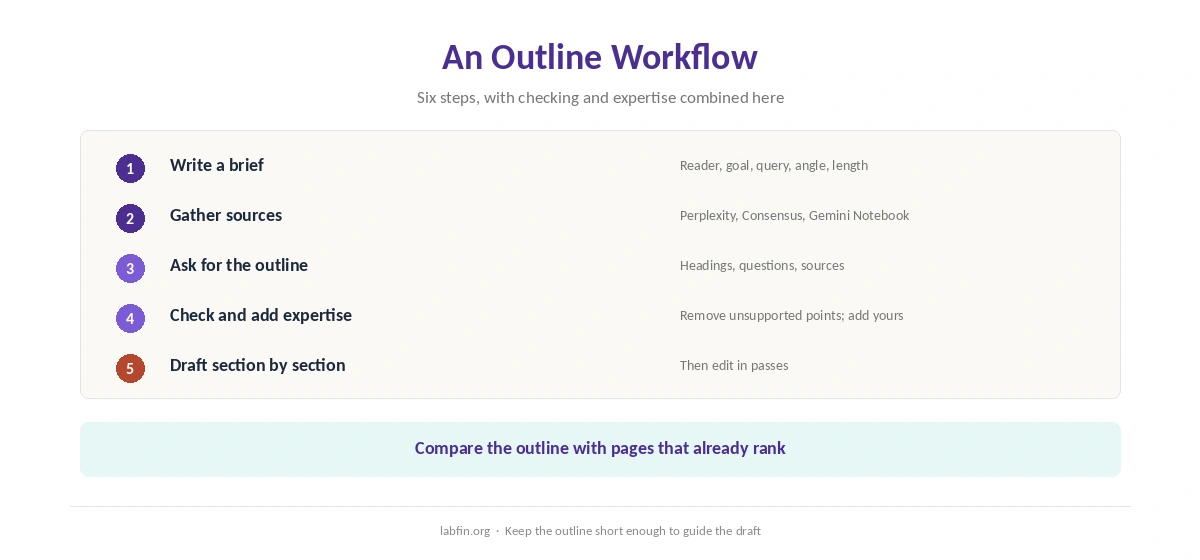
A brief of five lines is enough: who reads it, what they want to do after reading, the main search query, the angle, and the length. As a result, the AI plans for a real reader instead of a topic.
Our guide to writing better prompts covers how to give context.
Step 2: Gather Sources
Collect the pages, studies and data the piece will rely on before outlining. Perplexity, for example, finds web sources with citations, and Consensus finds peer-reviewed studies. Our guide to Perplexity for research and our Consensus review cover both.
Google’s Gemini Notebook, meanwhile, outlines strictly from sources you upload, as our NotebookLM review explains.
Step 3: Ask for the Outline
Ask for H2 and H3 headings, two or three questions each section must answer, and the source behind each key point. Ask also what a reader would expect that the outline misses.
Claude and ChatGPT both handle this well, as our guides to Claude for writing and ChatGPT for writing explain.
Step 4: Check the Outline
Compare the outline with your sources and with pages that already rank for the query. Remove headings no source supports, and merge sections that overlap.
Check every factual point the AI added, however, since outlines can carry invented claims too. Our guide to fact-checking AI output covers the routine.
Step 5: Add Your Expertise
Under each heading, add what only you know: a test you ran, a client example, a mistake you made or a number from your own work. This is what makes the piece different from every other AI outline.
Google’s guidance on helpful content, moreover, stresses first-hand experience. Our guide to using AI for SEO content covers the SEO side, and our list of the best AI for SEO ranks the assistants.
Step 6: Turn the Outline Into a Draft
Draft one section at a time, from your notes and sources, rather than asking for the whole piece at once. Then edit in passes, as our guide to using AI for editing describes.
Long research pieces, for example academic reviews, follow the same steps. Our list of the best AI for literature review covers the research stage.
Prompts That Work
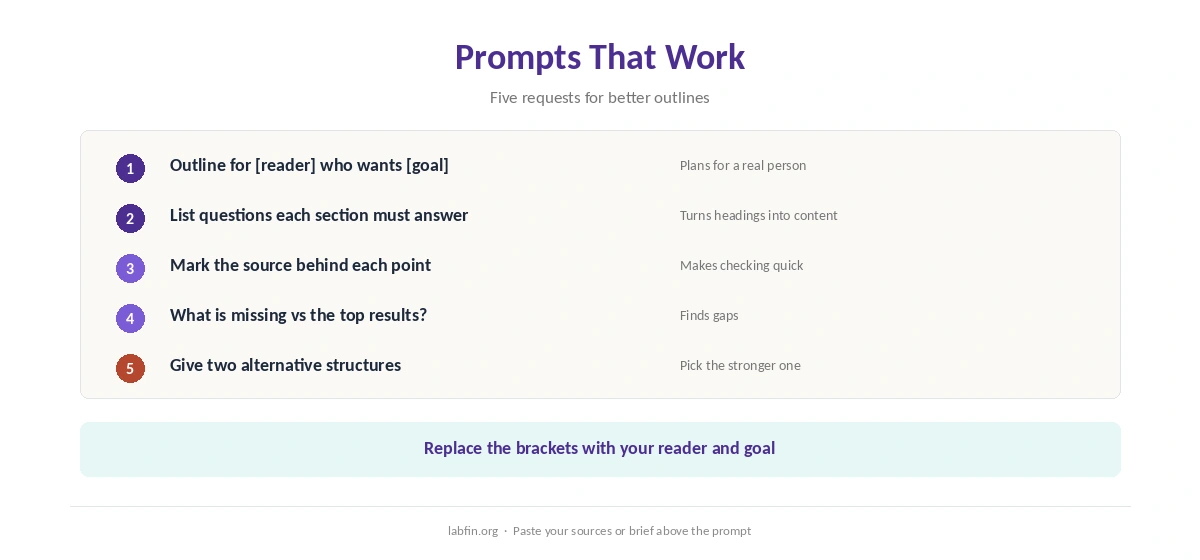
Useful requests include: outline for this reader and goal; list the questions each section must answer; mark which source supports each point; what is missing compared with the top results. Ask, moreover, for two alternative structures and pick the stronger one.
Mistakes to Avoid
Do not publish an AI outline unchanged, since it will match many others. Do not, moreover, let the outline decide facts or numbers that no source supports.
Finally, when you use AI for content outlines, keep the outline short enough to guide the draft without becoming the draft. Our list of the best AI for writing ranks the main assistants.
How We Research
This guide on how to use AI for content outlines draws on our reviews of each assistant, read between August and October 2, 2026, and on Google’s guidance on helpful content.
We run no ranking tests of our own. Our about page explains how we research.
How to Use AI for Content Outlines FAQ
Yes, with a clear brief and real sources. From a bare topic, AI tends to return generic headings.
Claude and ChatGPT both outline well; Gemini Notebook outlines strictly from sources you upload.
No. Check it against your sources, remove unsupported points, and add your own expertise to each section.
Headings, two or three questions per section, and the source behind each key point.
Not by itself. Generic, unchecked content does; first-hand expertise and accurate sources help.
The Verdict
AI makes outlining faster when it works from a brief and real sources. Without them, however, it produces the same headings as everyone else.
So brief, gather sources, outline, check, and add your own expertise. That is how to use AI for content outlines that lead to pieces worth reading.