
Disclosure: LabFin is reader-supported. If you sign up for a tool through links on this page, we may earn a commission at no extra cost to you. Commissions vary between providers and our ratings do not — here’s our full disclosure.
To use AI for content calendars well, give it your goals, your existing pages and your topic clusters, then ask for a draft table you edit. AI, for example, lays out weeks of topics quickly, but it does not know what you have already published or what depends on what.
This guide, moreover, sets out the columns worth tracking, a six-step workflow, and planning rules from how we schedule this site. It works with ChatGPT, Claude or Notion AI.
How to Use AI for Content Calendars: The Short Answer
First, list your goals, audiences and channels, and export your published pages. Then give the AI your topic clusters and ask for a calendar table with topic, format, date and channel.
Next, however, add dependencies and refresh dates, remove duplicates of existing pages, and approve the plan yourself. Our guide to using AI for topic clusters covers where topics come from.
Columns Worth Tracking
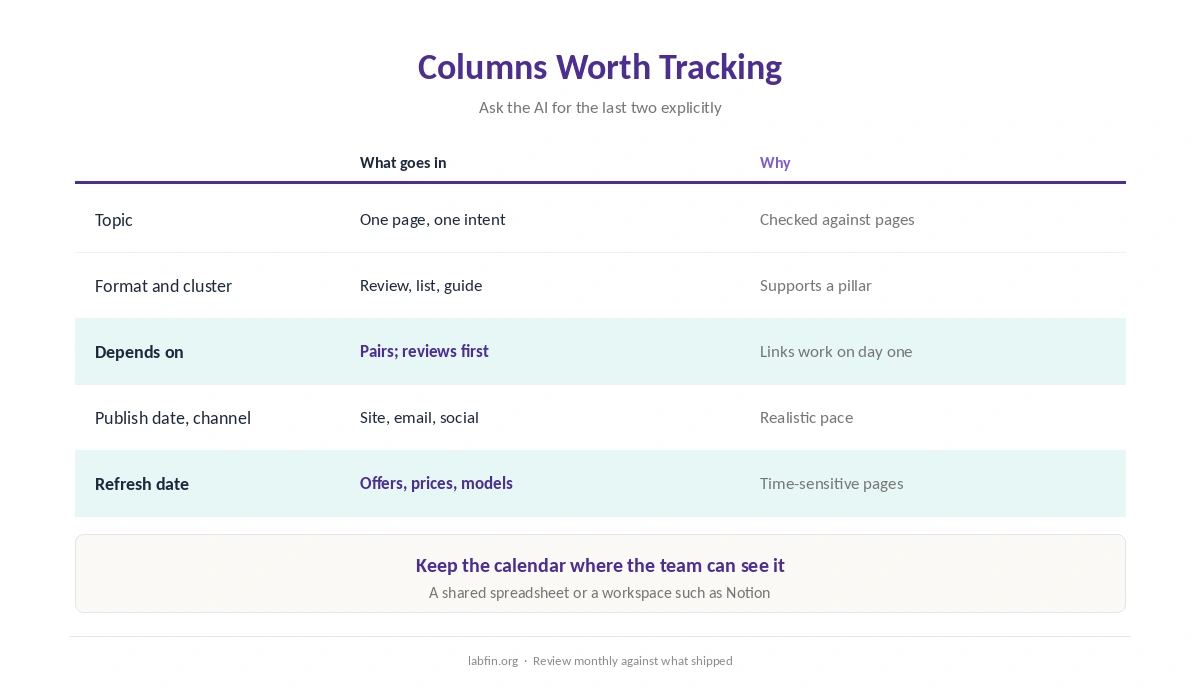
Beyond topic and date, track the format, the cluster it belongs to, what it depends on, and when it needs a refresh. Ask for the last two explicitly, since they keep the plan honest.
A shared spreadsheet or a workspace such as Notion keeps the calendar where the team can see it, as our Notion AI review covers.
Step 1: Set Goals and Channels
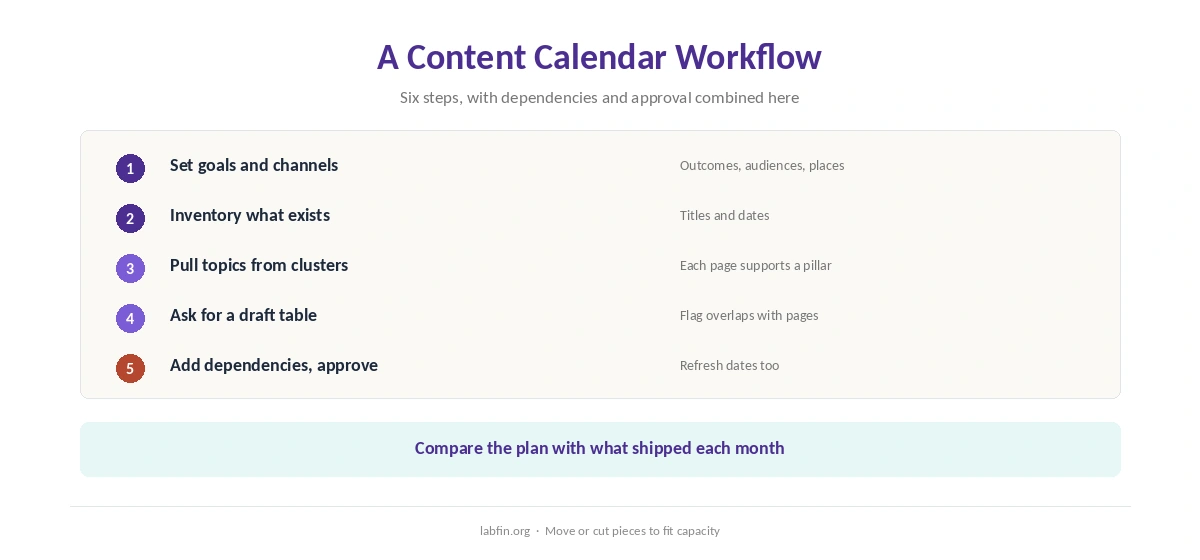
Write down what the content should achieve, for whom, and where it will appear: the site, email or social. As a result, the AI plans for real outcomes instead of filling slots. Our guide to measuring AI tool ROI covers how to judge results.
Step 2: Inventory What Exists
Export your published pages with titles and dates, and give the list to the AI. Otherwise, it will suggest topics you already cover.
Step 3: Pull Topics From Clusters
Take topics from your cluster map, so each new page supports a pillar. Our guide to using AI for keyword research covers the data behind them, and our guide to ChatGPT for marketing covers campaign prompts.
Step 4: Ask for a Draft Table
When you use AI for content calendars, ask for a table with the columns above, a realistic pace, and a mix of formats. Then, for example, ask it to flag any topic that overlaps an existing page.
Step 5: Add Dependencies and Refresh Dates
Mark pieces that must publish together, such as paired comparisons that link to each other. Also put reviews before the lists that rank them, so links work on day one.
Then add refresh dates for time-sensitive pages. Our guide to AI tools student discounts, for example, needs an update after an offer ends on October 31, 2026.
Step 6: Approve and Adjust
Review the draft against your capacity and goals, and move or cut pieces. Our list of the best AI for productivity covers planning tools. Then, at the end of each month, compare what shipped with the plan and adjust.
Planning Rules From This Site
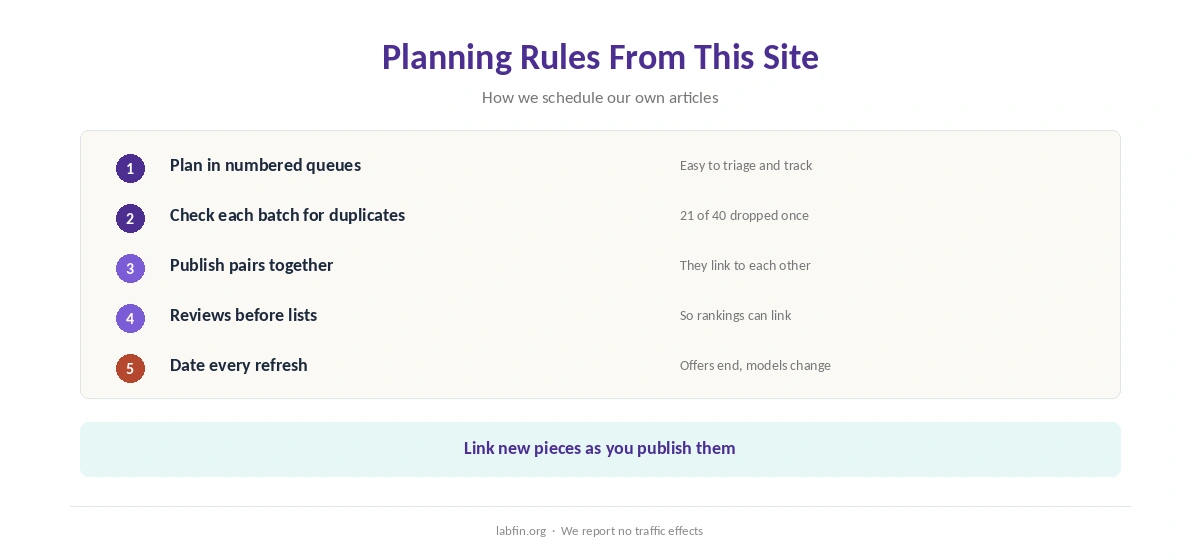
We plan in numbered queues, review each batch for duplicates before writing, and record which pieces must publish after others. In one review of 40 planned topics, for example, we dropped 21 that existing pages already covered.
We also link new pieces as we publish, as our guide to using AI for internal linking describes.
Channels Beyond the Site
The same calendar can hold emails and social posts. Our guides to using AI for social media and using AI for email sequences cover those formats.
Our guides to using AI for headlines and using AI for content outlines, in addition, cover each piece once it is scheduled.
How We Research
This guide on how to use AI for content calendars draws on how we plan this site in 2026 and on our reviews of each tool, read between August and October 4, 2026. One example source is Notion’s help center.
We report no traffic effects, since we did not measure them. Our about page explains how we research.
How to Use AI for Content Calendars FAQ
It drafts one quickly; give it your goals, published pages and topic clusters, then edit and approve it.
Topic, format, cluster, dependencies, publish date, channel and refresh date.
Give it your list of published pages and ask it to flag overlaps.
So paired pieces publish together and reviews go live before the lists that link to them.
A shared spreadsheet or a workspace such as Notion, where the team can see it.
The Verdict
AI makes content calendars faster when it works from your goals, pages and clusters. Without them, however, it fills slots with duplicates.
So set goals, inventory, pull from clusters, draft, add dependencies and refresh dates, and approve. That is how to use AI for content calendars that hold together.