
Disclosure: LabFin is reader-supported. If you sign up for a tool through links on this page, we may earn a commission at no extra cost to you. Commissions vary between providers and our ratings do not — here’s our full disclosure.
ChatGPT vs HyperWrite compares a general assistant with a writing tool that lives in your browser. ChatGPT, for example, handles research, writing, images, code and Office documents in one subscription. HyperWrite, by contrast, suggests your next sentence as you type in Gmail, Google Docs and other sites.
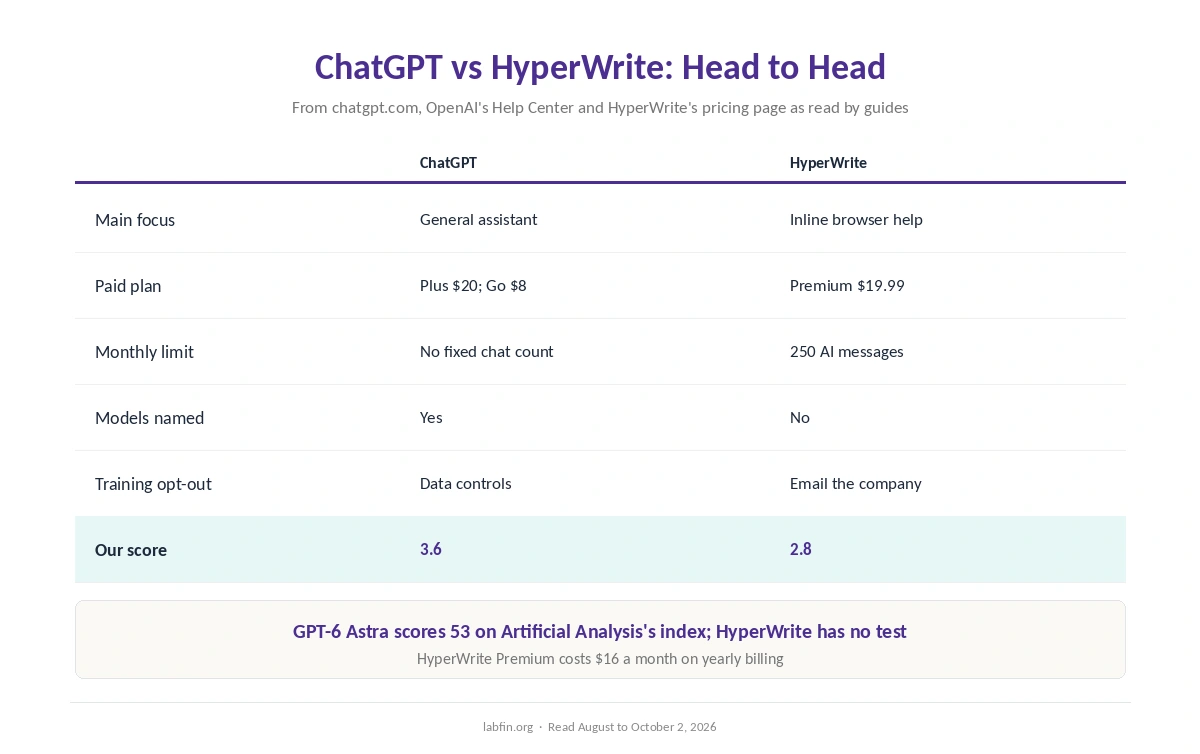
Both paid plans also cost about $20 a month. Our reviews score ChatGPT 3.6 and HyperWrite 2.8.
ChatGPT vs HyperWrite: The Short Answer
Choose ChatGPT, first, for almost everything: it names its models, publishes independent scores, and lets you opt out of training in a settings menu. Plus costs $20 a month, and Go, meanwhile, costs $8 in the US.
However, choose HyperWrite only if inline suggestions across browser tabs matter most to you. However, its Premium plan caps you at 250 AI messages a month, and its terms allow training unless you opt out by email.
Head to Head
| Criterion | ChatGPT | HyperWrite |
|---|---|---|
| Main focus | General assistant | Inline writing help in the browser |
| Paid plan | Plus $20/mo; Go $8 (US) | Premium $19.99/mo, or $16 yearly |
| Monthly limit | Expanded tools; no fixed chat count | 250 AI messages on Premium |
| Models | GPT-5.6 Sol in chat on Plus | Not named on its pricing page |
| Independent evidence | AA index 53 (GPT-6 Astra) | None found |
| Training opt-out | Settings, Data controls | By contacting the company |
| Our score | 3.6 | 2.8 |
What Each One Does
First, ChatGPT runs deep research, writes and edits long documents, creates images, runs Codex for code, and works inside Word, Excel and PowerPoint through a Microsoft add-in. Our guide to using ChatGPT effectively also covers its main tools.
HyperWrite, on the other hand, adds TypeAhead suggestions inside the sites where you already write, plus a chat with web citations and a browser agent. You accept a suggestion with the Tab key, so you never open a chat window.
Prices and Limits
ChatGPT Plus costs $20 a month, billed monthly only, and Go costs $8 in the US with ads possible. Free, in addition, offers unlimited everyday chats, as our ChatGPT pricing guide explains.
HyperWrite Premium, by contrast, costs $19.99 monthly or $16 billed yearly, with 250 AI messages a month and unlimited TypeAhead. Ultra, at $44.99 or $29 yearly, however, removes the message cap.
Models and Evidence
On evidence, ChatGPT names its models and appears on independent boards: GPT-6 Astra scores 53 on Artificial Analysis’s Intelligence Index. HyperWrite, however, names no current models, and we found no independent test of its output.
Therefore, for quality you can check, ChatGPT is the safer choice, as our guide to AI benchmarks explained explains.
Data and Training
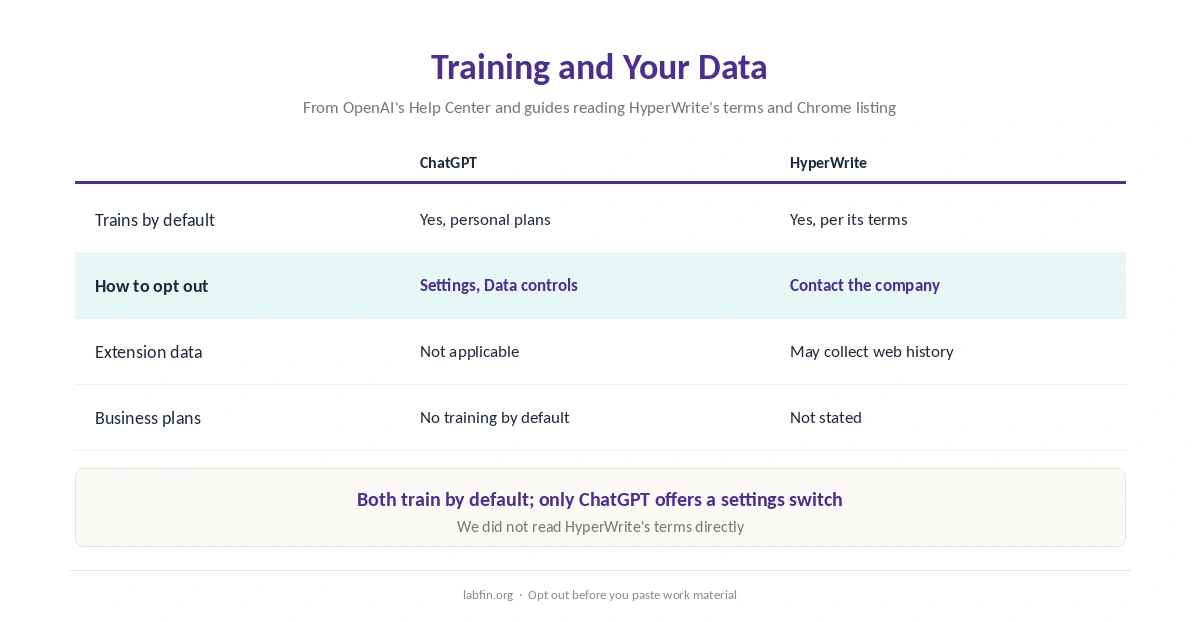
On data, ChatGPT trains on personal chats by default, but you can switch that off in Settings, under Data controls. HyperWrite’s terms also allow training, guides reading them report, but the opt-out is by contacting the company.
HyperWrite’s Chrome listing, moreover, names web history among the data its extension may collect. Our guide to which AI tools train on your data also compares both defaults.
Who Owns Each
OpenAI Group, for example, a public benefit corporation, makes ChatGPT, with Microsoft holding about a quarter. HyperWrite, by contrast, comes from OthersideAI, a startup founded in 2020. Our guide to who owns which AI tool covers OpenAI’s stakes, and our ChatGPT vs Claude page compares its closest rival.
Winners by Category
In short, ChatGPT wins on breadth, model transparency, evidence and data controls. It also offers more free use, as our comparison of free and paid AI tools shows.
HyperWrite, on the other hand, wins on inline help inside other websites. Overall, in ChatGPT vs HyperWrite our scores favor ChatGPT clearly, 3.6 against 2.8. Our Claude vs HyperWrite comparison also weighs strong writing against a browser helper.
Which One to Choose
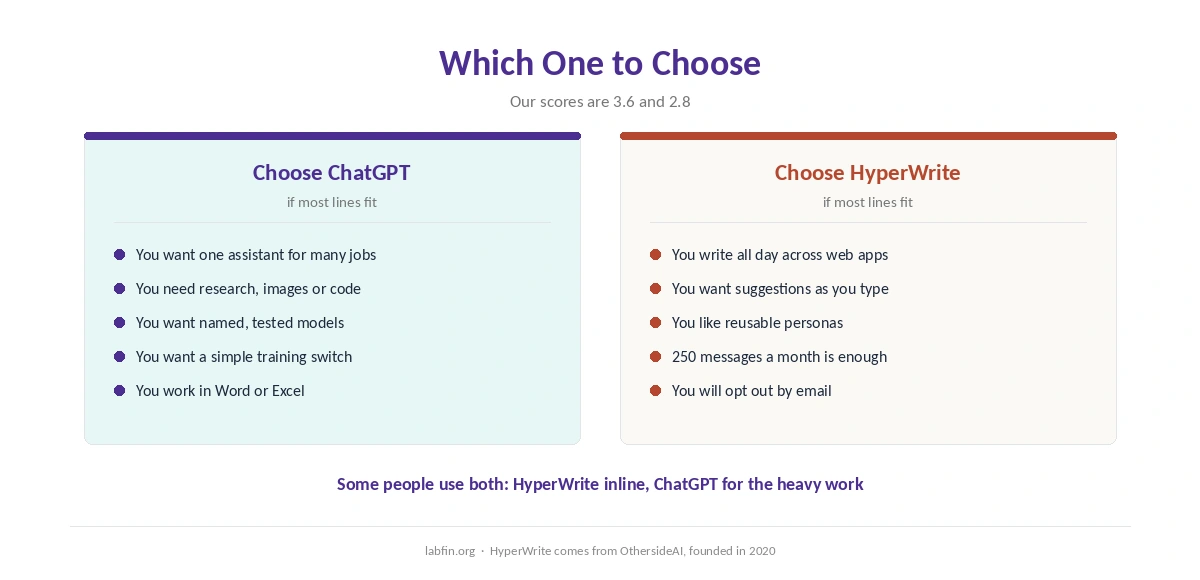
Therefore, take ChatGPT if you want one assistant for research, writing, images and code, with a simple training switch. By contrast, take HyperWrite only if you write all day across web apps and value inline suggestions above everything else.
For other options, also see our list of ChatGPT alternatives and our list of the best AI for email writing.
Our Claude for writing guide, in addition, covers a strong alternative for long drafts. Each guide names its sources.
How We Research
This ChatGPT vs HyperWrite comparison reuses the sources behind our reviews of each tool, including chatgpt.com/pricing and HyperWrite’s pricing page as read by guides, between August and October 2, 2026.
We run no tests of our own. Our about page explains the criteria, and our list of the best AI tools for writers covers other writing tools.
ChatGPT vs HyperWrite FAQ
Our reviews score ChatGPT 3.6 and HyperWrite 2.8. ChatGPT does far more; HyperWrite’s edge is inline suggestions in the browser.
They cost about the same, however: ChatGPT Plus $20 and HyperWrite Premium $19.99 a month. ChatGPT Go costs $8 in the US, and HyperWrite Premium costs $16 billed yearly.
HyperWrite does not name its current models. Older guides say it combined OpenAI’s GPT-4 with its own models.
Both do by default. ChatGPT has an opt-out in Data controls; HyperWrite’s opt-out is by contacting the company.
Yes. Some people use HyperWrite for inline suggestions and ChatGPT for research and long drafts.
The Verdict
Overall, ChatGPT vs HyperWrite is not close for typical uses. ChatGPT does more, names its models and gives you a simple training switch.
HyperWrite, however, earns a place only if inline browser help is your main need. Even then, opt out of training by email first.