
Disclosure: LabFin is reader-supported. If you sign up for a tool through links on this page, we may earn a commission at no extra cost to you. Commissions vary between providers and our ratings do not — here’s our full disclosure.
This NotebookLM review starts with the name. On July 16, 2026, Google renamed NotebookLM to Gemini Notebook, and old links now redirect to notebook.google.com. The tool itself works as before: you upload sources, and it answers from them with citations.
It is also free with a Google account, with 100 notebooks and 50 sources per notebook. Google’s AI plans raise those limits, from Google AI Plus at $4.99 a month. Its data terms, moreover, are unusually clear for a free tool.
NotebookLM Review: Is It Worth It in 2026?
For studying and research from your own documents, yes. It answers from the sources you add rather than the open web, cites the passages it used and turns them into audio summaries, mind maps, quizzes and reports. The free plan, moreover, covers most personal use.
For research across the open web, look elsewhere. After all, Gemini Notebook works best on material you already have. For finding new sources with citations, our list of the best AI for research covers stronger options.
What NotebookLM Does
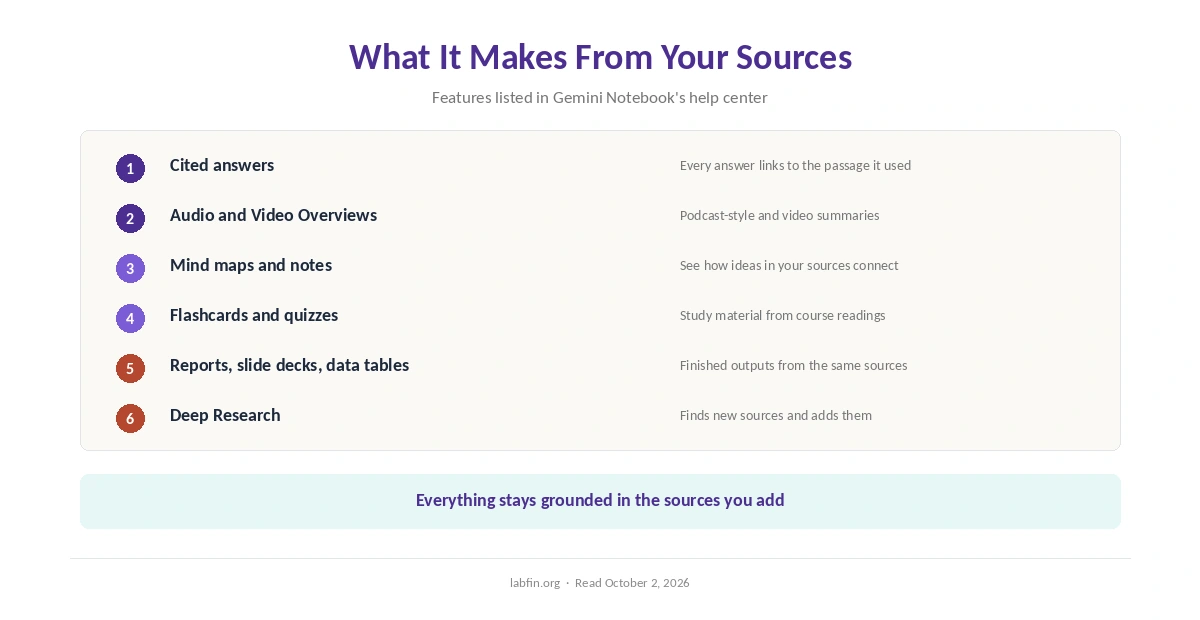
You create a notebook and add sources, such as PDFs, Google Docs, web pages or YouTube videos, guides report. Then you ask questions, and the answers also cite the parts of your sources they came from. Notes, mind maps and public notebooks round out the basics.
In addition, the Studio panel builds outputs from the same sources: Audio Overviews in a podcast style, Video Overviews, reports, flashcards, quizzes, infographics, slide decks and data tables. Deep Research can also find new sources and add them to a notebook, as our guide to Gemini for research covers. Our list of the best AI for summarization ranks it against chat assistants.
What It Costs and How Limits Work
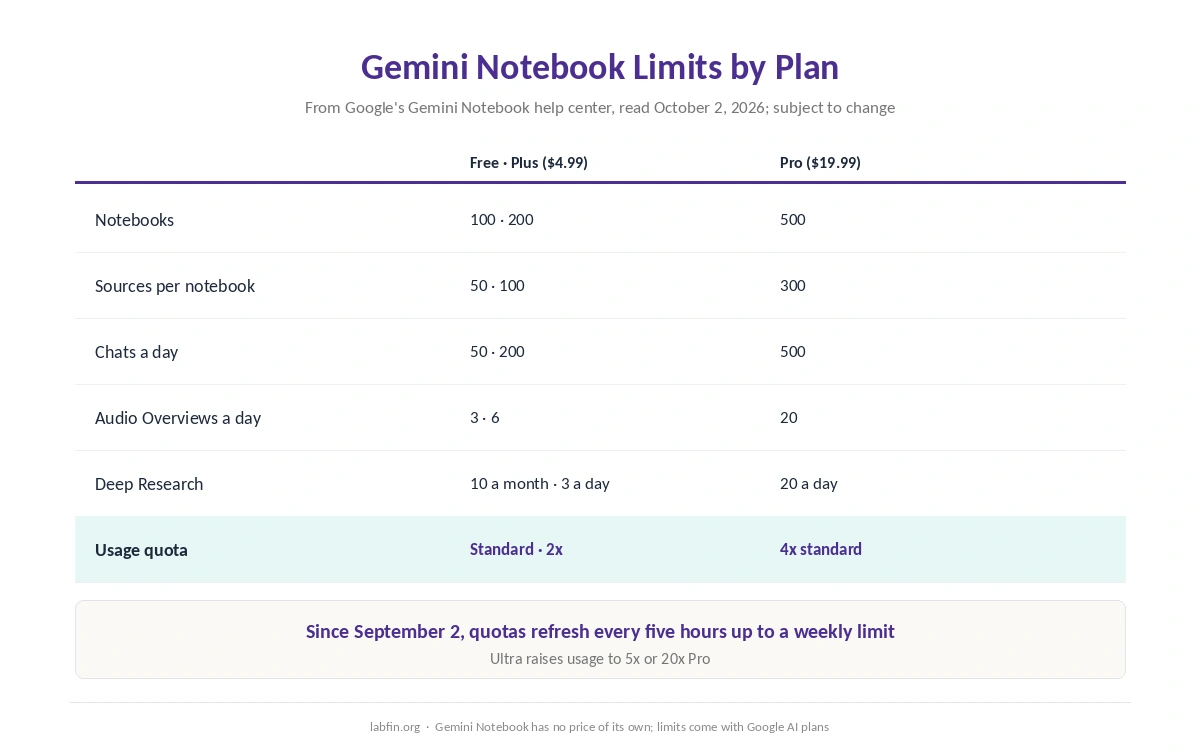
Gemini Notebook has no price of its own. Instead, its higher limits come with Google’s AI plans, and Google’s help center lists them by plan, subject to change.
| Plan | Price | Notebooks · sources per notebook · chats a day |
|---|---|---|
| Free | $0 | 100 · 50 · 50 |
| Google AI Plus | $4.99/mo | 200 · 100 · 200 |
| Google AI Pro | $19.99/mo | 500 · 300 · 500 |
| Google AI Ultra | From $99.99/mo | 500 · 500 or 600 · 2,500 or 5,000 |
Since September 2, 2026, however, usage has also been compute-based. A quota refreshes every five hours up to a weekly limit, and Plus gets twice the standard amount, Pro four times. Free, for example, includes 3 Audio Overviews a day and 10 Deep Research runs a month. Our comparison of AI tool limits explains rolling windows like this.
What Independent Evaluations Show
For this NotebookLM review, we found no independent test that scores Gemini Notebook’s own answers. Its design, however, helps: it answers from your sources and links each claim back to a passage, so you can check it quickly.
⚠️ That is not the same as being right. Answers can still misread a source or miss context, so open the cited passage for anything you will rely on. Notably, the EBU and BBC study’s weak result for Gemini covered news answers in the Gemini app, not Notebook. Our guide to fact-checking AI output lists quick checks.
Your Data and Training
Google’s help center says your Gemini Notebook data is not used to train it unless you send feedback. When you do, Google may review the full context of that interaction, including your queries, uploads and the responses.
For Google Workspace and Workspace for Education accounts, by contrast, uploads, queries and responses are not reviewed by people or used to train AI models, even with feedback. So the safe habit on a personal account is simple: do not rate answers in notebooks that hold private material.
What Changed in 2026
Besides the rename, Google’s help center now covers notebooks inside the Gemini app and in AI Mode in Search. Guides also report a secure cloud environment that runs code on your sources, first for Ultra and then for Pro.
Earlier in the year, Cinematic Video Overviews arrived in March, first for Ultra, and Drive sources began syncing automatically, guides report. On Pro, moreover, Google’s table now lists 2 cinematic videos a day.
Who Runs It
Gemini Notebook is, of course, a Google product, part of the same Google AI plans as the Gemini app. Our Gemini review covers Google’s plans, its data rules for the Gemini app and its accuracy record.
NotebookLM vs Other Research Tools
Perplexity, by contrast, searches the open web and cites every answer, as our guide to Perplexity for summarization covers. Notion AI, meanwhile, answers from a team’s workspace, as our Notion AI review explains.
Still, Gemini Notebook’s distinct strength is turning your own documents into study material. That makes it a natural pick for students, as our guide to Gemini for students and our list of the best AI for students note.
Who Should Use NotebookLM
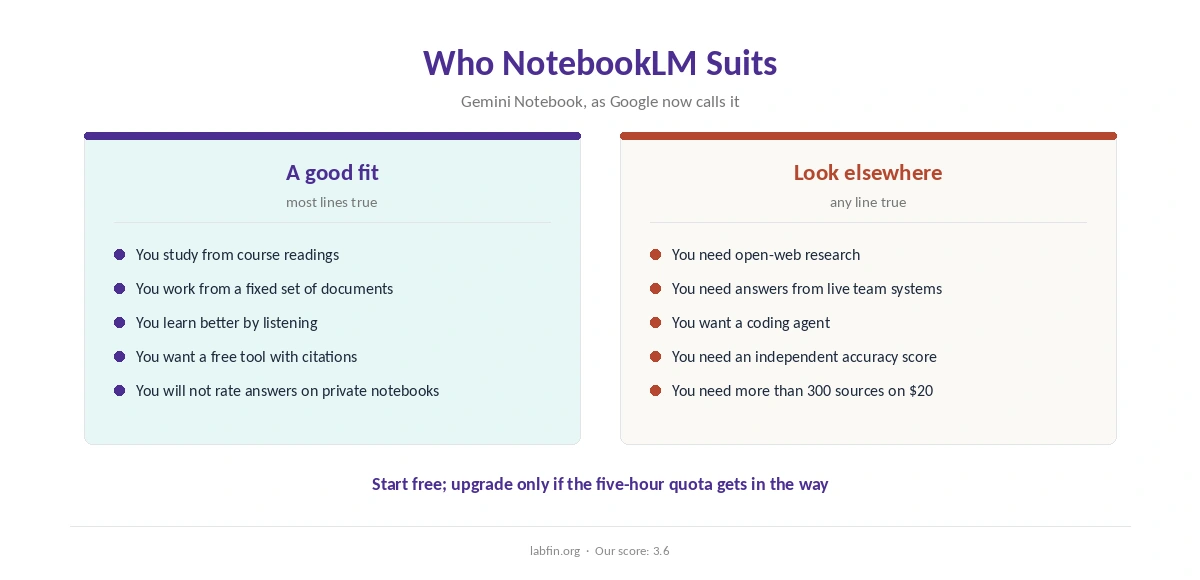
Overall, Gemini Notebook suits students, researchers and anyone who works from a fixed set of documents, from course readings to reports. It also suits people who learn better by listening, thanks to Audio Overviews. Our list of NotebookLM alternatives also ranks seven options and what each gives up. Our Claude vs NotebookLM comparison also weighs price and data terms.
By contrast, it suits open-web research less, along with teams that need answers from many live systems. For academic work at scale, our list of the best AI tools for researchers covers larger context windows.
How We Research
This NotebookLM review takes limits and data rules from Gemini Notebook’s upgrade page and usage-limits page, read on October 2, 2026. Guides fill in the July features and source types, marked where used.
We found no independent accuracy test, so the Accuracy score rests on the design rather than measured results. Our about page explains the criteria, and our comparison of free and paid AI tools covers when the free plan is enough.
NotebookLM Review FAQ
Yes. Google renamed it Gemini Notebook on July 16, 2026, and old links redirect to notebook.google.com. Your notebooks and sources carry over.
Yes. The free plan includes 100 notebooks, 50 sources per notebook, 50 chats and 3 Audio Overviews a day, and 10 Deep Research runs a month. Paid Google AI plans raise the limits.
Not by default. Google says your data is not used to train Gemini Notebook unless you send feedback, which may be reviewed with its full context. Workspace accounts are never used for training.
50 on the free plan, 100 on Google AI Plus, 300 on Google AI Pro, and 500 or 600 on Ultra, according to Google’s help center.
It answers from your sources and cites the passages, which makes checking easy. We found no independent test of its accuracy, so open the cited passage for anything important.
NotebookLM (Gemini Notebook)
A generous free tool for your own sources
Gemini Notebook answers from your sources with citations and turns them into audio, video, quizzes and reports, with a generous free plan and clear data terms. Against that, it does not search the open web on its own, limits are now compute-based, and no independent test scores its answers.
The Verdict
NotebookLM, now Gemini Notebook, is one of the most useful free AI tools for working from your own documents. Its citations make answers easy to check, and its data terms are clear.
The rest of this NotebookLM review holds the score at 3.6. Limits are now compute-based, it relies on the sources you add, and its accuracy has no independent test. Start free, and upgrade only if the five-hour quota gets in the way; our list of the cheapest useful AI tools puts the $4.99 step in context.