
Disclosure: LabFin is reader-supported. If you sign up for a tool through links on this page, we may earn a commission at no extra cost to you. Commissions vary between providers and our ratings do not — here’s our full disclosure.
To use AI for debugging faster, give it the full error, the relevant code and what you already tried, then ask for ranked hypotheses rather than an instant fix. Pasted alone, an error message often gets a confident patch for the wrong cause.
This guide, moreover, covers what context to give, a six-step workflow, how coding agents help, and the traps to avoid. It works with Claude Code, Codex, Cursor, GitHub Copilot or a chat assistant.
How to Use AI for Debugging: The Short Answer
First, reproduce the bug reliably. Then give the AI the exact error and stack trace, the code involved, versions, and what changed or what you tried.
Next, however, ask for the three most likely causes and a test for each, before any fix. Our list of the best AI for coding ranks agents by independent scores.
Step 1: Reproduce the Bug
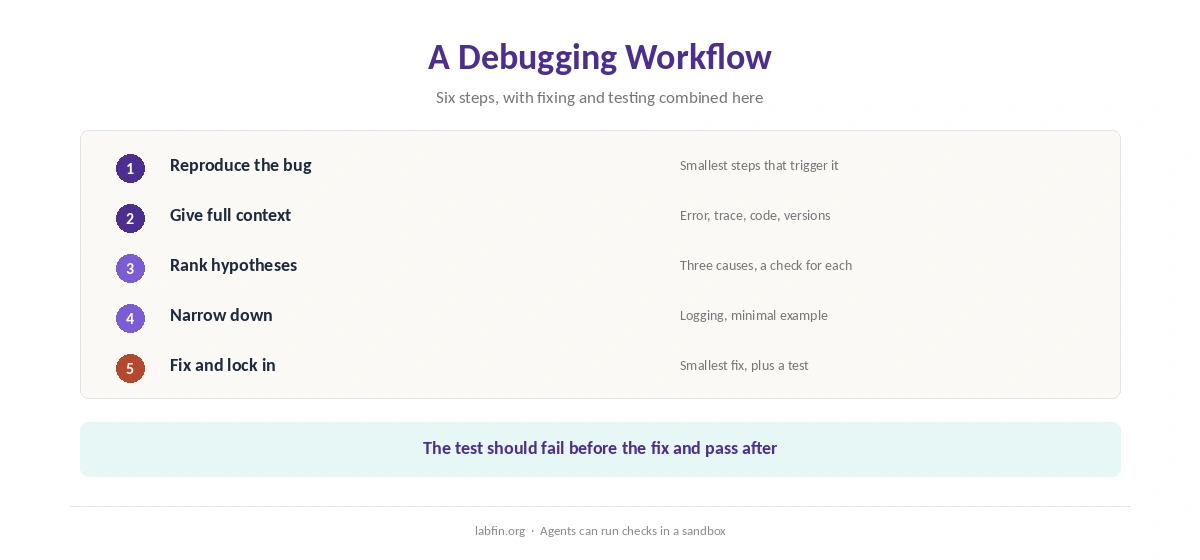
Find the smallest set of steps that triggers the bug every time. As a result, you can confirm any fix instead of guessing.
If you cannot reproduce it, ask the AI which logs or checks would narrow it down. Our guide to why AI gets facts wrong explains why its first guess can mislead.
Step 2: Give Full Context
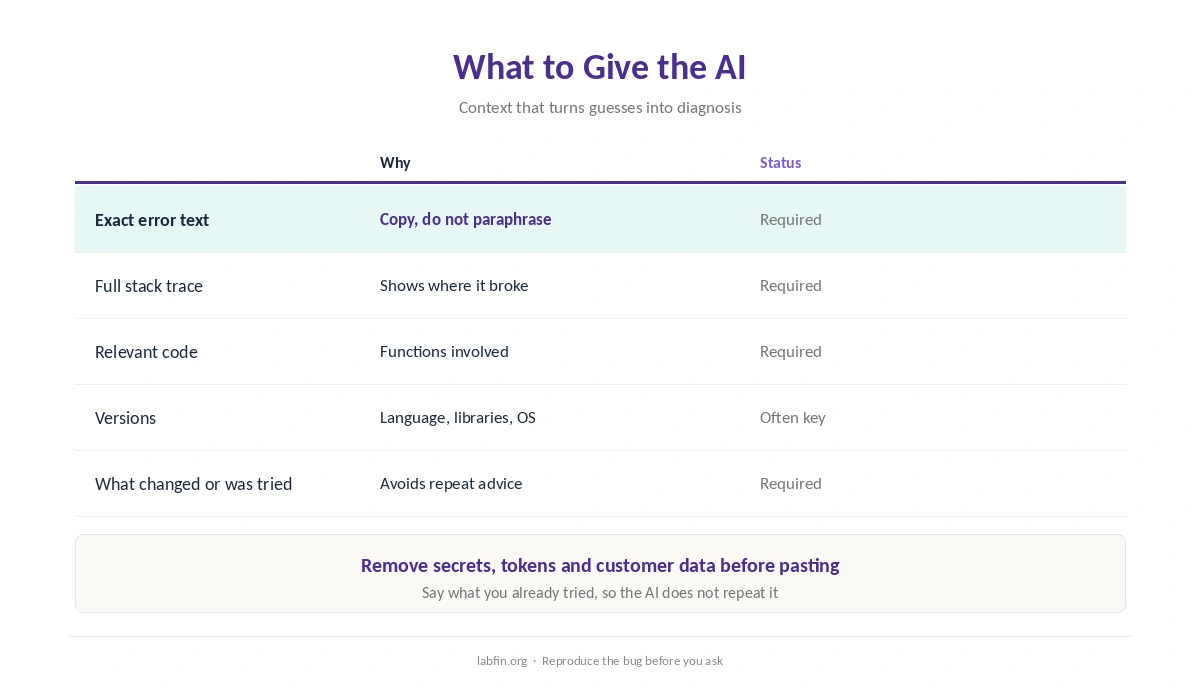
Paste the exact error text and full stack trace, the functions involved, language and library versions, and what changed recently. Say also what you have already tried, so the AI does not repeat it.
Remove secrets, tokens and customer data first. Our guide to which AI tools train on your data covers safer tools.
Step 3: Ask for Ranked Hypotheses
Ask for the most likely causes, ranked, with a quick check for each. This keeps the AI from jumping to the first plausible fix, which is often wrong.
Then run the checks yourself, or let an agent run them in a sandbox. Our guide to writing better prompts covers asking for structured answers.
Step 4: Add Logging and Narrow Down
Ask the AI where to add logging or breakpoints to test each hypothesis, then share the new output. For tricky bugs, moreover, ask it to help build a minimal example that reproduces the problem.
When you use AI for debugging, a minimal example often reveals the cause on its own. Our guide to DeepSeek for coding covers a low-cost model for such loops.
Step 5: Fix the Cause
Ask for the smallest fix that addresses the confirmed cause, with an explanation. Then read it as you would any change, as our guide to reviewing AI-generated code explains.
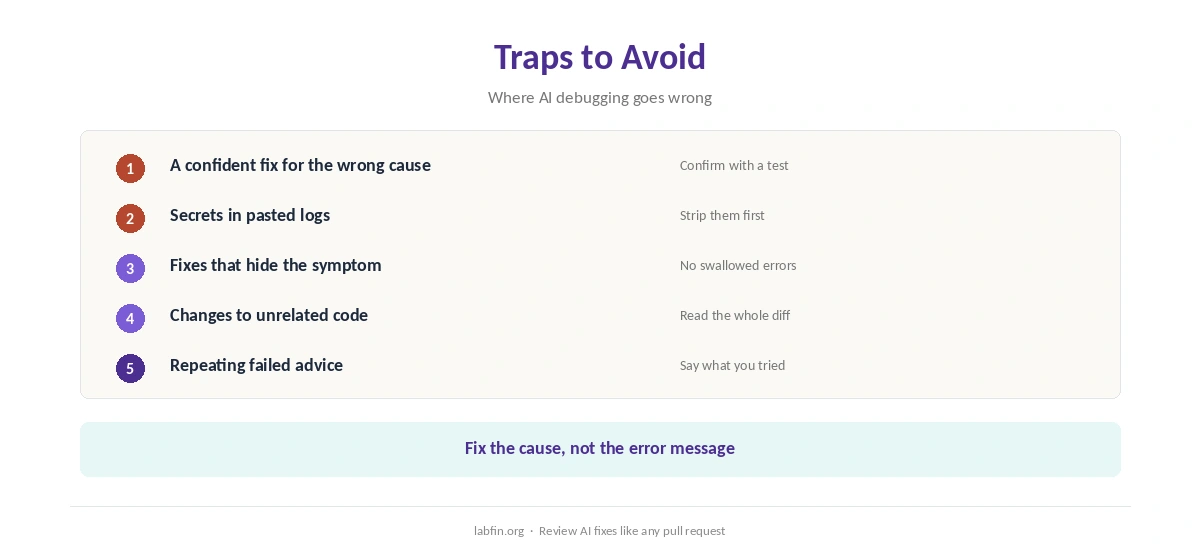
Reject fixes that only hide the symptom, for example by catching and ignoring an error.
Step 6: Lock It In With a Test
Ask for a test that fails before the fix and passes after it, then run both. As a result, the bug cannot quietly return.
Our guide to using AI for coding projects covers testing setups.
How Coding Agents Help
Agents such as Claude Code and Codex can read your project, run tests and try fixes in a loop. Claude Code, for example, scored 68 on the September version of Artificial Analysis’s Coding Agent Index, as our Claude Code review covers.
Codex, meanwhile, scored 63 at a much lower cost per task, as our guide to ChatGPT for coding explains. Give either agent narrow tasks and a sandbox.
Traps to Avoid
The main trap is a confident fix for the wrong cause, so always confirm with a test. Another is pasting logs that contain secrets or customer data.
Finally, watch for fixes that change unrelated code. Our GitHub Copilot review and Cursor review cover editor-based options.
Our Cursor vs GitHub Copilot comparison, in addition, weighs the two editors side by side.
How We Research
This guide on how to use AI for debugging draws on our reviews of each coding tool and Artificial Analysis’s Coding Agent Index, read between August and October 2, 2026. One example source is Artificial Analysis.
We run no coding tests of our own. Our about page explains how we research, and our list of the best AI for coding beginners covers learning tools.
How to Use AI for Debugging FAQ
Often, with full context: the exact error, stack trace, code, versions and what you tried.
Agents such as Claude Code and Codex can run tests and try fixes; editor tools such as Copilot and Cursor help inline.
It often patches the first plausible cause. Ask for ranked hypotheses and test each one.
Remove secrets, tokens and customer data first, and prefer tools that do not train on your code.
Add a test that fails before the fix and passes after it.
The Verdict
AI speeds up debugging when it works from full context and tests its ideas. Without that, however, it produces confident fixes for the wrong cause.
So reproduce, give context, rank hypotheses, fix the cause and lock it in with a test. That is how to use AI for debugging without trading one bug for another.