
Disclosure: LabFin is reader-supported. If you sign up for a tool through links on this page, we may earn a commission at no extra cost to you. Commissions vary between providers and our ratings do not — here’s our full disclosure.
To review AI-generated code well, treat it like code from a fast new colleague: read every line, run the tests, and check every dependency it adds. AI code often looks correct while calling functions or packages that do not exist.
This guide, moreover, covers the common problems, a review checklist, and safer settings for coding agents. It applies to Claude Code, Codex, Cursor, GitHub Copilot and any other assistant.
How to Review AI-Generated Code: The Short Answer
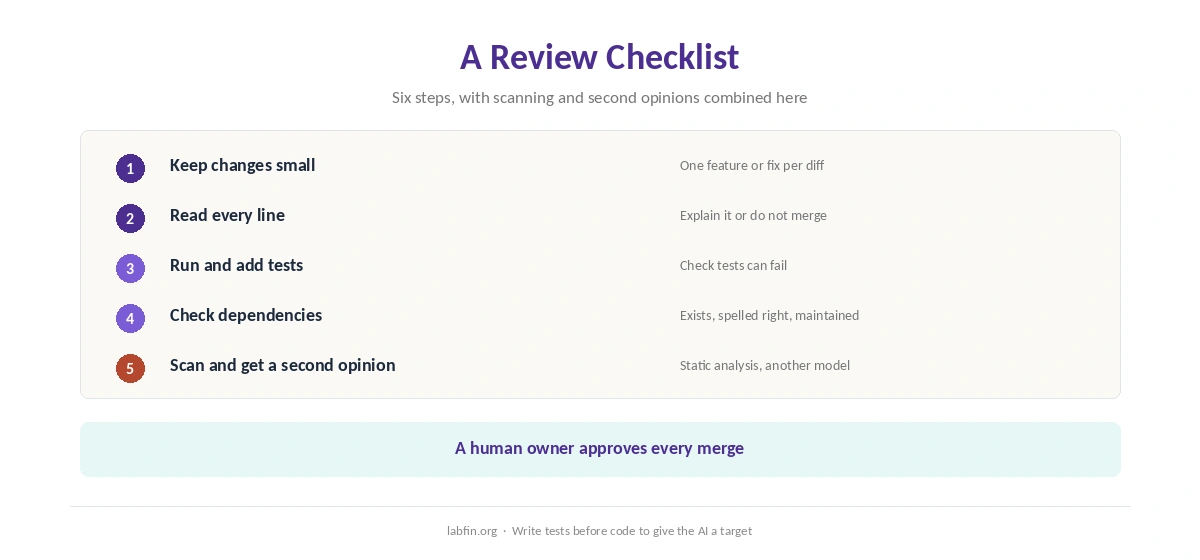
First, keep each AI change small enough to read in one sitting. Then read it line by line, run the tests, and add tests for the new behavior if none exist.
Next, however, confirm that every new package and API exists and is the one you meant, and scan for security issues. Our guide to using AI for coding projects covers the setup.
Common Problems in AI Code
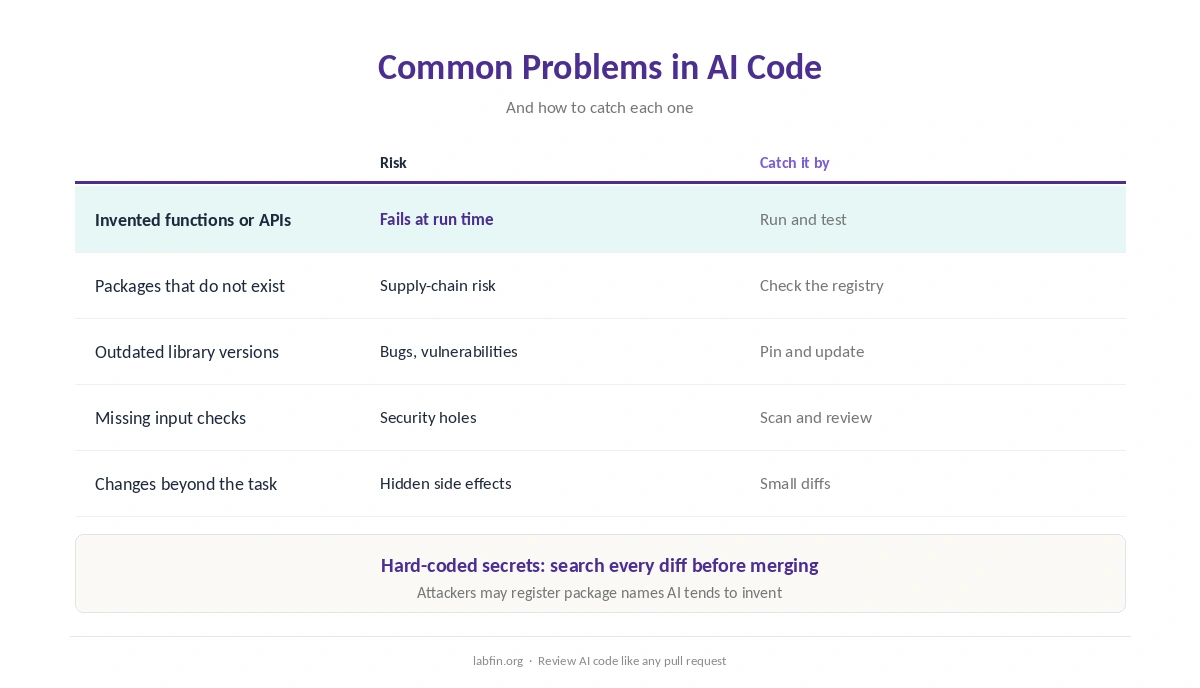
AI can invent function names, use outdated library versions, or import packages that do not exist; attackers may even register such names. It can also skip input checks, hard-code secrets, or change behavior beyond the task.
Fluent code, therefore, is not the same as correct code, as our guide to why AI gets facts wrong explains for text.
Step 1: Keep Changes Small
Ask for one feature or fix at a time, so each change fits in a readable diff. Large, multi-file rewrites, by contrast, hide mistakes. Our guide to using AI for refactoring applies the same rule to restructuring code.
Agents such as Claude Code and Codex can work across a project, so give them narrow tasks. Our Claude Code review covers its settings.
Step 2: Read Every Line
Read the diff as you would a colleague’s pull request: logic, edge cases, error handling and naming. Ask the AI, moreover, to explain any line you do not understand.
If you cannot explain the code yourself, do not merge it. Our list of the best AI for coding beginners covers learning tools.
Step 3: Run and Add Tests
Run the existing tests first, then ask the AI to write tests for the new behavior, and read those tests too. Writing the test before the code, in addition, gives the AI a clear target.
Check that tests actually fail when the code is wrong; AI sometimes writes tests that always pass.
Step 4: Check Dependencies
For every new package, confirm it exists in the official registry, is spelled correctly, and is actively maintained. Pin versions, and check licenses for commercial use.
Prefer libraries your project already uses, since each new dependency adds risk. Our guide to DeepSeek for coding covers self-hosted models for private code.
Step 5: Scan for Security Issues
Run your usual linters and static analysis, and search the diff for secrets, unsafe input handling and broad permissions. For sensitive code, moreover, ask a second model to review the change for security problems.
Code that must stay private, finally, belongs in tools with strict data terms, such as Tabnine, as our Tabnine review explains.
Our list of the best local AI tools, in addition, covers running models on your own machine, and our guide to which AI tools train on your data covers cloud defaults.
Step 6: Get a Second Opinion
Ask a different assistant to critique the change, or use a review feature in your coding tool. GitHub Copilot and Cursor both work inside your editor, as our GitHub Copilot review and Cursor review explain.
Still, a human owner should approve every merge. Our Cursor vs GitHub Copilot comparison weighs the two editors.
Safer Settings for Coding Agents
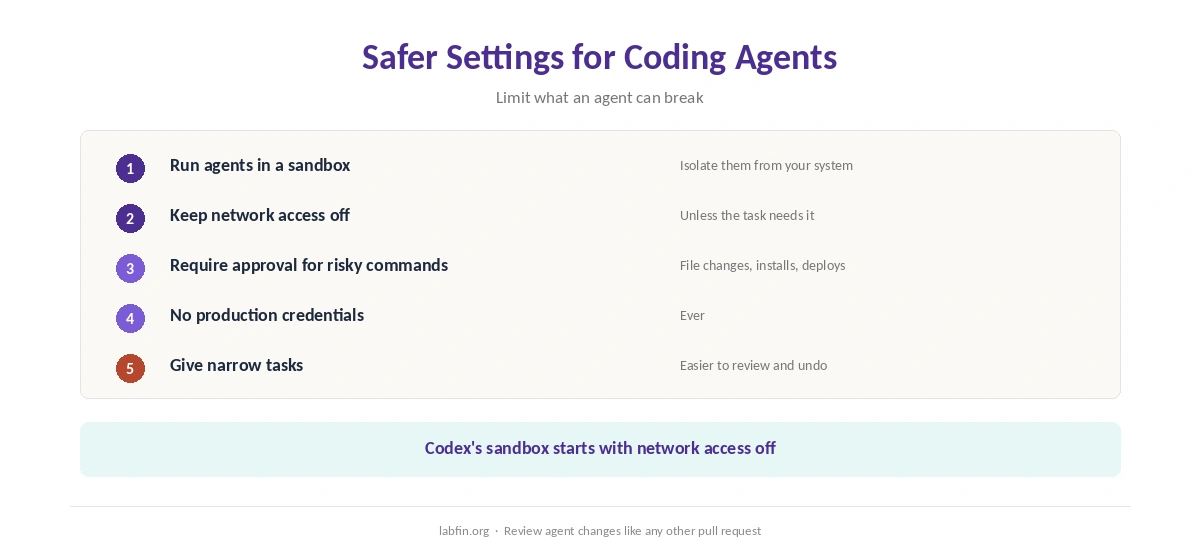
Run agents in a sandbox, keep network access off unless needed, and require approval before commands that change files or systems. Codex’s sandbox, for example, starts with network access off, as our guide to ChatGPT for coding covers.
When you review AI-generated code from agents, never give them production credentials, and review their changes like any other pull request.
How We Research
This guide on how to review AI-generated code draws on our reviews of each coding tool and on common secure-coding practice, read between August and October 2, 2026. One example source is the OWASP Top Ten.
We run no security tests of our own. Our about page explains how we research.
How to Review AI-Generated Code FAQ
Not by default. Read it, test it, check its dependencies and scan it, as you would any new code.
Invented functions or packages, outdated libraries, missing input checks, hard-coded secrets and changes beyond the task.
It helps, but use a different model or a human reviewer too, and run real tests.
Small enough to read in one sitting: one feature or fix at a time.
Only in a sandbox, with network off unless needed and approval before risky commands.
The Verdict
AI writes code fast, but it also writes plausible mistakes fast. Review, therefore, is what turns its speed into working software.
So keep changes small, read every line, test, check dependencies and scan. That is how to review AI-generated code without shipping its errors.