
Disclosure: LabFin is reader-supported. If you sign up for a tool through links on this page, we may earn a commission at no extra cost to you. Commissions vary between providers and our ratings do not — here’s our full disclosure.
To use AI for product descriptions well, give it a checked fact sheet for each product and the words your customers actually use. Without them, AI fills gaps with plausible features the product does not have.
This guide, moreover, covers a six-step workflow, how to write descriptions at scale, and the checks that protect you from wrong specs and risky claims. It works with Claude, ChatGPT or Gemini.
How to Use AI for Product Descriptions: The Short Answer
First, build a fact sheet: specs, materials, sizes, what is included and who the product is for. Then add customer language from reviews and questions, and ask the AI for a description that uses only those facts.
Next, however, check every spec against the source, and avoid health, safety or performance claims you cannot prove. Our list of the best AI for marketing ranks the main assistants.
Step 1: Build a Fact Sheet
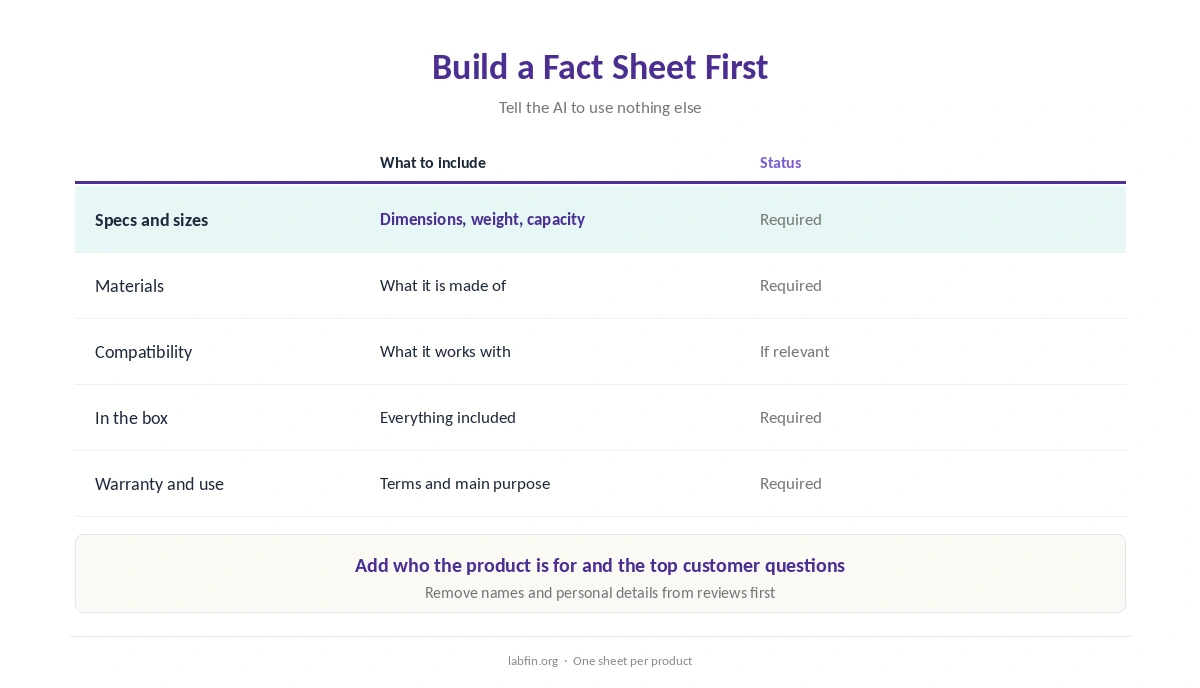
List the facts the description may use: dimensions, materials, compatibility, what is in the box, warranty and the main use. Tell the AI, moreover, to use nothing else.
As a result, the AI writes from your data rather than guessing, which our guide to why AI gets facts wrong explains is the main source of errors.
Step 2: Gather Customer Language
Paste a sample of reviews, support questions or search terms, and ask which benefits and worries come up most. Customers’ own words, for example, often describe benefits better than spec sheets do.
However, remove names and personal details first. Our guide to which AI tools train on your data covers which tools are safest.
Step 3: Create a Template
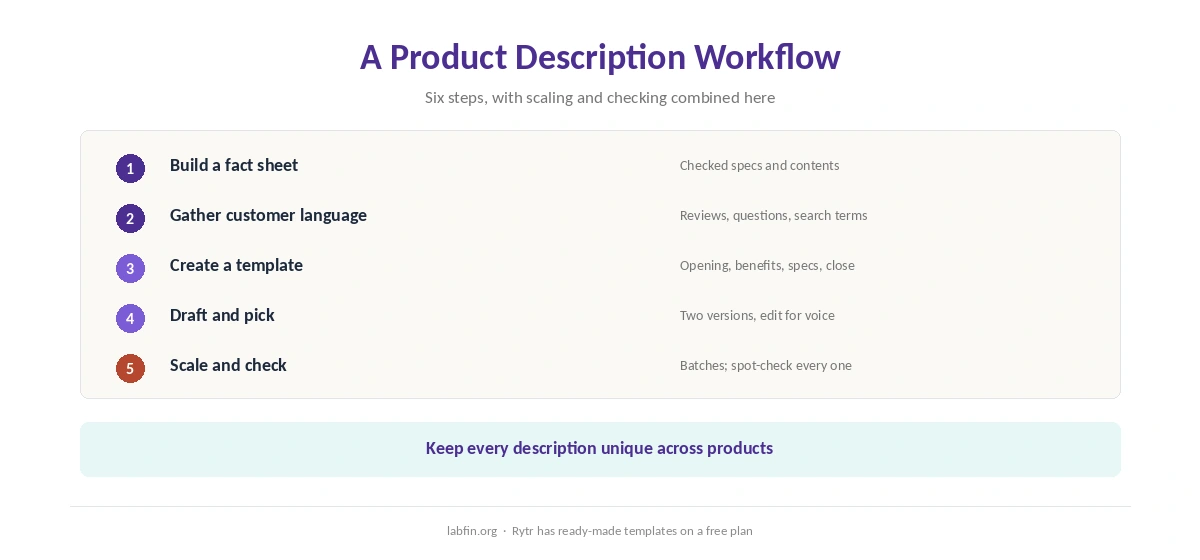
Next, ask the AI for a template per product category: a short opening, three to five benefit points, key specs and a closing line. Then fix the template, so every description therefore follows the same structure.
Rytr, for example, offers ready-made product-description templates, as our Rytr review covers.
Step 4: Draft Each Description
Then give the AI the template, one fact sheet and the customer language, and ask for two versions. Pick the stronger one, and also edit it for your brand voice.
Claude and ChatGPT both draft well, as our guides to Claude for writing and ChatGPT for marketing explain.
Step 5: Scale With a Spreadsheet
For many products, put one row per product with its facts, then ask the AI to draft a description for each row using the template. Work in batches, however, and spot-check every batch.
Each description should stay unique, since near-identical text across products helps neither shoppers nor search. Our guide to using AI for SEO content covers the search side.
Step 6: Check Before Publishing
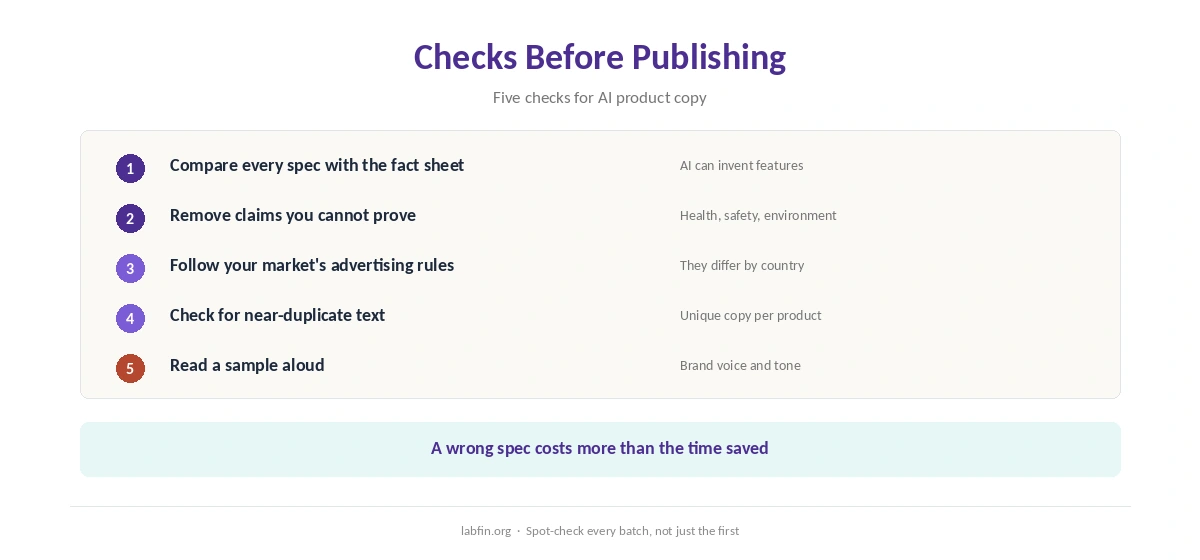
When you use AI for product descriptions, compare every spec, size and compatibility claim with the fact sheet. Remove health, safety, environmental or performance claims unless you can prove them, and follow the advertising rules in your market.
Finally, read a sample aloud for tone. Our guide to using AI for editing covers editing passes.
Which Tools to Use
General assistants handle fact sheets and batches well. Copy.ai’s shared workspace, by contrast, suits small teams, and Jasper’s brand rules suit larger catalogs, as our Copy.ai review and Jasper review explain.
For ad versions of the same copy, Anyword scores variants, as our Anyword review covers. E-commerce platforms with built-in AI we have not reviewed yet.
How We Research
This guide on how to use AI for product descriptions draws on our reviews of each tool, read between August and October 2, 2026, and on Google’s guidance on helpful content.
We run no conversion tests of our own. Our about page explains how we research, and our guide to using AI for email sequences covers related copy.
How to Use AI for Product Descriptions FAQ
Yes, from a checked fact sheet and customer language. Without them, it may invent features.
Claude and ChatGPT handle fact sheets and batches well; Rytr has cheap templates; Jasper suits large brand catalogs.
Use a spreadsheet with one row per product, a fixed template, and batches you spot-check.
Not by themselves. Duplicate or inaccurate descriptions are; unique, accurate ones are fine.
Health, safety, environmental or performance claims you cannot prove.
The Verdict
AI writes product descriptions quickly once it has your facts and your customers’ words. Without them, however, it guesses, and wrong specs cost sales and trust.
So build a fact sheet, use a template, draft in batches and check every claim. That is how to use AI for product descriptions you can stand behind.