
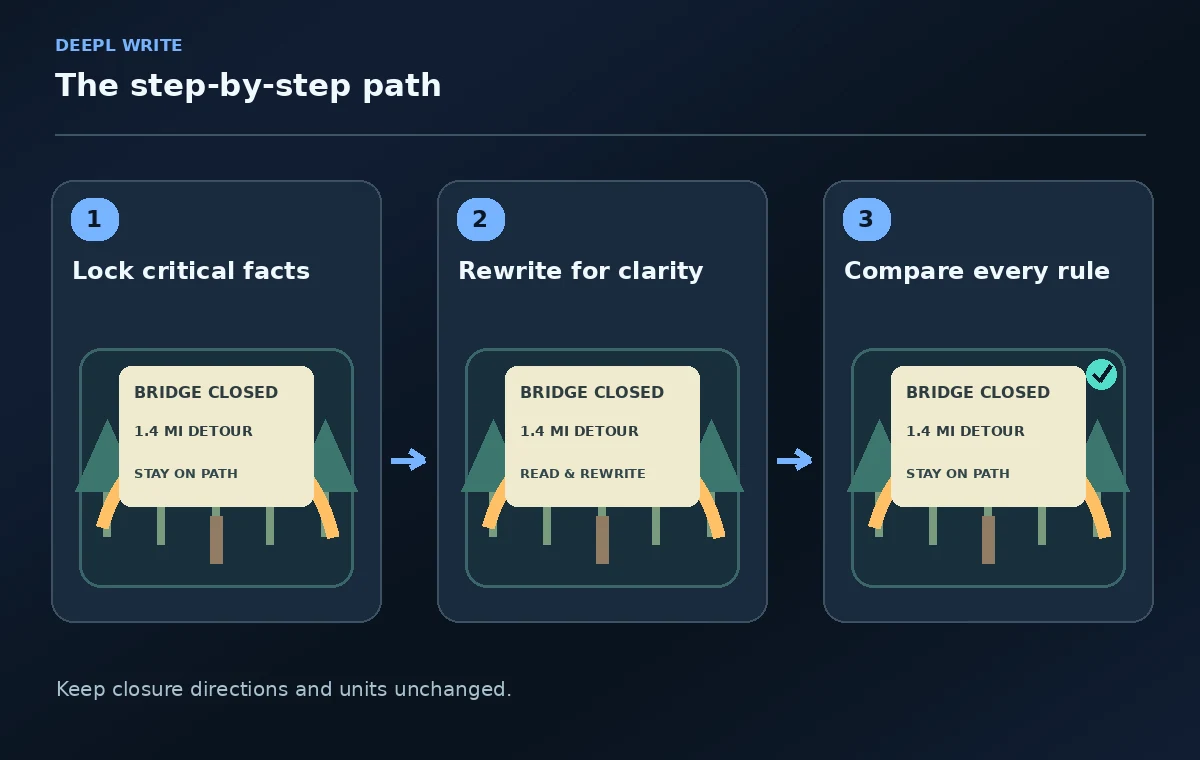
A regional park team wants to make a trail notice more readable before printing it for a kiosk. The notice has important details: the bridge is closed, the signed detour is 1.4 miles, and visitors must stay on the marked path. A friendlier sentence is useful only if it preserves those facts. DeepL Write offers phrasing alternatives, style or tone choices, shortening, and terms that should not be edited in supported settings. This example uses an invented notice to demonstrate how to protect immutable details, evaluate each change, and keep human approval in control of safety instructions.
Mark the nonnegotiable facts first
Before rewriting, extract the controlled facts into a short checklist: official trail name, exact closure location, distance and unit, detour description, current restriction, emergency contact instruction, and effective date. Treat a phrase such as “The north footbridge is closed” as a verified policy statement, not as marketing copy. Confirm the route and distance from the park’s approved map or current notice. If the document does not establish which trailhead is open, do not let editing software infer one. Store the approved original next to the working version so a reviewer can compare them side by side.
Choose an accessible writing goal
The objective is not to remove every technical term. It is to help visitors make a safe decision quickly. Prioritize direct verbs, clear sequence, familiar units, and an unambiguous call to action. For example, a long preamble about infrastructure repairs can often be shortened, while “Do not cross the closed bridge” should remain unmistakable. Do not replace “must” with “may” or “recommended” merely to sound warm. Specify the reading context: a person standing outdoors, possibly in rain or poor light, who will scan the sign for seconds rather than reading an essay.
Open DeepL Write and select the right control
Paste only text the organization permits you to process. DeepL’s help describes a Style menu offering writing styles and tones in supported languages, as well as alternative wording for individual words or sentences. Simple style is appropriate for a public notice, but exact platform availability and language coverage differ. Avoid assuming the same controls appear in mobile apps: DeepL specifically notes limits for alternative phrasing and shortening on mobile. If a feature is missing, continue with ordinary copyediting rather than inventing a button or workflow. Keep a saved copy of the source before making revisions.
Protect names and short immutable phrases
DeepL Write documents a Terms feature that prevents specified terms from being edited, with availability currently described for English and German in the web version. Enter the official trail name and unusual landmark names before requesting broad stylistic changes. Free users face a limited number of protected terms, while paid options expand that allowance. A protected list is helpful but not sufficient: it cannot guarantee a whole instruction or numerical relationship remains unchanged. Check distances, quantities, compass directions, hazard warnings, and restrictions manually after every rewrite even when terms are protected.
Use Simple style but verify the verbs
Try Simple style to remove unnecessary clauses, then inspect the improved text line by line. “For your safety, it is strongly advised that you refrain from accessing the bridge” can become “Do not cross the bridge.” That is shorter and clearer without softening the prohibition. However, “stay on the marked detour” is not equivalent to “choose any nearby path.” Watch modal verbs, negations, and subject–action relationships. If a revised sentence changes the instruction’s force or scope, restore the approved wording. The shortest sentence is not always the safest if it becomes vague.

Compare before and after with a fact grid
Create two columns: original instruction and rewritten instruction, plus a third column for the immutable fact being protected. Check whether “1.4 miles” remains “1.4 miles,” whether the closed bridge is still the subject of the prohibition, and whether an emergency direction is preserved rather than paraphrased beyond recognition. This is an editorial comparison, not an AI performance benchmark. If a detour name changes or a unit disappears, reject that line immediately. For multilingual signs, involve a qualified translator and local reviewer; simplifying the English original does not validate any translated safety copy.
Shorten without dropping essential qualifications
DeepL Write also documents a Shorten option on supported platforms. Use it on explanatory background, not on the critical sequence of actions. A notice might legitimately drop a history of bridge maintenance, but not the distinction between a seasonal closure and a permanently restricted area. Be wary of a rewrite that removes an effective date, location qualifier, or instruction for people who cannot use the detour. Reinsert the detail and reconsider the layout if the text feels crowded. A clearer sign may need spacing and icons, not merely fewer words.
Check signage usability in the real layout
Place the approved revised wording in a sign mockup and inspect it at the expected reading distance. The closure directive should be visually dominant, the detour arrow consistent with the map, and the distance easy to identify. Verify contrast, line breaks, and whether a screen-reader version exists for digital distribution. Make sure the sign does not suggest an accessible alternative that has not been confirmed. Printing is a separate signoff: the communication lead and the park operations owner should both approve the final wording and map before anything is placed outdoors.

Keep a change record and a last-mile check
Save the original notice, proposed rewrite, fact grid, and reviewer approval date. Before sending to print, compare the copy against the current closure notice one last time; a safe wording change can become obsolete if the trail status changed overnight. If distance, emergency phone number, or restrictions are unverified, mark the draft pending and escalate. DeepL Write is an editing aid that can improve readability; it is not a source of operational authority. Human review of the final physical instruction is the essential final step.
How We Research
This guide was prepared by reading the named official documentation—DeepL Help Center, Customize your text with DeepL Write—and cross-checking the described feature, its workflow, platform or plan restrictions, and the point at which a person must review the result. The scenario, illustrations, example inputs, approvals, and sample outputs are hypothetical editorial teaching aids; we did not access a customer account, run a live product test, measure model accuracy, or verify an actual organizational policy. Screens, plan rules, and labels can change after this documentation review. Always confirm the currently available feature and the authoritative source documents before acting on any AI-generated wording.
Frequently Asked Questions
Its Terms feature can protect specified wording in supported language and web settings. Still compare the entire notice manually because protected terms alone cannot guarantee that distances, directions, and restrictions remain logically identical.
No. Simple style aims for accessible wording. A park operations reviewer must confirm that the revised copy preserves the legal and practical meaning of each instruction.
DeepL notes that shortening and some alternative phrasing controls are not available on mobile apps. Check the current supported platform before planning a mobile-only workflow.
It can alter phrasing, which is why a human comparison is necessary. In safety instructions, changing a mandatory rule into a suggestion can change the meaning and should be rejected.
Have a responsible person verify route and closure facts, distances, map direction, instructions, accessibility details, layout readability, the effective date, and the final text version.