
A market team has spent two weeks rearranging booths after a vendor canceled. In one Slack thread, a volunteer proposes moving the bread stall; in another, the coordinator says the proposed map is still waiting for approval. A concise AI search answer could make the discussion easier to scan, but it might also compress those different statements into a false certainty. This walkthrough shows how to use Slack AI search answers to locate a final plan and preserve the provenance of every consequential detail. The vendor names, channels, and schedule below are hypothetical, not results from a real workspace.
Define the answer you actually need
Write down the decision fields before you search: event date, booth numbers, named point of contact, setup window, accessible aisle, and the exact revision of the map. Make a deliberate distinction between an operational answer such as “Where should the bakery unload?” and an exploratory question such as “What changes were discussed?” For an answer to be actionable, each field needs a message or document that supports it. If the team uses a signed event map or shared operations sheet as its source of truth, note that file first. Slack can help retrieve a decision; it should not quietly become the authority that made the decision.
Check whether AI search answers are available
Slack documents natural-language search answers on Business+ and Enterprise+ in its current AI feature guide. They are not simply available to every paid user, and workspace administrators can restrict some AI capabilities. On desktop, use the search bar at the top of Slack to enter the question and press Enter. If AI answers appear above the results, read the question and the attached source references; if they do not, use ordinary keyword searches, channel filters, and pinned source files instead. This guide does not assume that enterprise-wide external connections have been enabled. Enterprise search uses separate organization-level settings.
Ask for a dated decision rather than a convenient summary
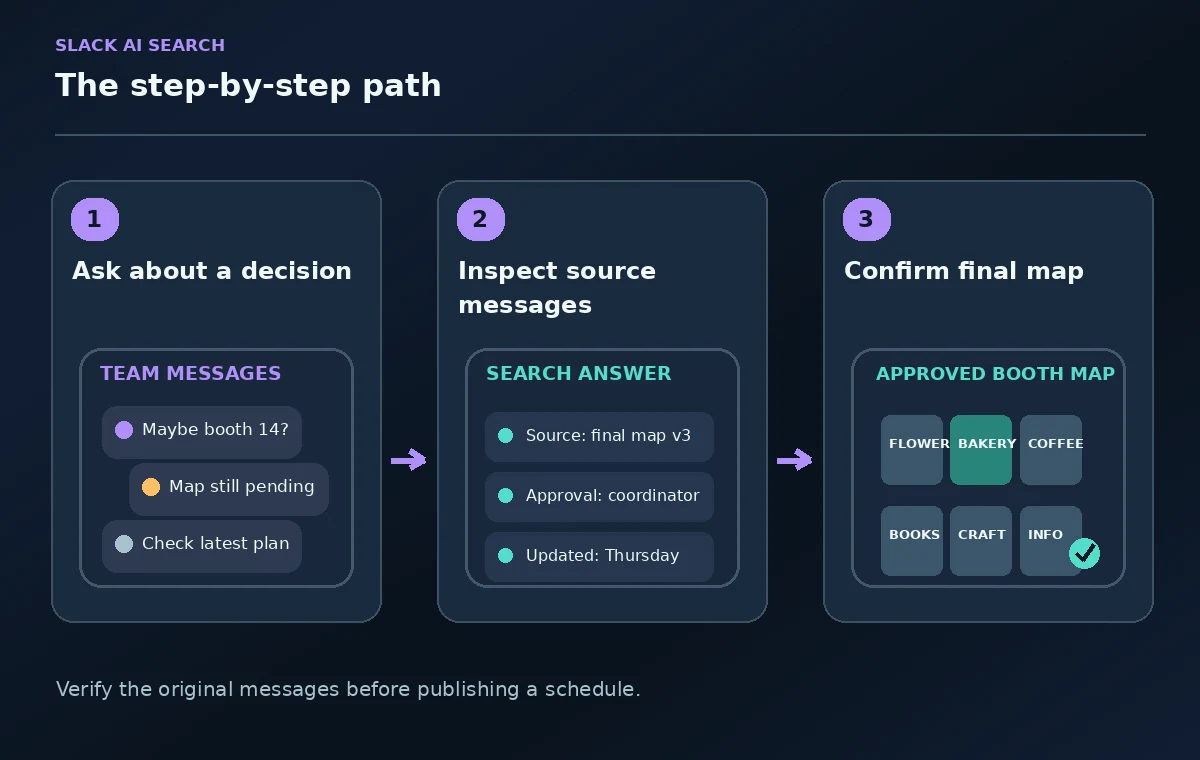
A broad query such as “What is the booth plan?” can blend the original plan and subsequent revisions. Try a bounded question: “Which booth assignment was explicitly approved for the Saturday market, who approved it, and in which message?” If the answer only cites a suggestion, narrow the query to messages after the last coordination meeting. Specify that unconfirmed proposals should be listed separately. Natural-language filters may help surface relevant messages, but you should inspect the filters Slack applied: a result confined to one channel can miss the final approval in another. Searching more widely does not grant access to private conversations you cannot read.
Open every important citation
Slack states that AI search answers include citations that link back to source messages or files. Hover to preview or click through before using an answer in a public-facing schedule. Read at least a few lines above and below each cited message. A sentence like “Let’s use booth 14” may be a proposal awaiting venue approval; “Confirmed for final map v3” is a different level of evidence. Check the timestamp and identity of the sender, but do not treat a title alone as proof of authority. Compare the cited message with the official event map and any later correction.
Separate decision status from discussion chronology
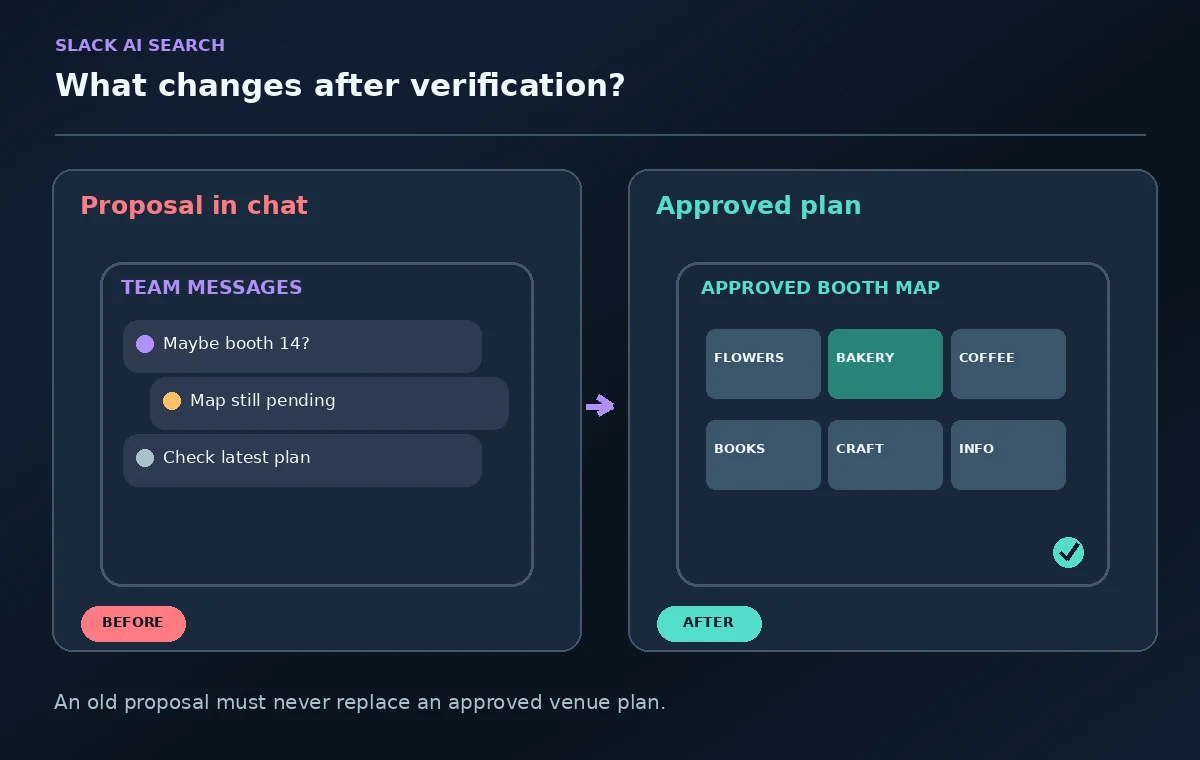
Build a tiny review ledger in your own notes with columns for item, proposed value, approved value, source location, and last checked. Suppose one message proposes unloading at 7:00 a.m. while a later logistics note approves 7:30 a.m. Enter 7:00 as superseded, not as a second valid choice. If there are contradictory approvals, leave the field unresolved and ask the event lead. A model response may look coherent while joining facts that were never true at the same time. The ledger makes those conflicts visible before they reach a vendor email.
Verify the map rather than just the words
A text answer cannot establish that booth numbers on a map still match the venue layout. Open the approved drawing and inspect entrances, power outlets, fire lanes, neighboring stalls, and any accessible passage that could be affected by a move. If a message says “bakery next to flowers,” check whether the map still places those two stalls together. Do not reconstruct a public site plan from chat fragments alone. For a physical event, a misplaced stall can create real safety and accessibility problems even when every individual sentence in the answer is quoted correctly.
Protect internal details when sharing an answer
Slack allows users to share an AI answer where that feature is enabled, but the share action is not a final approval workflow. Before clicking Share, check whether the response contains volunteer phone numbers, private venue notes, or internal concerns about a vendor. Source visibility depends on workspace access and does not automatically authorize forwarding content beyond that audience. Produce a clean outward-facing schedule from verified fields and use the approved recipient list. For sensitive changes, have the coordinator sign off on the exact wording and attachment.
Keep searches scoped and record the final reference
Search answers can be transient, so preserve the actual source links and revision identifiers in the operations document rather than relying on the assistant response being available later. Add “checked against venue map v3” and the reviewer’s initials to your handoff. If an admin disables file use in search or a channel is inaccessible, record that limitation. An absence of search results is not evidence that no decision exists. Use the agreed records repository as the lasting source and Slack AI as a retrieval aid.

Run an independent release check
Before distributing the Saturday briefing, ask one person who did not conduct the search to verify the map revision, time zone, setup instructions, emergency access lane, vendor names, and outbound contact details. Confirm that all citations used in the internal ledger still open and actually support the statement attributed to them. If any assignment has only a proposal or ambiguous message, label it pending rather than filling the blank from another conversation. The goal is not a perfect-looking AI answer: it is a defensible schedule that the team can safely follow.
How We Research
This guide was prepared by reading the named official documentation—Slack, Guide to AI features in Slack and Slack, Security for AI features—and cross-checking the described feature, its workflow, platform or plan restrictions, and the point at which a person must review the result. The scenario, illustrations, example inputs, approvals, and sample outputs are hypothetical editorial teaching aids; we did not access a customer account, run a live product test, measure model accuracy, or verify an actual organizational policy. Screens, plan rules, and labels can change after this documentation review. Always confirm the currently available feature and the authoritative source documents before acting on any AI-generated wording.
Frequently Asked Questions
No. Slack says its AI features respect the same user permissions as standard search. An answer should not include private channel or DM material that the searching member cannot otherwise access.
The current Slack AI feature guide lists search answers for Business+ and Enterprise+, not standard Pro. Plan packaging and admin restrictions can change, so check your workspace settings and the live feature table.
Review the cited messages, source permissions, final map, and any personal or confidential details first. A shared search answer is not automatically an approved external operations memo.
Record the competing versions and timestamps, then ask the designated organizer to resolve the discrepancy. Do not average the two times or allow an AI summary to choose a winner without an approval record.
Keep the approved map revision, source-message links, the final schedule, a short decision ledger, and the reviewer and review date. Do not rely solely on a temporary AI-generated answer.