
A small science center needs an updated volunteer handbook before the fall visitor season. The approved policy file already covers visitor check-in, incident reporting, supervised activities, and who may handle equipment. The goal is to turn those rules into clear volunteer-facing sections, not to let an assistant invent new permissions. Copilot in Word can draft with specified source files for eligible users, but a fluent handbook is not proof that every policy statement is correct. This hypothetical walkthrough shows a reference-first approach with explicit source checks and final human approval.
Collect the authoritative documents and version labels
Begin with the current approved volunteer policy, any official visitor safety checklist, and the document template used by the science center. Confirm who owns those sources and whether they have superseded older files. If two policy versions exist, do not upload both without stating which one governs the new handbook. Copy the effective date into a source ledger, along with the approval owner and any restrictions on reuse. The model should not be asked to reconcile contradictory policies silently. Use only documents that your account is authorized to access and that the organization permits you to process.
Open an eligible Copilot in Word experience
Microsoft’s Word help describes Copilot drafting in an eligible Microsoft 365 environment and notes that controls vary by subscription, organization configuration, platform, and rollout. In an available experience, start a blank document or an approved template, open Copilot, and describe the content you want. To point to a source, use the reference-file selector or type a slash and choose a file if your interface offers that path. Avoid assuming that a locally stored, inaccessible document can be referenced directly. If the feature is unavailable, build the handbook outline manually and use Word’s normal editing features.

Prompt for a bounded handbook outline
Give Copilot a specific writing task: “Draft a short volunteer handbook from the attached approved visitor policy only. Include arrival, guest interaction, equipment boundaries, incident escalation, and closing checklist. Keep unresolved items as [NEEDS APPROVAL]. Do not invent training requirements, emergency numbers, or exceptions.” Specify the audience and a calm tone. Ask for sections that match the source’s structure where practical. A bounded request is easier to audit than a general command to “write the whole policy.” Make the purpose of the document clear: translating approved rules into accessible instructions, not generating replacement policy.
Preserve the template without trusting generated formatting
If starting from an existing Word template, check how headings, tables, contact boxes, and page breaks carry over. Microsoft documents using Copilot with an existing format and adding paragraphs, checklists, or other sections. That is a drafting convenience, not a guarantee that the resulting document follows your organization’s style guide. Inspect heading hierarchy and list numbering, particularly where a missing “do not” could turn a warning into a recommendation. For accessibility, use genuine Word headings and readable tables rather than decorative text that only looks like structure.
Trace each important instruction back to a source
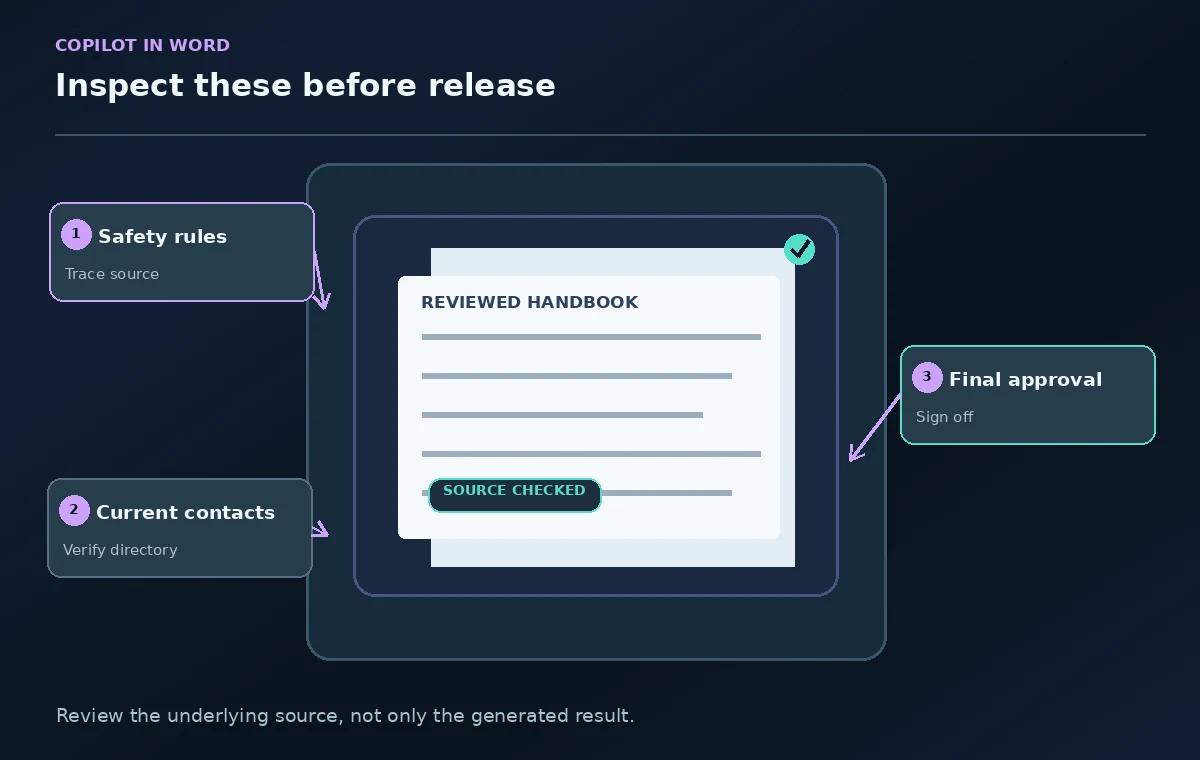
Build a verification column for every consequential statement: “Volunteers must sign in,” “Only trained staff handle the laser station,” and “Report an incident to the duty manager.” Open the approved source and locate the exact rule. Microsoft notes that Copilot can work from reference files and offers citation support in relevant contexts, but generated citations still require review. Do not treat a general document link as proof of a specific sentence. Mark unsupported instructions as questions for the policy owner instead of making them plausible. This is especially important for safety requirements and access permissions.

Separate procedures from examples and friendly copy
Copilot may add useful examples such as how to greet visitors or explain a queue. Label these as illustrative scripts unless management formally approves them. A visitor-friendly example should not expand volunteer authority to promise refunds, give medical advice, or operate restricted equipment. Move any newly drafted guidance into a pending-review section until the appropriate subject-matter owner approves it. The handbook should clearly distinguish mandatory policy, optional courtesy, and escalation paths. Otherwise volunteers can mistake a model’s helpful-sounding suggestion for an authorized procedure.
Review dates, names, and emergency directions
Names and contact details change more often than general policy. Verify every emergency number, room name, shift time, and duty title against a current operations directory. If the source lacks an after-hours contact, do not let Copilot supply one from general context or the web. Microsoft’s documentation emphasizes checking generated facts and sensitive details before sharing. Keep a single source of truth for fast-changing details and provide a link to it where possible. A handbook with an outdated phone tree can be worse than a shorter one that tells volunteers whom to ask.
Ask two reviewers to inspect different risks
Request a policy owner to verify the binding rules and an operations lead to test whether the steps work during a busy visitor session. Ask a new volunteer to identify any confusing sequence, inaccessible jargon, or unclear handoff point. Use suggested changes or comments in Word to capture corrections. Do not accept stylistic improvements that alter a prohibition, eligibility requirement, or escalation threshold. Where a rule is ambiguous, send the question back to the approver rather than repeatedly prompting for a nicer interpretation. Human reviewers should sign off on the final version.
Publish the approved document through the normal channel
Before distributing, verify the file name, version date, table of contents, accessible reading order, and intended audience permissions. Remove drafting prompts, placeholders, and any confidential policy notes that should not appear in a volunteer handbook. Store the final approved copy where the organization already keeps controlled documents; archive the previous edition according to policy. Copilot can accelerate the first draft, but the organization must own the accuracy, security, and change process. The final artifact should clearly tell volunteers which rules are current and where to report a discrepancy.
How We Research
This guide was prepared by reading the named official documentation—Microsoft Support, Draft and add content with Copilot in Word and Microsoft Support, Start from an existing Word document—and cross-checking the described feature, its workflow, platform or plan restrictions, and the point at which a person must review the result. The scenario, illustrations, example inputs, approvals, and sample outputs are hypothetical editorial teaching aids; we did not access a customer account, run a live product test, measure model accuracy, or verify an actual organizational policy. Screens, plan rules, and labels can change after this documentation review. Always confirm the currently available feature and the authoritative source documents before acting on any AI-generated wording.
Frequently Asked Questions
Microsoft documents drafting from specified reference files in eligible experiences. The file needs to be available to the signed-in user through the supported interface, and subscriptions or organizational controls may limit the feature.
No. Supply the approved revision explicitly and check the source before drafting. If sources conflict, ask the policy owner to resolve them rather than letting Copilot choose.
That would be risky. Review safety rules, names, dates, permissions, citations, accessibility, and any invented procedural details before distributing the document.
Verify your Microsoft 365 license, file permissions, supported platform, and available controls. If it still cannot reference the document, build the handbook manually rather than implying that an ungrounded draft came from it.
Keep conspicuous pending-review placeholders with the question and responsible approver, and remove or resolve every placeholder before the handbook becomes an official document.