
Disclosure: LabFin is reader-supported. If you sign up for a tool through links on this page, we may earn a commission at no extra cost to you. Commissions vary between providers and our ratings do not — here’s our full disclosure.
This HyperWrite review covers a writing assistant that lives in your browser. Its TypeAhead feature, for example, suggests the next sentence as you type in Gmail, Google Docs, Notion and other sites, and its agent can also carry out tasks in the browser for you.
Premium costs $16 a month billed yearly, or $19.99 monthly, with 250 AI messages a month. However, its terms allow your data to help train its systems unless you opt out by contacting the company, guides report.
HyperWrite Review: Is It Worth It in 2026?
For people who write all day across browser tabs, it can be. Inline suggestions, for instance, save switching to a chat window, and reusable personas keep a tone consistent.
For most other uses, a general assistant does more for the same price. ChatGPT Plus and Claude Pro both cost $20 and publish independent scores, as our list of the best AI for writing shows.
What HyperWrite Does
First, TypeAhead predicts your next words or sentence in the browser, and you accept a suggestion with the Tab key. HyperChat, meanwhile, answers questions with web citations, and the document editor drafts, rewrites and summarizes longer text.
HyperWrite also offers a browser agent that can fill forms, research on LinkedIn or sort an inbox, according to its product pages. Ultra subscribers, moreover, get first access to new agent features.
What HyperWrite Costs
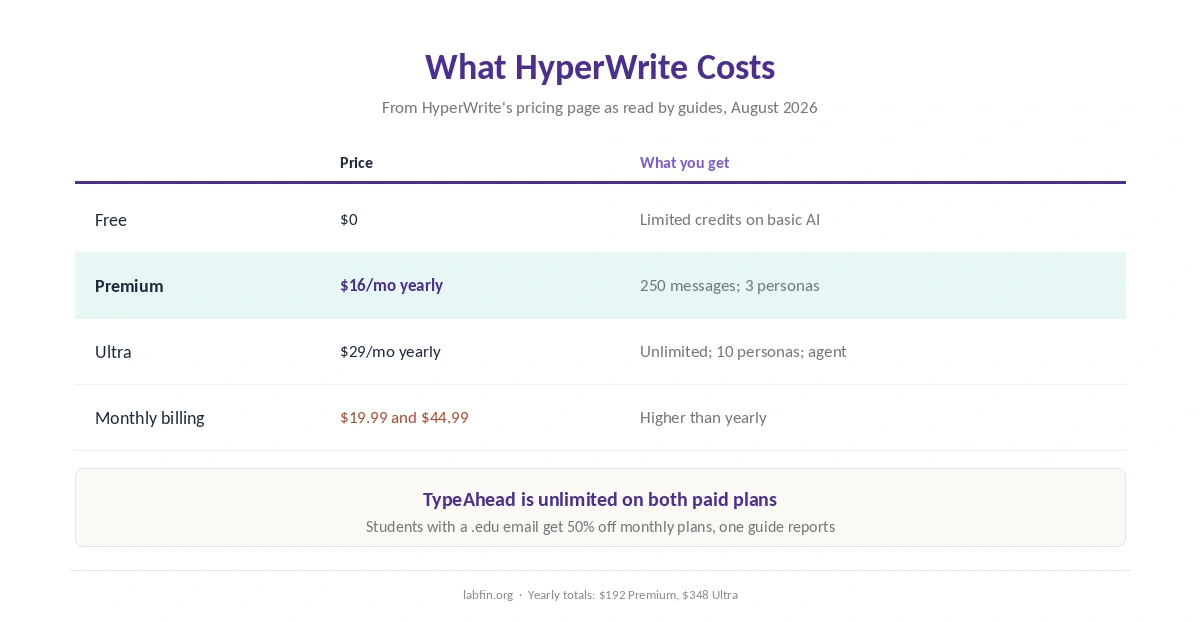
HyperWrite’s pricing page lists three plans, as a guide read it on August 23, 2026.
| Plan | Price | What you get |
|---|---|---|
| Free | $0 | Limited monthly credits on basic AI |
| Premium | $16/mo yearly ($192); $19.99 monthly | 250 AI messages a month; 3 personas |
| Ultra | $29/mo yearly ($348); $44.99 monthly | Unlimited messages; 10 personas; agent features |
In addition, students with a .edu email get 50% off monthly plans, one guide reports. Our list of the best AI for students compares student offers across tools.
Which Models It Uses
HyperWrite does not name its current models on its pricing page. Older guides, however, say it combined OpenAI’s GPT-4 with its own models, and used Cohere models for TypeAhead.
⚠️ Without a named model, writing quality is hard to compare. ChatGPT and Claude, by contrast, name their models and have independent scores, as our guide to AI benchmarks explained covers.
What Independent Evaluations Show
For this HyperWrite review, however, we found no independent test of its output or its agent. Its Chrome extension, meanwhile, holds a 4.2 rating on the Chrome Web Store, from a small number of ratings.
Its HyperChat answers do cite sources, which helps checking. Our list of the best AI for research also compares other cited tools. Still, open the citations before you rely on them, as our guide to fact-checking AI output explains.
Your Data and the Browser
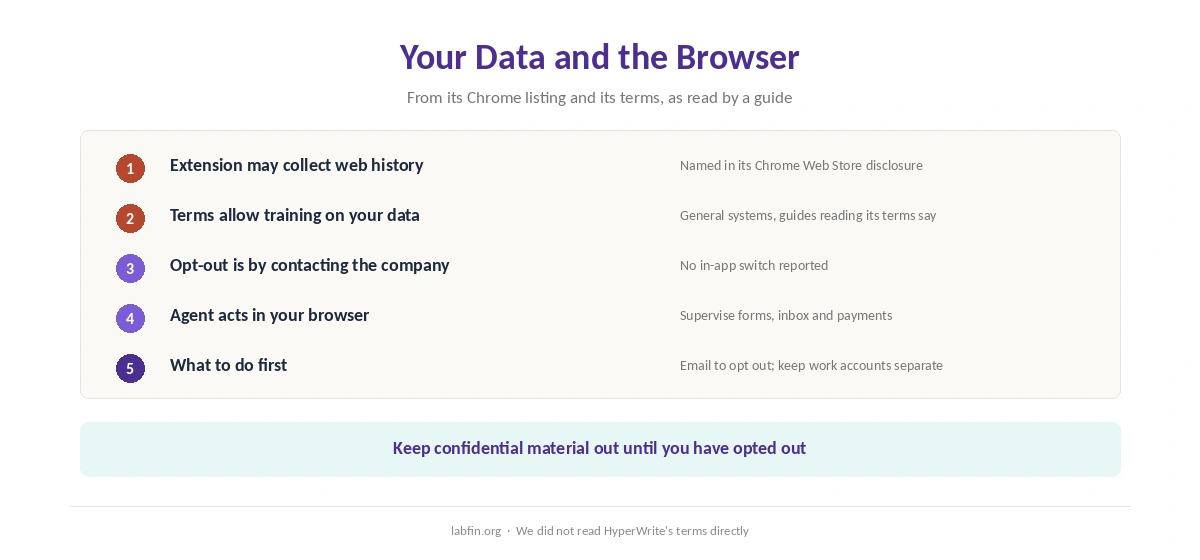
A browser assistant needs context, and context, however, can be sensitive. HyperWrite’s Chrome Web Store listing names web history among the data its extension may collect, a guide reading the disclosure reports.
Its terms, moreover, allow your data to help train general systems, with an opt-out available by contacting the company, the same guide says. Therefore, email HyperWrite to opt out before you use it on work accounts, and supervise agent tasks. Our guide to which AI tools train on your data compares other tools.
Who Runs HyperWrite
First, HyperWrite comes from OthersideAI, founded in 2020 by Matt Shumer, Jason Kuperberg and Miles Feldstein to turn bullet points into emails. Both Shumer and Kuperberg, however, stepped back in 2026, when a new chief executive took over, guides report.
HyperWrite vs Other Writing Tools
Rytr, for example, costs $7.50 a month for templates, as our Rytr review covers, and Anyword focuses on scoring marketing variants, as our Anyword review covers. Jasper, meanwhile, centers on brand governance at $69 a seat, as our Jasper review explains.
HyperWrite’s distinct offer, therefore, is inline browser help. Our list of the best AI for email writing compares tools for Gmail-heavy work, and our list of Jasper alternatives covers the specialists.
Who Should Use HyperWrite
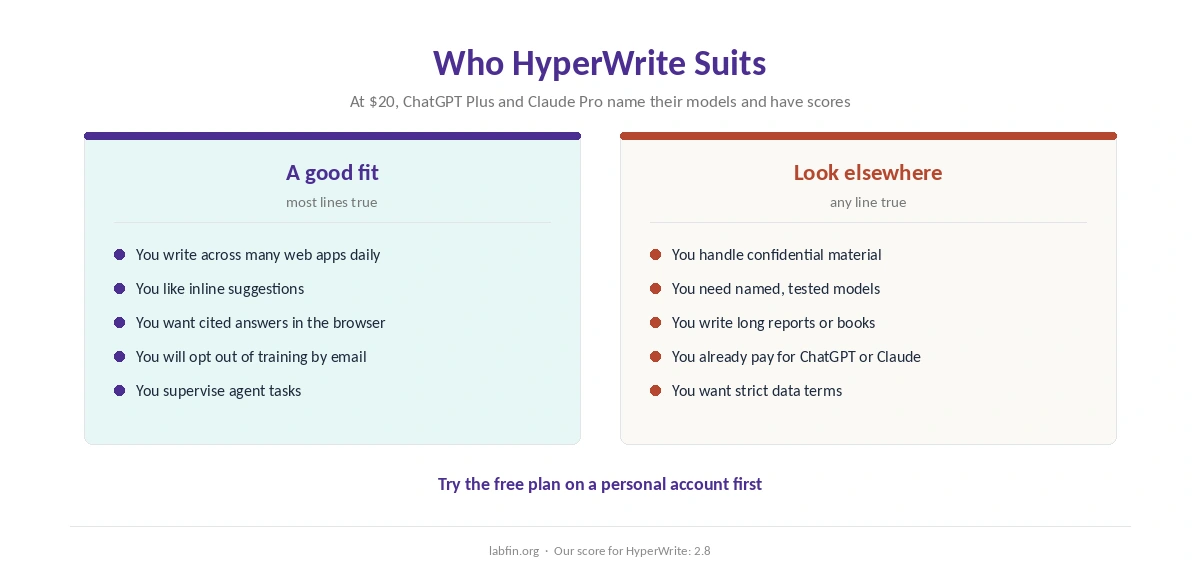
Overall, HyperWrite suits people who write across many web apps every day and like inline suggestions. It also suits students and researchers who want cited answers inside the browser. Our Jasper vs HyperWrite comparison also weighs a brand platform against a browser helper.
By contrast, it suits anyone handling confidential material less, given its training terms and browser access. For long drafts, our guide to Claude for writing covers a stronger option. Our Claude vs HyperWrite comparison also covers data controls.
How We Research
This HyperWrite review takes plans from HyperWrite’s pricing page as read by guides in August 2026, and the extension rating from its Chrome Web Store page. Data terms come from a guide reading its terms and privacy disclosures.
We found no independent quality evaluation, so two criteria rest on missing evidence. Our about page explains the criteria, and our comparison of free and paid AI tools covers free plans.
HyperWrite Review FAQ
Premium costs $16 a month billed yearly or $19.99 monthly, and Ultra $29 billed yearly or $44.99 monthly. A free plan has limited credits.
An inline feature that suggests your next words or sentence as you type in the browser; you accept with Tab. It is unlimited on paid plans.
Its terms allow data to help train general systems, with an opt-out by contacting the company, guides report.
Its Chrome listing names web history among the data it may collect. Opt out of training and supervise any agent tasks.
Not for most tasks: ChatGPT names its models and has independent scores. HyperWrite’s edge is inline help inside the browser.
HyperWrite
Handy in the browser, loose with data
HyperWrite brings inline suggestions, cited answers and a browser agent to the sites where you already write. Against that, Premium caps messages at 250 a month, it names no models, has no independent test, and its terms allow training unless you opt out by email.
The Verdict
In short, HyperWrite is convenient: it suggests text where you already write and can act in the browser. For heavy email and web writers, that saves real switching.
The rest of this HyperWrite review holds the score at 2.8. Its models are unnamed, its output untested, and its data terms loose. So opt out of training by email first, and compare it with ChatGPT or Claude before you pay.