
Disclosure: LabFin is reader-supported. If you sign up for a tool through links on this page, we may earn a commission at no extra cost to you. Commissions vary between providers and our ratings do not — here’s our full disclosure.
To create brand voice guidelines for AI, turn your voice into specific traits, rules and examples, then save them where your AI tool reads them every time. Vague words such as “friendly” or “professional”, for example, give a model almost nothing to work with.
This guide, moreover, sets out seven steps, from collecting samples to testing outputs blind. It works with ChatGPT, Claude, Grammarly and marketing tools such as Jasper.
How to Create Brand Voice Guidelines for AI: The Short Answer
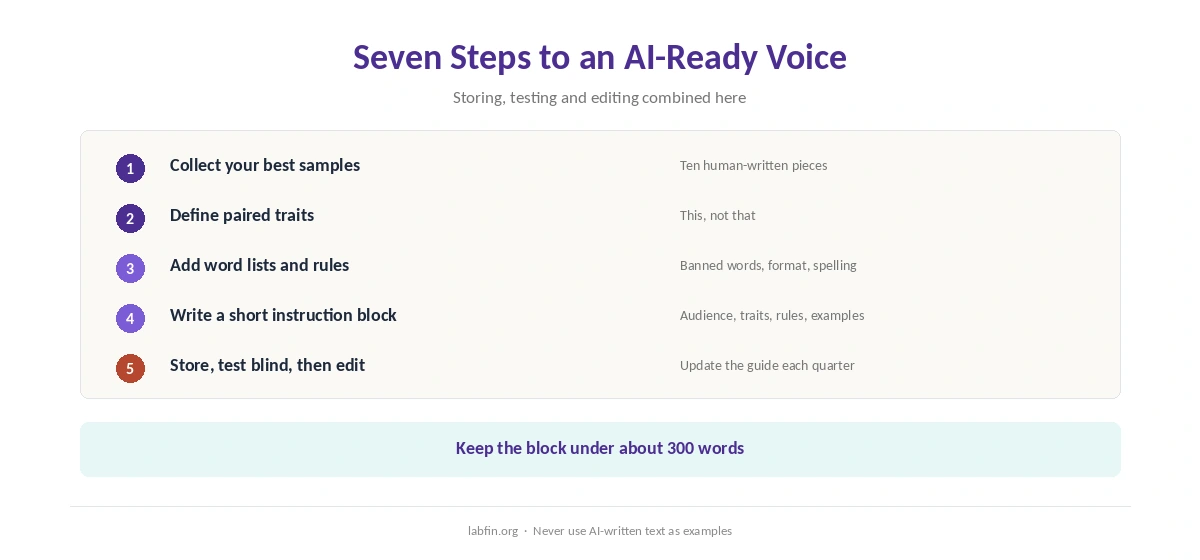
First, gather your ten best pieces of writing and describe three to five traits as “this, not that”. Then add word lists, formatting rules and two or three short examples.
Next, however, condense it all into an instruction block under 300 words, store it in a project or style, and test outputs against human writing. Our guide to writing better prompts covers the basics.
Step 1: Collect Your Best Samples
Pick ten pieces that sound most like you: emails, posts, product pages, a strong blog post. Include at least one piece for each channel you will use AI for.
Avoid AI-written samples, since they teach the model its own habits. Our guide to writing with AI without sounding like AI lists the patterns to avoid.
Step 2: Define Three to Five Traits
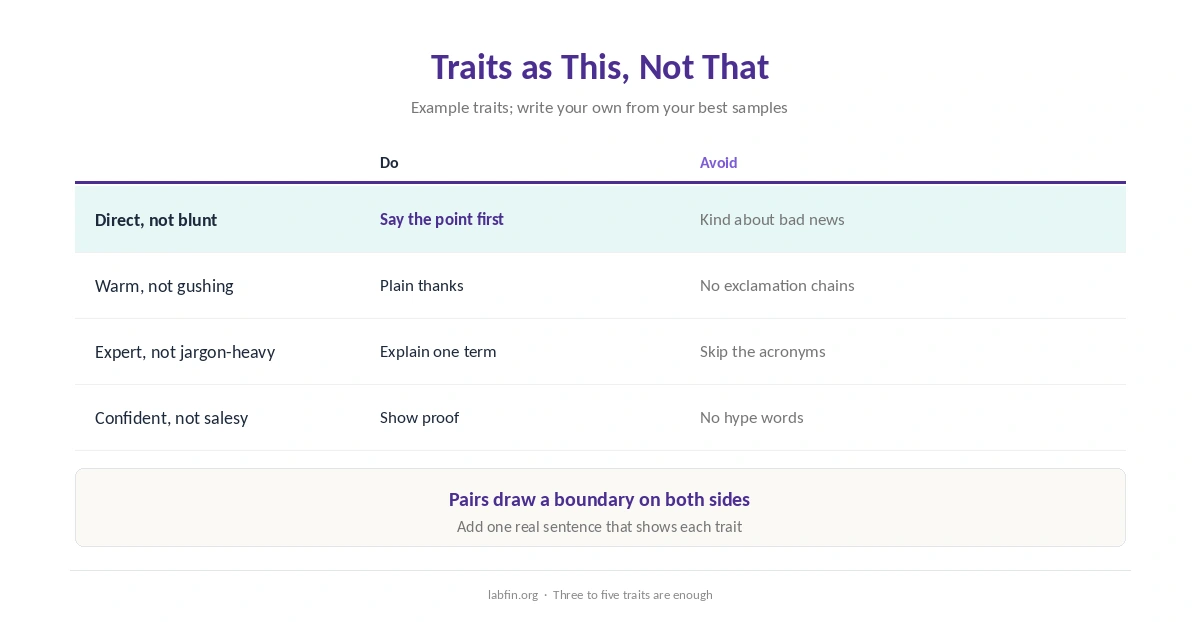
When you create brand voice guidelines for AI, write each trait as “this, not that”, for example “direct, not blunt” or “warm, not gushing”. Then add one sentence from your samples that shows it.
Pairs work because they draw a boundary on both sides, which a single adjective cannot.
Step 3: Add Word Lists and Rules
List words you use and words you never use, such as banned buzzwords and preferred product terms. Also set rules for sentence length, headings, emoji, numbers and spelling, for example American or British.
Step 4: Write the AI Instruction Block
Condense the guide into a short block: who the audience is, the traits, the word lists, the rules, and two short examples. A long style guide, by contrast, is harder to apply consistently, so keep the block tight.
Our guide to prompt frameworks that actually help covers what research found about personas and examples.
Step 5: Store It Where the AI Reads It
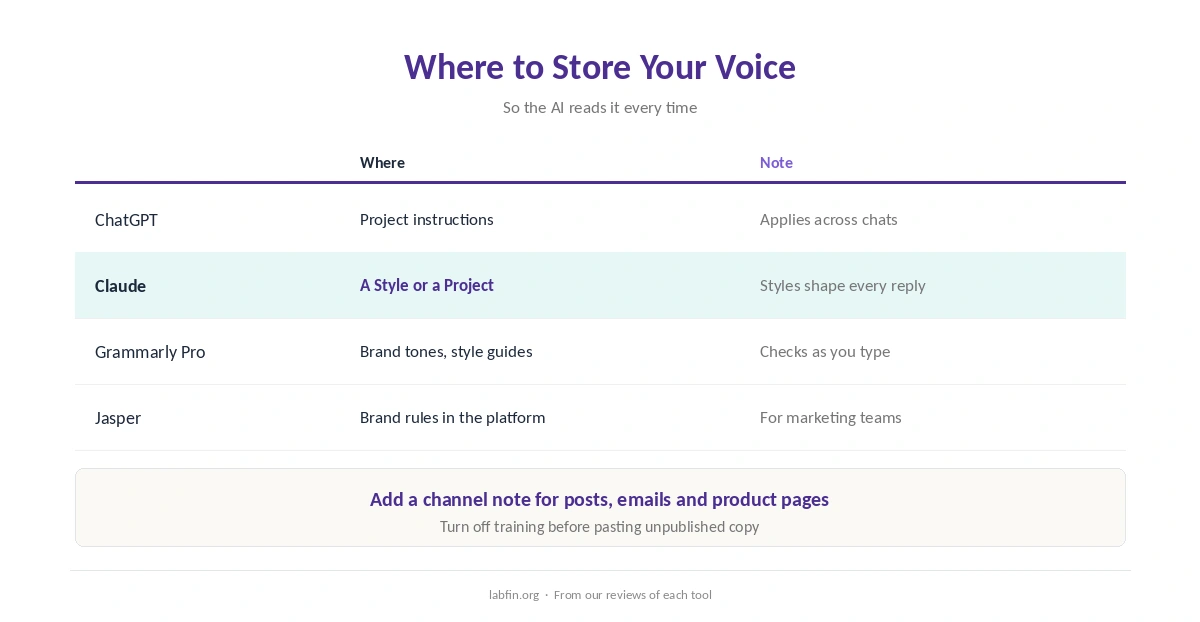
In ChatGPT, for example, put the block in a project’s instructions; in Claude, use a Style or a Project, as our guide to Claude for writing covers.
Grammarly Pro, moreover, offers brand tones and style guides that check text as you type, as our Grammarly review explains. Marketing platforms such as Jasper also store brand rules, as our Jasper review covers. Writer, similarly, stores team voice profiles, as our Writer review explains.
Step 6: Test Outputs Blind
Generate a few pieces with the block, mix them with human-written ones, and ask a colleague which sound on-brand. Then tighten traits or examples where the AI drifts.
Our guide to comparing AI model outputs sets out a fair method.
Step 7: Edit, Then Update the Guide
Always edit AI drafts before publishing, and add new good examples to the guide every quarter. Facts and claims, however, still need checking, as our guide to fact-checking AI output explains.
Use It Across Channels
The same block, with a channel note, works for social posts, emails and product pages. Our guides to using AI for social media and using AI for email sequences show where it fits.
Our guide to ChatGPT for marketing and list of the best AI for social media, in addition, cover saved brand voices.
How We Research
This guide on how to create brand voice guidelines for AI draws on our reviews of each tool and on common style-guide practice, read between August and October 4, 2026. One example source is Grammarly’s help center.
We run no voice tests of our own. Our about page explains how we research, and our list of the best AI for marketing compares tools.
How to Create Brand Voice Guidelines for AI FAQ
Give it traits written as “this, not that”, word lists, rules and two or three real examples, stored in a project or style.
Short enough to stay sharp; we suggest under 300 words, with examples doing most of the work.
In ChatGPT project instructions, a Claude Style or Project, Grammarly’s style guides, or your marketing tool.
No. Use your best human-written pieces, so the model copies your voice, not its own habits.
Mix AI and human pieces, ask a colleague to pick the on-brand ones, and adjust where the AI drifts.
The Verdict
Brand voice guidelines for AI work when they are specific: paired traits, word lists, rules and real examples. Vague adjectives, however, produce generic copy.
So build the guide once, store it where your AI reads it, and test it blind. That is how to create brand voice guidelines for AI that keep your copy sounding like you.