
Disclosure: LabFin is reader-supported. If you sign up for a tool through links on this page, we may earn a commission at no extra cost to you. Commissions vary between providers and our ratings do not — here’s our full disclosure.
This Grammarly review covers the writing assistant that checks grammar, clarity and tone as you type, in your browser, email and documents. Its company, for example, renamed itself Superhuman in 2025, and Grammarly is now one app in a wider suite.
Pro costs $12 a month billed yearly and adds rewrites, plagiarism checks and 2,000 AI prompts a month. However, individual plans use your writing for training by default, and a 2026 lawsuit targets a feature it has since disabled.
Grammarly Review: Is It Worth It in 2026?
For anyone who writes in many apps every day, yes. The free plan also handles grammar and spelling well enough for everyday emails and posts.
For drafting long pieces from scratch, a general assistant fits better. Our list of the best AI for writing ranks the main options.
What Grammarly Does
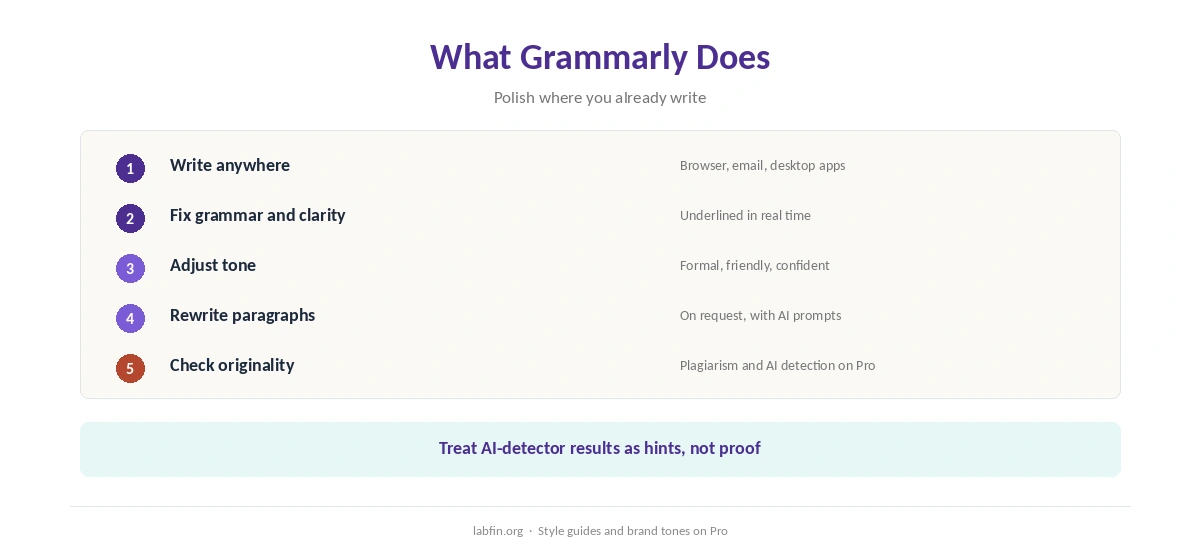
First, Grammarly underlines errors and unclear phrasing in real time across browsers, email clients and desktop apps. It then suggests fixes for grammar, tone and concision, and rewrites whole paragraphs on request. Our Grammarly vs Wordtune comparison covers which fits which job.
Pro, moreover, adds plagiarism and AI-text detection, brand tones and style guides. Our guide to using AI for editing covers how to combine it with other tools.
What Grammarly Costs
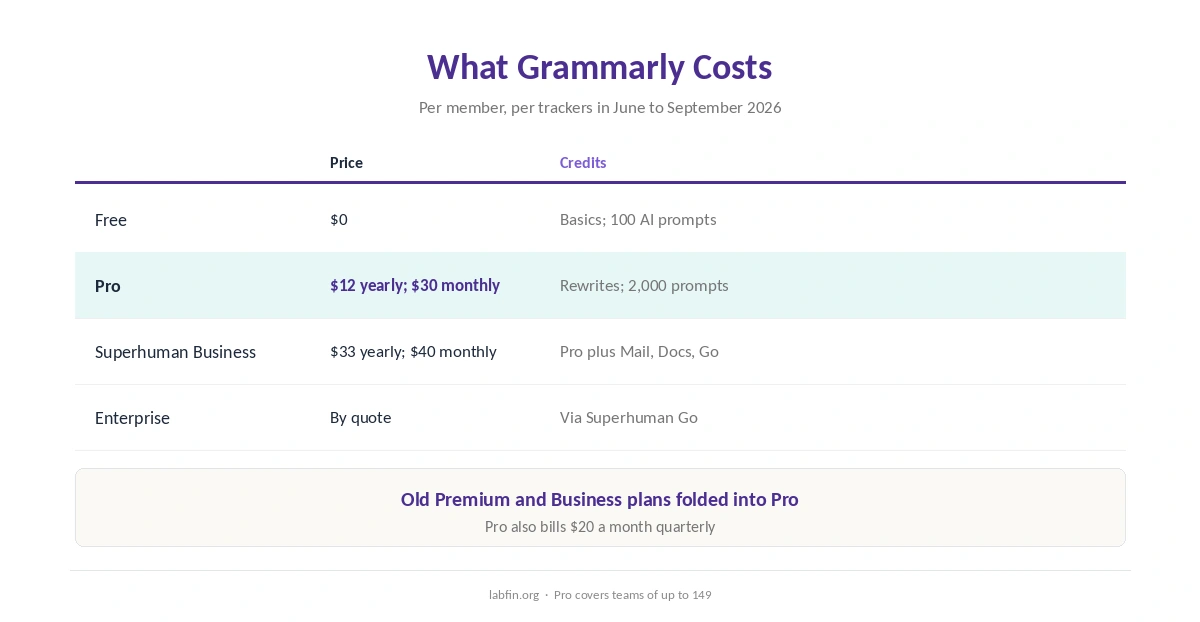
In addition, Grammarly folded its old Premium and Business plans into Pro, as trackers read its pricing page between June and September 2026.
| Plan | Price | What it includes |
|---|---|---|
| Free | $0 | Grammar, spelling, tone; 100 AI prompts a month |
| Pro | $12/mo yearly, $20 quarterly or $30 monthly | Rewrites, plagiarism and AI detection; 2,000 prompts |
| Superhuman Business | $33/mo yearly or $40 monthly | Pro plus Superhuman Mail, Docs and Go |
| Enterprise | By quote | Sold through Superhuman Go |
Monthly billing, however, costs $30 against $12 a month on yearly billing, so pay yearly only if you are sure. Our list of the cheapest useful AI tools compares other options.
Accuracy
Grammarly’s grammar checks are mature, but we found no recent independent benchmark of its AI rewrites. Its suggestions, therefore, can flatten your voice or change meaning, as our guide to writing with AI without sounding like AI explains.
Its AI detector, in addition, carries the same caveats as other detectors: treat results as hints, not proof.
Your Data
On data, however, Free and single-user Pro accounts have Grammarly’s Product Improvement and Training setting on by default, its help center says. You can turn it off in account settings, and admins set it for team accounts.
Therefore, switch it off before editing confidential work. Our guide to which AI tools train on your data compares other tools.
The Expert Review Lawsuit
In March 2026, moreover, journalist Julia Angwin filed a class action in New York over Grammarly’s Expert Review feature. It presented AI feedback under the names of real authors and journalists without their consent, the complaint says.
Superhuman, however, disabled the feature the same day and says the claims are without merit. We found no ruling in our sources.
Who Runs Grammarly
Grammarly, founded in 2009, also bought the Superhuman email app in 2025 and later took the Superhuman name. Led by CEO Shishir Mehrotra, it also announced the purchase of the Fathom notetaker in September 2026, as our Fathom review covers.
Grammarly vs General Assistants
ChatGPT and Claude, for example, draft and rewrite whole documents, while Grammarly polishes text where you already write. Our ChatGPT for writing and Claude for writing guides cover drafting.
Lex and Sudowrite, by contrast, are editors built around AI drafting, as our Lex review and Sudowrite review explain.
Who Should Use Grammarly
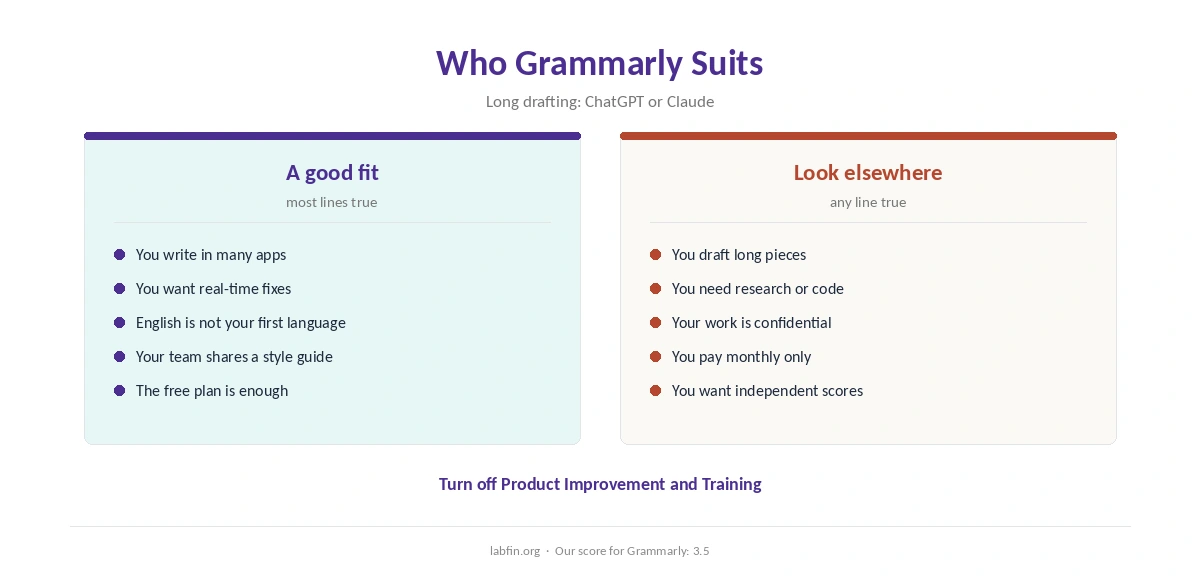
Overall, this Grammarly review finds it suits students, professionals and non-native English writers who want polish everywhere they type. It also suits teams that need shared style guides, for example. Our list of Grammarly alternatives ranks the options by our review scores.
Students can compare study tools in our list of the best AI for students, and email-heavy users in our list of the best AI for email writing.
By contrast, however, it suits long-form drafting and confidential work with training on less. Our list of the best AI tools for writers covers alternatives.
How We Research
This Grammarly review takes plans from trackers that read Grammarly’s pricing page in 2026, data terms from Grammarly’s help center, and the lawsuit from coverage by Wired, Fast Company and Times Higher Education.
However, we found no independent test of its AI features. Our about page explains the criteria.
Grammarly Review FAQ
Free is $0. Pro costs $12 a month billed yearly, $20 quarterly or $30 monthly; Superhuman Business costs $33 yearly.
Yes, with grammar, spelling and tone checks plus 100 AI prompts a month.
On individual accounts by default; turn off Product Improvement and Training in settings.
It was folded into Pro, and the old Business plan into the Superhuman suite.
A March 2026 class action targets its Expert Review feature, which it disabled; we found no ruling.
Grammarly
Polish everywhere you type
Grammarly checks and rewrites text across apps, with a useful free plan and Pro at $12 a month yearly. Against that, individual plans train on your writing by default, monthly billing is steep, and a 2026 lawsuit targets a since-disabled feature.
The Verdict
Overall, Grammarly remains one of the easiest ways to polish writing everywhere you type, and its free plan covers the basics. Its training default, however, deserves a quick settings change.
The rest of this Grammarly review, therefore, sets the score at 3.5. So start free, pay yearly if you upgrade, and turn off training before confidential work.