
Disclosure: LabFin is reader-supported. If you sign up for a tool through links on this page, we may earn a commission at no extra cost to you. Commissions vary between providers and our ratings do not — here’s our full disclosure.
To use AI for unit testing well, describe the behavior you expect, ask for a list of cases before any code, and prove that each test fails when the code is wrong. AI writes tests fast, but it can also write tests that always pass or that lock in a bug.
This guide, moreover, covers the common traps, a six-step workflow and prompts that work. It applies to Claude Code, Codex, GitHub Copilot, Cursor or a chat assistant.
How to Use AI for Unit Testing: The Short Answer
First, state what the function should do, including edge cases and errors. Then ask the AI for a list of test cases, review it, and only then ask for tests in your project’s framework.
Next, however, run the tests, break the code on purpose, and confirm the tests fail. Our list of the best AI for coding ranks agents that can run tests for you.
Traps in AI-Written Tests
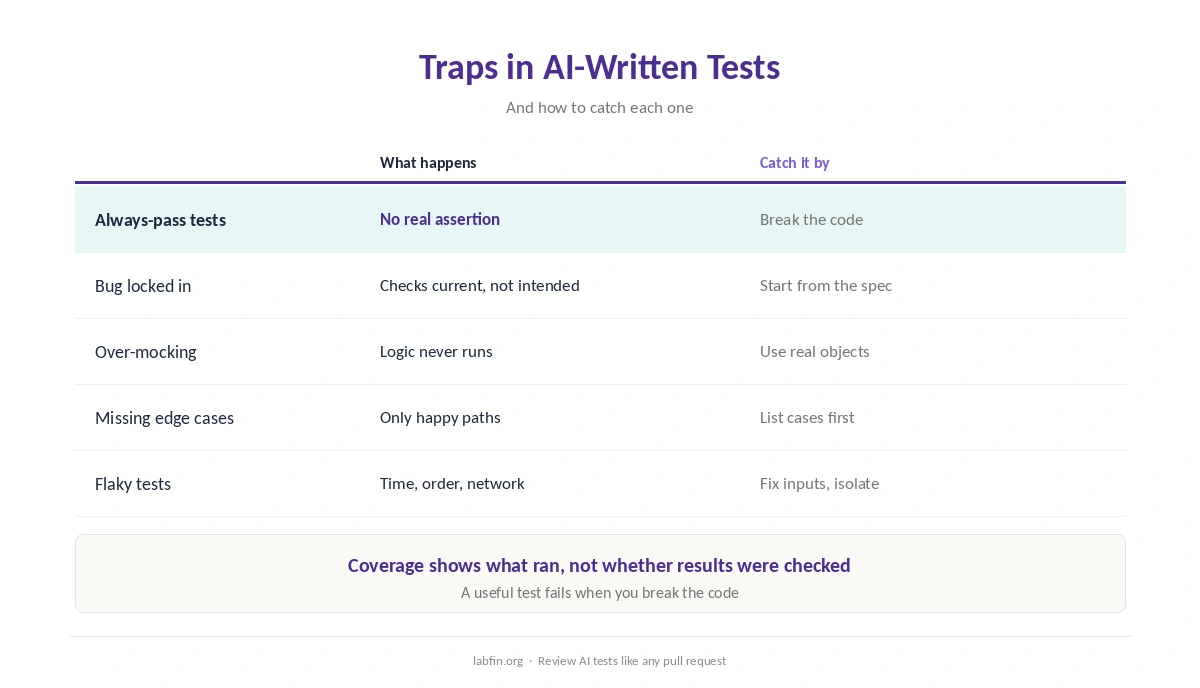
When you use AI for unit testing, one frequent trap is a test that always passes, for example one with no real assertion. Another is a test that checks what the code does today, bug included, rather than what it should do.
AI also tends to mock too much, so tests pass without exercising real logic. Our guide to reviewing AI-generated code covers the wider checklist.
Step 1: Describe the Expected Behavior
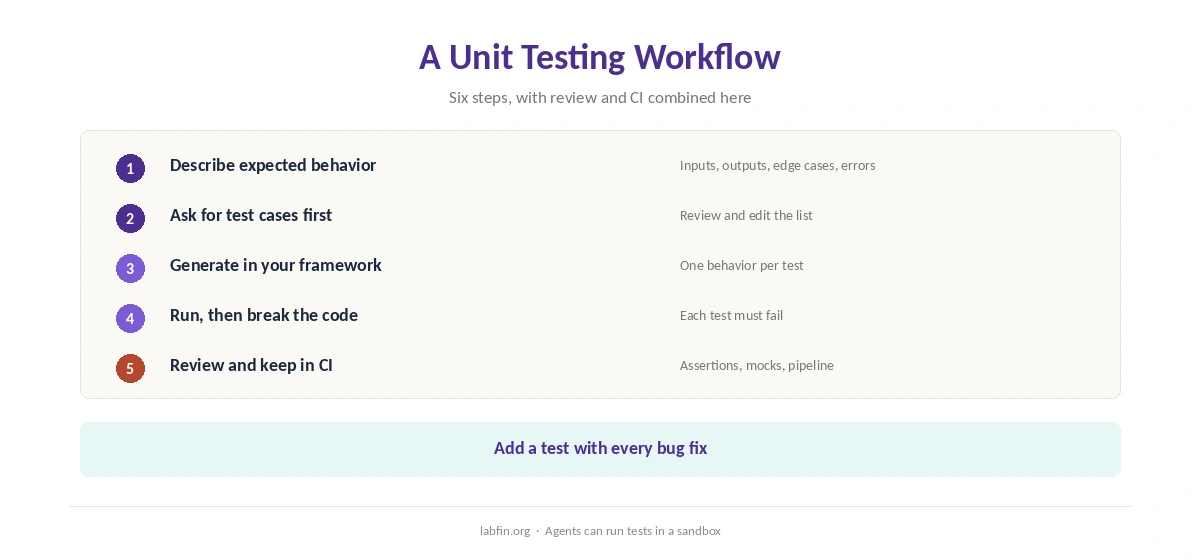
Write a few sentences on inputs, outputs, edge cases and errors, or paste the relevant spec. As a result, tests follow intended behavior, not just the current code.
Our guide to writing better prompts covers how to state requirements.
Step 2: Ask for Test Cases First
Ask for a numbered list of cases: normal inputs, boundaries, empty and invalid values, and error paths. Then add cases you know matter and remove ones that do not.
Step 3: Generate Tests in Your Framework
Ask for tests in your framework and style, with one behavior per test and clear names. Agents such as Claude Code and Codex can read existing tests and match them, as our Claude Code review covers. Our guide to ChatGPT for coding also covers Codex.
Editor tools such as GitHub Copilot and Cursor, in addition, suggest tests inline, as our GitHub Copilot review and Cursor review explain.
Step 4: Run Them, Then Break the Code
Run the tests, then change the code on purpose, for example by flipping a condition, and run them again. If nothing fails, the tests are not checking that behavior.
This simple check, moreover, catches always-pass tests better than coverage numbers do. For private code, our Tabnine review and list of the best local AI tools cover in-house options.
Step 5: Review Assertions and Mocks
Read each assertion: does it check a meaningful result, or only that a function ran? Replace mocks with real objects where they are cheap, so tests exercise actual logic.
When a test fails for an unclear reason, our guide to using AI for debugging sets out a workflow.
Step 6: Keep Tests in the Pipeline
Run tests in continuous integration on every change, and ask the agent to add a test with each bug fix. Coverage, however, is a guide, not a goal: high coverage with weak assertions proves little. Tests also make AI refactoring safer, as our guide to using AI for refactoring explains.
Our guide to using AI for coding projects covers safe agent settings for running tests.
Prompts That Work
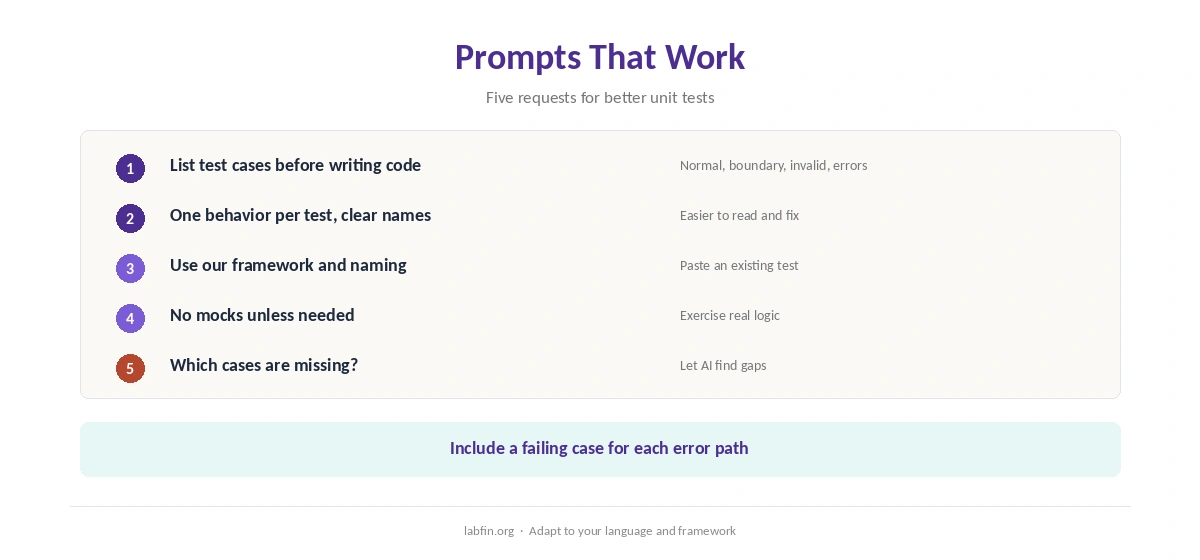
Useful requests include: list test cases before writing code; one behavior per test; use our framework and naming; no mocks unless needed; include a failing case for each error path. Ask also which cases the AI thinks are missing.
How We Research
This guide on how to use AI for unit testing draws on our reviews of each coding tool and on common testing practice, read between August and October 3, 2026. One example source is Martin Fowler’s note on test coverage.
We run no testing trials of our own. Our about page explains how we research, and our guide to using AI for code documentation covers a related task.
How to Use AI for Unit Testing FAQ
Yes, quickly. Review the cases, check the assertions, and confirm each test fails when the code is wrong.
Agents that read your project and run tests, such as Claude Code and Codex; Copilot and Cursor help inline.
They may lack real assertions, mock too much, or check current behavior, bugs included.
Break the code on purpose; a useful test fails.
No. Coverage shows what ran, not whether results were checked.
The Verdict
AI speeds up unit testing when you define the behavior and check the tests themselves. Without that, however, it produces green test suites that prove little.
So list cases first, generate in your framework, break the code to prove each test, and keep tests in CI. That is how to use AI for unit testing that catches real bugs.