
Disclosure: LabFin is reader-supported. If you sign up for a tool through links on this page, we may earn a commission at no extra cost to you. Commissions vary between providers and our ratings do not — here’s our full disclosure.
To use AI for code documentation well, give it the real code and your conventions, then check that every sentence describes what the code does, not what it was meant to do. AI drafts docs quickly, but it can describe intent rather than behavior.
This guide, moreover, covers which documents AI helps with, a six-step workflow, and the checks to run before merging. It works with Claude Code, Codex, GitHub Copilot, Cursor or a chat assistant.
How to Use AI for Code Documentation: The Short Answer
First, point the AI at the code and an example of your house style. Then ask for docstrings, a README section or API notes, one piece at a time. Our guide on how to use AI for API integration sets out the steps.
Next, however, read each draft against the code, run every example it includes, and update docs in the same pull request as the code. Our list of the best AI for coding ranks the agents.
What AI Documents Well
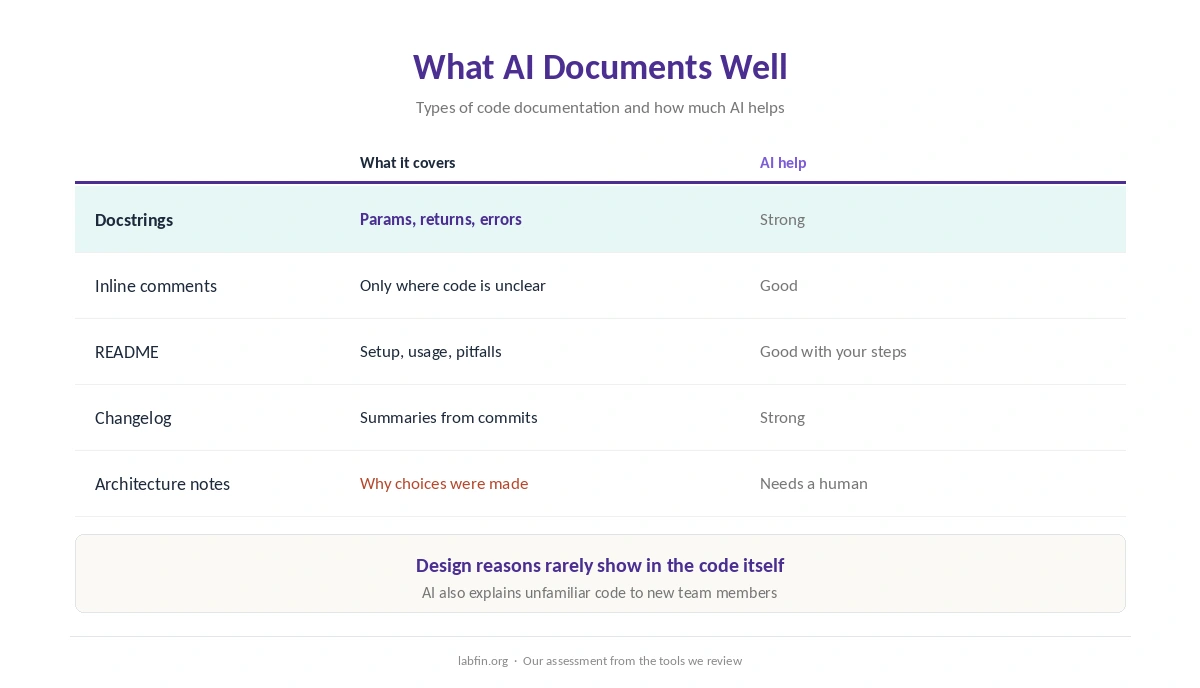
AI handles routine documentation best: docstrings for clear functions, parameter tables, README setup steps and changelog summaries from commit history. It also explains unfamiliar code, which helps new team members.
Architecture decisions and the reasons behind design choices, by contrast, need a human, since they are rarely visible in the code itself.
Step 1: Give It the Right Context
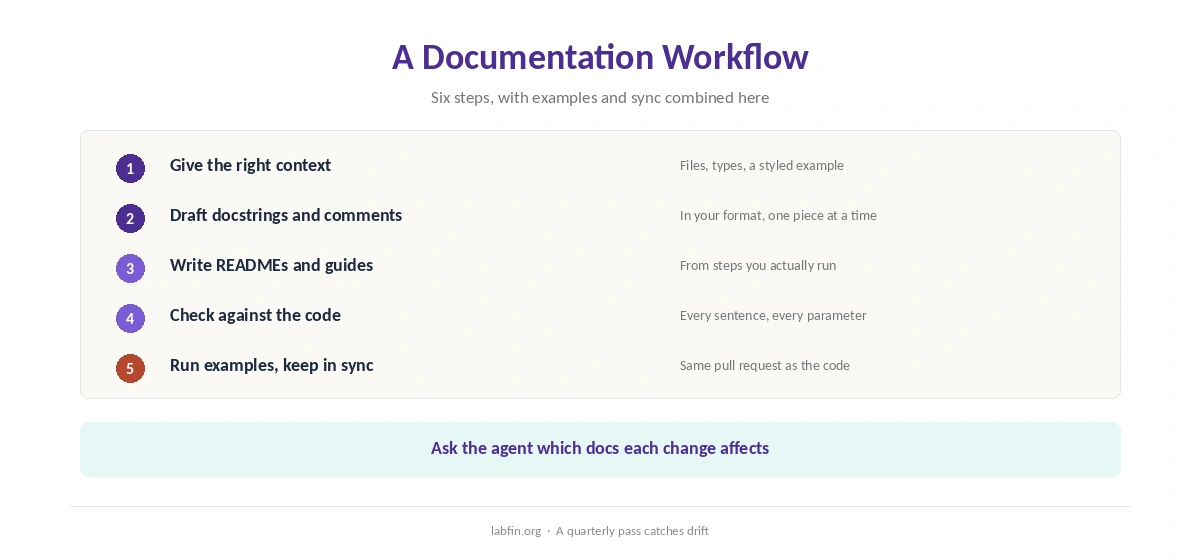
Share the files involved, related types and an example of a well-documented function from your project. Agents such as Claude Code and Codex, for example, can read the whole repository themselves, as our Claude Code review covers.
For long codebases in a chat assistant, our guide to using Claude for long documents covers file limits.
Step 2: Draft Docstrings and Comments
Ask for docstrings in your format, covering parameters, return values, errors raised and side effects. Ask also for comments only where code is not self-explanatory, since comments that repeat code add noise.
Editor tools such as GitHub Copilot and Cursor suggest docstrings inline, as our GitHub Copilot review and Cursor review explain.
Step 3: Write READMEs and Guides
For a README, give the AI the setup steps you actually run, the main commands and known pitfalls. Then ask for sections such as overview, installation, usage and troubleshooting.
Our guide to writing better prompts covers how to state the audience and level of detail.
Step 4: Check Against the Code
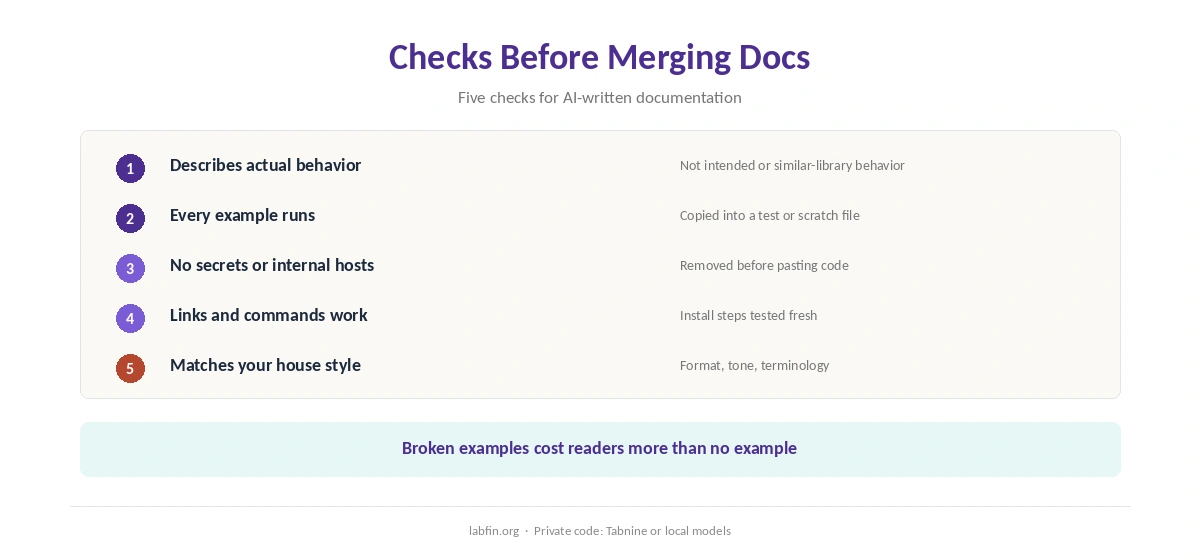
Read every sentence beside the code it describes. AI, for example, may describe a parameter that was removed, an error the code never raises, or behavior from a similar library.
Our guides to reviewing AI-generated code and why AI gets facts wrong explain why fluent text can mislead.
Step 5: Run Every Example
Copy each code example from the docs into a test or a scratch file and run it. Broken examples, moreover, cost readers more time than no example at all.
If an example fails, ask the AI to fix it from the error, as our guide to using AI for debugging describes.
Step 6: Keep Docs in Sync
When you use AI for code documentation, update it in the same pull request as the code change, and ask the agent to list docs affected by each change. A quarterly pass, in addition, catches drift in READMEs and guides.
Private Code and Secrets
Remove keys, tokens and internal hostnames before pasting code into any cloud tool. For code that must stay in-house, Tabnine runs on your own servers, and local runners keep everything on your machine.
Our Tabnine review and list of the best local AI tools cover both options.
How We Research
This guide on how to use AI for code documentation draws on our reviews of each coding tool and on common documentation practice, read between August and October 3, 2026. One example source is the Write the Docs guide.
We run no documentation tests of our own. Our about page explains how we research, and our guide to ChatGPT for coding covers Codex.
How to Use AI for Code Documentation FAQ
Yes, especially docstrings, READMEs and changelogs. Check every sentence against the code before merging.
Agents that read the whole repository, such as Claude Code and Codex; Copilot and Cursor suggest docstrings inline.
It may describe intended rather than actual behavior, removed parameters or errors the code never raises.
Update them in the same pull request as the code, and ask the agent which docs a change affects.
Remove secrets first, and use private deployments or local models for code that must stay in-house.
The Verdict
AI makes documentation faster when it works from the real code and your conventions. Without checks, however, it produces confident docs that drift from the code.
So give context, draft in pieces, check against the code, run the examples and keep docs in the same pull request. That is how to use AI for code documentation people can trust.