
Disclosure: LabFin is reader-supported. If you sign up for a tool through links on this page, we may earn a commission at no extra cost to you. Commissions vary between providers and our ratings do not — here’s our full disclosure.
This Lex review covers a minimalist word processor with AI built into the page. Lex, for example, gives feedback on drafts, suggests better words, and generates ideas inline, so you never switch to a chat window.
Its pricing page also states plainly that your writing is not used to train AI models. Pro costs about $18 a month or about $145 a year, guides report, and a free plan includes limited AI checks.
Lex Review: Is It Worth It in 2026?
For writers who edit drafts carefully, yes. Lex keeps the page clean, puts feedback where you write, and lets you use models from OpenAI and Anthropic without separate subscriptions.
For marketing copy at scale, it is the wrong tool. Lex has no templates or ad generators, so our list of the best AI for marketing covers better fits.
What Lex Does
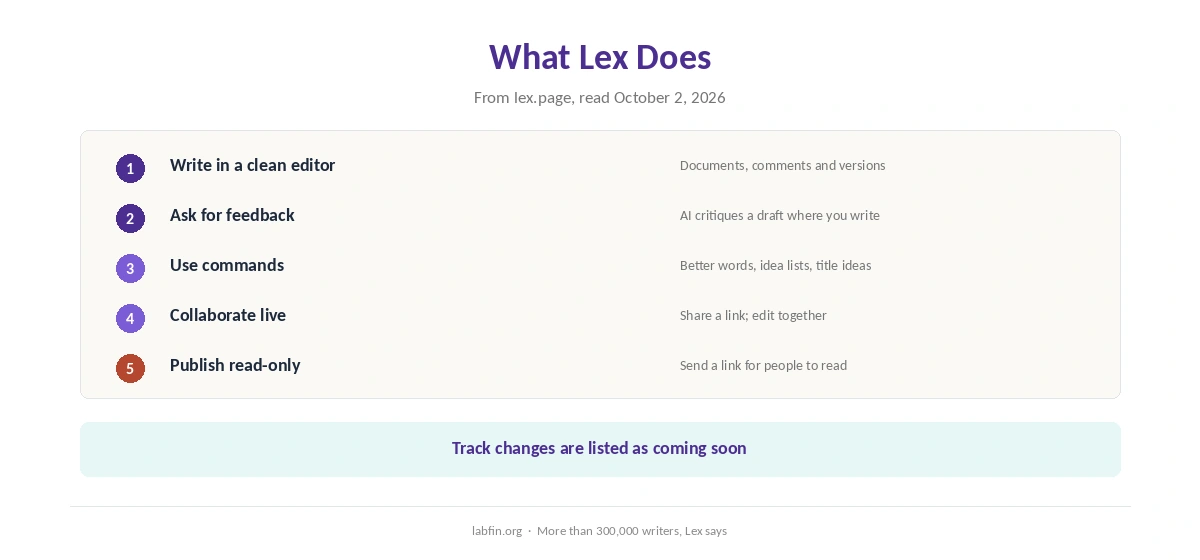
First, Lex works like a cleaner Google Docs: documents, comments, versions, live collaboration and read-only links for sharing. Its homepage says more than 300,000 writers use it.
The AI, moreover, sits inside the editor. You can ask for feedback on a draft, brainstorm, rewrite a passage, find a better word or get title ideas, and an Ask Lex panel answers questions about your text.
What Lex Costs
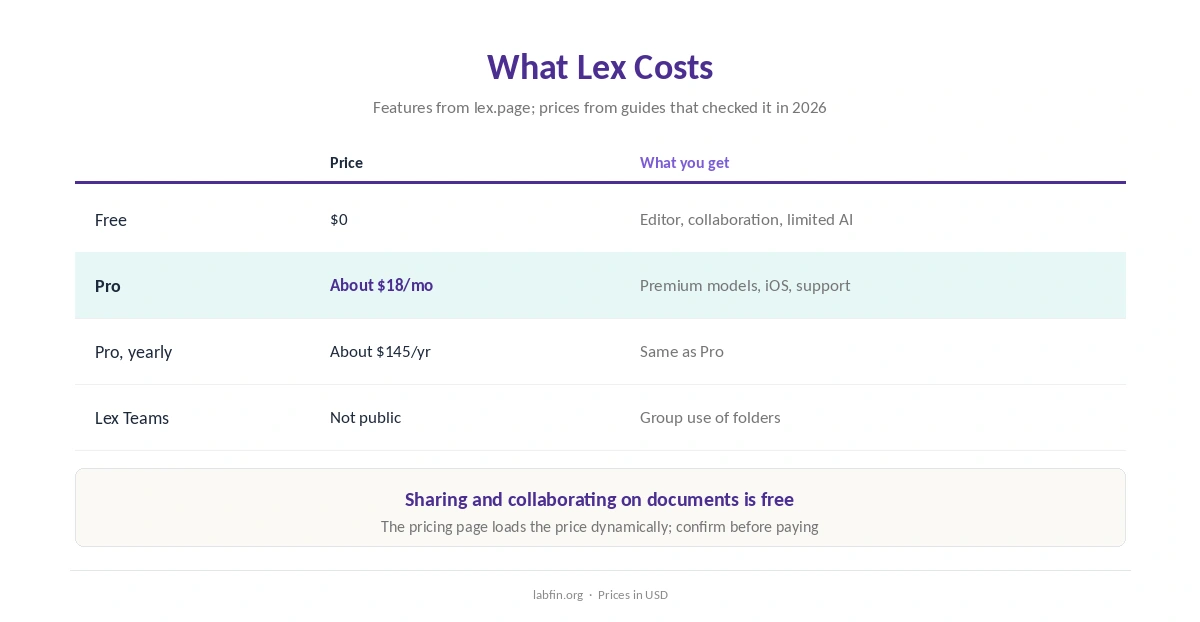
Lex has a free plan and a Pro plan. Its pricing page loads the price dynamically, so we rely on guides that checked it in March and mid-2026.
| Plan | Price | What you get |
|---|---|---|
| Free | $0 | Editor, collaboration; limited AI checks |
| Pro | About $18/mo, or about $145/yr | Premium models, iOS app, priority support |
| Lex Teams | Add-on, price not public | Unlimited group use of folders |
Lex also offers a refund if you do not love it after a month, its pricing page says. Our list of the cheapest useful AI tools compares other budget options, and our comparison of free and paid AI tools covers free plans.
Which Models It Uses
Lex uses models from OpenAI, Anthropic and TogetherAI through their enterprise APIs. Pro, moreover, adds the premium models; the pricing page names GPT-4.1 and Claude 4 Opus and Sonnet, which may lag the newest releases. Our Claude vs Lex comparison also weighs Claude directly against Claude inside an editor.
Since the models come from those labs, therefore, writing quality tracks theirs. Our guides to Claude for writing and ChatGPT vs Claude cover the same models used directly.
What Independent Evaluations Show
For this Lex review, we found no independent test of Lex itself. Its output, however, comes from models that do have independent scores, such as Claude on Arena’s creative-writing board.
Some reviewers note that Lex’s feedback is less flattering than asking a chatbot directly, but that is opinion, not a test. Our guide to AI benchmarks explained covers what tests measure.
Your Writing and Data
Lex’s pricing page says your writing is not used to train AI models. It routes requests through enterprise APIs, where privacy terms are stronger than on consumer plans, and says it will email you and offer an opt-out if that ever changes.
Your documents, meanwhile, stay in Lex’s own database, and staff access them only with permission, the page says. Our guide to which AI tools train on your data compares other tools.
Who Runs Lex
First, Lex, Inc. makes Lex. Nathan Baschez, who previously worked at Every, Substack and Gimlet Media, founded it, and Lex spun out of Every in 2023, company profiles report.
Lex vs Claude, ChatGPT and HyperWrite
Claude and ChatGPT do far more than Lex, and Claude Pro shows no ads. Their personal plans, however, train on your chats unless you opt out, while Lex promises no training on every plan. Our ChatGPT vs Lex comparison also weighs a general assistant against a writing editor.
HyperWrite, by contrast, adds inline suggestions across other websites, but its terms allow training, as our HyperWrite review explains. Our Claude vs HyperWrite page compares that route. Lex’s distinct offer is a focused editor with clear data terms.
Who Should Use Lex
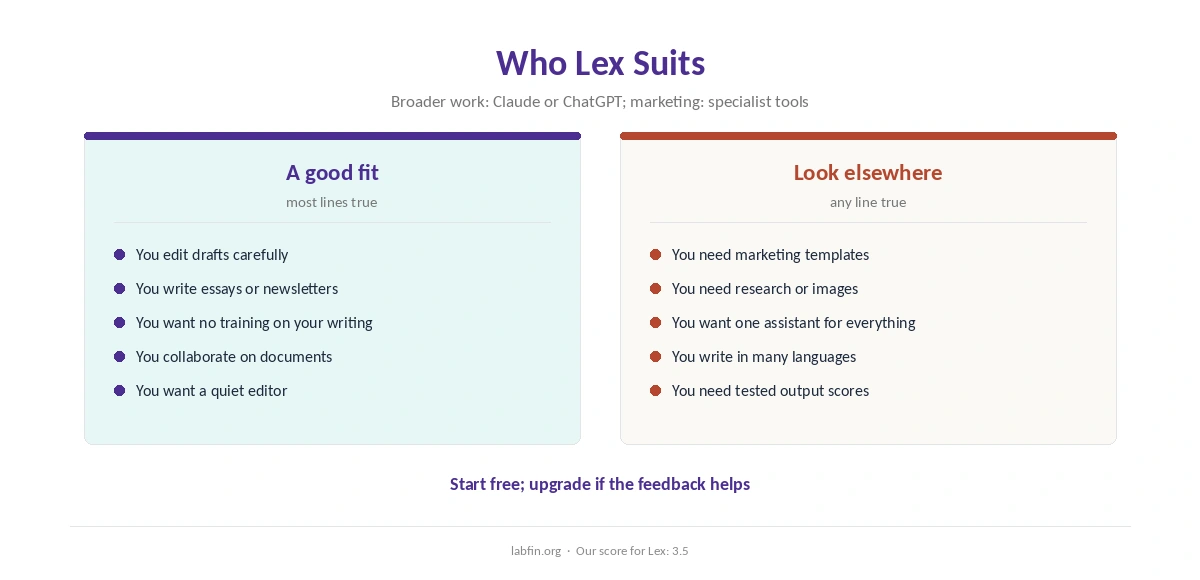
Overall, Lex suits essayists, newsletter writers, academics and anyone who wants a quiet editor with AI feedback. It also suits writers who want strong data terms without a business plan.
By contrast, it suits marketing teams and people who need research or images less, since Lex is writing-only. Our list of the best AI for writing covers broader tools, and our list of the best AI for email writing covers email drafts.
How We Research
This Lex review takes features and data terms from Lex’s pricing page and homepage, read on October 2, 2026, and prices from guides that checked the pricing page in 2026.
We found no independent test of Lex itself, so one criterion rests on the underlying models. Our about page explains the criteria, and our guide to writing better prompts helps with any AI editor.
Lex Review FAQ
Pro costs about $18 a month or about $145 a year, guides report. A free plan includes the editor and limited AI checks.
No. Lex’s pricing page says it does not train language models and uses enterprise APIs that protect your data.
Models from OpenAI, Anthropic and TogetherAI. Pro adds premium models such as Claude and GPT models.
Yes, with limits. The free plan includes the editor, collaboration and a limited number of AI checks.
For focused editing with clear data terms, often yes. For research, images or anything beyond writing, ChatGPT does far more.
Lex
A quiet editor with clear data terms
Lex puts AI feedback inside a clean, collaborative editor, uses OpenAI and Anthropic models through enterprise APIs, and promises no training on your writing. Against that, it is writing-only, its pricing page hides the price, and no independent test covers Lex itself.
The Verdict
Lex is a pleasant place to write: quiet, collaborative and quick to give feedback. Its data terms, moreover, are clearer than most consumer AI tools.
The rest of this Lex review holds the score at 3.5, since it does one job and relies on other labs’ models. So try the free plan, and upgrade if its feedback improves your drafts.