
A museum is replacing a blurry compass icon on a printed trail map. The original pictogram has a ring with open white space in the center and a distinct arrow pointing north. If a conversion engine fills the ring or merges the arrow into the circle, the exported SVG may be perfectly scalable but visually wrong. Recraft offers a browser-based vectorizer that turns supported raster images into SVG; the result still needs careful shape inspection. The artwork and before-and-after diagrams here are illustrative, not outputs from a documented Recraft test.
Identify the parts of the icon that carry meaning
Before conversion, make an inventory of the icon’s invariants: round outer boundary, hollow center, north-pointing arrow, equal stroke rhythm, and adequate contrast against the map background. The ring’s empty space is a visual feature, not missing paint. Label the source image with its approved version and keep the original for comparison. For a wayfinding map, arrow orientation matters as much as how elegant the path looks.
Decide which aspects may change. You might accept smoother curvature or fewer anchor points, but should not accept a second arrow, joined compass legs, or lettering that was never present. If a client requires specific brand geometry, compare the converted result with the licensed master artwork instead of treating an AI result as an authoritative replacement.
Prepare a clean and lawful raster source

Recraft’s vectorizer page lists PNG, JPEG, JPG, and WebP as supported input types and states a file-size limit. Use the highest-quality legitimately usable original available within those constraints. Crop away unrelated labels, remove camera perspective distortion in an ordinary editor, and preserve enough padding that the arrow tip is not clipped. Heavy sharpening can produce false boundaries, so avoid creating extra halos around the black strokes.
If the icon was scanned from printed signage, check whether it contains dust, paper texture, or a faded crease. Clean those defects separately so the vectorizer does not interpret them as part of the symbol. Store a clean raster copy next to the untouched scan. Do not feed a protected third-party mark into a new branding project without reviewing the rights to modify and reuse it.
Convert the image in Recraft
Upload the prepared image to Recraft’s converter and choose the documented Vectorize action. The tool provides an editable or exportable vector output depending on the current product interface. Avoid relying on screenshots from older tutorials for exact control placement; the service layout may change. Work from the official instructions and verify the export format offered by your active account.
Export SVG and keep a record of the input image used. For this compass, examine whether there are distinct paths for the ring and arrow, whether the inner negative space survives, and whether white space is actually transparent rather than painted white. A white fill may look fine on a white page but hide the defect when the icon is placed on a colored map.
Inspect path construction and negative space
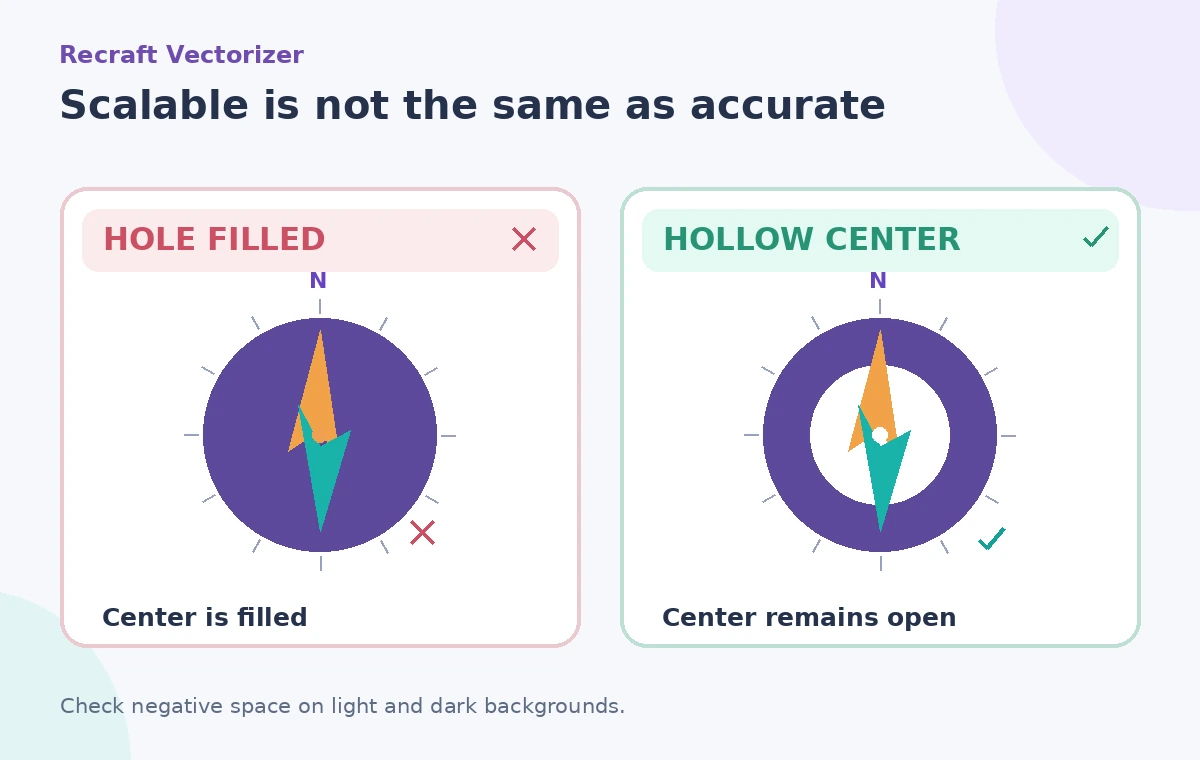
Open the SVG in a vector editor and zoom well beyond 100 percent. Inspect the central ring: it should be genuinely open, not filled by a background-colored patch that only imitates a hole. Toggle a colored background behind the icon to reveal incorrectly closed shapes. Look at line joins near the arrow tip and check that the tip remains pointed in the approved direction.
A vector file can contain many unnecessary small paths left by texture or compression artifacts. Remove stray points only after confirming they are not intentional details. Simplification is useful when it reduces noise without changing the compass’s recognizability. The comparison graphic shows the precise difference between a filled center and an open cutout, not an imagined improvement in measured accuracy.
Test the symbol at real production sizes
View the converted icon at large scale, on a typical phone map, and at its intended printed size. A thin arrow may look precise at 1200 percent zoom but vanish at 16 pixels, while an overly thick compass ring can swallow its inner opening. Test black on white, white on a dark background, and the colors used in the museum’s map. Contrast and negative space should remain visually clear without depending on a fine-texture effect.
Use a vector-aware export workflow for print, and check that any surrounding text uses the correct font and remains separately editable. Do not assume that an SVG guarantees quality on every display. Path geometry, clipping, export settings, and the final print process can still cause legibility problems.
Compare against a known approved reference
Place the SVG and original raster side by side at matched visual size. Check the north arrow’s direction, the relative width of the ring, and the center opening. Use a simple overlay with the original to see if the vectorizer shifted the arrow or rounded a distinctive notch. A perfect pixel match is not expected when moving from raster to vector, but critical symbolic features should remain stable.
For wayfinding, ask someone who did not make the conversion to identify what the icon means at its intended size. If the icon is ambiguous, change the artwork or accompany it with a text label. Do not claim the design meets accessibility standards solely because it has passed a subjective visual comparison.
Fix failed areas with explicit manual edits
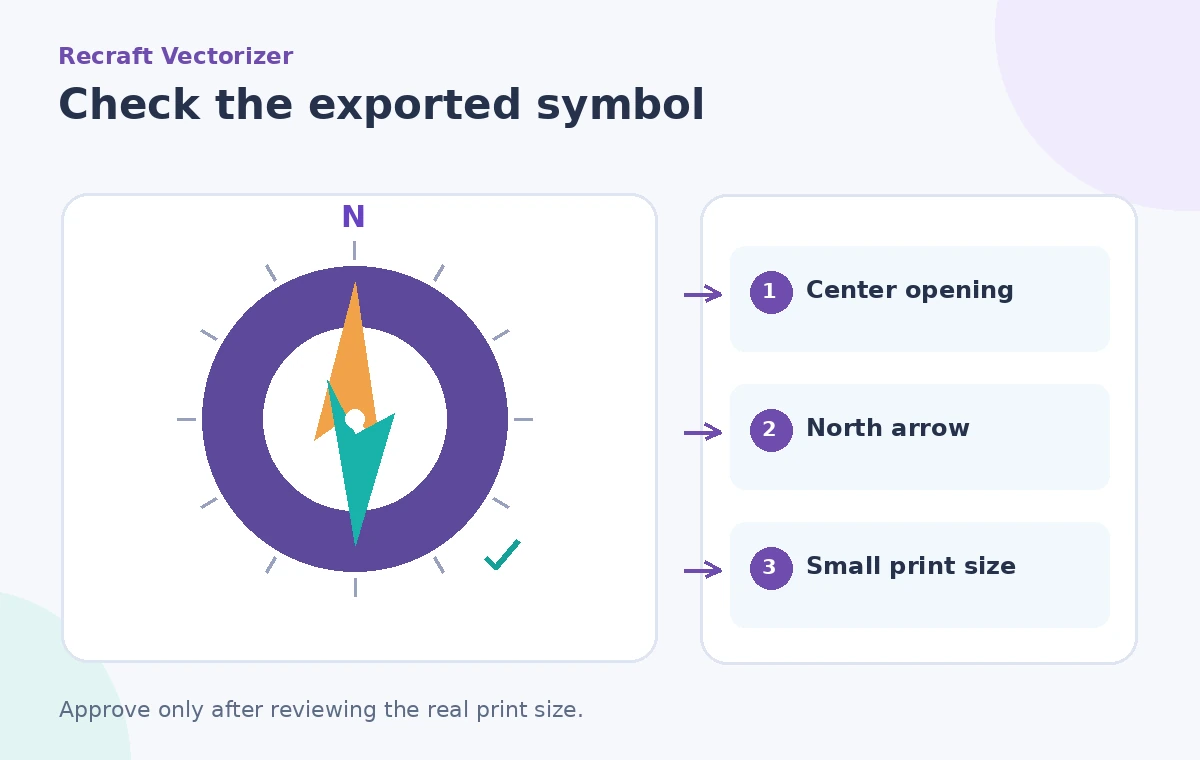
If the center is filled, edit or subtract the shape using your vector editor’s path operations, then check the winding or fill-rule behavior. If the arrowhead is distorted, reconstruct it from the approved geometry rather than prompting repeatedly and hoping for a fortunate accident. Re-export after manual changes and confirm that the source file and SVG revisions are named consistently for the design team.
Keep an audit note of what you changed. That protects against a later designer mistakenly believing that all artwork was generated in one uncontested step. Avoid advertising the result as a tested Recraft accuracy benchmark; it is a design workflow with a human quality gate.
Deliver a useful SVG, not just a successful download
The final package should include the approved SVG, the untouched reference scan, an export preview against light and dark backgrounds, and a small-size proof. Confirm that the file opens in the actual software used for map production. If an SVG contains embedded raster elements, inspect whether it is genuinely editable to the degree the team expects.
Vectorization is a means of producing scalable paths, not a guarantee of visual fidelity. For this compass, the job is finished only when the ring stays hollow, the north-pointing arrow remains correct, and the icon is legible on the real sign. Human review is what connects a convenient conversion tool to reliable wayfinding artwork.
How We Research
For this November 2026 editorial review we read these named official resources: Recraft: AI image vectorizer, Recraft: AI vector editor. We compared their documented capabilities, input limits, result types, access restrictions and human-review requirements against the hypothetical workflow above. We did not access a live account, process real museum or visitor records, run a controlled vendor test, or measure output accuracy. All diagrams are original conceptual illustrations rather than screenshots or evidence of a successful live result. Confirm current eligibility, pricing, privacy terms, and interface details in the linked documentation before attempting the workflow.
Frequently Asked Questions
Yes. Recraft advertises raster-to-SVG conversion and lists PNG, JPEG/JPG, and WebP input types on its vectorizer page.
No. SVG describes scalable geometry; a conversion can still fill an opening, change an arrow, or preserve unwanted artifacts.
A white shape can imitate transparent negative space on white paper. A contrasting background reveals whether the opening is real.
Review copyright, trademark, and license restrictions first. Vectorization does not create permission to reuse protected artwork.
No. The compass is an instructional example and the diagrams are conceptual illustrations. Inspect real output for your own file.