
A photorealistic AI image generator may produce a picture that resembles a product shoot or editorial photograph. That aesthetic is useful for concept art, yet an image can look photographic while misrepresenting a real person, event or object. This guide focuses on a fictional coffee-cup still life rather than a synthetic news scene. It gives a structured camera-logic brief and a practical inspection sheet for lighting, perspective, objects and disclosure.
Set a narrow use case and choose an honest label
Define whether the image is an invented concept, a product visualization built from real references or a representation of an actual event. Those uses carry very different expectations. A fabricated lifestyle vignette can be labeled an illustration or AI-generated concept. It must not become a supposed photograph documenting an event that never happened.
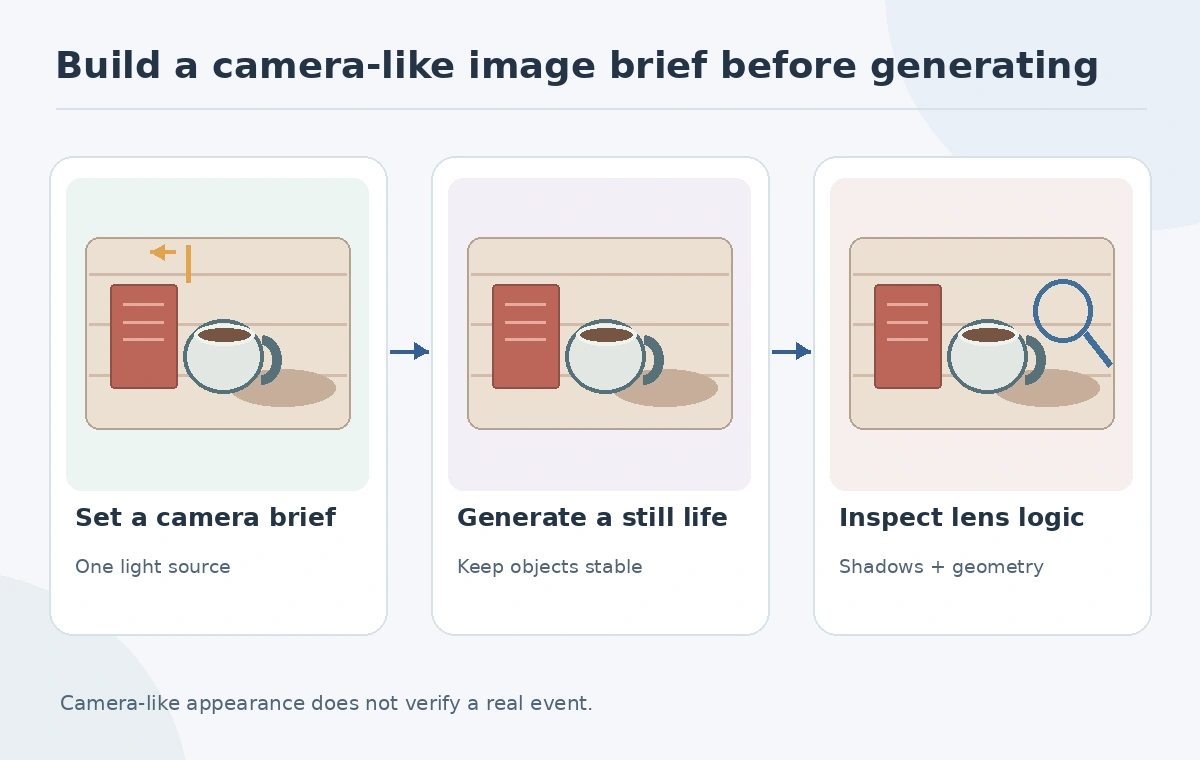
For a low-risk practice brief, place a cream ceramic mug beside a red book on a wooden table near a window. No real brand, person or product specifications are required. Define which elements must remain: one handle, stable book spine, tabletop and a single light source. The result can be assessed for craft without implying the pictured objects were ever photographed.
Specify photographic choices rather than vague realism
Write the prompt in terms a photographer would recognize: eye-level camera, three-quarter angle, soft light from the left, moderate depth of field and natural material texture. Keep the set simple until it is consistent. Extreme lens effects and multiple dramatic lights make it harder to distinguish an intentional artistic look from a structural error. Do not promise that naming a lens will reproduce a particular optical result exactly.
Midjourney documents Raw mode as a way to reduce automatic styling; it can yield more photo-like outcomes with simple prompts. That is a documented product option, not an endorsement that every result is accurate. Record the model and settings used so reviewers understand the generation context.
Control one direction of light and one focal plane
Start with the light entering from one window. The mug’s cast shadow should fall to the opposite side, and the book should share the same broad illumination. Reflections on ceramic glaze need not be identical to matte paper, but their bright regions should still correspond to nearby lights. Choose the sharpest focus region intentionally: perhaps the mug rim while distant shelving softly blurs.
If you use a style reference, Adobe’s Firefly guidance describes adjusting how strongly a reference influences the generated aesthetic. Reference strength changes styling guidance, not the truth of the depicted scene. Keep the reference rights documented and avoid importing private photos without permission.
Review geometry that a casual viewer might miss
Check the mug handle attachment points, cup ellipse, shadows under the base, book corners and lettering. A generated mug can have a plausible glaze but an impossible handle. A shelf may tilt in two perspectives at once. In a close crop, count unexpected repeated utensils and verify that every item has a physically intelligible shape. Text inside synthetic imagery should be treated as unverified design output.
Adobe also documents separate composition references that help guide arrangement. Composition and style are separate controls. Keeping a consistent layout reference may reduce creative drift, but a reviewer still has to verify what the model rendered.

Separate creative fidelity from factual authenticity
An image can pass every visual plausibility check and still be entirely synthetic. Quality assurance therefore needs two columns: visual craft and provenance or use context. The craft column covers the geometry, focus, exposure, crop and unnatural detail. The context column asks whether someone could mistake the image for a real product photograph, public figure, disaster or historical record. A strong art result does not automatically pass the context column.
For business use, put the intended label and approved channel in the production brief. Save the original prompt, reference provenance and generated outputs. If the task requires a precise product characteristic, use authenticated product photography instead of an imagined detail. Never invent a watermark, camera metadata or authenticity badge.

Use a rejection grid, not an invented numerical score
Create a checklist with pass, revise or reject decisions for lens perspective, single-source shadows, reflections, object count, readable text and context disclosure. Record the actual visual reason for a rejection: “cup handle joins rim incorrectly,” not “AI was 73% accurate.” Where feasible, review at 100% and thumbnail size because a wrong edge may disappear when scaled down.
Generate a small controlled set and select the best candidate based on those explicit criteria. If an alternate composition fixes one issue but adds others, it should not automatically win. This is a repeatable production quality gate and not a comparative test of multiple commercial model providers.
Prepare a truthful handoff for publication
Deliver the approved concept with caption language that identifies it as generated if that distinction matters to readers. Keep references and permissions with the working files. A reviewer should know the intended use, what was generated and which material details still require human verification. Avoid using synthetic visuals as evidence for real-world claims, even when they look persuasive.
Our cup-and-book example is ready only if its shapes and shadows are coherent and the page uses it as a concept illustration. It is not ready if it is presented as a photograph of a particular café without verification. Photorealism is an aesthetic standard; authenticity is a separate editorial obligation.
How We Research
We checked Midjourney’s Raw mode documentation and Adobe Firefly’s style reference and composition reference instructions on October 27, 2026. The still-life imagery is an original fictional illustration, not evidence of tool performance. We distinguish product documentation from practical recommendations, use invented examples rather than unperformed tests, and review image claims against the illustrated decision checks.
Frequently Asked Questions
No. It adjusts generation styling and cannot verify a depicted event or object.
They reveal geometry and lighting inconsistencies that can survive casual viewing.
It can guide arrangement in supported tools but still requires human checking.
Consider clear disclosure whenever readers could reasonably mistake a synthetic concept for documentary imagery.
No. Verify real specifications with authoritative sources and real product images.