
An offline AI image generator can reduce the need to send prompts and reference images to a hosted service, but “installed locally” does not prove that every download, plugin, or dependency is private or safe. This guide uses Fooocus as a practical starting point and explains the boundaries of that choice: authentic installer sources, downloaded model weights, GPU memory, model licenses, extension risk, and a repeatable local image-review workflow. It is not a benchmark of rendering speed or a recommendation to treat unknown model files as trusted.
Choose an offline goal rather than a brand name
Define what must remain local: text prompts, proprietary reference images, output files, client names, or all of them. Decide whether you also need fully disconnected operation after setup. Most local image systems still need an initial software and model download; installing them from the internet is not equivalent to air-gapped deployment. A realistic privacy requirement is a list of information flows, not a toggle labeled “offline.”
For a confidential product moodboard, separate the source image directory from published exports. Choose who can access the machine, where logs are written, and whether automatic cloud backup synchronizes the working folder. A local generator can keep work on disk while the operating system, browser, antivirus, or backup service still transfers files elsewhere. Document these boundaries before generating sensitive client artwork.
Download Fooocus from the actual source project
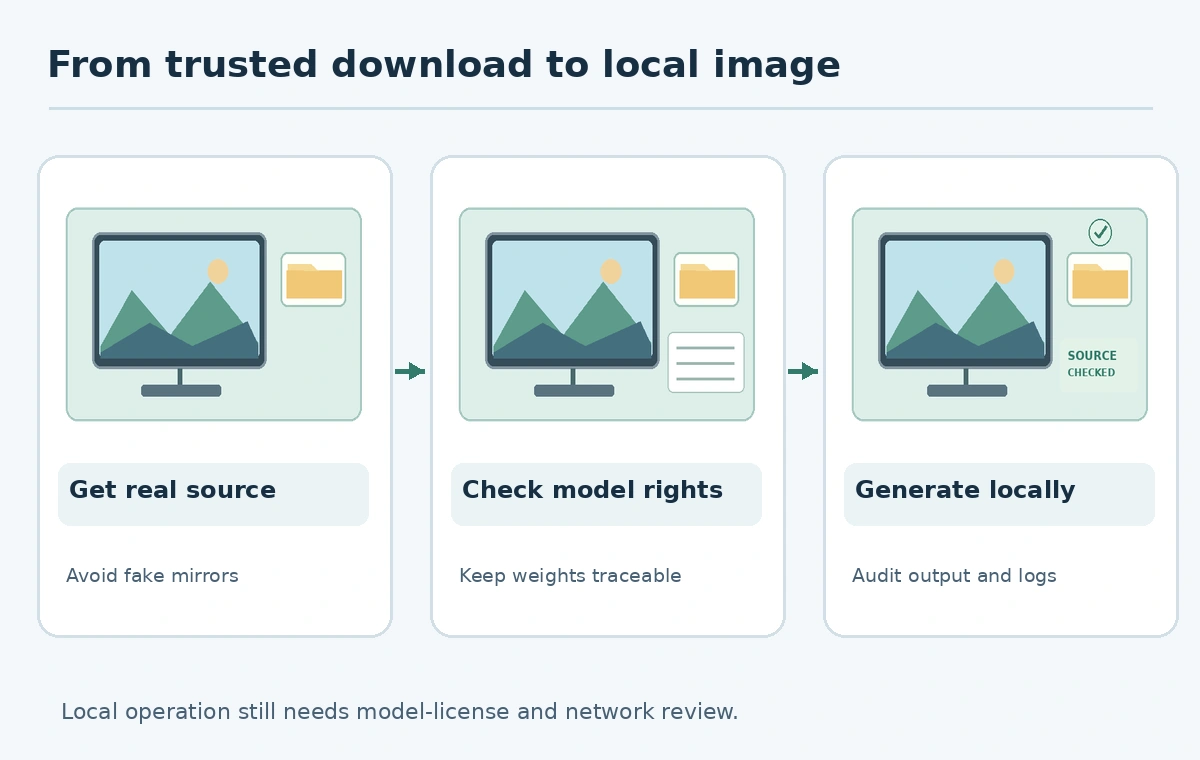
The Fooocus project’s official GitHub README explicitly warns about websites impersonating Fooocus. Use that repository and its documented releases rather than an advertisement or unfamiliar domain offering a “premium Fooocus download.” Follow the project’s current platform instructions and avoid administrator privileges unless a trusted installation step demonstrably requires them. Keep a note of the release or commit used.
The README describes Fooocus as offline, free and open source, focused on simpler image prompting. It also reports a minimum Nvidia GPU-memory target of 4 GB for its documented configuration; real device compatibility depends on settings and software. The project says it is in limited long-term support with bug fixes and does not currently plan support for newer architectures. Treat that as a reason to check maintenance needs, not to assume every local model runs inside Fooocus.
Check model files separately from application licensing
A free interface does not mean that every downloaded checkpoint, embedding, adapter, or bundled example can be redistributed commercially. Read the individual model card and license for the exact weights you plan to use. Record permitted use, redistribution conditions, acceptable-use restrictions and source URL. Avoid “all models are copyright-free” summaries from download forums. The software’s repository license and each model’s license address different things.
Download weights from traceable sources and retain available checksums. Do not run executable “model installers,” scripts, or extensions from unknown posters as if they were passive image files. Some workflow or plugin formats can reference code or dependencies; inspect what they will install and whether they make network requests. Keep a small approved asset registry so the team does not later use an unvetted model in a paid client project.
Build a minimal local generation recipe
Begin with a non-confidential test prompt, such as an imaginary ceramic vase on a wooden table, to confirm that installation and output paths behave as expected. Record the chosen model, prompt, seed when available, dimensions, and output directory. Generate one small batch and review it for object count, prompt adherence, accidental text, and image-edge defects. This is a suggested acceptance process, not proof that Fooocus produces a specific quality level.
Only after you understand storage and logs should you move to approved client inputs. A prompt that says “no recognizable mark” does not guarantee that a model will never produce one. Check outputs before commercial use. Where exact geometry or text matters, treat the generated image as concept art and make final layout elements in a deterministic editor.

Test the privacy boundary instead of assuming it
For a sensitive deployment, have a qualified administrator review software dependencies, firewall rules, process permissions and background services. Disconnect the network during a controlled test if the application is documented to work that way; verify which functions stop. Do not claim data never leaves the workstation solely because the UI continues to produce images. An unknown extension might connect later when network service returns.
Define a deletion and backup policy. A locally stored reference can still survive in thumbnails, caches, model-training datasets, synchronized directories or application logs. If the application provides no trustworthy retention controls, choose a dedicated isolated workspace and follow your organization’s security policy. The goal is documented custody, not marketing language about “total privacy.”

Know when a different local interface is a better fit
Fooocus emphasizes prompting simplicity. Its README points people interested in newer model families toward other interfaces, including ComfyUI or SwarmUI. Choose a node-based tool when you actually need to reproduce multi-step workflows or compose model-specific operations; the most powerful canvas is not necessarily the simplest to maintain. Compare update activity, hardware support and required workflows before migrating.
Complete the handoff with installation source, project version, approved model list, sample prompt, output paths and a recovery plan. Reassess the image tool when model support, hardware, or privacy requirements change. Keeping an archived recipe with the installed version is more useful than claiming that “local” automatically means future-proof or legally unrestricted.
How We Research
We checked the official Fooocus GitHub repository and README on October 27, 2026, including its source-site warning, local operation description, hardware guidance, and limited-maintenance status. The privacy-control checklist is an editorial operating procedure rather than evidence from a packet capture or a third-party software audit. No installation or network benchmark is claimed.
Frequently Asked Questions
Not necessarily. Software and model weights usually need initial downloading, and extensions may access networks.
Use the original Fooocus GitHub repository; its maintainers explicitly warn about imitation websites.
No. Check the license for each model or add-on independently.
Other software, syncing, plugins, backups, and access controls can affect where files travel.
No. Its maintainers describe limited maintenance and point to other interfaces for newer architectures.