
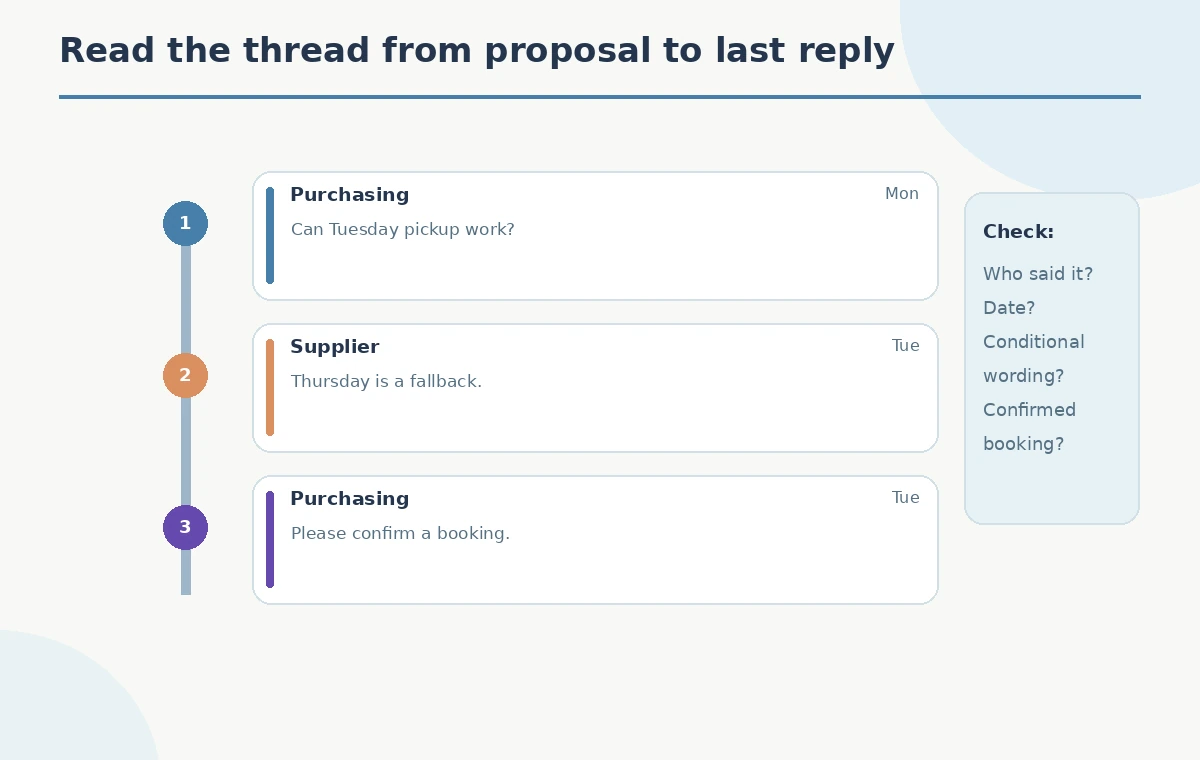
A small retail operations team returns to an eight-message email chain about a delayed display shipment. One email proposes Tuesday, another mentions Thursday as a fallback, and the last message still asks for confirmation. Outlook’s Summary by Copilot can surface key points and, in supported experiences, attach links back to particular messages. It must not turn an option into a promise. This fictional example teaches how to use the summary as a reading map, check the underlying thread, and write a follow-up that preserves uncertainty.
Separate proposals from commitments
Prepare a simple distinction before reading any AI output: a proposed ship date, a confirmed carrier booking, and a delivery estimate are not the same fact. In the hypothetical thread, Tuesday is discussed as a possible pickup and Thursday as a backup. No confirmed tracking number appears. Write a tiny verification note with fields for who stated each date, when they stated it, and whether it was accepted by another party. That note acts as the benchmark when you inspect a Copilot summary. Do not infer a final date from the most repeated or most recent number alone.
Open the relevant conversation in Outlook
Find the entire email conversation in Outlook rather than selecting a detached forwarded message. Microsoft instructs users to open a thread and select Summary by Copilot or Summarize near the top. The layout depends on Outlook version and licensing; the feature may not be enabled for every mailbox or subscription. Confirm that the conversation includes the messages needed for the decision, including the final reply and any quoted correction. A summary cannot rescue information excluded from its context. Keep sensitive vendor correspondence inside the organization’s approved account and access policy.
Treat the generated summary as a map
Read the summary for three questions: what changed, what is still unresolved, and what action is needed. Microsoft says numbered citations may link directly to source emails. Where citations appear, open them; where they do not, inspect the relevant message in the conversation manually. A sentence such as ‘shipment moves to Thursday’ must not be copied into a status report until the sender’s exact language supports it. The diagram here uses imaginary messages and deliberately labels Tuesday as proposed, Thursday as fallback, and confirmation as missing.
Check each date against the source message
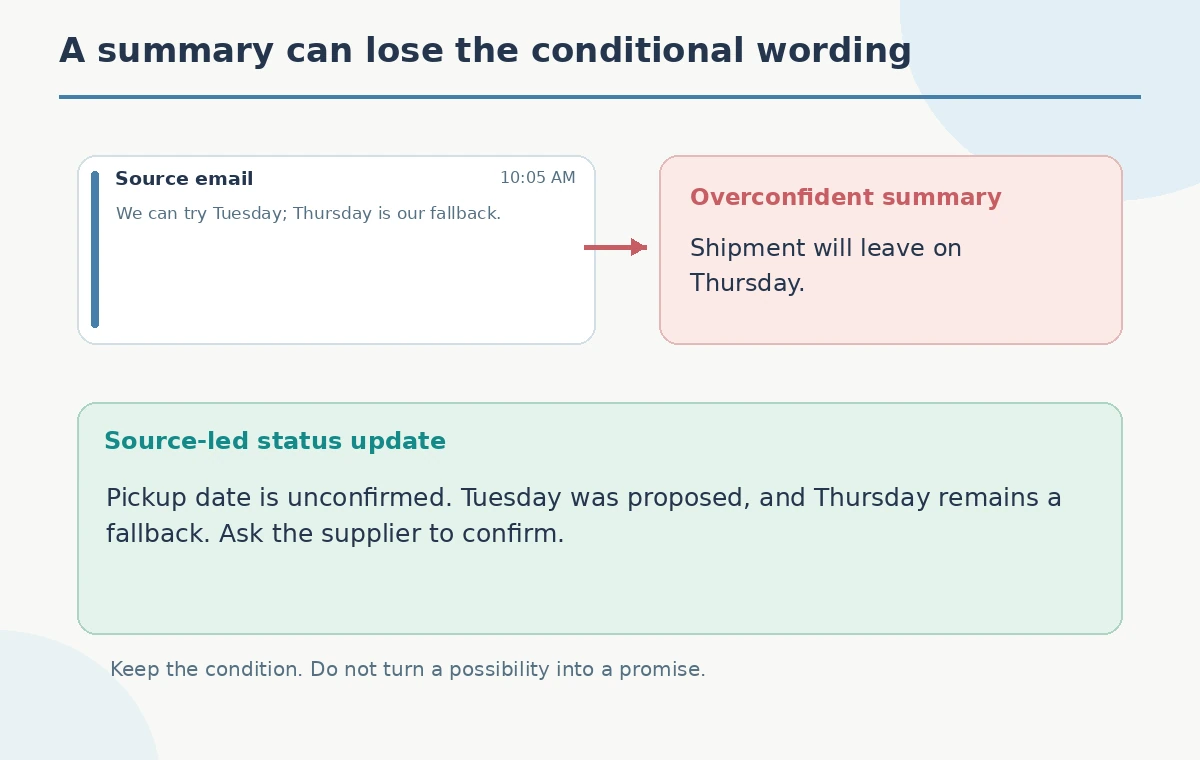
Start at the latest supplier email, then follow references back through the earlier messages. Capture the message date, sender role, and exact status word, such as ‘can,’ ‘tentative,’ or ‘booked.’ If an email says ‘we can ship Thursday if Tuesday fails,’ that is a conditional plan, not a confirmation of Thursday shipping. Check the timezone when a message refers to a cutoff or when teams are in different regions. For an important external update, link to the original email or quote a small verified phrase rather than using the AI synopsis as sole evidence.
Reconcile attachments and side conversations
The supplier may include a PDF packing list, but not every message summary includes full attachment contents or off-thread discussions. Microsoft documents a separate Summarize a file option for supported attachments in new Outlook. Verify any packing list, purchase order, or revised quantity independently and compare its revision date with the email discussion. If a different channel carried final confirmation, locate it first. Never claim Copilot checked files or shared mailboxes you did not explicitly include. An accurate summary of incomplete context is still incomplete information for a shipment decision.
Draft a neutral follow-up rather than a demand
Use verified facts to write a short response: ‘We saw Tuesday suggested as a possible pickup and Thursday as a fallback. Could you confirm the scheduled pickup date and provide the carrier reference when available?’ This construction avoids attributing a firm promise to the supplier. Mention the item and purchase order identifier only if the real thread provides them; the teaching graphic intentionally uses generic labels. Before sending, inspect recipients, attachments, and distribution rules. A correct factual summary does not grant permission to share correspondence with a wider group.
Handle missing or contradictory sources
When one message says ‘Tuesday looks good’ and a later note says ‘we may need Thursday,’ report the change in confidence instead of choosing a winner. Mark the status as ‘unconfirmed’ until the supplier states a firm commitment. If the generated summary omits a qualifying phrase, revise your working note rather than repeatedly prompting the model to produce a more confident answer. For an audit trail, maintain a short source list with links to the specific messages. The comparison diagram separates observed email text from an inaccurate condensed statement and a safe follow-up.
Account for product and privacy limits
Microsoft notes that Outlook Copilot experiences have mailbox, account, license, and encryption restrictions. Features available in a primary Exchange Online mailbox might not work the same way in shared, group, or encrypted mail. Confirm current eligibility with the organization instead of writing a universal setup instruction. Do not paste confidential supplier messages into an unrelated consumer chatbot to fill a missing feature. Some Outlook clients present a summary without citations; the absence of one-click links increases manual verification work but does not justify skipping it.
Send an update with a named decision owner
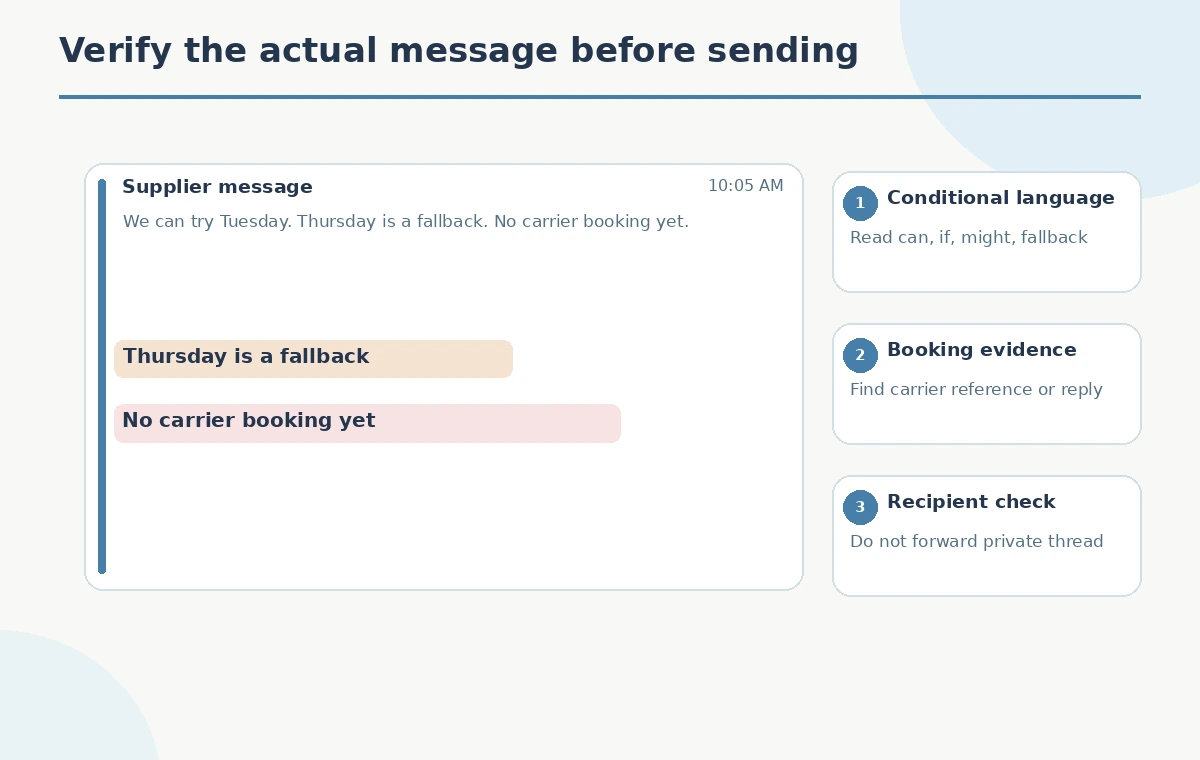
An internal status note should make three fields unmistakable: current known position, pending question, and person responsible for confirming it. For the fictional shipment, the known position is that dates are under discussion, the question is which pickup is booked, and the buyer owns follow-up. Only change that status when an authoritative reply arrives. The visual QA panel points to the conditional words in emails and to the missing carrier reference. No supplier messages were accessed or tested for this guide; the entire chain is an educational reconstruction.
How We Research
We used Microsoft’s Summarize an email thread with Copilot guide for feature location and citation behavior, and its Copilot in Outlook FAQ for mailbox, encryption, and feature limitations. We did not access Outlook, summarize real messages, verify shipment dates, or send mail. All message content is fictional.
Frequently Asked Questions
No. A summary is not carrier evidence; seek a direct supplier confirmation or booking reference.
Microsoft says some experiences provide numbered citations to related messages; availability can vary.
Record each as proposed or conditional until the actual thread establishes an accepted schedule.
Do not assume so. Microsoft lists mailbox and encryption limitations; check current client and license support.
No. The entire email conversation is hypothetical and contains no real shipment metrics.