
A small museum has a OneNote section filled with object notes from two exhibitions. One page contains a lender’s agreement, another records an accession number, and a third holds a curator’s tentative interpretation. The names sound similar, but their legal and research roles are different. Copilot’s Organize your notes feature can suggest groups for a messy section; the responsible archivist must decide whether those groups preserve each record’s identity. This workflow demonstrates the distinction with fictional object cards, not an actual museum deployment.
Start with an inventory of pages, not an AI prompt
Before opening the Copilot pane, make a short index of each notebook page: its title, object ID, date, author, and status. In this example, the museum has Object M-042, a donated ceramic bowl, and Loan L-042, a borrowed bowl of similar color. A thematic grouping such as ‘ceramics’ could join them while hiding the legal distinction. Preserve the original section, ensure the OneNote notebook has synced, and record the section name and page count. Export or copy the source material under your organization’s preservation rules. Organization is not evidence that two records refer to the same object. A reviewer should be able to locate every original page after any AI-assisted reordering.
Open Copilot and request a constrained preview
Microsoft’s documentation describes Organize your notes with Copilot as a public-preview capability in OneNote for supported Microsoft 365 environments. Navigate to the section, open Copilot, and ask it to organize the section by object identifier and record type. The system produces an organization preview, with an Apply step for the proposed changes. If the feature is absent, check your license, client, organizational settings, and preview availability; do not assume every Microsoft 365 user has it. A careful prompt might say: ‘Group by exact accession or loan ID; retain page titles and dates; flag ambiguous pages rather than assigning them.’ The prompt is a control request, not a guarantee of perfect categorization.
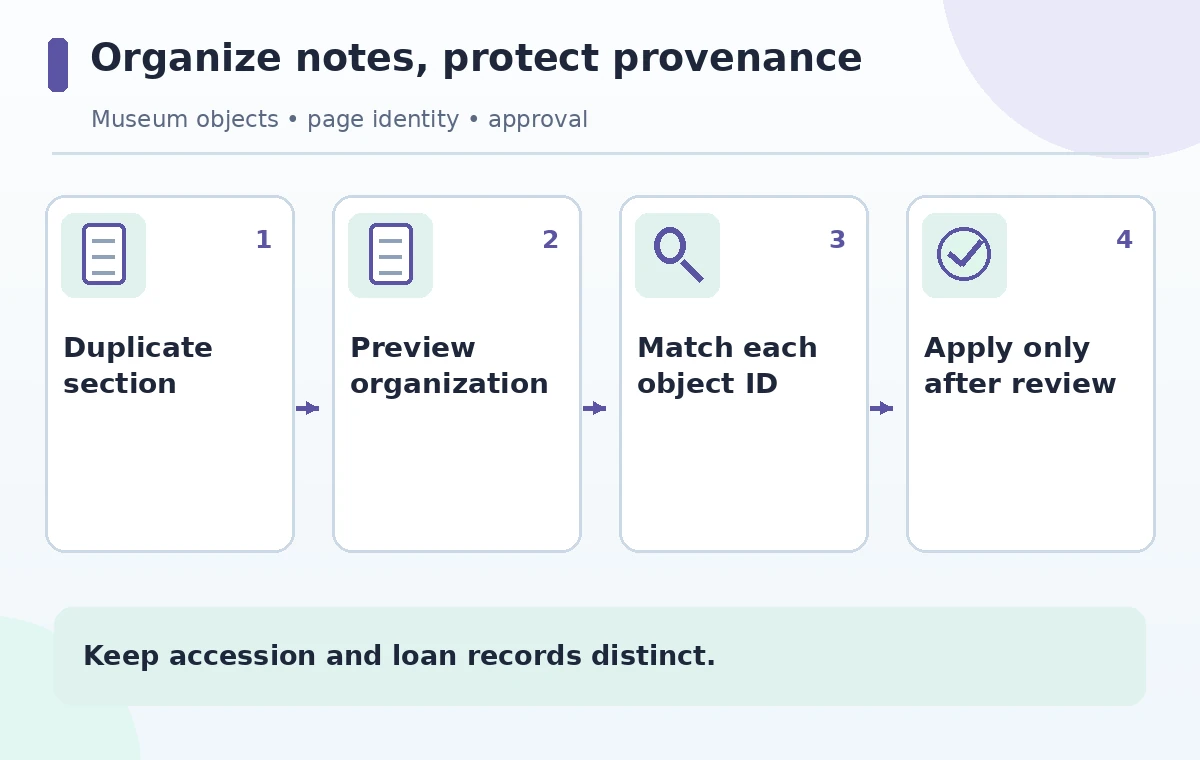
Review the preview one page at a time
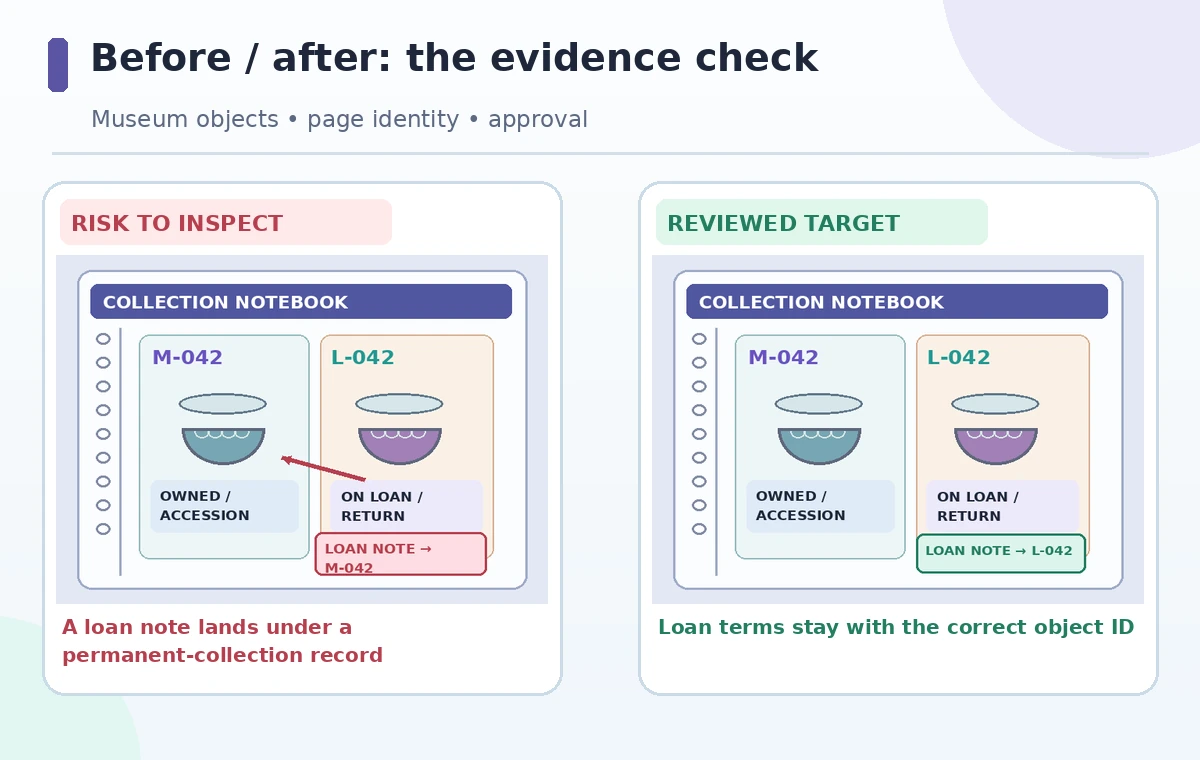
Compare the proposed group labels with your saved index before selecting Apply. Check the exact number of pages, including empty reference pages, captions, and short notes whose titles provide little context. In the example, a page labeled ‘blue glaze’ might be sorted with M-042 even though its body says Loan L-042. Do not resolve that ambiguity by changing an identifier to fit the model’s group. Instead, open the original content, check the linked object database or the signed loan document, and retain an ‘unresolved’ group when evidence is incomplete. This review is the difference between convenient presentation and collection management. A tidy notebook with one misplaced legal note is worse than a messy but accurately referenced one.
Keep ownership and loan status separate
A loan record can include an insurance value, return condition, credit line, and contact restrictions that do not apply to an owned artifact. A collection record can instead include acquisition history and permanent accession tracking. Even a temporary grouping rule must not turn the first into the second. Set distinct group names such as ‘Owned / M-042’ and ‘Loan / L-042’; use clearly named references for shared exhibit photographs rather than duplicating the source document into both groups. For an ambiguous note, add a neutral cross-reference and a question for the registrar. This preserves the document trail without guessing legal status. The diagram shows a hypothetical wrong merge and a reviewed separation, not a tested output from OneNote.
Handle dates and conflicting interpretations openly
A curator’s early description and a later conservation note can both be valid historical records even if they disagree. The organization process should preserve version dates, the author’s identity, and the difference between observation and conclusion. Do not instruct Copilot to keep only the ‘most accurate’ page based on prose confidence: the tool cannot adjudicate the evidentiary weight of museum research. Instead, label ‘preliminary interpretation’ and ‘revised interpretation’ as separate records. For a page with a missing date, write ‘date unverified’ in a review note rather than introducing a guessed year. Readers of the notebook should understand what changed and why without needing access to the AI conversation.
Apply the change only with an audit trail
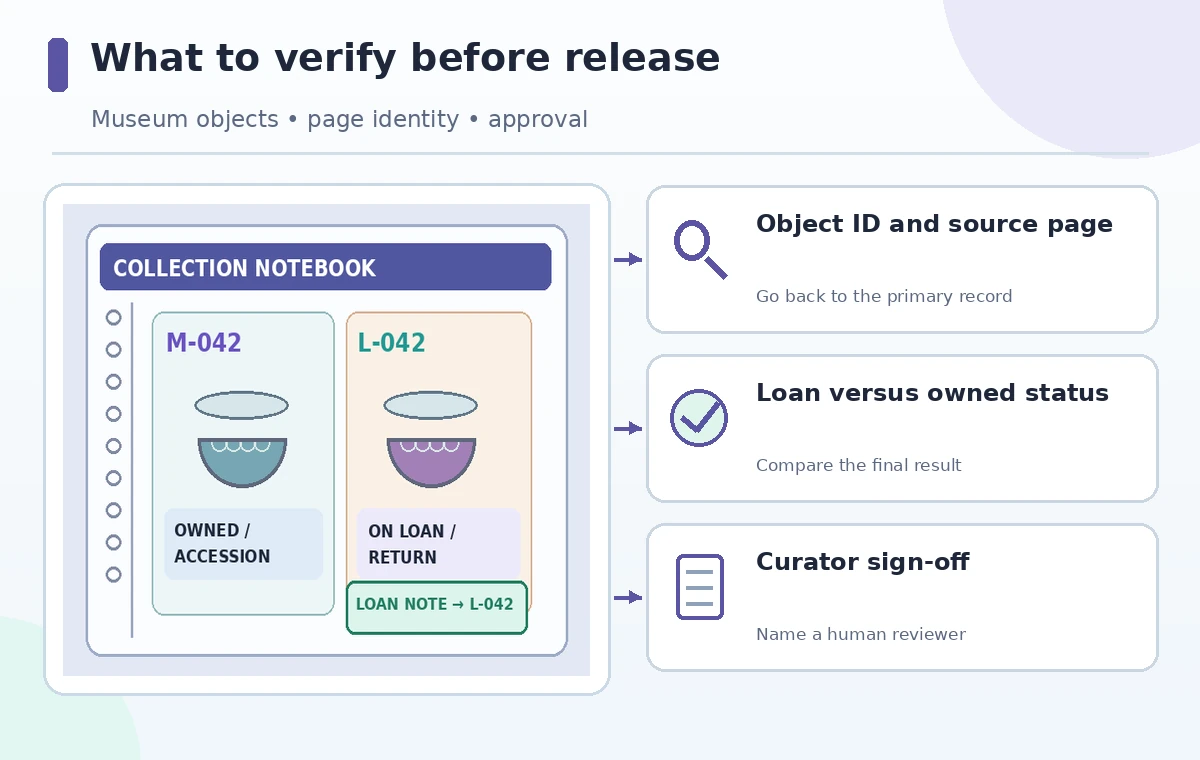
If the preview passes the page-count and identifier checks, capture the proposed group list and ask the collection owner to approve the specific reorganization. Only then use Apply. Afterward, re-open representative notes from each group and verify that body text, attachments, source links, and page titles are still accessible. Search for M-042 and L-042 separately and confirm each yields the right record. Treat missing or moved attachments as a reason to stop and restore from the preserved copy. Do not claim that Copilot itself offers formal approval or museum-grade audit controls; the audit trail here is a local editorial practice layered on top of a convenience feature.
Build a small exception register
Keep a simple list of anything the preview failed to classify: identifier, original page, proposed destination, evidence used, reviewer, and decision date. A typical exception might be an unlabeled photograph attached to a loan agreement but mentioned in a permanent collection article. Do not create duplicate assets with conflicting ownership claims. Mark it for a curator or registrar to resolve, then file the outcome as a new dated note. Also check that sensitive lender contacts and private correspondence have not been redistributed into a broader shared section. Notebook sharing and AI organization are separate permission questions; reorganizing content can change who notices information even if permissions are unchanged.
Run a final search and handoff test
Ask a colleague who did not perform the reorganization to locate the signed L-042 agreement, the M-042 accession record, and the later interpretation note using only the new structure. Record whether the page titles, source links, and dates make the distinctions obvious. If the colleague mistakes one object for the other, rename groups or restore the original arrangement rather than masking the confusion with an AI-generated overview. Repeat the test after substantive future edits. The completion criterion is not ‘the notebook looks organized’; it is that a reader can recover the correct evidence, object status, and provenance without a guess.
How We Research
We reviewed Microsoft’s Organize your notes with Copilot in OneNote documentation and its OneNote Copilot overview, paying attention to preview status, the proposed organization and Apply step, and eligibility. The M-042/L-042 records and internal audit process are fictional examples. We did not test a licensed museum notebook or verify preservation behavior under every subscription. Follow your institution’s records policy before applying changes.
Frequently Asked Questions
Microsoft describes a preview and an explicit Apply step. Check the preview before committing and maintain a copy of the original section.
No. Microsoft identifies it as a public-preview feature, and licensing, client, rollout and organizational settings can affect access.
It may group text but cannot substitute for accession or loan documentation. Verify ownership in the authoritative collection records.
Keep the original dated observations distinct. Cross-reference them and add a reviewed interpretation without overwriting earlier evidence.
Reconcile every page against the original inventory, verify attachments and IDs, and obtain a curator or registrar review.