
A wall of sticky notes looks democratic until a facilitator begins moving ideas and accidentally buries the unusual ones. Miro AI can group selected notes by keywords, giving a workshop team an initial map of related observations. Imagine a fictional community library workshop about a new reservation kiosk: some notes mention confusing buttons, others mention queue length, and one raises a wheelchair-access concern. The illustrations show an example of a careful review process, not the output of a real Miro board or an observed user study. Clustering is a starting hypothesis, never a vote count or proof of priority.
Preserve raw observations before grouping
Start with the notes as participants actually phrased them. Keep a duplicate board or a clearly separated source area so that editing the clustering view does not destroy evidence. In the library example, retain notes such as ‘buttons are too small,’ ‘waiting line hides sign,’ and ‘screen is hard to reach’ rather than rewriting them all into generic usability jargon. Do not add invented quotes to make a theme seem richer. Give facilitators a lightweight source identifier outside the publication artwork, or document the author and session where appropriate and consented to. If notes contain names or sensitive experiences, agree on redaction and access before sending them through an AI feature.
Select the scope, not the whole board by habit
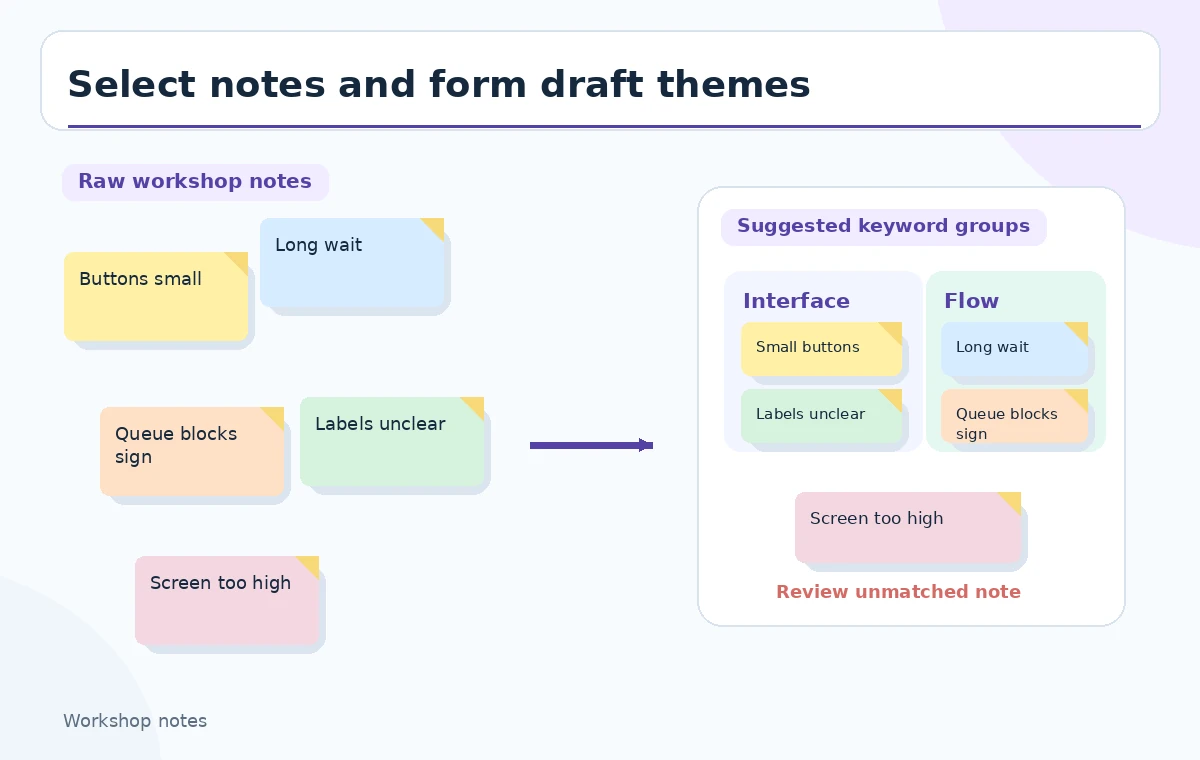
In Miro, select the relevant group of sticky notes on the board and use Miro AI > Cluster > By keywords. Miro’s current help pages also describe a contextual Cluster objects route, so the menu can vary as the interface changes. Select only the material that shares a research question. Mixing brainstorming ideas, technical tasks and participant complaints will produce clusters that look tidy but answer no coherent question. Use a visible boundary between customer observations and the team’s proposed solutions. The first illustration maps raw notes toward draft themes while keeping one unmatched note visibly available for review.
Read suggested clusters as labels, not verdicts
Miro’s keyword clustering groups similar notes and suggests keyword-based headings; notes without a close match can land in an uncategorized cluster. A useful draft might call one group ‘navigation’ and another ‘waiting time,’ but those names are not automatic product requirements. Read every sticky under each heading. Decide whether a word like ‘sign’ refers to wayfinding, a consent notice or a printed instruction, because the lexical similarity does not establish the same underlying problem. Rename groups to express the underlying user experience rather than an attractive buzzword. The workshop owner should approve labels before they become recommendations.
Make the overlap visible instead of hiding it
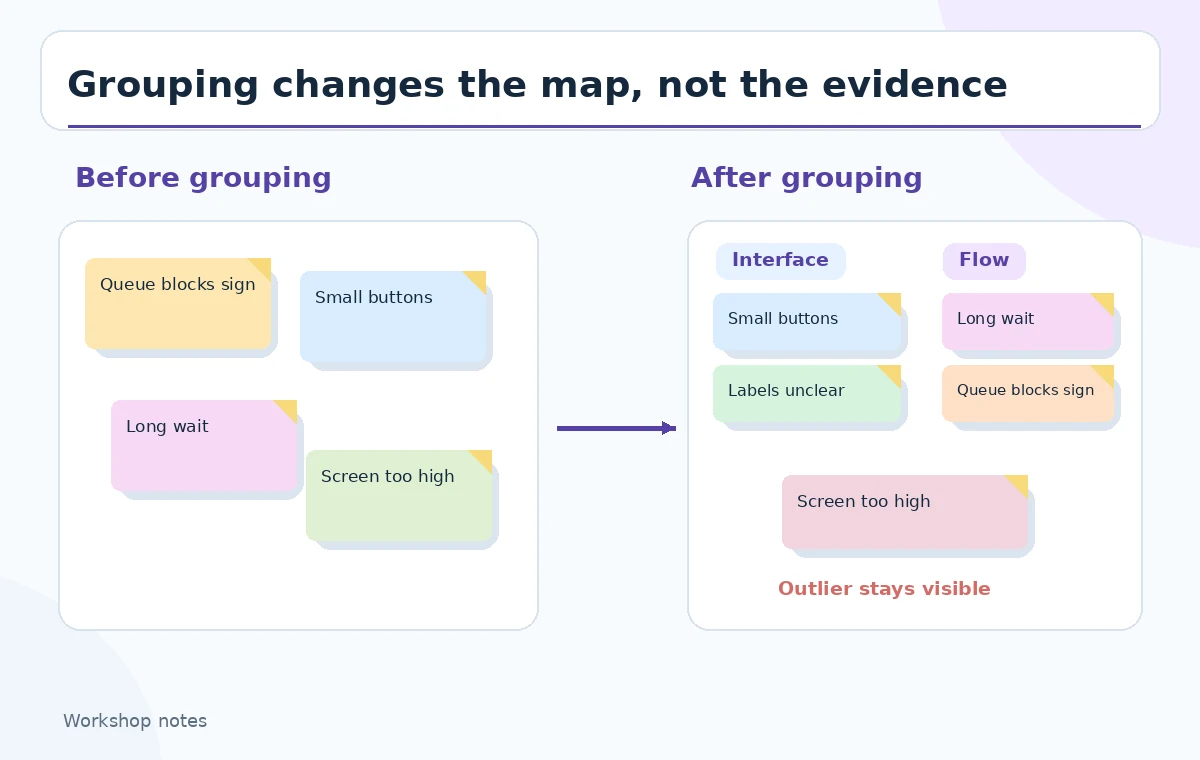
The same observation may belong to two themes even if the automated clustering places it in one container. For instance, ‘the queue blocks the screen’ might relate to layout and to accessibility. Copy or cross-reference that source note for discussion rather than implying that a single thematic home is a perfect classification. Compare the original scatter of notes with the proposed clustered map; the conceptual before-and-after illustration shows how grouping improves scanning but can flatten nuance. Keep ambiguous notes at the margins while the team decides, rather than silently forcing them into the largest category. Never interpret cluster size as a representative survey percentage.
Inspect uncategorized notes for rare but serious needs
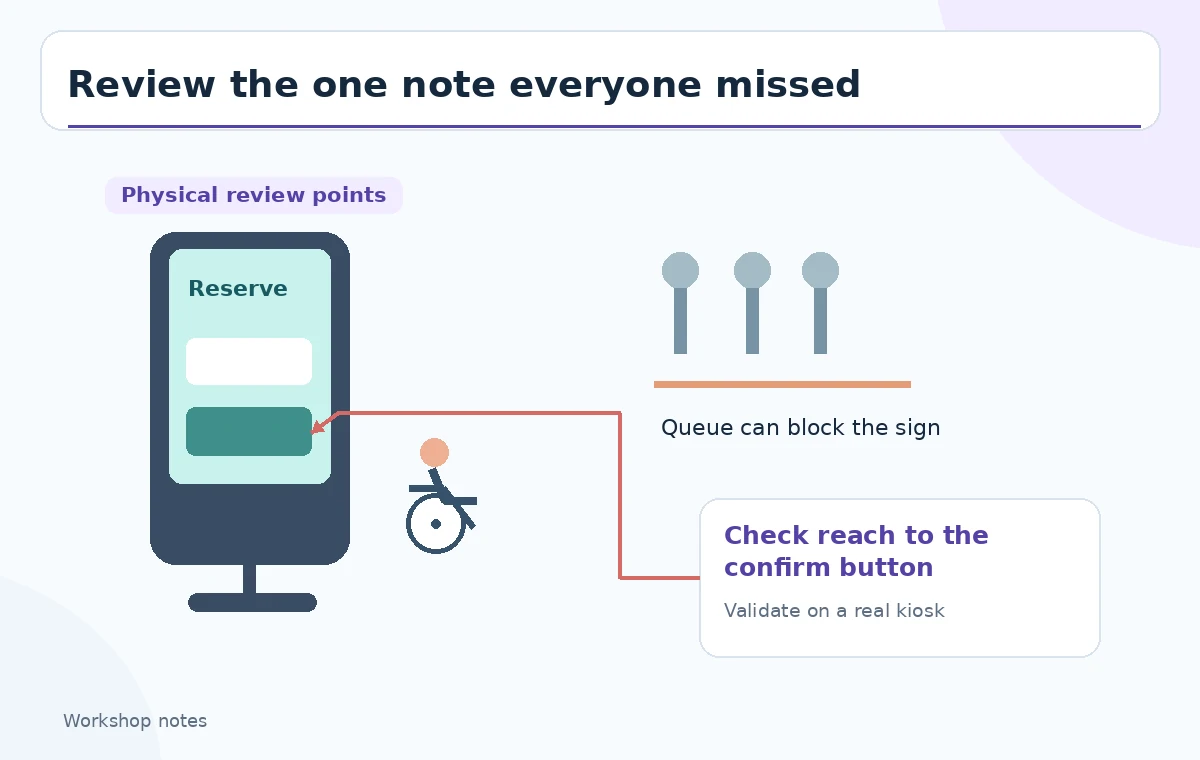
An uncategorized container is not a discard bin. In our example the lone wheelchair-reach observation may be the most important design issue, even if only one participant mentioned it. Give it a distinct review marker and ask which design or accessibility standard applies. Similarly, an unusual safety concern should not be ranked below a popular preference merely because a cluster algorithm found few lexical neighbors. Use an explicit status such as ‘needs field check’ when evidence is incomplete. The third illustration places the overlooked note next to an annotated kiosk, reminding the reviewer to inspect a real physical constraint before publishing priorities.
Separate evidence, interpretation and proposed fixes
A practical board has three layers: a participant’s exact observation, the facilitator’s tentative theme, and a proposed action. ‘I cannot reach the confirm button’ is an observation. ‘Reachability problem’ is an interpretation. ‘Test button height with actual users’ is an action. Those should remain distinguishable even after clustering. Do not let a summarizing AI rewrite participant statements as measured results. Ask for concrete verification tasks such as observing kiosk approach paths, checking text at expected viewing distance, and reviewing queue arrangements. Those checks need human access to the physical setting; a thematic diagram can point to them but cannot substitute for them.
Run a brief group review with dissent
Have two facilitators independently inspect a subset of cluster placements, including all high-risk or uncategorized notes. Ask each person why a sticky belongs where it does, then record disagreements rather than hiding them. Invite a participant representative when feasible, with appropriate consent and context. During the review, avoid exposing personal identifiers on screenshots to external collaborators. Move notes only after the rationale is understood, and preserve the raw copy for traceability. For a workshop with multiple languages, Miro documents multilingual keyword clustering, but translation nuances and culturally specific phrases still need human interpretation. Treat each cluster title as a proposed explanation, not a final stakeholder agreement.
Turn themes into a bounded action list
Each action should identify a question, a responsible person, and the evidence needed to close it. For navigation, that might be a moderated walkthrough of the new kiosk prototype; for queues, a layout observation; for accessibility, a reach test involving actual intended users. Avoid asserting a specific deadline or owner until the team assigns one. A board can visually connect a theme to an action while retaining the originating notes behind it. When reporting, say that the themes arose from a small workshop and are exploratory. No AI cluster, however beautifully organized, establishes market prevalence or causal impact.
Export a board that still permits challenge
Before sharing a screenshot or PDF, check whether the export includes the uncategorized area and the exact wording of the notes. Add a short legend explaining which headings were AI-suggested and which were human-renamed. Keep a link to the working board for authorized teammates and a controlled archival copy if the project requires retention. Check that arrows, boundaries, and annotation colors remain readable without relying on color alone. Miro’s help documents clustering and summaries; they do not guarantee that an automatically grouped board represents truth. The editorial value comes from keeping every note inspectable and every proposed action disputable.
How We Research
We consulted Miro’s Miro AI with Sticky notes guide for the selected-note clustering workflow and the clustering reference for keyword groups and uncategorized notes. We compared the documented workflow with the distinct needs of affinity mapping and outlier review; we did not access a customer board, run a workshop, or measure clustering accuracy. All pictured notes and the kiosk are fictional teaching examples.
Frequently Asked Questions
No. Keyword grouping organizes similar sticky notes; a facilitator must still assess evidence, frequency, severity and outliers.
Miro describes an uncategorized cluster for notes that do not fit a similar-keyword group. Review those notes rather than deleting them.
Miro states keyword clustering supports notes in different languages. A human should still check translation nuances and participant meaning.
Cross-reference or duplicate the observation in your review board when it genuinely informs two issues; preserve the original note.
No. The library kiosk is a hypothetical illustration. Real reachability and accessibility conclusions require appropriate on-site checks.