
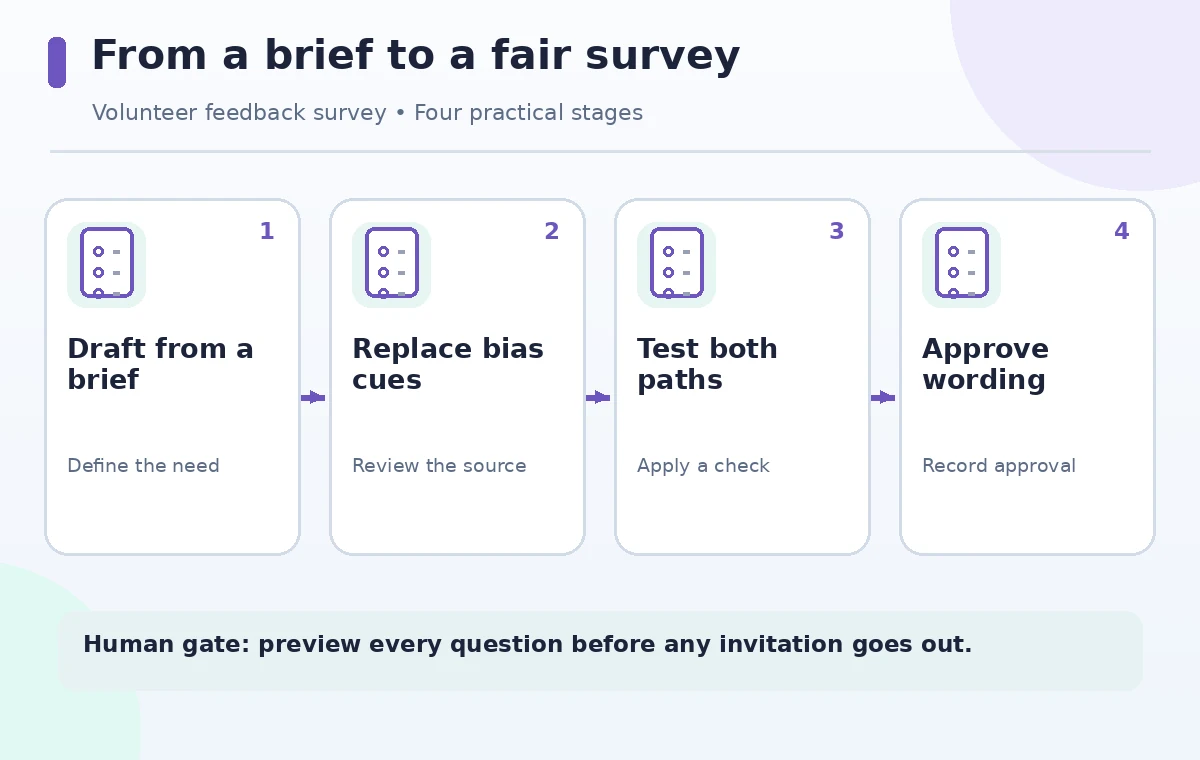
A volunteer coordinator wants to know why participants leave a weekend training early. Copilot in Microsoft Forms can draft a survey from a description, but a neat form is not automatically a fair one. A question like ‘How helpful was our excellent instructor?’ nudges people toward praise; asking about a personal health condition to explain attendance collects information the team may not need. This fictional workflow shows how to give Copilot a narrow brief, turn a draft into an unbiased form, test its branching and privacy settings, and publish only after a human review. The objective is useful feedback, not a predetermined satisfaction score.
Write the research question before opening Copilot
Start with the decision the survey is supposed to improve: whether a future workshop needs a shorter agenda, clearer directions, or a different start time. Write three information needs in ordinary language and separate them from assumptions about what caused early departures. Give Copilot the event context, approximate audience, intended survey length, and a direction to avoid leading or double-barreled wording. Ask for optional, neutral questions that do not collect medical reasons or identifying details. This preparation is more important than asking the model for an impressive number of items. A survey should make it possible for someone to disagree comfortably.
Generate the first draft and review each question type
Microsoft’s documentation describes creating a new form in Forms, describing the survey, using Generate, and choosing which suggestions to keep. Depending on license and account type, the refinement interface can differ; some commercial accounts have Copilot chat while consumer experiences may offer a refinement bar. Use the controls actually present rather than assuming everybody sees the same screen. Review each proposed item as a measurement instrument. A satisfaction scale needs clearly labeled endpoints, a multiple-choice item needs an appropriate ‘Other’ or ‘Not applicable’ path, and a free-text prompt should ask for one idea rather than four unrelated judgments.
Remove praise cues and answer assumptions
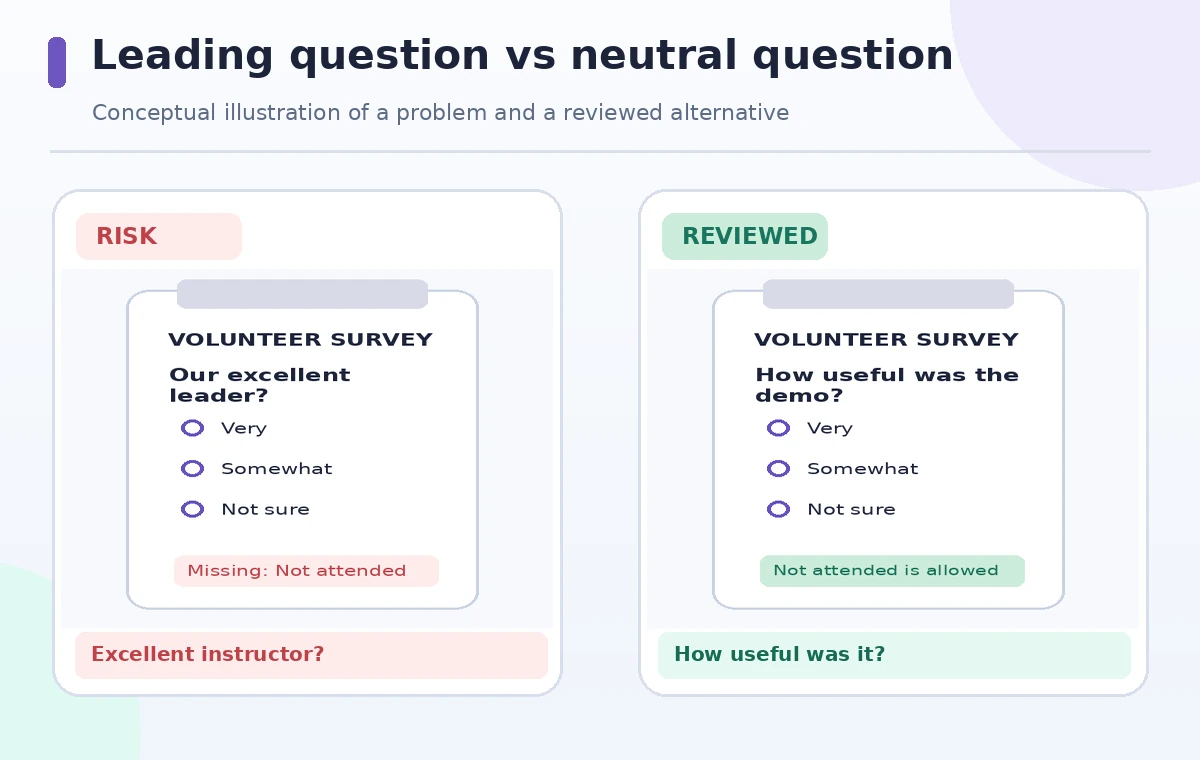
Imagine the draft asks ‘How much did you love the practical demonstration?’ That phrasing presupposes enthusiasm. A less biased alternative is ‘How useful was the practical demonstration for your work?’ with a balanced range from Not useful to Very useful and a Not attended option. The second version is still imperfect if every answer assumes the respondent saw the segment, so add a way to say they missed it. Examine whether the question combines location and parking into one rating; two respondents can have opposite experiences. Keep the focus on observable workshop features, not personal traits of volunteers or instructors.
Test optionality, branching, and collection settings
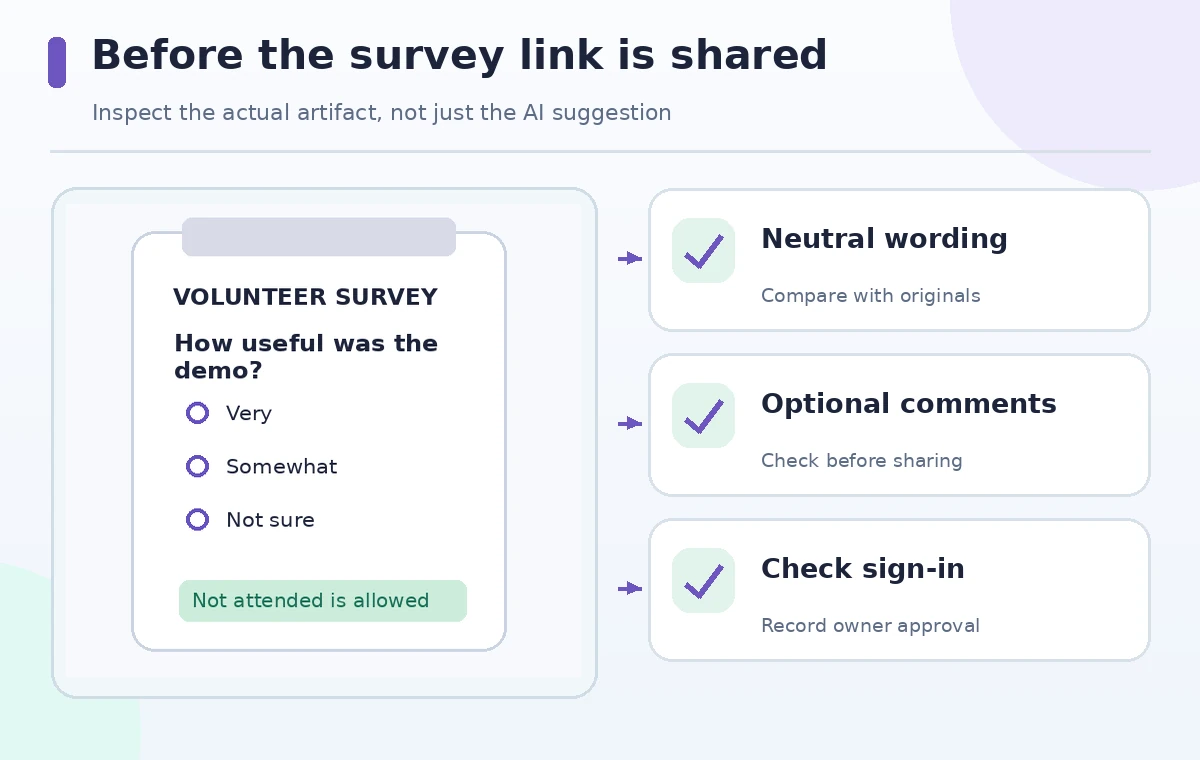
Use the normal Microsoft Forms settings and Preview rather than treating generated text as a finished instrument. Confirm whether sign-in is required, whether names are captured, whether one response per person is appropriate, and which items are mandatory. The precise settings depend on organization policy and audience. A hypothetical test respondent who did not attend the afternoon session should not be forced to score it. Walk both the attended and not-attended paths on a phone and a desktop screen. Make open comments optional and avoid promising anonymity until you have checked how your organization actually stores and exports responses.
Compare a biased draft with an approved version
The comparison illustration deliberately shows an invented leading prompt beside a neutral replacement. Treat the red version as a question-design error, not an actual Copilot output. Review every noun and adjective for directional framing: ‘great,’ ‘obviously,’ and ‘successful’ are warning signs when the goal is honest feedback. Check response order for a consistent logic; an agreement-only scale can conceal confusion. Ask a teammate who did not write the questions to explain what each one measures. If two colleagues interpret a question differently, revise it before distribution rather than hoping a data summary will repair a flawed instrument.
Pilot with synthetic responses and an independent reviewer
Create a short rehearsal set using invented participants: one satisfied attendee, one person who arrived late, one remote viewer, and one who did not attend. Preview the form and submit test responses only in a private test copy, clearly marked as synthetic. Observe whether an unanswered optional item becomes a misleading zero in exported tables and whether every choice makes sense without the workshop context. Have a colleague flag questions that could reveal a participant indirectly, especially in a small team. A test with four examples is a usability check, not evidence that the form is statistically valid.
Read the results without claiming causation
Copilot in Forms can help summarize responses and answer follow-up questions, but it cannot establish that a schedule change caused higher participation from a single informal poll. Compare any AI-produced summary to actual response counts and the wording of the questions. Separate quotations from paraphrases, check for missing ‘No response’ entries, and distinguish counts from percentages. If eight of twelve people preferred a morning session, say eight of twelve respondents, not ‘most volunteers’ without qualification. Small samples, self-selection, and inconsistent attendance can distort conclusions. Keep raw data accessible to authorized reviewers rather than publishing an unsupported headline.
Approve and archive the survey as a controlled artifact
Before sharing, confirm who owns the form, where responses live, how long they are retained, and who may receive an export. Keep a copy of the final wording and settings so future reports can show exactly what was asked. Do not silently change choices mid-collection; if a correction is necessary, record the date and explain how earlier responses will be interpreted. Use a modest invitation that states the purpose, estimated effort, and whether participation is optional. Publication of the survey is a human decision. The same approval process should govern any AI-generated invitation and the final presentation of findings.
How We Research
We checked Microsoft’s Copilot in Forms documentation for generating questions, refining drafts, licensing distinctions, and AI insights, alongside Forms preview and question settings guidance. The volunteer event, sample respondents, and comparison images are fictional teaching materials. We did not run an account-level product test or collect real survey responses; administrators should verify their own licensing and privacy settings before use.
Frequently Asked Questions
Microsoft documents draft generation from a natural-language description, but the user must review questions and settings before sending.
No. Microsoft notes different experiences by account and license; commercial Copilot-licensed users have a chat-based refinement experience.
No. Scores describe respondents to the questions asked; bias, missing answers, and sample selection still need analysis.
Review the form settings and sign-in requirements in the actual tenant, then pilot with a test respondent before describing the survey as anonymous.
Usually not for general feedback. Ask about the session experience, provide Not attended, and avoid requesting unnecessary personal details.