
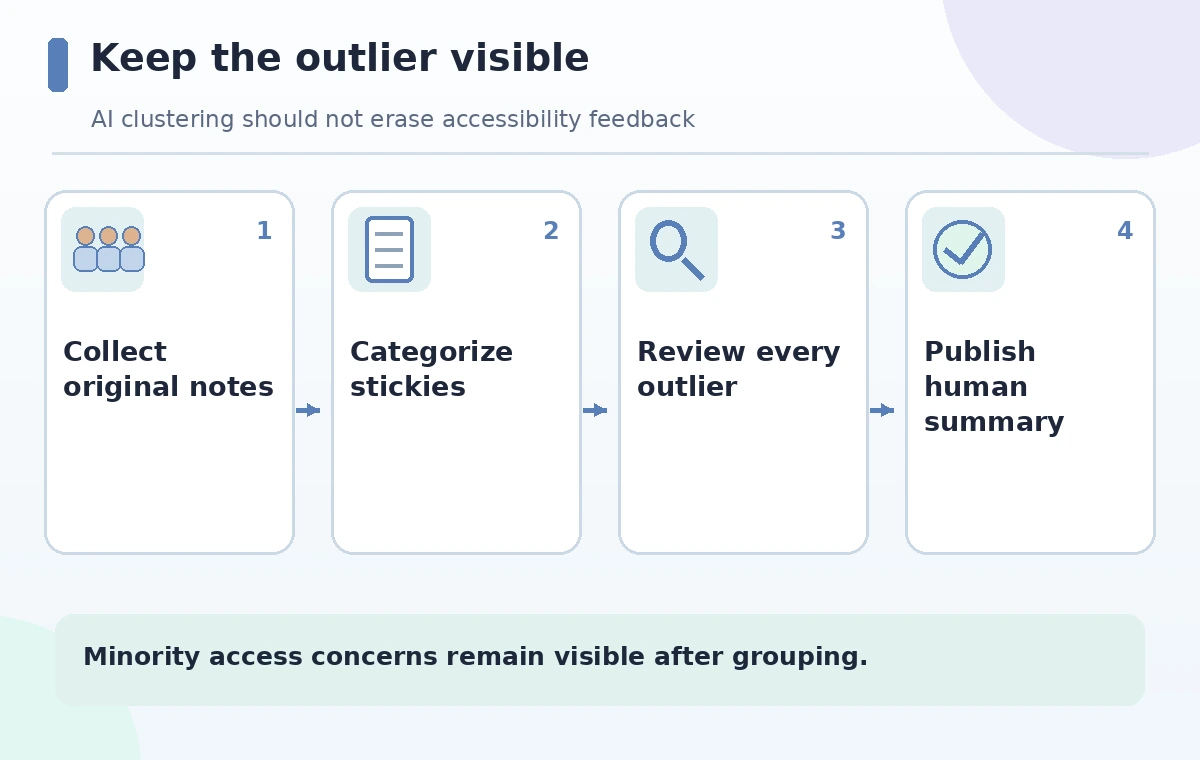
At a neighborhood planning workshop, residents place sticky notes on a shared Whiteboard about a proposed bicycle route. Most ask for safer intersections or clearer wayfinding, while one note explains that a curb design blocks a step-free crossing. Microsoft Whiteboard Copilot can categorize sticky notes, but clustering by similarity can make the least common comment disappear from the headline summary. This hypothetical process preserves every original note and treats the resulting groups as a draft organizing aid. No route, consultation, or resident statement here is real. The facilitator checks the visible clusters, retains accessibility concerns as individual review items, and asks the responsible team to make decisions through its established public process rather than through an AI-generated category title.
Prepare the board as evidence, not a voting machine
Before using Copilot, confirm that participants understand how their comments will be shared, whether they contain personal information, and who may view the board after the session. Remove identifying details from public workshop copies when appropriate, without silently changing the substance of a concern. Establish three columns in a working register: raw comment, any theme assigned later, and human response. An accessibility barrier should remain visible even if only one person raises it. Record any duplicate notes but avoid deleting them before attendance and representation are reviewed. A frequent suggestion is not necessarily a valid engineering instruction, and a rare suggestion is not necessarily unimportant.
Confirm Copilot availability and the correct controls
Microsoft describes Copilot for Whiteboard in desktop, web, iPad and Teams for eligible licensed users. From a board, choose Copilot and then Categorize; the tool groups selected sticky notes into colored collections with headings. Microsoft specifies that this feature works with sticky notes, not drawings or text boxes, and that at least two notes are required. If some participant content consists of sketches or photos, convert its meaning into a consented text note or account for it separately in the review ledger. Do not claim the Copilot categorization covers items it did not ingest. Account policies, language availability, and feature rollout may affect the exact interface.
Run Categorize on a documented snapshot
Duplicate the board or record a dated export so the original arrangement can be recovered. Select the notes intended for categorization and verify the selection includes the entire discussion, not just what is in the current viewport. Run Categorize and inspect the generated group names without immediately replacing the original taxonomy. Microsoft provides options to keep, revert, or regenerate categories. Treat regeneration as an editorial variation, not as an objective second opinion. If a note is too vague to categorize, leave it unassigned and ask a facilitator to clarify rather than fabricating an intent. Capture the output and the snapshot identifier together for later review.
Review an accessibility outlier as a separate issue
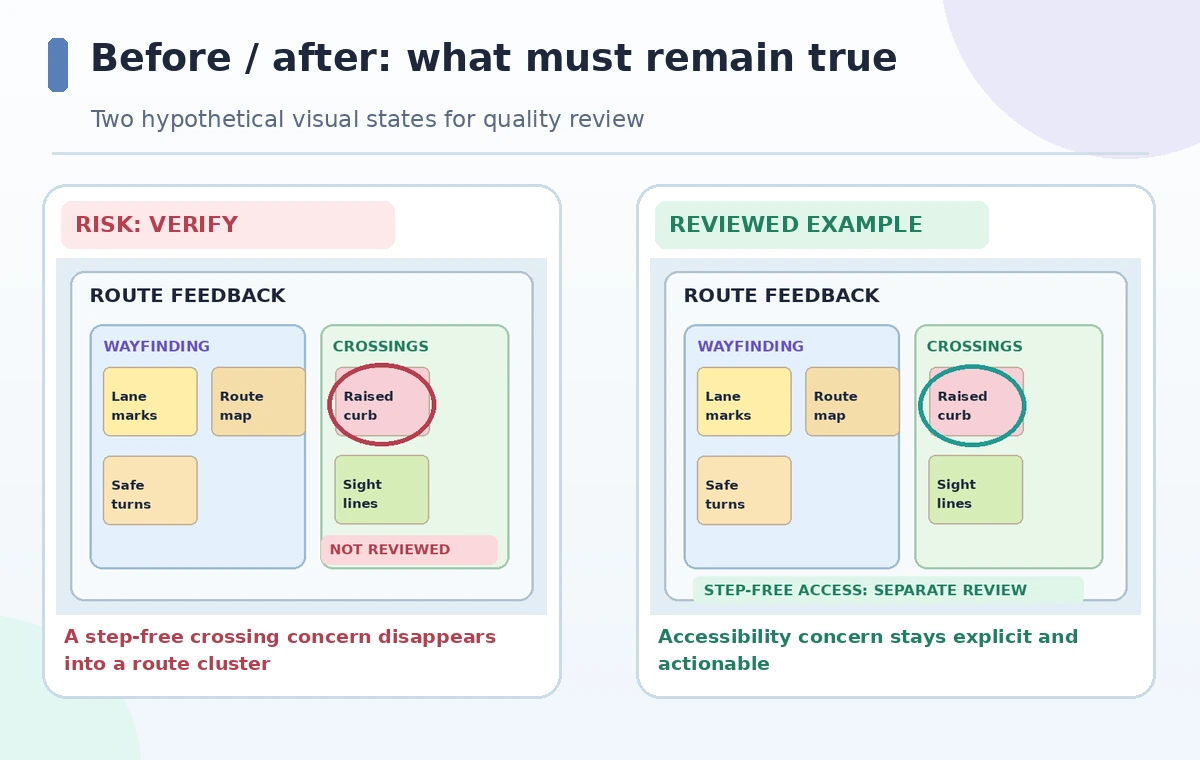
Imagine the board contains many bicycle-lane marking comments and one note: ‘The crossing has a raised curb; wheelchair users need a step-free route.’ A generic ‘street design’ cluster would technically contain the note but fail to communicate its distinct consequence. Locate the original, preserve the precise concern, and flag it in an accessibility review column. Do not paraphrase it as ‘improve curb aesthetics’ or infer an engineering fix without assessment. If the submitter is available and has consented to follow-up, the facilitator may request clarification. Otherwise, the team can label it an unresolved access issue rather than treating omission from the top clusters as rejection.
Audit the entire set rather than a few attractive groups
Count the original notes and account for each one in a category or an explicit unresolved bucket. Verify that visually similar statements were not merged even when they make different claims. For instance, a person who wants a shorter ride and a person who needs a safe step-free crossing may both mention the same intersection but have different priorities. Search the original board for negations such as ‘do not’ and qualifiers like ‘only during pickup hours.’ Grouping can remove that context when translated into an overly broad header. Use the diagram as a conceptual example of a lost minority concern, not a measured demonstration of Copilot performance.
Write an honest summary of themes and exceptions
When preparing a meeting note, distinguish the number of comments in a theme from the number of distinct participants. One participant may submit multiple notes, and workshop attendance does not prove neighborhood consensus. Microsoft says Copilot Summarize can create an editable Loop component from sticky-note content, but it is not a substitute for the facilitator’s record. If you use it after categorization, cross-check every claim against the original notes and keep an exceptions paragraph. List the step-free crossing issue as a separate item requiring accessibility review. Avoid presenting generated headings as formal recommendations adopted by a municipality or a design authority.
Assign human owners to unresolved concerns
Create a response ledger with item, source note, responsible reviewer, next action, and decision status. For a proposed crossing change, that could mean ‘refer to accessibility specialist; not yet assessed,’ not ‘curb replacement approved.’ Ensure that stakeholders with relevant lived experience can review the wording where participation rules permit. The planning team, not an AI grouping tool, decides whether a proposed action meets legal or design requirements. Publish only status labels that match the organization’s documented decision process. If a workshop summary is public, add a clear explanation of how comments were grouped and which concerns were not resolved during the session.

Export a traceable final board
Keep the original board, the categorized view, the facilitator’s edits, and the final summary under distinct version labels. Check that exported images are legible and that textual alternatives capture content inaccessible in a visual layout. Verify permissions before sharing community comments outside the workshop team. The release pass is straightforward: no original concern is missing, exceptions are visible, unsupported engineering advice has been removed, and human ownership is recorded. If categorization obscures an important issue, revert and regroup manually. The aim is better facilitation, not to optimize a pretty cluster diagram at the expense of genuine public input.
How We Research
We consulted Microsoft’s Copilot in Whiteboard guide, the accessible interaction instructions, and official FAQ. They describe sticky-note categorization, minimum inputs, summaries, and limitations. The workshop, notes, and outlier are invented for instruction; no real public consultation or Copilot run was evaluated.
Frequently Asked Questions
Microsoft documents Categorize for sticky notes, not inking or ordinary text boxes. Account for excluded material separately.
No. Counts of notes are not necessarily counts of unique people or representative support.
Microsoft describes Keep, Revert, and Regenerate options after categorization.
Keep its exact meaning visible as a separate issue and assign an appropriate reviewer.
Explain how notes were grouped, preserve exceptions, and distinguish suggestions from authorized decisions.