
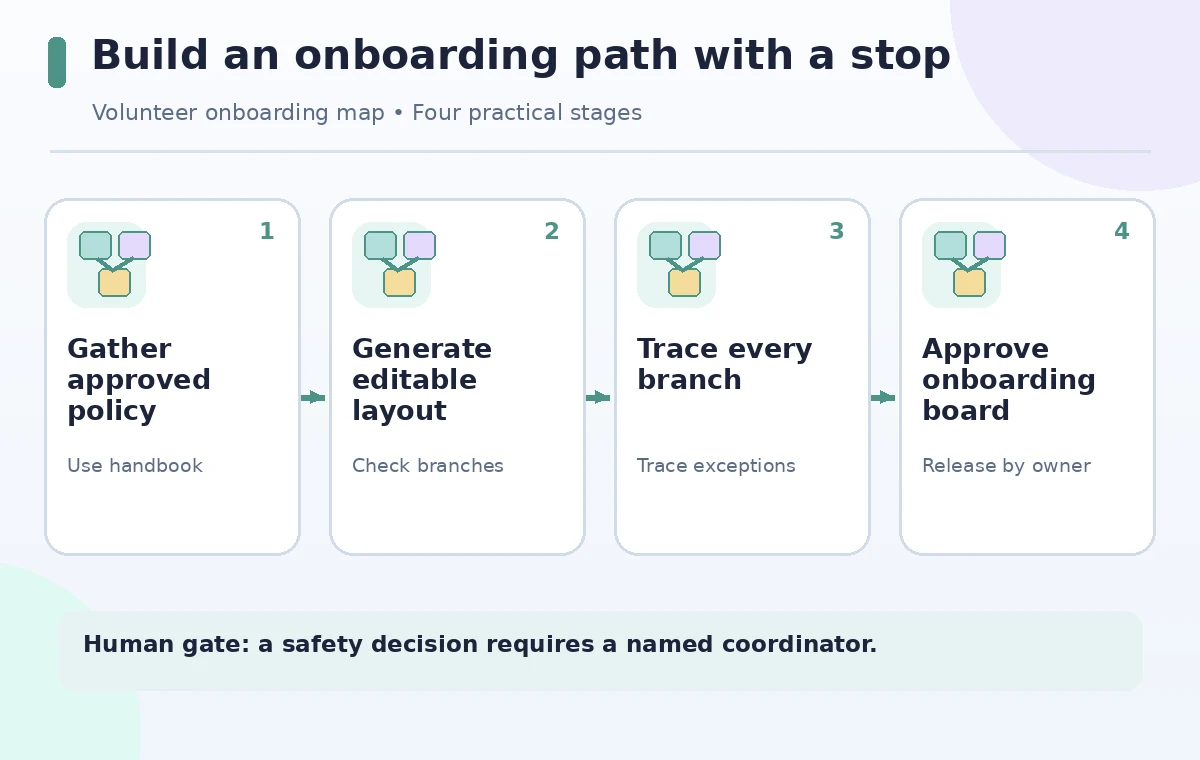
A volunteer coordinator wants a visual onboarding board for new helpers: check in, receive supplies, learn the accessibility route, and know what to do when a task cannot be completed safely. Miro Sidekicks can create a structured, editable board layout from a prompt. Yet a polished flow may quietly jump from ‘problem found’ to ‘task finished’ with no escalation step. This fictional guide treats AI layout as a first draft. The coordinator defines the real process, reviews every branch, and keeps safety and authorization decisions under human control before sharing the board with newcomers.
List required decisions before asking AI for a layout
Write the volunteer journey as a sequence of observable actions: arrival check-in, role assignment, equipment pickup, brief orientation, task start, issue reporting, and checkout. Add exception paths for missing equipment, inaccessible spaces, a participant needing help, and an unclear safety instruction. For each step record who has authority to make the decision. The aim is to encode an approved procedure, not invent one through brainstorming. Collect existing handbook wording so a reviewer can compare board labels with the official instructions. If the handbook is outdated, pause and resolve the policy issue outside Miro rather than using AI to patch it silently.
Understand what Miro Sidekicks can create
Miro’s official help describes Sidekicks as conversational AI assistants that use board context and can generate formats such as diagrams, sticky notes, tables, slides, and a full board layout. The Board Layout guide documents the Sidekicks entry point, a natural-language prompt, and editable frames and objects. It also lists AI-credit usage for layout generation. Access to generalized and custom Sidekicks differs by plan; check the current workspace and permissions before telling a team that a particular library or custom agent is available. These are creation aids, not process validators or official policy engines.
Prompt for both the normal path and failure branches
A useful brief says: ‘Create an onboarding board for a three-hour community garden shift. Include a left-to-right normal path and visible decision branches for missing protective equipment and an inaccessible entrance. Show a stop-and-call-coordinator action before any unsafe task. Use editable labels and keep policy wording as placeholders for human verification.’ Include a note that no contact numbers or permission rules should be invented. If the board includes a made-up emergency telephone number, remove it immediately and link to the confirmed contact sheet instead. Ask for the exception paths explicitly because many attractive process maps prioritize the happy path.
Generate a draft board and inspect editable objects
Open a Miro board and use the Sidekicks control as described in the help center. Ask for a board layout, then inspect frames, sticky notes, connectors, and any labels that came from the model. Do not assume the flow has sound semantics because the boxes are aligned. Check that decisions have at least two labeled exits, connectors point in the intended direction, and no arrow bypasses a required check. Compare the newly created content to the source policy one line at a time. Save the first generation as a draft version so reviewers can distinguish AI suggestions from confirmed edits.
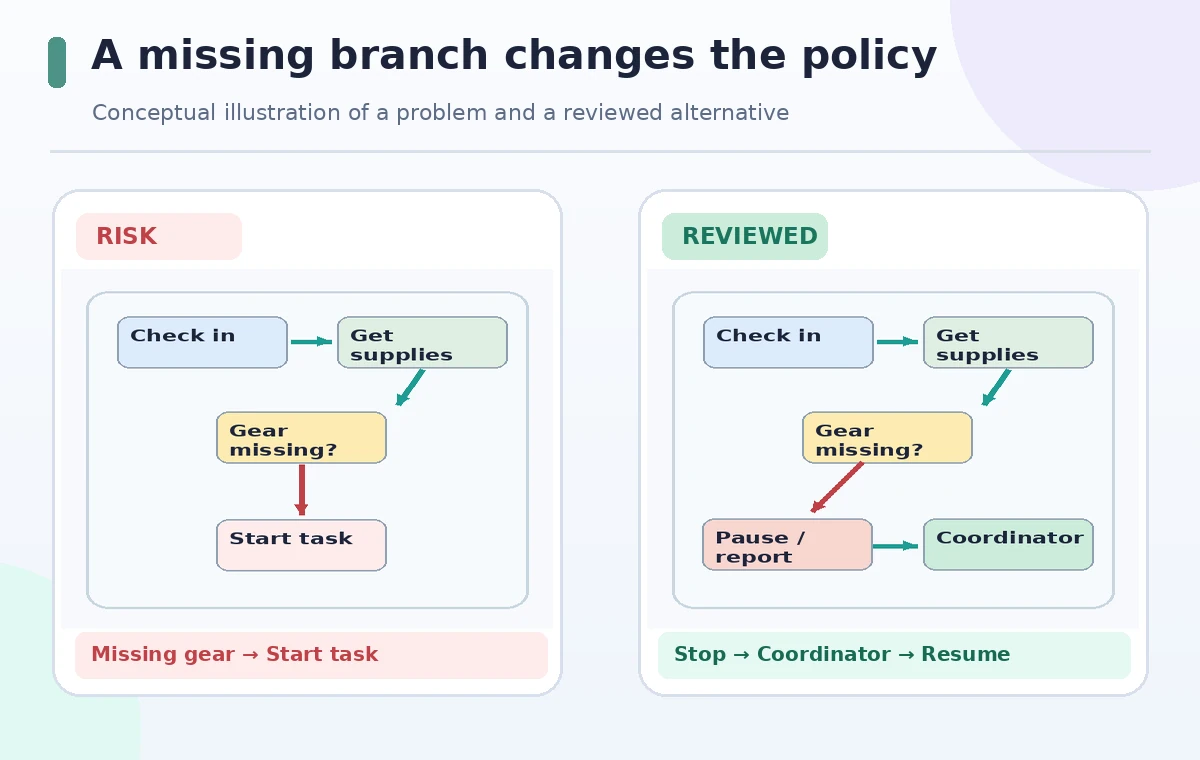
Compare an unsafe shortcut with a correct escalation
The comparison diagram presents a fictional bad route from ‘Equipment missing’ directly to ‘Start work.’ The reviewed route instead goes to ‘Pause task,’ then ‘Contact coordinator,’ and only after authorization to ‘Resume or reassign.’ It is an educational diagram, not output captured from Miro. A connector can carry a policy decision as effectively as a paragraph: leaving out a stop step changes the meaning of the instructions. Validate connector direction and labels on a small screen. If a branch is too crowded to read, split it into an explicit sub-flow rather than hiding important decisions in a footnote.
Ask a second reviewer to role-play exceptions
Have someone who was not involved in the prompt follow the board as if they were a new helper. Give them invented cases: gloves are missing, a gate is blocked, a volunteer arrives late, or a task needs an authorized supervisor. Ask where they would go and what they would do next. If their answer differs from the handbook, fix the map. Focus on behavior rather than visual appeal. A five-minute walkthrough can identify missing stop points, ambiguous arrows, or labels that assume prior knowledge. Keep a dated checklist of each discovered issue so improvements do not vanish between generations.
Control sharing, updates, and sensitive information
Miro is a collaborative workspace, so the published board’s audience and editing permissions matter. Decide whether new volunteers need view access, comment access, or edit rights. Avoid placing personal contact details, medical information, or private participant notes on a widely shared board. Keep a visible version date and a named process owner. If the actual onboarding rules change, update the official handbook and the visual board together. A colorful AI layout should never become a parallel unofficial policy. For unfamiliar attendees, provide an accessible text alternative and ensure navigation works without interpreting colors alone.
Approve the final map and keep the source trail
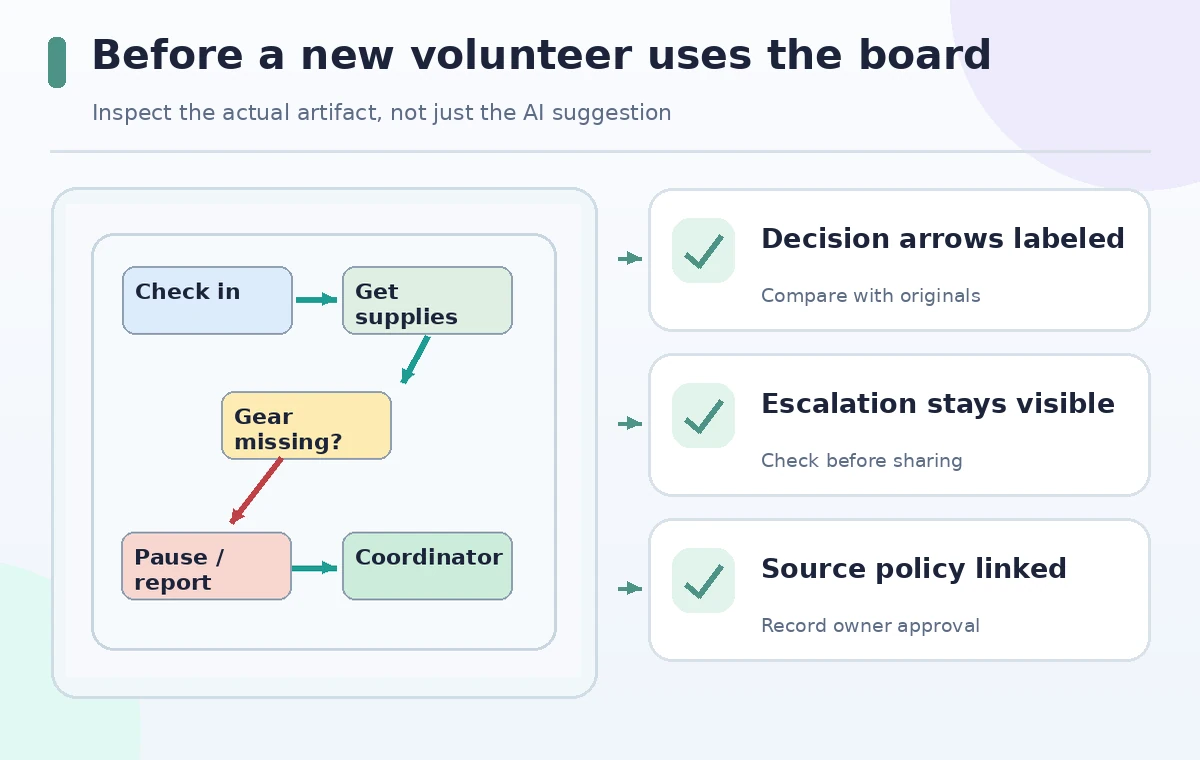
Before rollout, compare each board instruction against an approved source and link that source where permissions allow. Confirm that the exception branch ends with a responsible human and a clear next action. Archive the original brief and draft layout separately from the approved version. Ask a reviewer to verify mobile readability, decision labels, and the ability to find the escalation contact without scrolling through unrelated brainstorming. The board is successful when a newcomer can act safely and ask for help at the right point, not when AI produces more frames or a more elaborate diagram.
How We Research
We checked the official Miro Sidekicks guide for generating formats and using board context, plus the AI Board Layout instructions for editable output and credit usage. The onboarding process, exception examples, and visuals are hypothetical. We did not generate a live Miro board, validate a volunteer organization’s real policy, or claim the product checks safety logic automatically. Confirm plan entitlements and actual process owners before deployment.
Frequently Asked Questions
Yes. Miro documents generating a structured, editable board layout from a prompt, with frames, notes, and other objects.
No. Connectors visualize steps but must be checked against the real handbook and authorized human decisions.
No. Miro differentiates general Sidekick access from custom and advanced capabilities by plan and licensing.
Ask an independent reviewer to role-play missing equipment or blocked access and follow every decision to a responsible person.
Treat the handbook discrepancy as a policy issue, get approval from the owner, and update both artifacts consistently.