
Imagine an oral-history interviewer recording a quiet answer in a museum foyer. The guest wears a lavalier microphone under a light jacket. Every time the guest turns, the fabric rubs the microphone and produces short crackling noises over otherwise valuable speech. iZotope RX offers De-rustle specifically for this kind of clothing contact, using trained separation to reduce the unwanted sound. But a removed rustle is not automatically an improved interview if the same processing also damages consonants or masks a soft word. This guide follows a conservative, source-preserving workflow and treats the sample scene as illustrative rather than a laboratory test.
Confirm the problem is clothing contact
Start by listening to the raw recording with headphones and looking at a waveform or spectrogram. Rustle from a lavalier rubbing against clothing can sound like brief crackles, low thumps, or rough broadband bursts. It differs from constant ventilation noise, electrical hum, or wind directly hitting the microphone. RX contains separate tools for different classes of noise, so applying De-rustle to the wrong problem may waste processing and obscure speech.
Mark several reference points: one isolated jacket movement before the guest speaks, one rustle beneath a full-volume word, and one rustle under the quietest answer. Write a short transcript of the important sentence so later A/B listening catches omissions. Do not assume that a visually smooth waveform proves an accurate edit; waveform height measures signal amplitude, not whether the words are still intelligible.
Preserve a raw source and verify edition access
Work on a copy in a non-destructive editing session, keeping the original file and metadata intact. iZotope lists De-rustle in RX Advanced, not as a standard entitlement for every RX edition. Verify the module is actually available in the installed product before giving readers a sequence of controls that they may not possess. Product packaging and release names can change, so use the manufacturer’s current module list as the authority.
Before processing, also confirm permission to edit and use the recording. Noise cleanup should not erase the historical context of a recorded conversation or imply that someone made a statement more clearly than they did. Keep a note about which sections received restoration and export a separate listening copy for the interviewer or editor who knows the interview context.

Select a short passage for the first pass
Choose a short region containing the fabric noise plus a word before and after it. In the RX editor or a supported plug-in workflow, inspect the De-rustle module without applying maximum reduction to the entire interview. The manufacturer describes De-rustle as a machine-learning model trained on rustle and clean dialogue; that describes its intent, not a guarantee that every mic placement or voice will separate cleanly.
Use available controls conservatively and render a short preview. Compare the untreated and processed passages at matched playback volume. A lower-level output can sound cleaner simply because everything is quieter. Avoid adding loudness normalization until after deciding whether restoration has preserved the important material, or the A/B comparison will become harder to interpret.
Choose an AI Tool for Your Workflow
Separate jacket bursts from actual speech sounds
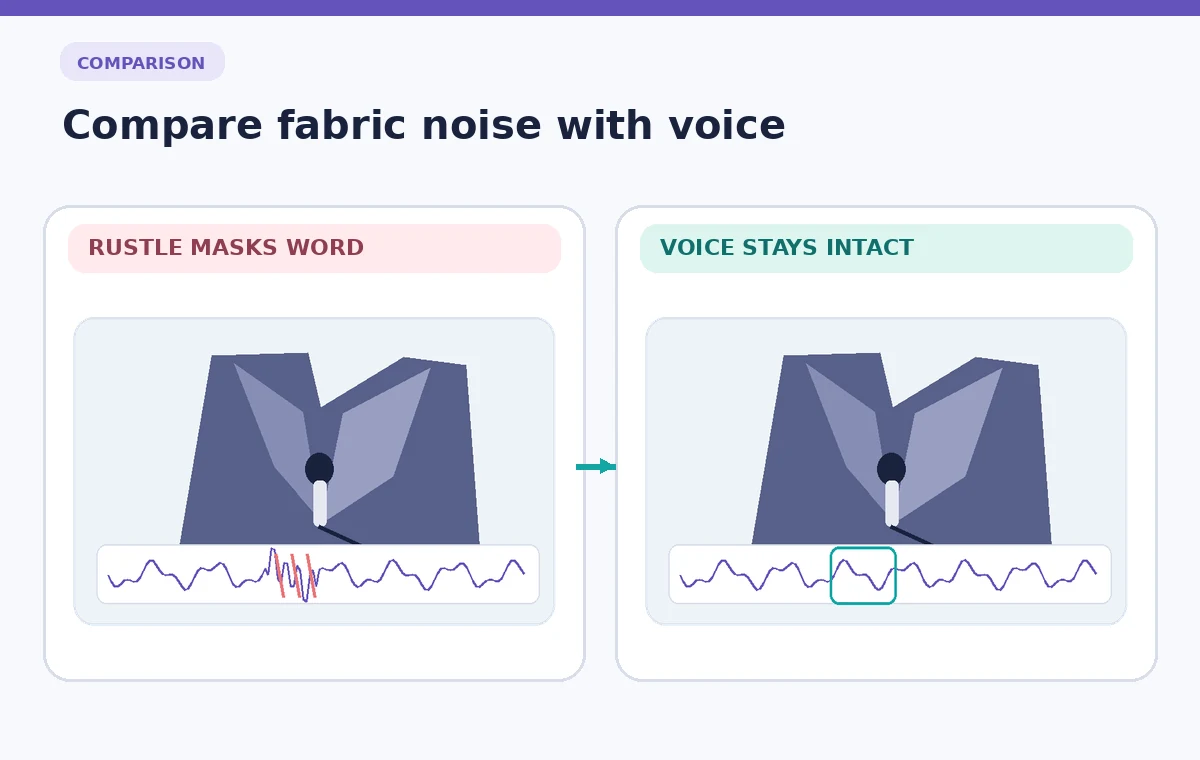
Quiet answers often include delicate consonants, breath, and word endings close in texture to rustle. Listen closely for an s sound becoming dull, a final t disappearing, or a quiet yes becoming indistinct. These are editorial losses even if the crackle is dramatically reduced. If a treatment smears the word, decrease its strength or process only the clothing-only portions.
In a conceptual before/after diagram, show a rough burst over a speech envelope and a later state in which the abrupt burst is smaller but the syllable contours remain. This represents the target, not recorded output from the software. Real noise separation may leave residue, affect speech, or require manual decisions; make those uncertainties visible in the written workflow.
Check the noise that remains between words
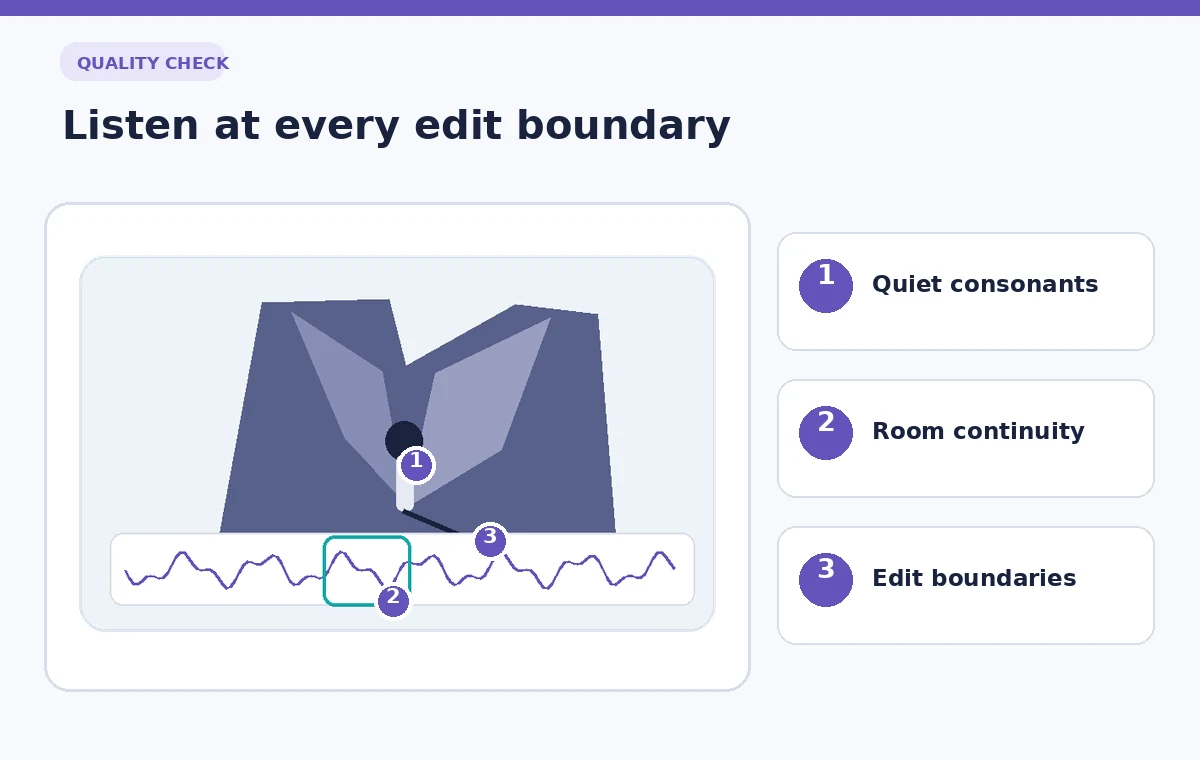
Over-cleaning an interview can create a strangely empty room between syllables. The listener may notice ambience pumping in and out as the guest turns or pauses. Compare a few seconds of natural room tone around the processed edit and verify that the background still sounds continuous. Restoring intelligibility rarely requires removing every audible trace of the location.
If noise appears only in isolated pockets, consider localized processing with crossfaded boundaries instead of applying one treatment to the whole track. Save a version that preserves more environmental sound. Editors can then choose between cleaner speech and stronger scene context based on the purpose of the interview, rather than assuming the most aggressive reduction is always the better deliverable.
Use other repair tools only for other symptoms
RX offers other modules, including De-plosive for microphone pops, De-wind for wind noise, and De-reverb for excessive room reflections. These names describe separate classes of defects. De-rustle should not be expected to correct clipping, a long phone beep, or an inaccurate transcript. Diagnose each remaining issue before stacking processing that compounds artifacts.
A practical order is to first check whether moving the microphone or retaping the lavalier would prevent a new recording from having the problem. For existing material, address the most disruptive, identifiable noise on a copy and then reassess. Do not automatically run every restoration module in sequence. A small amount of authentic room and fabric sound is often preferable to an unnatural voice texture.
Quality-check the quietest words in context
Listen to the original and treated answer with one sentence before and after it, without looking at the waveform. Ask a second listener to transcribe the quiet answer without seeing the expected wording, then compare this against the original source and available notes. A listener who already knows the content can inadvertently fill in a word that the processed file no longer communicates.
Check both headphones and a small speaker if the interview will play on phones. A word that survives on studio monitors may vanish at low volume in a public exhibition. Listen specifically for clipped word tails, hollow modulation, unnatural silence, and loudness changes across the edit. If any appear, return to the less processed version and prioritize clarity over complete noise removal.
Export with an auditable restoration record
Keep the untouched recording, the processed master, and a short export log. Note which tool was applied, the time range, edition used, and the outcome of the listening review. Export settings should match the downstream editing and archival requirements rather than inventing a universal bitrate or loudness target for every oral-history project.
Invite the subject-matter editor to approve the final quotation or transcript based on the original recording, not merely the cleaned audio. De-rustle can improve usability, but it cannot establish that a word was spoken if it is ambiguous on the source. A transparent restoration log protects both editorial accuracy and the ability to revisit the original when better tools or evidence become available.
How We Research
For this guide we consulted current primary documentation: iZotope RX 12 restoration feature descriptions; iZotope RX Standard and Advanced feature information. We compared the documented feature purpose, editing steps, access limitations, and recovery controls with the specific failure modes illustrated above. All people, records, images and signal examples in the narrative and diagrams are hypothetical. We did not claim to sign in to a paid service, make a live recording, test feature accuracy, measure restoration outcomes, or establish any organization-specific permission. Our editorial method is to preserve the original input, review AI output against that input, check exceptions, and document the final human decision. Verify your installed version, account entitlements, organization policies, and production specifications before applying the technique to real material.
Frequently Asked Questions
No. iZotope lists De-rustle as an RX Advanced feature; check current product entitlements before planning a workflow.
It is intended for lavalier clothing noise, but effectiveness varies and aggressive repair may damage subtle speech.
That is a different symptom. iZotope provides De-wind for wind-related microphone rumble.
A quieter render can seem cleaner even if speech has simply been reduced, so level-matched comparison is more informative.
Reduce processing, restrict the edited region, or use the original. Never infer or replace a word that the recording cannot support.