
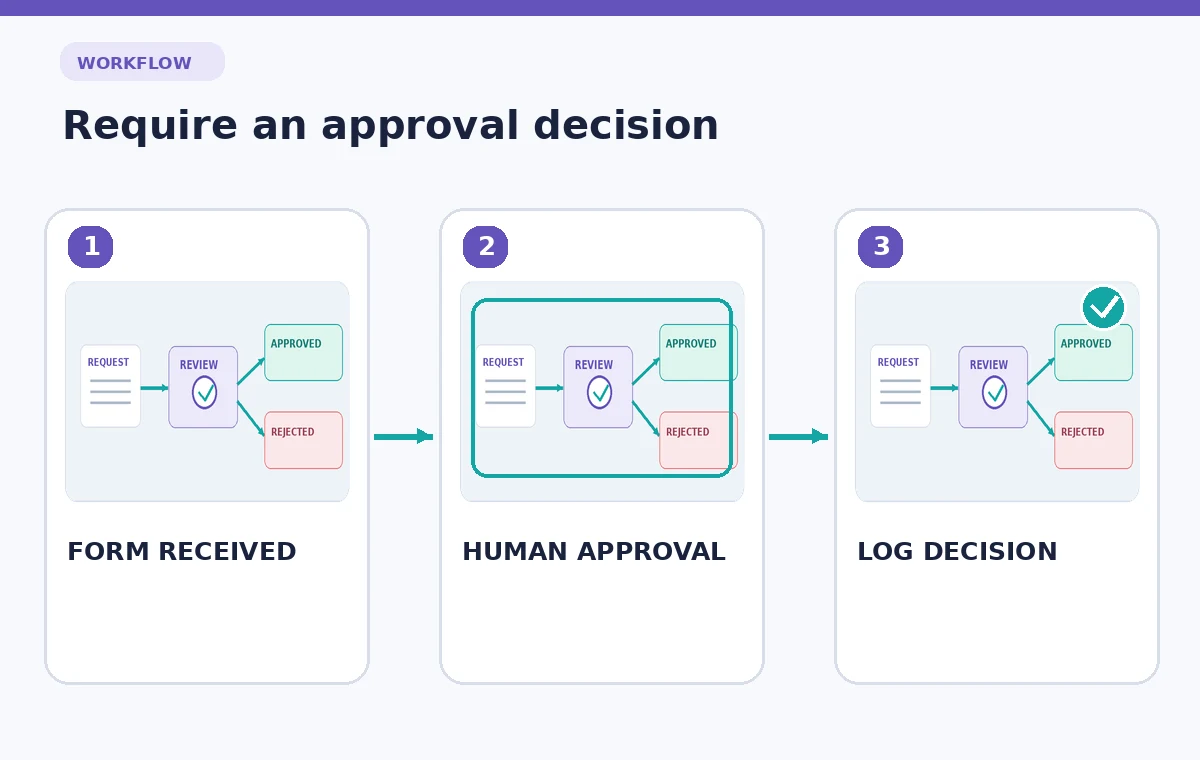
A community theater wants staff to request supplies without turning every request into an automatic purchase. A fictional team decides that submissions should be recorded, checked for missing information, routed to a named coordinator for approval, and only then marked ready for ordering. Copilot in Power Automate can help draft cloud flow triggers, conditions, and actions from natural language. The danger is treating a generated flow diagram as a complete authorization policy. This guide builds an approval-first example and explains how to verify each branch with test records before enabling anything that could notify people or trigger real-world work.
Write the business rule before the prompt
Define what a supply request is, which form or list holds it, who may submit one, and which person can approve it. For the teaching example, the input includes an item description, quantity, needed-by date, budget code, and requester contact. A missing budget code sends the request back for clarification, not to purchasing. The approval authority is a real business rule supplied by the organization, never something the assistant should infer from the job title.
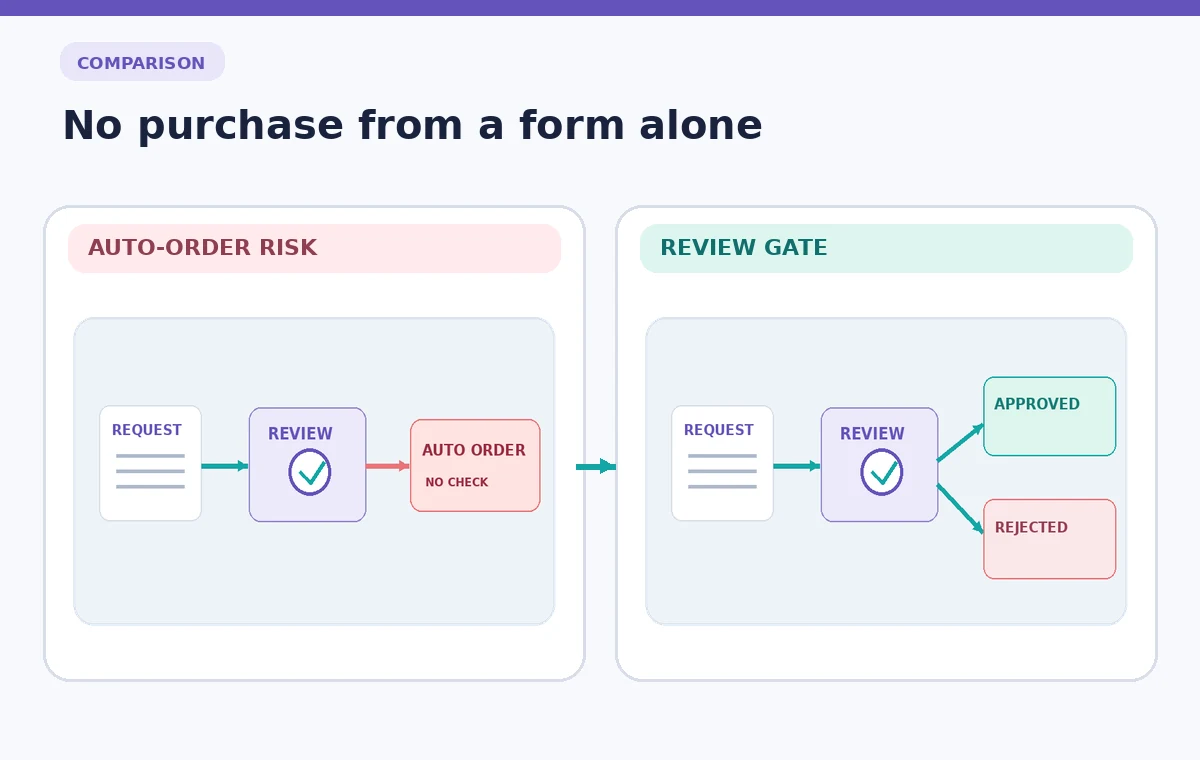
Separate statuses such as Draft, Needs information, Pending approval, Approved, and Rejected. The flow should preserve the request identifier through every state. Write down which state changes are permitted and who is responsible for each change. A useful safety invariant is that no request becomes Approved merely because its form was submitted or because a generated message says it looks reasonable.
Ask Copilot for a deliberately narrow cloud flow
Microsoft documents creating cloud flows with Copilot by describing the workflow in the Power Automate interface. A focused prompt might say: “When a new supply request is created, check required fields, ask the assigned coordinator for approval, record the decision, and send the requester the correct status. Never place an order.” The key is to name the trigger, inputs, conditional branches, and limits in ordinary language.
Treat Copilot’s output as an initial design suggestion. Microsoft describes reviewing the proposed trigger and actions, choosing Keep it and continue, checking connections, and opening the designer. Feature availability depends on the user’s environment and administrative permissions, so a missing Copilot entry point should lead to a manual flow builder rather than an invented workaround. Keep the generated draft inactive until it has been inspected.
Verify every connector and permission
A green connection indicator means credentials may be configured; it does not prove the connector has the correct minimum permissions. Check which Microsoft Forms, SharePoint, or other input source actually triggers the flow and which mailbox or account sends its messages. Test with a sandbox list and authorized test users, not the organization’s live purchasing workflow.
Inspect the connection owner and reassignment behavior. If the flow was created under one employee’s personal account, it may stop functioning when access changes. Avoid giving the flow permission to approve requests on behalf of someone who has not explicitly delegated that authority. Document any service account or shared ownership decision in the team’s automation inventory.
Choose an AI Tool for Your Workflow
Draw both approval and rejection paths
The designer should include a conditional check for required fields, an approval action assigned to the right person, and separate outcomes for approved, rejected, and timed-out requests. A one-line flow ending in Send email is insufficient if an email could be mistaken for an approved purchase order. Make the pending state visible until an actual decision event arrives.
The diagram should have an explicit rejection path returning to the requester. Include a separate escalation rule for a request that has not been reviewed in time. Do not let an unanswered approval silently count as yes. That boundary is the main difference between a useful administrative assistant and an unsafe purchase automation.
Inspect generated expressions and field mapping
AI-assisted flows can map the wrong dynamic content token into a condition. Verify that Quantity checks the numeric quantity, Needed-by checks a date, and Approver points to the designated review role rather than the requester. An approval path linked to the requester’s email could become self-approval even though the diagram appears polished.
Open each action configuration and look for default recipients, hardcoded sample values, missing identifiers, and ambiguous Boolean expressions. If two request records arrive close together, the flow must not attach the approval decision for one request to the other. Use the unique request ID consistently in notifications and state transitions, and confirm that updates target the correct source row.
Test five edge cases before enabling the flow
Run controlled test submissions for a valid request, a missing budget code, an explicit rejection, an unanswered review, and a duplicate submission. Record the expected status before each test and compare it against actual flow history. Microsoft recommends testing after saving a generated cloud flow; this is where approval logic either proves itself or reveals a gap.
A successful run indicator only means the automation executed; it does not certify that the business decision was correct. Look at the action inputs and outputs, whether a coordinator received exactly one approval, and whether the requester’s message reflects the true outcome. If any test triggers an unapproved purchase action, disable the flow immediately and revise the design before further trials.
Separate user notifications from financial authority
A notification that says “Your request was received” is safe at submission; “Your item is ordered” is not safe unless the organization has completed that separate process. Use wording that clearly distinguishes submitted, reviewed, approved, and purchased. A human approval response should not be silently converted into an authorization to spend if the original policy requires a second purchasing step.
For teams with multiple locations, avoid guessing which coordinator has authority for each location. Use an approved routing table or explicit field supplied by the organization. Ask the workflow owner to check the notification text just as they would proofread an external email. Copilot can assist with wording, but it does not determine who has legal or organizational authority.
Document the flow and set a safe launch plan
Capture the final diagram, test evidence, required connectors, approval owner, timeout behavior, and a rollback plan. Start with an internal pilot using non-financial dummy records. Only after an authorized reviewer approves both logic and access should the flow become active for genuine requests. Even then, its job should remain administrative routing rather than automatic ordering unless a separate approved process explicitly permits that.
Monitor the first live runs for duplicate triggers, stale connections, and changed form fields. Revisit the flow when the source list changes because a field rename can break mapping without changing the business policy. A successful automation is not defined by how quickly Copilot produced it; it is defined by whether people retain control over meaningful decisions.

How We Research
For this guide we consulted current primary documentation: Microsoft Create cloud flow using Copilot; Microsoft Copilot cloud flows FAQ; Microsoft Copilot cloud flow tips. We compared the documented feature purpose, editing steps, access limitations, and recovery controls with the specific failure modes illustrated above. All people, records, images and signal examples in the narrative and diagrams are hypothetical. We did not claim to sign in to a paid service, make a live recording, test feature accuracy, measure restoration outcomes, or establish any organization-specific permission. Our editorial method is to preserve the original input, review AI output against that input, check exceptions, and document the final human decision. Verify your installed version, account entitlements, organization policies, and production specifications before applying the technique to real material.
Frequently Asked Questions
Microsoft documents natural-language cloud-flow creation, but generated triggers, actions, and connections still need review and tests.
No. The organization defines what an approval means; do not attach a purchasing step unless it has separately authorized that behavior.
Design an explicit pending or timeout route and escalation. An unanswered request must never become automatically approved.
Test duplicate IDs and triggers, then design deduplication or manual review appropriate to the source system.
Yes. Verify valid, missing-field, rejected, timed-out, and duplicate cases in a safe test environment before live use.