
A narrator records a quiet instructional passage at home. The words are intelligible, but the pauses contain little sticky clicks that become distracting on headphones. iZotope RX 12 Mouth De-click is intended for exactly this kind of mouth noise, yet aggressively removing every transient can damage the consonants that make speech understandable. This guide uses a hypothetical original voiceover as an editing exercise, not an account of a file we processed or a measurable before-and-after test. The objective is to reduce a distraction while keeping every meaningful syllable, breath and pause natural.
Separate mouth noises from ordinary speech
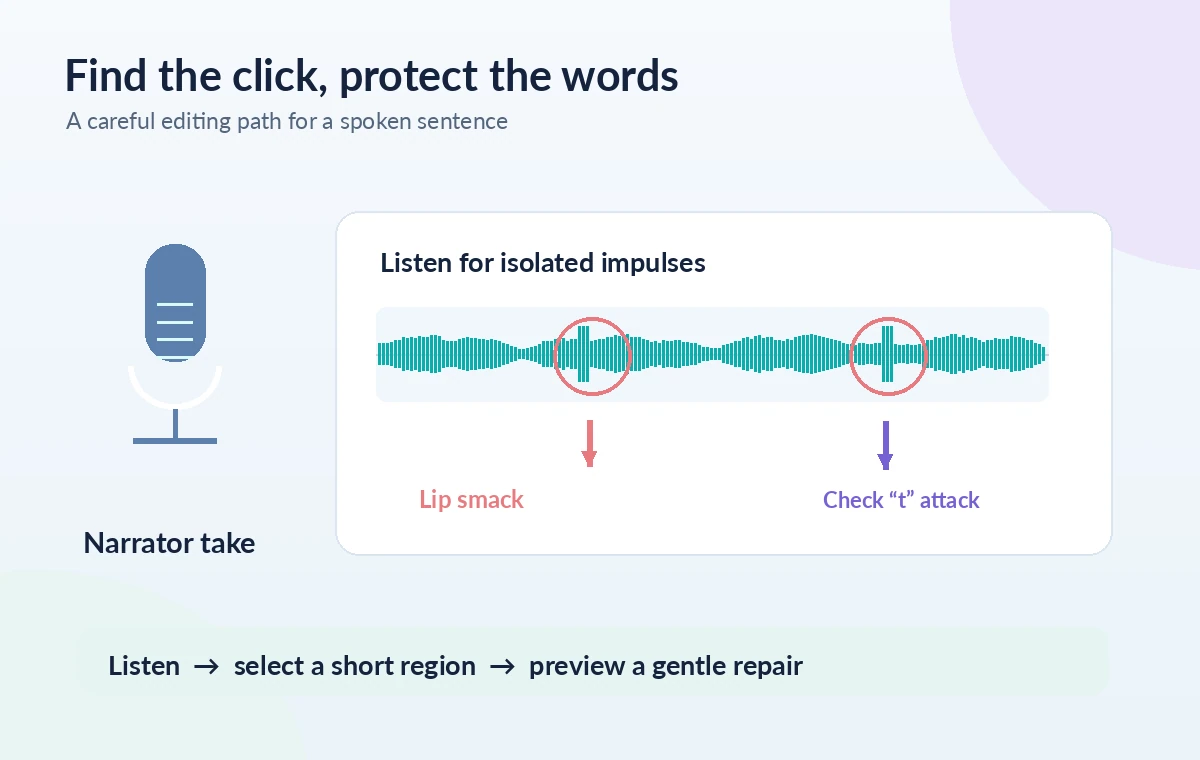
First listen without looking at the waveform. Mark the short sticky sounds between words or immediately after a breath, and distinguish them from the crisp consonants in words such as ‘time,’ ‘keep,’ and ‘please.’ Mouth clicks tend to be isolated little impulses; consonants carry linguistic information and must survive the edit. Not every mouth sound warrants correction: a soft lip sound that is masked at normal playback level may be less harmful than an overprocessed syllable. Make a short map of the objectionable moments, identifying the phrase before and after each one. That prevents the noise-removal module from becoming a blanket treatment for the entire recording.
Prepare a reversible source and a useful audition loop
Keep the original WAV untouched and work in a copy or a nondestructive editing path. Do not downsample, normalize or apply heavy compression before establishing the source of the click. Choose a short loop containing a visible lip smack, neighboring vowels, and at least one sharp consonant. Compare at a sensible monitoring volume and then at a quieter level. If the narrator moved away from the microphone for part of the session, treat those sections separately instead of using one fixed treatment. This work is easier to audit when you can return instantly to the original phrase without relying on memory of what it sounded like before.
Locate Mouth De-click and begin conservatively
The RX product page lists Mouth De-click in Standard and Advanced, and iZotope describes it as a tool tuned for clicks and lip smacks. Use the RX Audio Editor or an available host workflow, selecting only the relevant passage first. Start with restrained detection rather than aiming to make the waveform look flawless. The historical iZotope documentation describes Sensitivity, Frequency Skew, and Click Widening; exact labels and defaults should be confirmed in the version installed. Preview a single phrase before committing any render. A setting that catches a click on one voice may be unsuitable for a different voice, pronunciation, or microphone placement.
Understand the three controls before changing them
Sensitivity affects how many candidate events the tool detects; pushing it upward can remove details from plosives and sharp consonants. Frequency Skew changes where detection is weighted across frequencies, so it is a targeting adjustment rather than a universal quality control. Click Widening affects the length of the repaired area around an impulse, helping with a smeared lip smack but potentially reaching into adjacent speech. Change one parameter at a time and note the direction of each adjustment. The pictured waveform is a conceptual illustration, not a true RX readout or proof of a particular setting. There is no evidence-based magic number that should be applied to every narrator.
Compare a localized edit with the untouched syllables
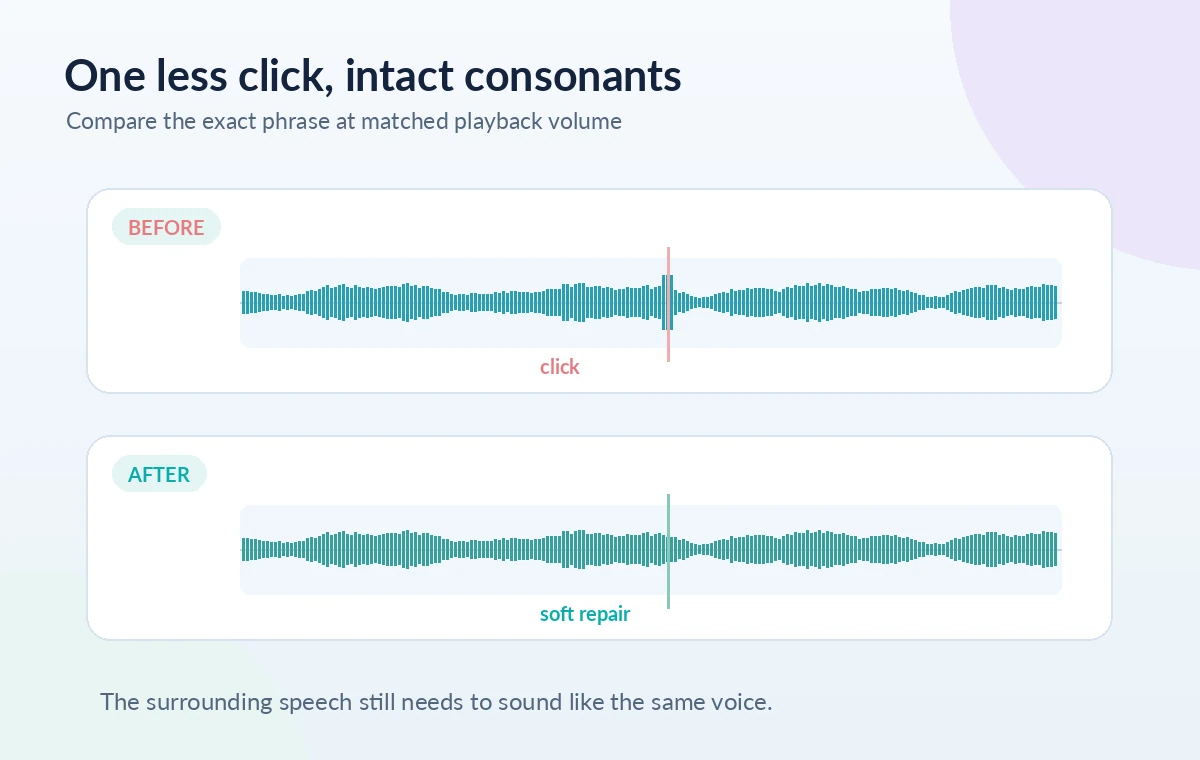
Use an A/B switch or matched duplicate to compare the same phrase at the same gain. Focus first on the click; then stop focusing on it and listen for the whole sentence. Does the ‘t’ at a word boundary still have its attack? Is a quiet ‘k’ now strangely rounded? Does a vowel have a tiny hole where the processing briefly reached too far? If a consonant has weakened, reduce the repair strength or limit the selection. Removing one unmistakable click manually may be preferable to a strong pass over an entire paragraph. The before/after drawing intentionally keeps the speech waveform continuous while changing one isolated spike.
Check what is being removed, not just what remains
Where the current RX workflow offers a difference or clicks-only monitoring option, listen to the removed content. Ideally it contains unwanted transients rather than recognizable fragments of words. iZotope’s voice-cleanup guidance discusses auditioning the removed clicks and previewing before processing. Even if the monitored difference sounds promising, inspect the actual processed narration because reconstruction can produce subtle changes that are not obvious in isolation. Be especially alert to tongue clicks that are a deliberate part of an expressive performance, including dialogue, sound design, or a language where an apparent click may be meaningful. The human editor makes that distinction, not the detector.
Review the joins and the quietest passages
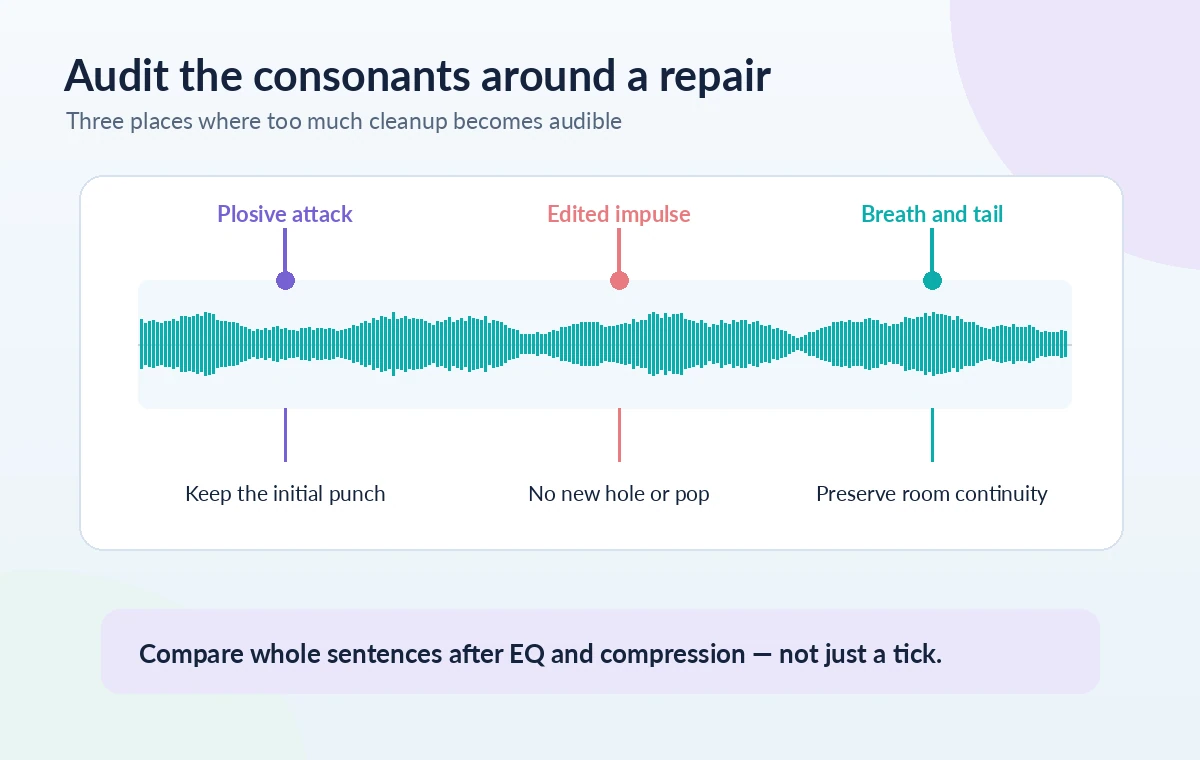
Inspect the few milliseconds before and after an edited event at a wider timeline zoom. A click can have a short tail, but widening the repair area too far can flatten a syllable onset. Listen with room tone and breaths intact; an unnaturally sterile gap can call more attention to an edit than the original noise. Also check the first word after a long pause and the ends of sentences, where compression or loudness processing may later exaggerate artifacts. If a small change creates a new bump or a sudden tonal shift, restore the source and refine the local selection. The aim is continuity, not visual silence.
Make a delivery check after the full narration chain
Once the individual clicks are addressed, hear representative phrases through the actual intended editing chain, including any EQ, dynamics and loudness adjustments. These processes can make an overlooked click more audible, or expose overcorrection that seemed harmless in a raw track. Check at normal and reduced playback levels, and compare a few repaired phrases with untouched narration from the same performer. Keep the source audio, an editable session and a short note of the passages that needed manual attention. Export the requested format only after listening to transitions and the complete opening and closing of the piece. This is an editorial pass, not a claim that RX guarantees clean results.
How We Research
We checked iZotope’s RX product page for module positioning and compared its published voice-cleanup explanation with the older official Mouth De-click control reference. The legacy reference explains control behavior but is not presented as a screenshot or a verified RX 12 interface. We did not open RX, process an actual narrator, or measure audio improvements; the waveform drawings are hypothetical teaching examples. Our primary documentation sources: iZotope: RX product and Mouth De-click module; iZotope: voice recording cleanup and difference monitoring; iZotope: historical Mouth De-click control reference. Documentation may change, so verify current plan and interface details before following the steps.
Frequently Asked Questions
No. Mouth De-click is tuned for mouth noises and lip smacks, while general De-click covers a broader set of impulsive defects. Choose according to the sound you hear.
Yes. iZotope cautions that stronger detection can affect plosives. Compare consonants and reduce the correction if speech becomes dull or unnatural.
A light broad pass may be convenient, but verify representative passages and use local repair where attacks or breaths differ. Preserve the original recording.
Not necessarily. It extends the repaired time region and can catch a click tail, but too broad a selection may intrude on neighboring syllables.
Listen at matched volume to before-and-after phrases, inspect consonants and pauses, and check the result through the intended final audio processing chain.