
A library coordinator wants a short practice quiz for new desk volunteers. The handbook explains how to redirect book returns, who can grant an equipment exception, and where to send accessibility requests. Gemini in Google Forms can generate a quiz from a prompt or supported source materials, including suggested correct answers and points. That makes authoring faster, but one confident wrong answer could teach a new volunteer an invented policy. This hypothetical walkthrough audits the answer key, scoring and publication before any real learner sees the form.
Freeze the approved training source first
Choose the current, signed orientation handbook and record its revision date. Copy five testable facts into an evidence worksheet: desk opening time, returns slot location, wheelchair access contact, authorization rule for equipment exceptions, and emergency escalation route. Use fictional locations and times in prototypes rather than publishing unverified rules from a training example.
Flag policy paragraphs that are conditional, such as “Only the shift supervisor can approve an extended loan.” A quiz question that reduces this to “Who approves extensions?” could be too vague if several staff roles appear in the document. Design the question to reveal exactly which condition is being tested.
Create a Gemini-assisted quiz in Forms
Google’s Help me create feature can generate forms and quizzes on eligible Google Workspace or Google AI accounts. On supported desktop Google Forms, open a new form, describe the quiz, and create the draft. Google documents generated correct answers and point assignments as well as an answer-key review option. Some source attachment capability differs for Workspace Experiments users, so confirm the actual controls available in your account.
Prompt: “Create five multiple-choice orientation questions based only on the supplied approved handbook; do not invent staff roles, opening times, or emergency numbers. Include the handbook paragraph beside each proposed correct answer in the review notes.” If the source option is unavailable, use non-sensitive excerpts and manual review rather than claiming the tool read an attachment.
Inspect every answer key and point value
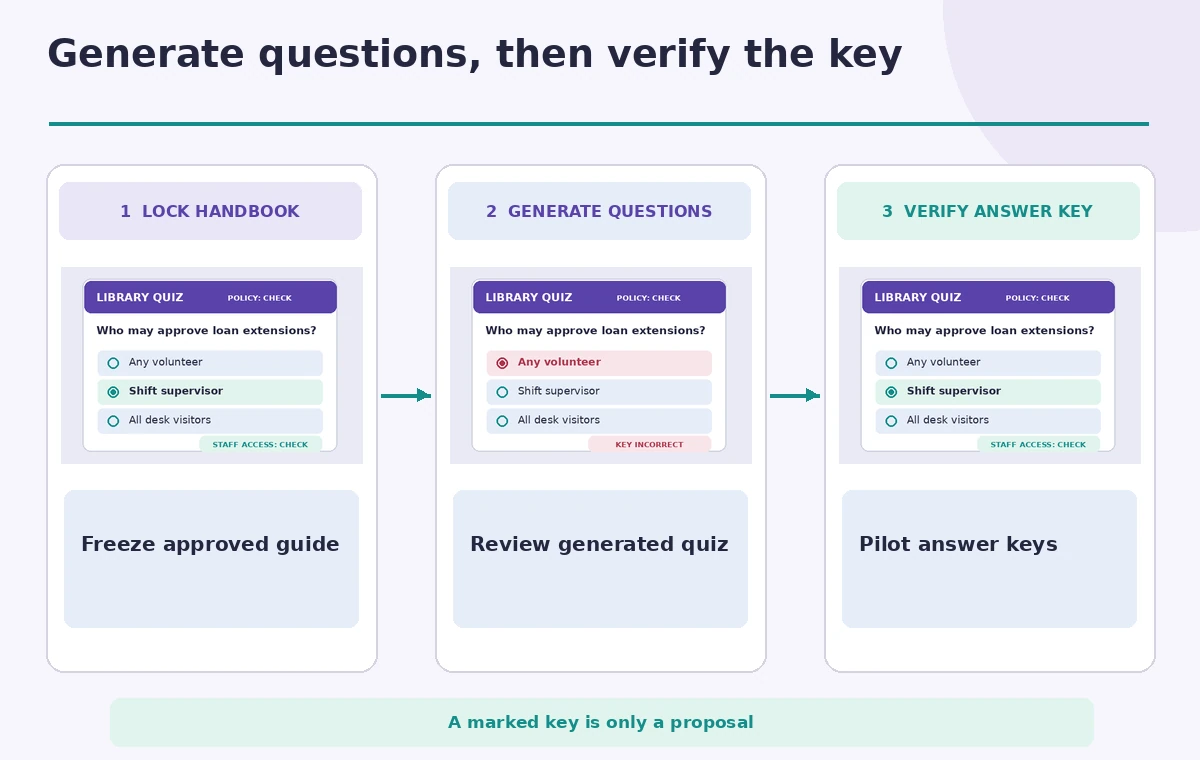
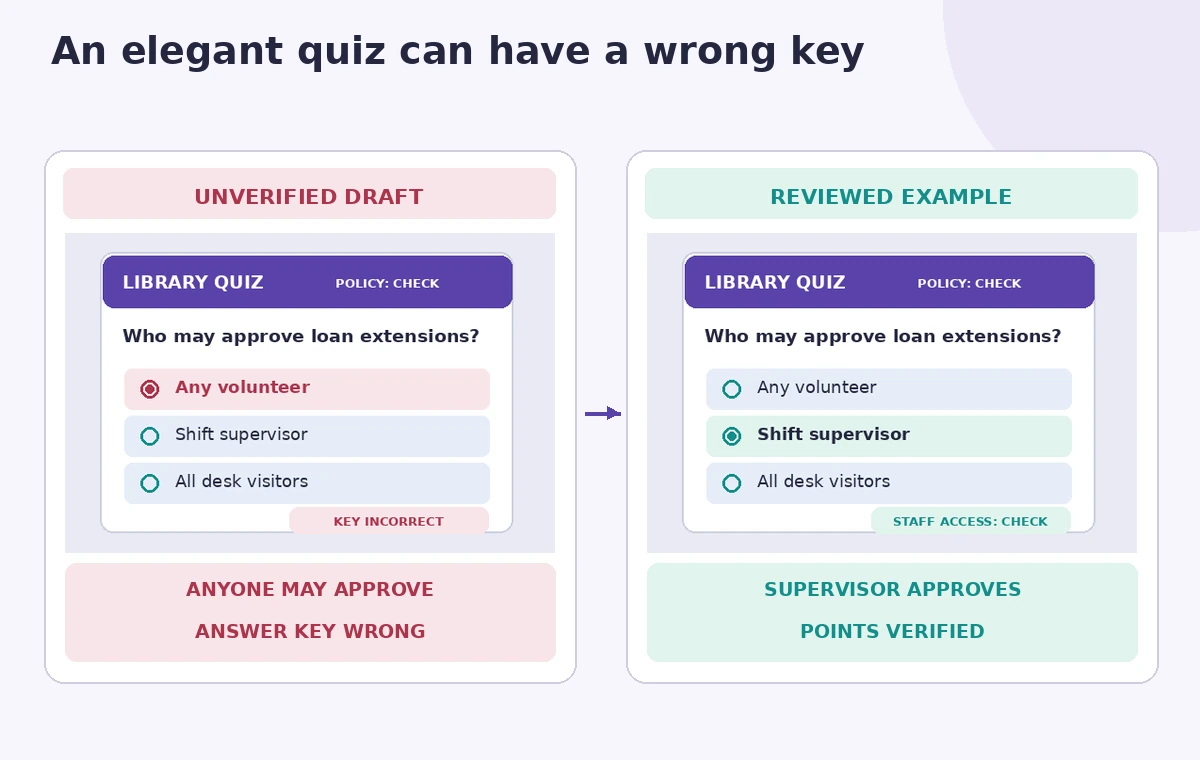
Before selecting Create quiz or sending a link, open the generated answer-key view and compare each marked option with the handbook. Google describes that reviewers can adjust questions, correct answers and point values. A generated quiz can place the wrong tick beside a plausible choice. Treat the green check as an editable proposal, not a statement from the library.
For example, the draft could select “any volunteer” as the person allowed to extend a loan, while the source says “shift supervisor only.” The comparison image separates the erroneous answer from the approved key and shows the source clause used for correction. No real learner answers or app screenshots are depicted.
Test ambiguity, accessibility and fairness
Have someone who did not write the quiz answer it using the official handbook. Are two choices equally reasonable? Is a “select all that apply” question accidentally scored as single choice? Does the question rely on color, jargon, or a tiny embedded image? A screen-reader user should be able to understand the prompt and choices without interpreting an unlabeled diagram.
Keep the language direct, avoid trick questions, and make feedback useful. Explain why “shift supervisor” is correct with a short handbook reference. Do not use a quiz to collect disability details or other unnecessary sensitive information from volunteers. A training exercise should collect the minimum response data needed for its purpose.
Keep quiz generation separate from live publication
Google describes a separate Publish step for a generated quiz, with controls for who can respond. Before clicking it, verify the audience, whether learners can see scores immediately, and whether wrong-answer feedback could disclose internal procedures. A draft generated in a workspace is not a public quiz merely because its questions look complete.
If the quiz points to an internal document, ensure that learners who need the explanation can actually access the approved handbook. Avoid sharing a private folder as a workaround. Have the training owner sign off the answer key and form settings before distribution.
Know the feature limits and recovery options
Google says Help me create does not currently support every form operation. It cannot simply update an existing form without replacing it in the documented generation flow; some multi-section and quiz-setting changes must be made manually. Recreating a draft may also replace the earlier generated version. Work on a new form copy so existing responses cannot be unintentionally disrupted.
If Gemini does not offer a usable draft, build the five questions manually. An ordinary Forms quiz still permits human-reviewed answer keys and point choices. The goal is correct onboarding, not proving that all form editing was AI-generated.
Run a pilot with no real trainee identities
Preview the completed quiz and take it once using a test account or generic sample answers. Confirm that every answer is scored as intended and that explanations show the same revision of the handbook used to build the quiz. Use fabricated names and avoid asking trainees to submit their addresses, phone numbers or personal histories.
If a question seems to reward guessing an arbitrary number, reword it or remove it. Learning should focus on an action the volunteer can take correctly, not memorizing a policy that might soon change. Log the review date and owner so the form can be updated when the handbook changes.
Check the final published version against the source
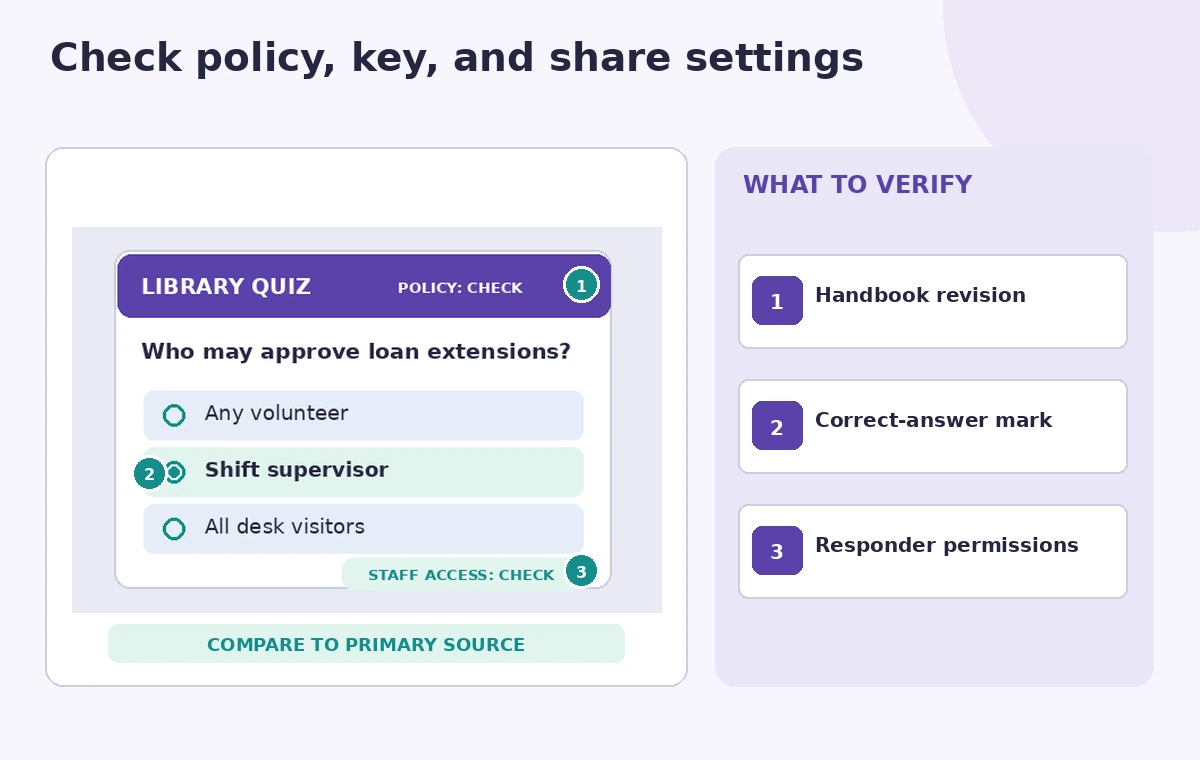
The final review points to the policy version, the marked answer key, and the responder-access settings. A reviewer should inspect all three in the actual form interface and compare the live preview with the signed source. If an emergency route or exception authority has changed since the source was approved, pause publication until the training owner resolves the conflict.
The proper outcome is a concise practice quiz with a traceable, human-approved answer key. The illustrations are hypothetical instructional art rather than results from a live Gemini generation session.
How We Research
For this article we reviewed named official product documentation: Google Docs Editors Help, Create a form with Gemini in Google Forms; Google Docs Editors Help, Create and mark quizzes with Google Forms. We checked the documented interface, eligibility, action limitations, model behavior, and available recovery options as of November 2026. The article uses a hypothetical editorial scenario with invented records and illustrative artwork rather than a real login, paid tool run, user dataset, listening test, performance benchmark, or measured image restoration. We did not verify access to any individual subscription. Our review method was to map each proposed result to a primary record, identify decisions requiring a qualified human, and avoid promising AI accuracy not demonstrated by the vendor documentation. Before applying this method in production, verify the current release, permissions, source integrity, and organization data-handling rules.
Frequently Asked Questions
Google documents quiz generation with proposed correct answers and assigned points, which still need human review.
The documented Help me create flow has limitations for editing existing forms; keep an original copy.
No. It requires an eligible Google Workspace or Google AI plan and rollout support.
A wrong answer key or confusing question can train volunteers to follow an incorrect rule.
Google documents a separate Publish action and responder permissions that must be checked.