
A community workshop needs a short RSVP: which session a person wants, whether an accessibility arrangement should be discussed privately, and how the organizer can confirm attendance if needed. A generated form can save typing, but it may ask for a home address, date of birth, or other information the organizer does not need. Google Forms now documents Help me create a form with Gemini for eligible plans. This hypothetical workflow uses that draft capability while putting data minimization, understandable questions, and the actual publication settings ahead of convenience.
Decide what the event genuinely needs to know
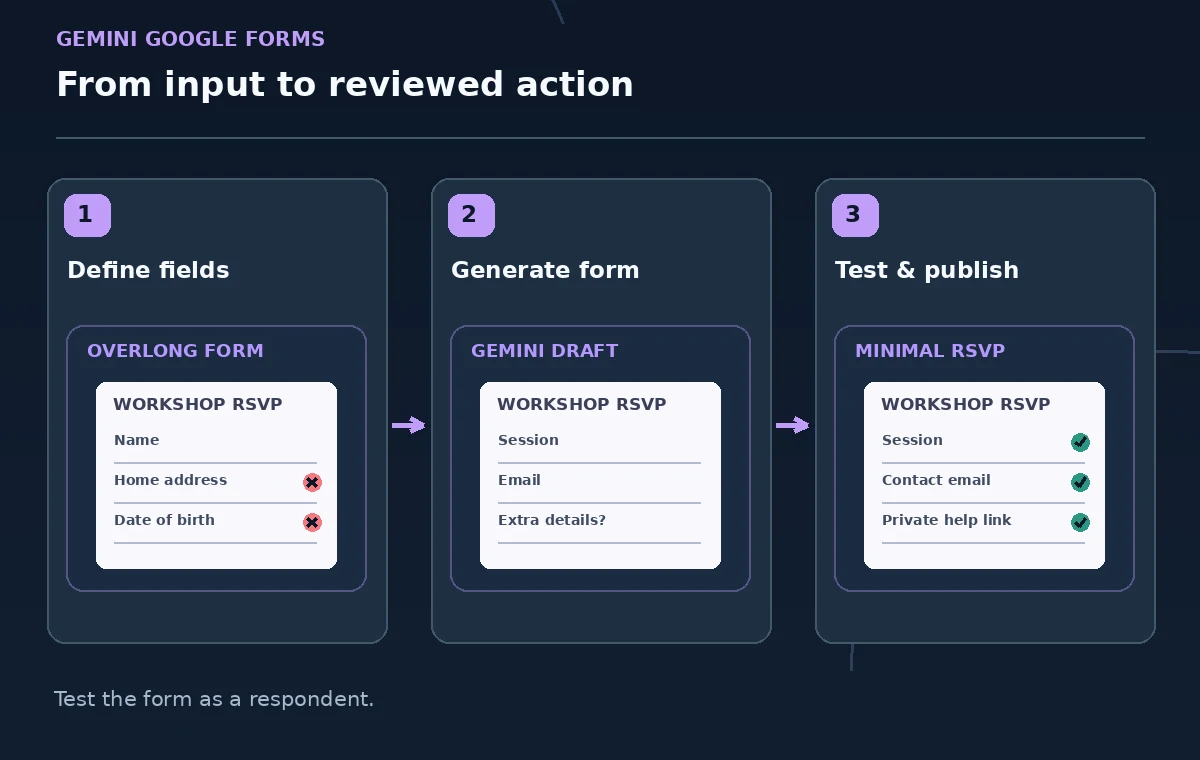
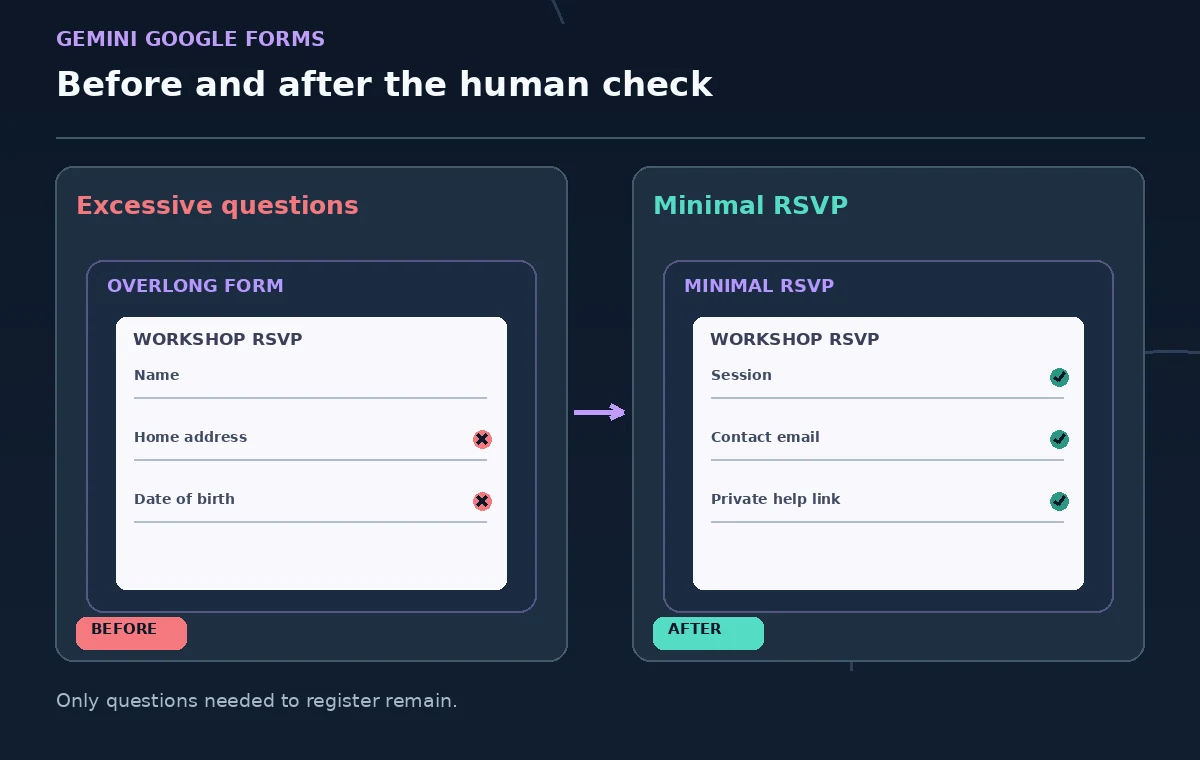
Write the purpose of each proposed field on paper before prompting Gemini. A session choice may be essential for capacity planning. A contact method may be justified when the organizer must send a change notice, but a full mailing address usually is not. If participants need accessibility arrangements, consider offering a separate private contact rather than inviting sensitive descriptions into a widely shared response sheet. Define the retention owner and who may view answers before creating the form. An AI-generated question is not automatically legally appropriate or respectful of respondent privacy.
Open a new form and find Help me create
Google’s current help page says eligible Google Workspace or Google AI subscriptions can use Help me create a form in Google Forms on desktop. In a new form, enter the prompt in the opening window or choose Help me create a form from the toolbar, and select Create to generate a draft. Google notes additional source selection from Drive, Chat, Gmail, and the web for certain experimental users; do not assume every account has Add sources. Some features may be rolling out, so use the ordinary form editor if the button is absent. The draft is a starting point, not a published registration page.
Prompt for a minimal, accessible RSVP
Describe the workshop, the capacity decision, and a short question set. A practical prompt might ask for “session choice, optional name, optional contact email for schedule changes, and a way to request help through a separate organizer contact; do not request addresses, birth dates, or medical details.” Specify plain English labels and a short explanation of how the information will be used. Generated text can still introduce irrelevant questions, so assess every field against the purpose. Do not tell the model to draft a legal privacy policy without supplying an approved one.
Review generated questions before creating the form
Inspect the preview and remove duplicates, unclear choices, and questions that imply everyone must have a Google account. Check whether the model uses the right dates and session titles, whether a multiple-choice question should allow a single answer, and whether optional fields are accidentally required. Verify that people can understand how to request an accommodation without disclosing personal conditions in a general response table. Google documents that Help me create does not handle every form capability, including some quiz and multi-section settings; manually configure any unsupported behavior in the editor.
Understand recreate behavior and protect approved edits
Google’s help page describes editing the prompt and using Recreate to generate another draft, but also warns that a recreated version cannot be reverted to the previous generated version. Save the approved wording separately if you are comparing alternatives. Do not use Help me create on a form that already contains live responses; the documented workflow is for new forms and is not a safe replacement for editing an existing form in place. Review the generated draft first, then choose Create form when satisfied. A later revision should use ordinary editing with explicit checks of its existing settings.
Configure email collection and access deliberately
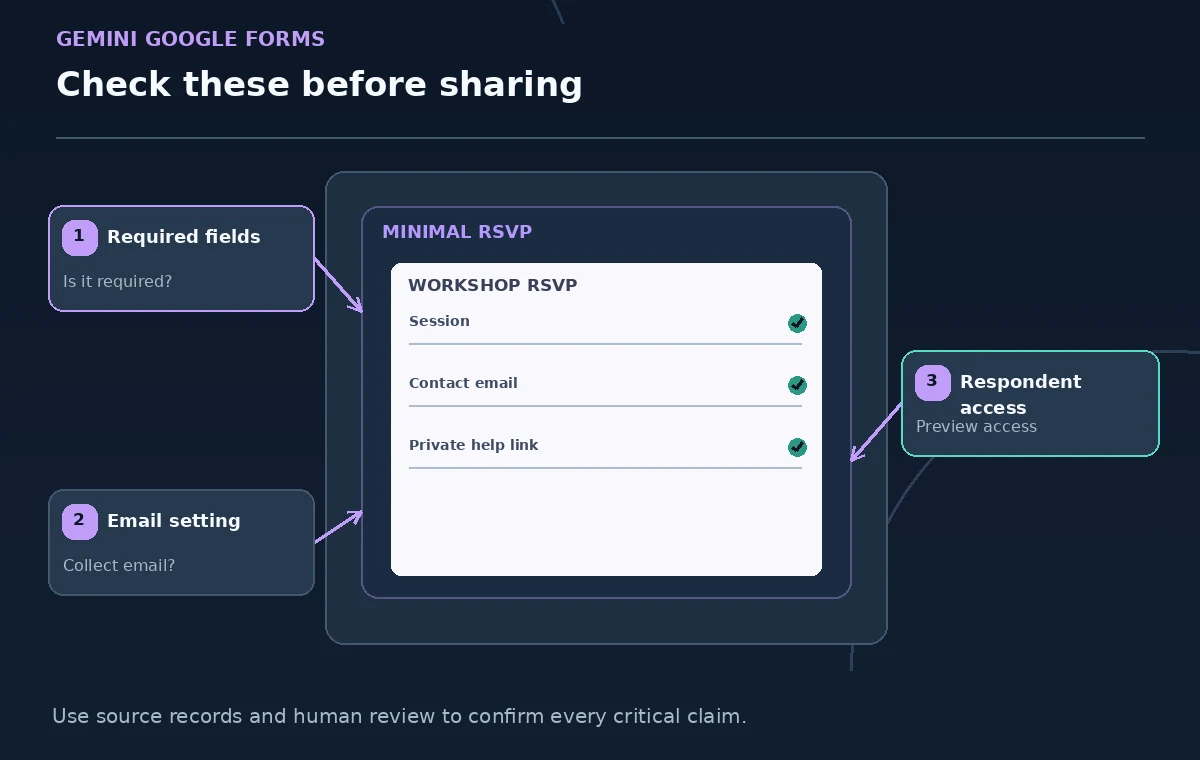
In Settings under Responses, decide whether email collection should be off, verified, or entered by the responder. Google states that enabling Limit to 1 response requires the respondent to sign into a Google Account, even though usernames are not automatically recorded unless email collection is enabled. That tradeoff may exclude people without accounts. Check organization-only restrictions as well as the respondent access choice. If anonymous attendance estimates are adequate, do not create an identity collection requirement by habit. Explain clearly who can access results and when the registration list will be deleted.
Preview the full experience for two different attendees
Use Preview and submit test entries with fabricated information. Check the flow for a desktop user and someone on a narrow mobile screen; read labels with keyboard navigation if possible. Test the optional email path, each available session, and what happens when a user changes their choice. Confirm that no response question accidentally becomes a public confirmation page. A form can be syntactically valid yet confusing when a generated title conflicts with the answer options. Ask someone unfamiliar with the event to say what they think the organizer is asking.
Publish and share only after reviewing permissions
Google Forms distinguishes an editable draft from a form that accepts responses. Before sending a link, inspect Settings, publish the form for the intended respondents, and confirm access as a non-editor. Do not share an editor URL or assume a colleague sees the same controls. Use a short, approved description of the event and a real organizer contact rather than displaying responses to other participants. If public attendance is restricted by venue policy, state that clearly without promising automatic acceptance. A submitted RSVP may still need a manual capacity confirmation.
Manage the response list and close collection cleanly
Monitor response counts and use only the fields needed to organize the session. Resolve duplicate entries and accessibility requests through the approved private process. Google’s response controls permit changing whether new responses are accepted; stop collection when the deadline or capacity policy requires it. Export only to authorized staff and avoid keeping old participant spreadsheets indefinitely. After the event, follow the organization’s retention schedule and document who removed unnecessary copies. The value of an AI-assisted form is shorter drafting time with better review, not permission to collect extra personal information.
How We Research
This guide was prepared by reading the named official documentation—Google Docs Editors Help, Create a form with Gemini in Google Forms and Google Docs Editors Help, Publish and share your form with responders and Google Docs Editors Help, View and manage form responses—and cross-checking the described feature, its workflow, platform or plan restrictions, and the point at which a person must review the result. The scenario, illustrations, example inputs, approvals, and sample outputs are hypothetical editorial teaching aids; we did not access a customer account, run a live product test, measure model accuracy, or verify an actual organizational policy. Screens, plan rules, and labels can change after this documentation review. Always confirm the currently available feature and the authoritative source documents before acting on any AI-generated wording.
Frequently Asked Questions
No. Google lists eligible Workspace or Google AI plans and some experimental access. Availability also depends on rollout and platform.
Google documents the feature for generating new forms and warns it does not support editing existing forms without replacing the form content. Use the standard editor for live forms.
Yes. Google says Limit to 1 response requires the respondent to sign in with a Google Account. Decide whether that is appropriate for your community.
Collect only what is operationally necessary. A separate private contact route may be better than a broad free-text field visible to multiple collaborators.
No. Review the resulting questions and settings, then publish and share it with the intended responders according to Google Forms’ current workflow.