
A preview address is not a deployment credential
A museum website repository maintains a staging preview URL, a collection-locale setting and a token for publishing releases. Someone places all three values in repository configuration variables to simplify workflows. That may make the YAML short, but it creates the wrong boundary: configuration variables are intended for nonsensitive settings, whereas tokens belong in GitHub Actions secrets or a short-lived external credential flow. A staging URL can usually be reviewed openly; a publishing token must not appear in ordinary build output or be available to an untrusted pull-request job. The goal is not to hide every variable. It is to decide which values can be inspected by contributors and which values must be protected by access controls, job permissions and deployment approval.
Distinguish the vars and secrets contexts
GitHub Actions exposes configuration variables through the vars context and encrypted secrets through the secrets context. The contexts have different intended sensitivity. Organization, repository and environment scopes can define configuration variables; environment-scoped values become available when the job declares and enters that environment. A missing vars value resolves to an empty string rather than an automatic failure, so a workflow must actively validate required settings. GitHub’s workflow contexts documentation explains that vars values can be used in expressions, while a secret should not be echoed or used as a casual debug label. Neither context by itself grants or revokes a job’s ability to deploy: workflow permissions, environment rules and external identity controls still apply.
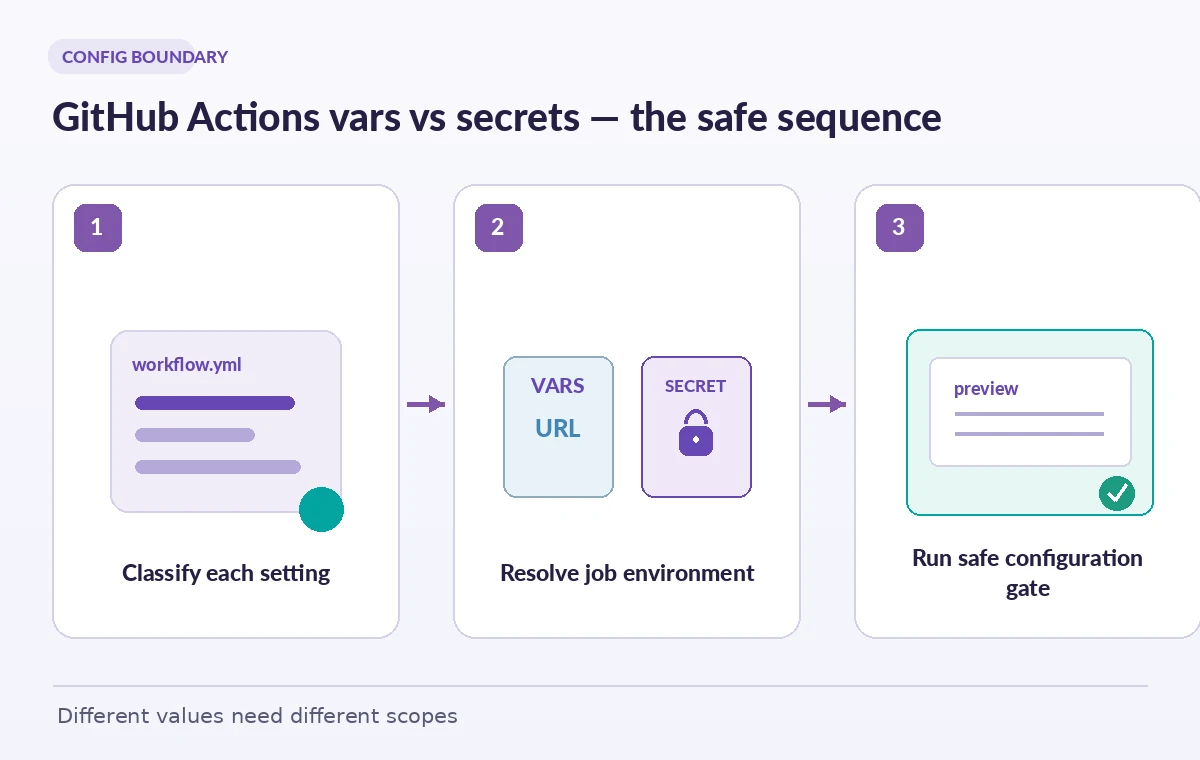
Inventory settings by consequence of disclosure
Create a small configuration register with columns for key, intended purpose, sensitivity, owner, scope and rotation expectations. Reasonable vars examples include PREVIEW_BASE_URL, EXHIBIT_LOCALE and a nonsecret feature toggle. Secret examples include an external publication API token or a private signing key. When a value is ambiguous, treat it as sensitive until the owner explains whether disclosure allows an action. Never infer safety from a variable’s friendly name, from the fact that a value is short, or from its apparent format. Avoid placing donor identifiers and unpublished rights notes in either store merely to make a job convenient. Those belong in an authorized source system that the job accesses only when required.
Resolve configuration at the job boundary
A museum may have preview, test and production environments with similar setting names but different domains and permissions. Put nonsensitive configuration at the narrowest scope that matches intended reuse. Explicitly select the job environment so that environment variables and environment-level protections can take effect as designed. Validate that the preview job has the expected environment name and URL before running any deployment action. A reviewer should be able to read the workflow and predict which variable scope will supply a value. Don’t assume environment-level configuration is present in an earlier unrelated job, or that copying a token into a shared matrix output is a harmless workaround. Scope is part of correctness, not just a settings UI detail.
Fail on an empty value instead of using a fallback host
Because a missing vars expression can evaluate to an empty string, a workflow may build links with an empty host or fall through to a production default. That can cause visitors to receive broken preview URLs or, worse, send a staging artifact to a production endpoint. Validate required configuration early with a safe script that checks presence and format without printing confidential values. Only allow a production destination in a job explicitly authorized for production deployment. For an illustrative fixture, use a preview URL such as https://preview.example.org and a synthetic locale; don’t paste a real deployment token into the test. Store a clear error message that names the missing variable, not the value it should contain.

Minimize what pull requests can reach
Contributions from forks and untrusted branches demand a cautious permission boundary. A preview build that validates Markdown or displays static HTML should not need production publication credentials. Keep the sensitive step in an appropriately protected job or separate workflow and follow the relevant GitHub event restrictions. Do not assume secret masking protects every path by which a value can leave a process; secrets can be mishandled by scripts, third-party actions or artifact uploads. Use read-only checkout and least-privilege tokens where possible, and consider OIDC for short-lived cloud authorization. The distinction between vars and secrets is one layer in a wider supply-chain design, not a replacement for code review.
Test value precedence without exposing the values
Use synthetic environment settings and run a small CI fixture in staging. Confirm the job receives the intended preview URL, recognizes a deliberately missing mandatory variable, and cannot reach deployment steps when validation fails. Examine a pull request from a low-privilege context and confirm it does not gain access to private production credentials. Record only whether each named setting is present and whether its format passed; do not emit secret strings, their hashes or encoded variants in logs. For a sensitive secret, verify access by the smallest permitted operation against a test resource rather than printing it. A visually green job should reflect actual permission checks and configuration validation, not the fact that a shell script returned zero accidentally.
Avoid moving secrets through artifacts or job outputs
A common shortcut is to place a resolved environment file into an uploaded artifact so downstream jobs can reuse it. If that file contains tokens, it may be accessible beyond the intended process and subject to different retention controls. Instead, each privileged job should retrieve its own authorized secret at execution time. Treat generated configuration files, test screenshots and debug traces as potential leak paths. GitHub’s masking commands can help reduce accidental log exposure, but masking is not a license to copy credentials into vars. The comparison illustration shows an unsafe plain configuration value, a separated var and secret, and a validation checkpoint that does not display the secret’s content. These are example states, not screenshots of real repository settings.

Make release approval separate from configuration
Before allowing a public museum preview or release, verify the target domain, build commit, required tests, environment scope and reviewer approval. Keep a human-readable checklist of authorized deployments so an innocuous variable change cannot silently redirect production publishing. If a deployment credential is suspected to have been stored in vars, revoke or rotate it and inspect usage rather than merely moving the same exposed value into secrets. Revisit the inventory whenever a new third-party action, environment or artifact is added. The durable rule is simple: nonsecret configuration can be visible and validated; credentials are restricted, short-lived where possible and not required for ordinary preview builds.
How We Research
For this guide, we consulted the original provider documentation: GitHub Actions contexts reference; GitHub variables documentation; GitHub encrypted secrets documentation. We compared GitHub Actions contexts and configuration-variable documentation with its official secret-management instructions, focusing on scope, missing-value behavior and job environment selection. We did not inspect any private repository or handle deployment credentials. All preview URLs and credential shapes in the diagrams are generic illustrations; teams should test their own permission boundary without printing sensitive values. We verified the terminology as documented rather than inventing product tests or production measurements. Recheck the effective API, organization policy and workflow settings before deploying this design.
Frequently Asked Questions
No. Use vars for configuration that can be exposed without granting unauthorized access, and use secrets or an external identity provider for credentials.
The vars context reference evaluates an unset configuration variable as an empty string. Add explicit validation for mandatory values.
It should not. Keep preview jobs least-privileged and place production credentials behind appropriately protected jobs and environments.
No. The relevant job must declare the environment before environment-scoped configuration is available in that context.
No. Artifacts and job outputs can leak sensitive values. Each privileged job should retrieve only the credentials it needs without distributing them as build outputs.