
When a successful query omits the room you needed
A museum’s public archive search spans accession notes, room inventories and conservation histories. During a transient search-service problem, a request may return results while some index partitions cannot contribute. A staff member might wrongly conclude that no record of a loan restriction exists because the restricted record did not appear in the shortlist. Azure AI Search offers minimumCoverage, a request parameter expressing the fraction of the index that must be covered before the query is treated as successful. Lowering it can improve availability in some failure conditions, but the trade-off is explicit: the result set may represent less than the full index. This distinction matters when search is used for rights review, collection reconciliation or safety-related guidance.
Know the documented threshold and response field
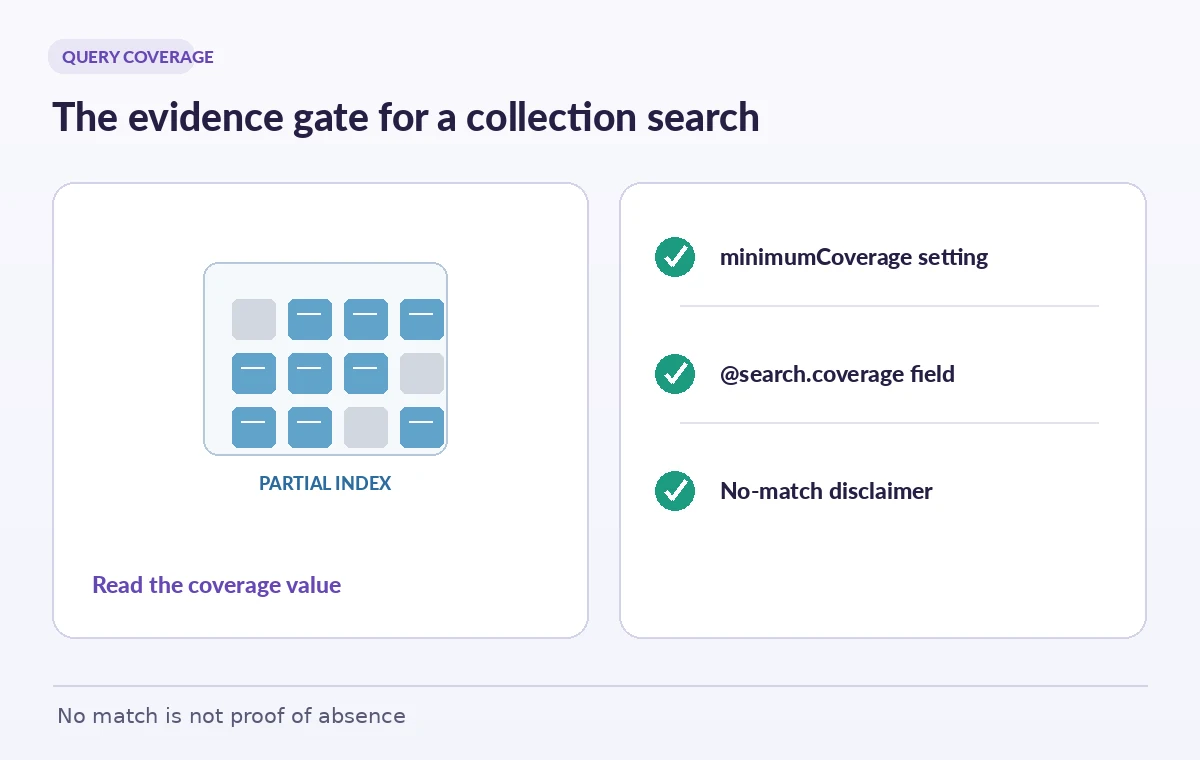
The Azure Search Documents REST API describes minimumCoverage as a number between zero and 100. For ordinary document search its default is 100. When minimumCoverage is specified, the response can expose @search.coverage as the percentage of the index included in the query; when it is not specified, that metadata may be null. This percentage describes index coverage, not the fraction of relevant documents retrieved and not the confidence that each returned answer is correct. Also avoid copying defaults from suggest or autocomplete endpoints: their documented threshold defaults differ from ordinary search. Use the contract for the actual operation and selected API version, and preserve the request settings with the response metadata.
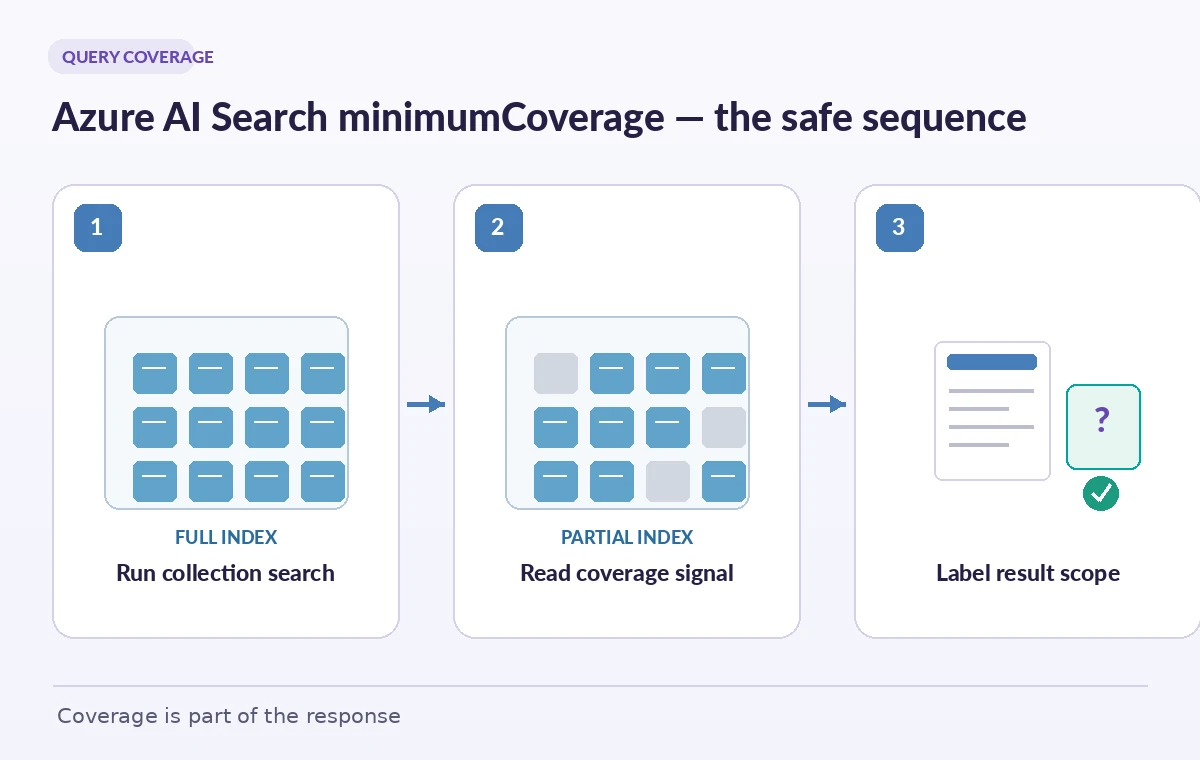
Design two distinct service modes
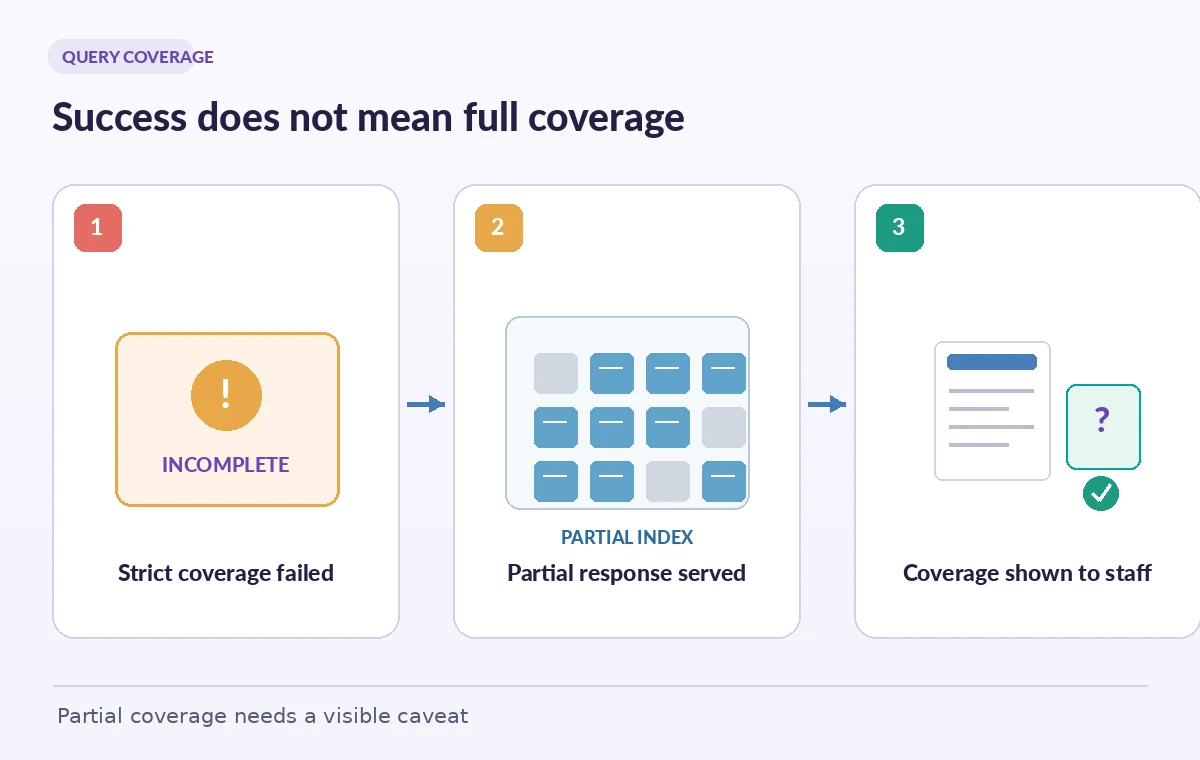
An interactive visitor catalogue may prefer to show some noncritical results rather than an error screen when part of the index is unavailable. A curatorial rights workflow may require full coverage before making a publication decision. Set separate policies for these modes. In a hypothetical visitor screen, a configured threshold below 100 could allow a partial response, accompanied by a visible notice that the search is incomplete. In the rights review, keep the strict threshold and stop an automated approval until the search recovers or the primary rights database is consulted. A single globally relaxed query policy is tempting operationally but can make an incomplete search look authoritative in exactly the wrong business process.
Do not confuse coverage with recall
Even a query that reaches every available index partition can miss a relevant document due to analysis choices, filters, indexing lag, typographical differences or ranking. Conversely, partial index coverage may still return the specific record a user needs. Therefore @search.coverage is one useful completeness signal among several, not a proof that all relevant facts were found. Distinguish an index-inclusion metric from recall measured against a known evaluation set. For a collection database, record both the catalogue’s authoritative object count and the search index’s ingestion health. An absence of results should mean only that the query returned no matches under its present scope; it should never silently mean that the museum has no associated restriction or artifact.
Show the partial state instead of a neutral empty list
A sensible interface includes a scope indicator next to the result count whenever a relaxed coverage threshold is used. If the returned coverage is below the review policy, label the search as incomplete and block actions such as declaring an item unrestricted, deleting a suspected duplicate or approving an external loan. Provide a link to re-run the query and a route to a staff-owned source-of-truth system. Avoid turning the coverage percentage into an arbitrary traffic-light confidence badge. The illustrated side-by-side panel shows a strict query failing, a partial response returning some records and an editor review acknowledging the missing partitions; it does not claim to reproduce a live Azure outage.
Preserve filters and authorization while changing availability
Reducing minimumCoverage should not be a reason to weaken document-level authorization or remove a mandatory collection filter. Review server-side permissions, index fields marked filterable and the query’s explicit OData filters separately from coverage handling. A user who lacks access to a restricted object should not receive it merely because the service tries harder to provide partial availability. The reverse problem is also possible: a restrictive filter plus incomplete coverage can make the response appear empty even though authorized matches exist elsewhere. Log the filter expression safely, avoiding personal search terms where possible, and give the operator a concise explanation of which conditions affected the result. Keep source identifiers on each returned record.
Compare degraded behavior using controlled fixtures
Build a sanitized test index containing deliberately distinct records: a loan license, a location permit and a conservation exception. Prepare queries that should find each item, as well as a negative query that should find none. A production outage is neither necessary nor safe to invent for documentation; test availability behavior in a supported staging environment and inspect API responses that actually occur. Capture request ID, selected minimumCoverage, reported @search.coverage, returned keys and error status. If you cannot recreate partial coverage reliably, mark that test as unverified rather than manufacturing 75% coverage screenshots. Evaluate ranking and ingestion health separately so you do not attribute every missing result to shard availability.
Set escalation rules for no-match and low coverage
When a staff member searches for a rights exception and sees no matching document, require a second check in the primary collections database, particularly if the query reported incomplete coverage. A low-coverage response should trigger a separate operational alert with the affected index and time, not a silent automatic re-query loop that buries the incident. For visitor browsing, allow graceful degradation only where the displayed text makes it clear that results may be missing. For legal, financial or safety-sensitive review, prefer a closed decision path and a human escalation. Store only minimal search telemetry: query type, index version, coverage and reviewer action, with personal queries protected from general dashboards.
Close the issue with source and index evidence
Before a decision is released, capture the reviewed object identifier, authoritative record version, query settings and coverage status. Check whether an indexer, source connector or schema deployment happened around the incident. If a result list was incomplete, re-run it after service health recovers and reconcile differences instead of simply replacing the old screenshot. Treat search availability and catalog accuracy as two separately owned quality measures. The operational win is not to force every search to succeed at any threshold. It is to know when partial answers are acceptable for browsing and when the absence of a record is too consequential to trust.
How We Research
For this guide, we consulted the original provider documentation: Azure Search Documents REST API; Azure Search Documents GET API. We compared Microsoft Search Documents POST and GET REST contracts, distinguishing ordinary document-search defaults from suggestion endpoints and verifying the conditions under which @search.coverage is populated. We did not simulate shard failures or measure a live search service. The illustrated incomplete index is a teaching model; a rights team needs its own authoritative record cross-check. We verified the terminology as documented rather than inventing product tests or production measurements. Recheck the effective API, organization policy and workflow settings before deploying this design.
Frequently Asked Questions
The Azure Search Documents API documents a default of 100 for ordinary document search. Check the endpoint because suggestion and autocomplete defaults can differ.
No. It represents index coverage of the query, not retrieval recall, relevance quality or a percentage of matching documents.
Not necessarily. The API documents null coverage metadata when minimumCoverage was not specified; inspect your actual response and API version.
Not on that query alone. Use the authoritative rights database and a staff review, especially where a missing record could change publication permission.
No. It does not rule out stale indexing, an incorrect filter or a relevant document absent from the index. Test ingestion and recall separately.