
A museum needs a second-language version of its visitor-orientation slides. The original Gamma deck has gallery numbers, opening hours, and a short accessible-route instruction. Gamma can translate slides with AI, but a grammatically smooth output is not the same as a reliable wayfinding guide. The editor must protect numbers and proper names while keeping the approved original intact. This is a hypothetical publishing workflow, not an actual Gamma translation test.
Freeze the authoritative visitor facts
Collect the visitor-services source sheet before opening the AI editor. Record gallery numbers, floor names, opening times, temporary closures, and the text used on physical signs. Assign one owner to each category of fact so conflicting copies can be resolved without guessing. If the source deck contains an old schedule, correct the source first instead of translating known errors.
Make a protected-terms table with one row per item: English label, approved target-language form, whether it may be translated, and where it appears in the slides. Gallery 4 may keep its number while the word ‘Gallery’ changes language. A brand or artwork title may have an established translation. Guessing at either can send visitors to the wrong room.
Choose whether to translate in place or into a copy
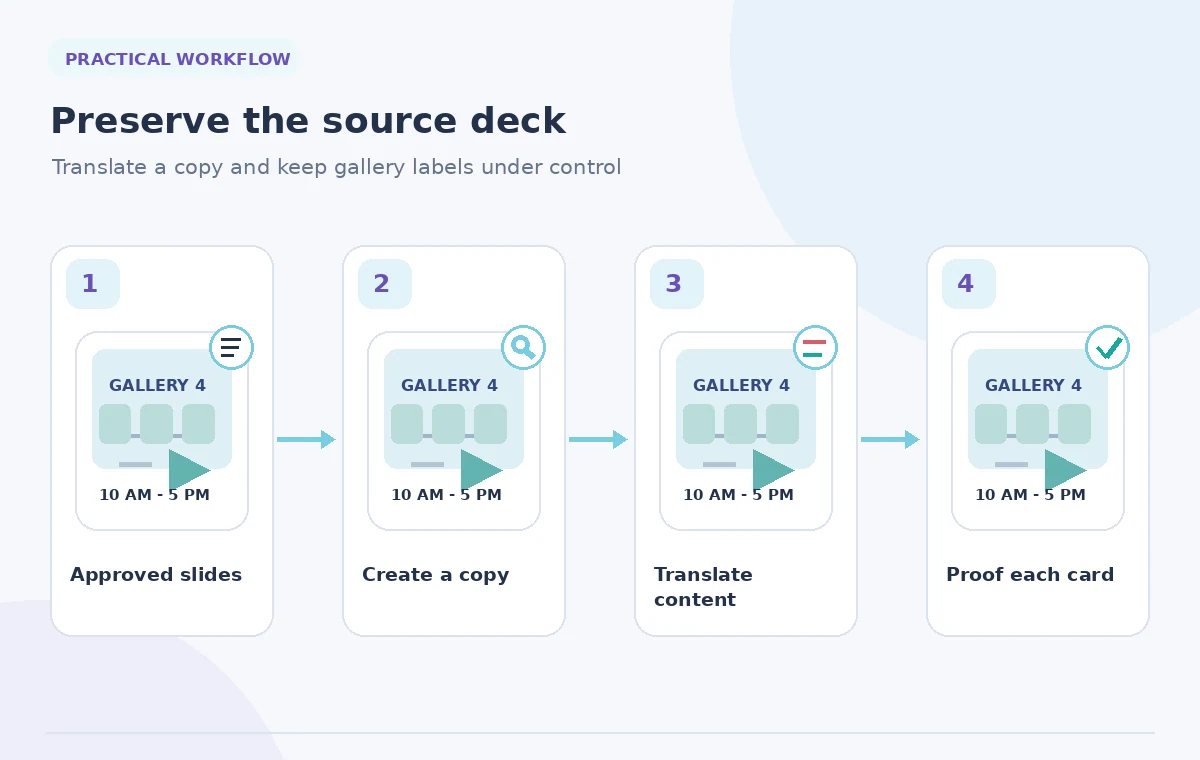
Gamma’s current support article explains that translating an open gamma in the editor modifies that gamma directly. It also describes creating a new translated copy from the agent home page by attaching an existing gamma and selecting Translate. Because an organization usually needs to preserve both languages, establish version naming and choose the copy route when appropriate.
If you work in place, duplicate the source first by an approved method so that an AI revision cannot become the only surviving version. Gamma notes that whole-document translations performed in the editor use AI credits; creating a new gamma also follows the plan’s generation limits. Do not promise a particular number of cards without checking the account and whether all material lives in editable text fields.
Translate with a controlled request
The help article describes Edit with Agent for a single slide and an agent-chat request such as ‘Translate all slides into [desired language]’ for the deck. Use the current interface and specify the target language clearly. Add the protected-term table to the editorial brief rather than assuming the assistant will know the museum’s bilingual naming conventions.
Keep a glossary beside the draft for staff review. Ask the translator to preserve room numerals, times, artwork inventory identifiers, and URLs exactly; then verify that instruction independently. A prompt is a request, not a lock on the output. Be especially alert to changes in 12-hour time notation or punctuation that could make an opening time ambiguous to local visitors.
Proof layout, not only translated words
Longer translations may wrap to extra lines or compress a label that was designed for an English heading. Inspect every card in presentation and mobile view. A map label placed over a route arrow can become useless even if the words are accurate. Keep critical directions separate from decorative photos so readers do not have to infer the route from layout alone.
Compare the translated deck side by side with the original. Confirm slide count, section order, emphasis on access notes, and consistency between map legend and gallery label. Where the target language changes reading direction or punctuation norms, arrange a qualified reviewer to adjust the layout; AI translation is not a full accessibility audit.
Review numerals and conditional instructions
A gallery number is a literal locator, not a sentence to paraphrase. For each slide containing a number, check the counterpart in the approved source. A hypothetical mistaken ‘Gallery 6’ instead of ‘Gallery 4’ would invalidate an otherwise polished orientation. Do the same for ticket times, floor levels, and the words ‘except’ or ‘only’ on temporary access instructions.
For the accessible route, distinguish a confirmed step-free entrance from a path that is merely shorter. Do not turn ‘ask staff for current elevator access’ into ‘elevator always available.’ If an exception is hard to translate succinctly, allow more space or add an approved explanatory line. Never trade accuracy for fewer lines on a slide.

Check editable text and image-embedded labels
Gamma’s help notes that content must be in editable text fields for translation. Examine diagrams, screenshots, and photos containing English text because those words may remain unchanged. A visitor-facing deck can then become inconsistently bilingual: the headline is translated while a map sign still gives directions in another language.
Replace or annotate image-embedded labels using an approved visual source, and check that the resulting graphic remains legible at presentation size. Update the slide’s alternative text or accompanying accessible transcript when the deck supports it. If the original photograph contains real signage, do not alter it deceptively; add an editorial caption instead.
Build a Reviewable AI Workflow
Keep a two-language review log
Have a target-language reviewer verify every claim against the authorized facts and the original deck. They should not be asked merely whether the grammar sounds natural. Give them a checklist of names, room numbers, hours, route warnings, and reading order. Ask them to identify omissions and added implications as well as awkward translation choices.
Store the source version, translated copy, glossary, reviewer comments, and export date together. If a closing time changes next month, update all approved language versions from one fact sheet. That small governance step is more reliable than rerunning AI translation from a previously translated presentation with unknown edits.
Publish only after a navigation test
Simulate a visitor’s route with the translated deck: entrance, orientation point, gallery number, access option, and departure. Each instruction should lead to the same physical place as the source-language deck. Check projected slide readability from the back of the room and on a phone. If the organization cannot verify a translated emergency or access instruction, do not release that portion.
The comparative artwork shows invented good and bad examples to illustrate an editorial review. It does not portray real Gamma screenshots or verified translation outputs. The release threshold is the museum’s bilingual approval, not a successful AI generation notification.

How We Research
We checked the official product materials for the named feature, including Gamma: Translate a Gamma Document; Gamma Help Center. We compared the documented entry points, scope, availability limits, and changeable interface behavior with the risks in this specific use case. The article uses hypothetical source records and original instructional drawings; we did not run this scenario in a live account, claim measured performance, or receive real-world permissions. Product features and plan entitlements may change after review. Our proposed checks are editorial controls, not vendor guarantees, and release decisions must be made by the authorized humans who own the content.
Frequently Asked Questions
Not if you translate in place. Gamma says an in-editor translation modifies the open gamma; create or preserve a separate source version first.
Gamma documents an agent-chat request to translate all slides in the editor, subject to AI-credit availability and current interface behavior.
The help page says translation works on editable text. Words embedded in images may require a separately approved graphic or caption.
No. Compare all numbers, labels, times, and conditions against an authoritative fact sheet before distributing the translated slides.
A qualified language reviewer plus museum visitor-services staff who can confirm that the directions and access claims are current.