
A fictional food pantry already has an approved seven-slide community update. Two line items—120 boxes received from local businesses and 80 collected at a neighborhood drive—should be shown in one additional slide, with a total of 200. The organizer wants to preserve the rest of the deck. Gamma Agent can add or edit slides through a chat-based workflow, but a fluent chart caption does not verify arithmetic. This guide shows how to request one targeted change, test that the approved numbers were kept, and prepare an accessible presentation. All figures and visuals here are fictional, not generated from a live Gamma account.
Freeze the source data before asking for a slide
Create a short approved source table that lists category, count, period, unit and approver. In this illustration, 120 and 80 are boxes received, not people served, dollars raised, or inventory currently in storage. The sum is 200 boxes. Decide whether any categories overlap and what date range the total covers. If they do overlap, a simple sum would be misleading. Record the source document revision and an owner who can answer questions. Save a copy of the existing deck before editing; the AI should help with presentation layout rather than create a new accounting interpretation.
Check the current Gamma editor model
Gamma’s current help explains slides as fixed 16:9 canvases with grid and freeform layouts. It also describes edits through Agent and direct manual editing. Older instructions that refer only to cards or a former top-right Agent button may not match the newest interface. In the current experience, open the existing gamma and locate the Agent editing mode or chat; if the file is an older gamma, the placement can differ. Verify that you are editing the intended document, not a duplicate draft in another workspace. Do not assume a visual template automatically inherits the organization’s latest reporting format.

Ask Agent to add exactly one slide
Describe the insertion point and content boundaries: ‘Add one slide after the activity overview showing two approved donation categories: Local Business 120 boxes and Community Drive 80 boxes; total 200 boxes; use only these figures.’ Gamma documents that Agent can add a slide and show what it changed. Avoid ambiguous prompts such as ‘make the fundraising numbers look bigger’ or ‘improve the impact.’ If the tool adds more than one slide, inspect the difference and undo unintended edits. Keep a record of the prompt and the precise source numbers, so the reviewer can distinguish generated layout decisions from authenticated data.
Preserve the old slides while editing
The official help says Agent changes can target a slide or element, while direct manual edits remain possible. After generating, compare the deck’s slide count, title order and key numbers to the saved baseline. Confirm that the prior seven slides retain their headings and citations. Gamma documents an Undo action for each Agent request, but do not depend on Undo as the only recovery strategy; keep the versioned source deck. If a change alters a different slide, restore it deliberately rather than asking the model to infer what the old layout looked like. A report can be visually improved yet factually degraded.
Check arithmetic and category labels
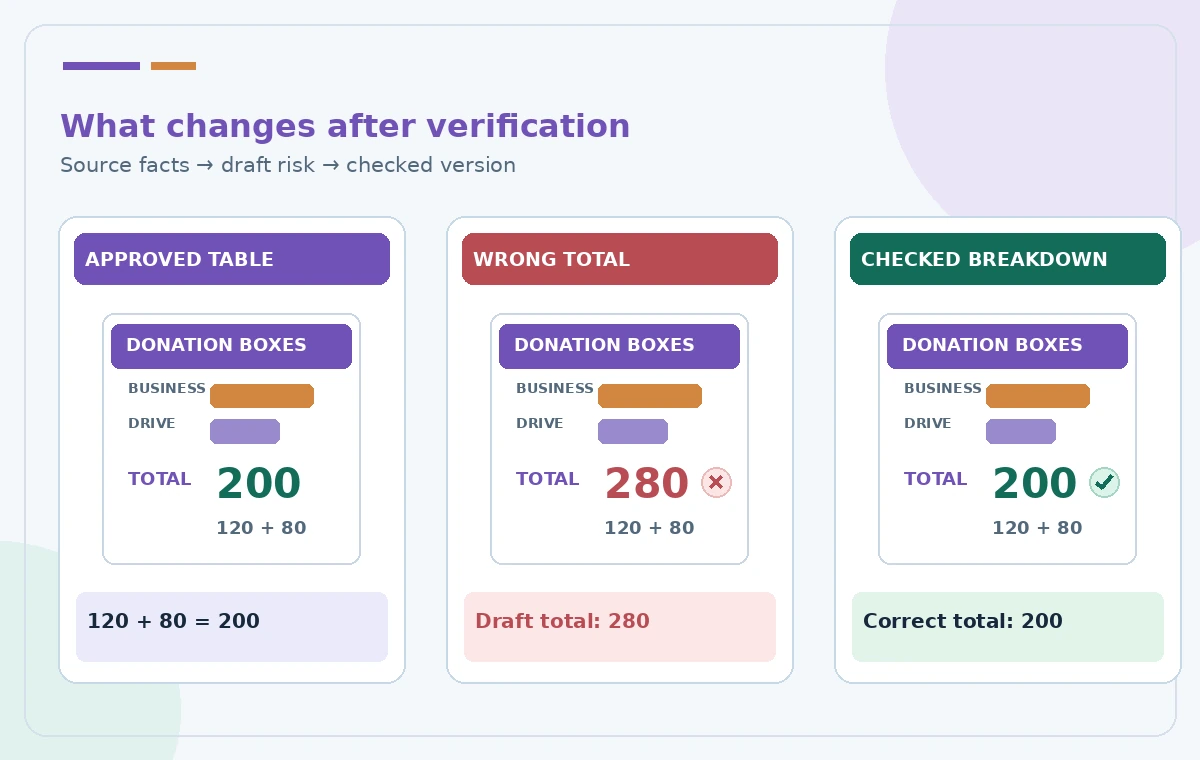
The conceptual comparison includes a fabricated incorrect total of 280 despite source figures of 120 and 80. It illustrates an error a human must catch, not a test result from Gamma. Recalculate 120 + 80 independently to obtain 200 and confirm that the categories use the same counting unit and period. Look for double-counting, dropped categories, swapped labels and unjustified percentage claims. If showing percentages, calculate the share from the approved denominator rather than allowing the chart to infer it. Explanatory wording should state what ‘received’ means; do not quietly change it to ‘distributed’ or ‘served.’
Build a slide that survives projection
Prefer one large visual comparison and a plainly labeled total. Avoid tiny chart labels, decorative piles of boxes that imply measured quantities, and color-only differentiation. Provide readable text alternatives where the final sharing format supports them. Confirm the layout on a projector or at a comparable viewing distance, not only on a laptop. If a value is highlighted by a bar, include a numeric label so the viewer does not have to estimate its length. Keep the organization’s approved logo and contact details outside data areas. A clean slide should make verification easier, not hide the source behind ornament.
Use manual editing for the final corrections
Switch from Agent mode to the pencil or ordinary editing mode when a small number, label or alignment needs manual correction. Gamma’s documentation emphasizes that human edits remain editable and that Agent is optional. This is often safer for a single mislabeled unit than generating the entire slide again. Review the resulting slide after any automatic layout change, because text may be rearranged in ways that affect reading order or captions. If a new image shows boxes or volunteers, treat it as decorative unless it came from licensed, authenticated event photography. Do not represent it as documentary evidence of donations.
Test export and sharing boundaries
Export or share the deck using the format intended for the event, then inspect the output rather than relying on the editor preview. Text can wrap differently or graphics can shift, especially if recipients open a PDF or another presentation format. Ensure that a shared link exposes only the approved deck, not private working notes. If the data table includes names or supplier information, publish only the aggregated figures needed for the audience. Label the covered reporting period and, when appropriate, the source report revision. Avoid suggesting that Agent’s slide count limits or credit costs are fixed across all plans; check current workspace terms.
Sign off using a simple two-person proof
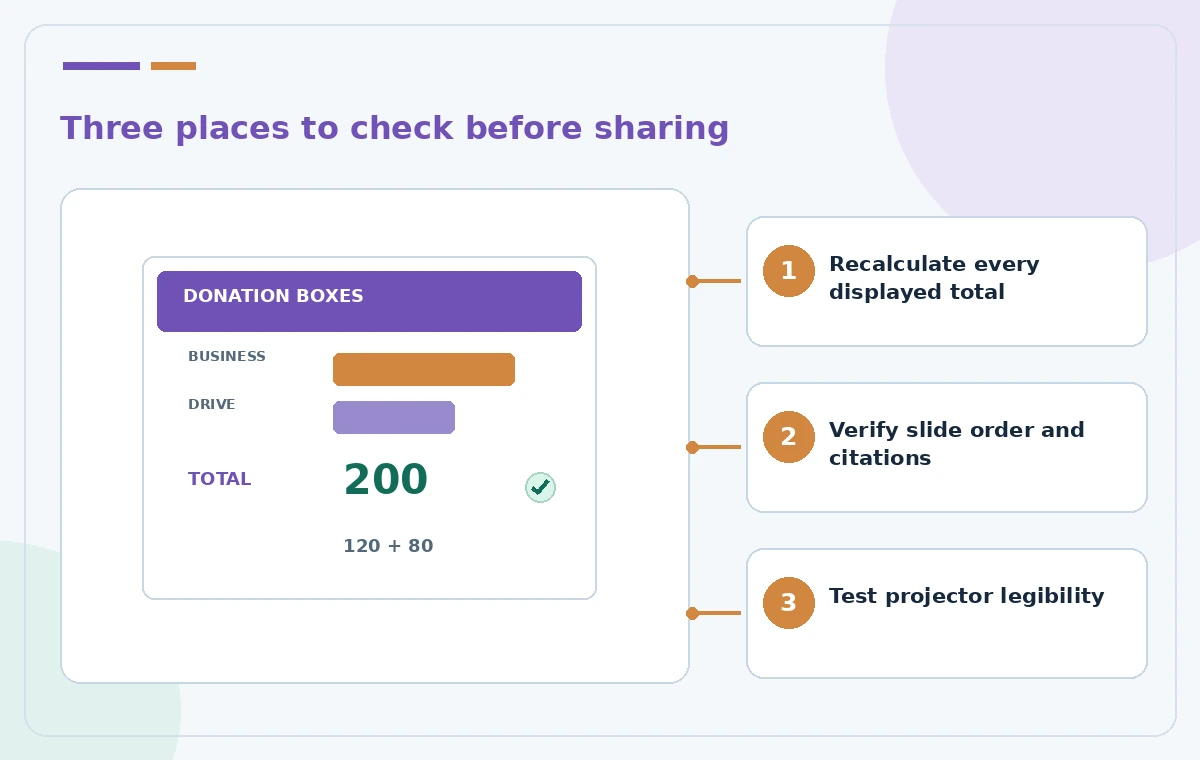
One reviewer should read aloud the approved table while another checks each number and caption on the final slide. Confirm the total, the two categories, slide order, source line and accessible reading order. Record the export filename and approval date in the project handoff so a future presenter cannot pick an unreviewed draft. If source figures change, update the report first and deliberately revise the slide rather than assuming Agent tracks the change. This fictional example contains no real donations, Gamma screenshots, tests or measured output. Its purpose is to make a tightly scoped AI edit auditable.
How We Research
We reviewed these named official developer resources: Gamma Help — What are slides in Gamma and how do they work?; Gamma Help — Where do I start when adding content in Gamma?; Gamma Help — How do I edit my content with AI?. We checked the documented feature entry points, eligible platforms, administrator or licensing controls, and known sharing or source limitations against the tutorial steps. Editorial examples were designed as hypothetical failure-mode checks, not reports of hands-on testing. We did not have a live account, source files from a museum or nonprofit, user interviews, access to private records, or measured model outputs. Every illustration is original explanatory artwork rather than a vendor screenshot or measured before/after result. Features and entitlements can change. A responsible editor should confirm current product documentation, applicable organizational policy, and the original evidence before putting the workflow into consequential use.
Frequently Asked Questions
Yes. Gamma documents asking Agent to add a slide at a specified position in an existing gamma.
Gamma describes targeted edits, but you should still compare the full deck against its saved baseline.
Yes. The current editor provides manual slide editing alongside the Agent workflow.
Do not assume so. Recalculate totals and check units, period and source independently.
Current Gamma help describes slides on a fixed 16:9 canvas with grid and freeform editing; older experiences may differ.