
Treat the public result as an explicit interface
An archive search index can contain fields used by curators that are inappropriate for the public catalog: internal condition notes, precise storage locations, or review flags. A visitor-facing page only needs the object title, public description, identifier, and approved image link. Azure AI Search supports a select parameter that tells the query which retrievable fields to include in its result. This is a useful response-shaping tool, but it is not a substitute for deciding which users may query which documents. Start with a written public-result contract and a separate permission model. If a field is sensitive, ask why it belongs in a publicly accessible index before relying on an application query to hide it.
Understand retrievable fields and the default response
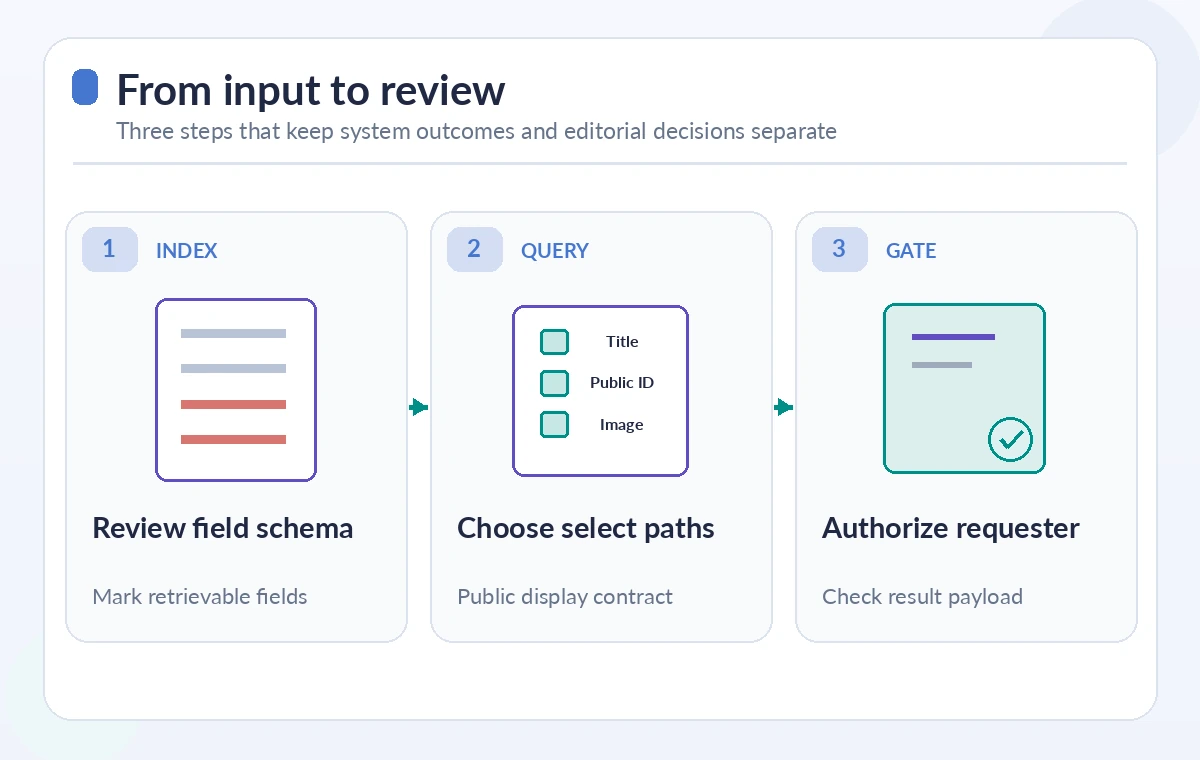
Microsoft’s documentation explains that select can list field paths separated by commas, or a star for all retrievable fields. If select is omitted, the search response includes fields marked retrievable in the index schema. This distinction matters when a development endpoint returns unexpected metadata after a schema migration. The developer might have intended to show only titles, but an unqualified query can return every field permitted by the schema’s retrievable setting. Review the index definition and the actual response object during testing. The fact that a field is not displayed in the user interface does not mean it was absent from the network response or unavailable to another client.
Choose nested paths rather than broad complex fields
The OData select syntax supports paths such as Address/City for subfields of a complex value. Microsoft’s reference warns that selecting a complex field without naming subfields can return all retrievable children beneath it. For an artifact record with a nested provenance object, selecting the entire object might expose an internal acquisition note even if the page renders only the public source label. Specify the exact subfields required for each screen, then inspect the returned JSON with test data that includes both public and private values. Keep a regression fixture showing the intended field list so future schema additions do not silently broaden the response contract.
Separate searchable, filterable, and retrievable behavior
Index field capabilities are not interchangeable. Searchable fields contribute to text matching; filterable fields can support structured filtering; retrievable fields may appear in query results. A field may influence ranking or filtering without being returned as part of the response. Conversely, marking a field retrievable does not guarantee that the application is authorized to reveal it to every requester. Review the complete schema permissions and application API before designing an index for multiple audiences. If a public search and an internal curator tool need fundamentally different data, consider different access scopes or indexes and enforce document-level authorization through the supported security design.
Test broad, narrow, and authorized result states
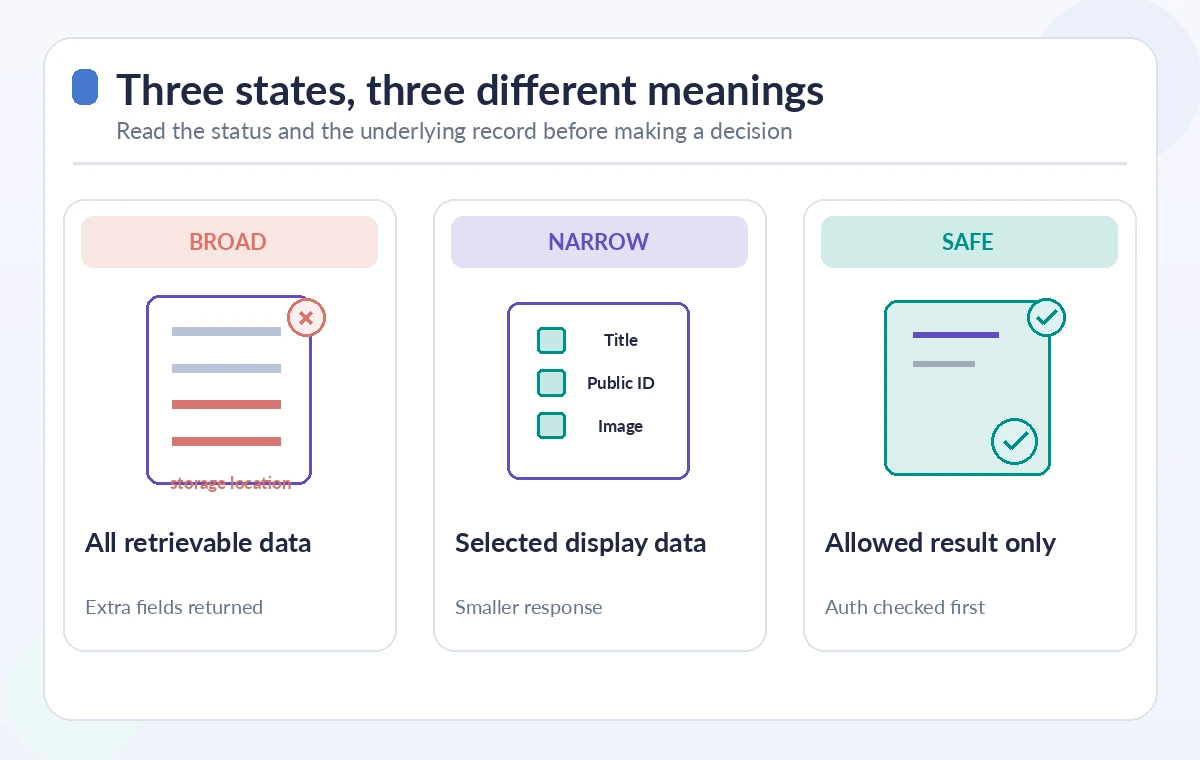
A conceptual comparison should start with a broad query that returns more fields than the public interface needs. Next show a select list that returns only approved display fields. Finally show a separate authorization check that decides whether the requester is entitled to see the document at all. These are three distinct operations: payload projection, response presentation, and access control. A narrow payload may still be a security problem if the query can retrieve records that should not be visible. Do not label a sample response “secure” simply because a donor name is missing from the chosen fields. Use explicit access tests and document-scoped policies where required.
Protect restricted records before search projection
A museum might have collection objects with restricted provenance or undisclosed storage locations. Ensure an unauthenticated user cannot retrieve restricted documents through another endpoint, a different select parameter, or a wildcard request. Application permissions and API-key scopes must prevent callers from broadening the query beyond authorized limits. If the system delegates search requests directly to browsers, assess the risks of client-visible credentials and server-side filter bypasses. Avoid assuming that a front-end component is a reliable permission boundary. The safer design checks the user’s role and allowable document set before or as part of retrieval, then uses select only to shape the resulting authorized data.
Audit response sizes without inventing savings
A narrower field list can reduce the payload sent to the client, especially when records contain long text or nested metadata. That does not establish a particular latency improvement, dollar saving, or data-protection certification. Instrument a test environment to compare response sizes for a controlled fixture and record the API version and query configuration. If two queries differ in filters, semantic ranking, or result count, their timing is not a fair comparison of select alone. Focus first on clear field contracts and privacy review, then measure performance only with real observations. Avoid promising that returning fewer fields will repair an underlying indexing or relevance problem.
Create release checks for schema drift
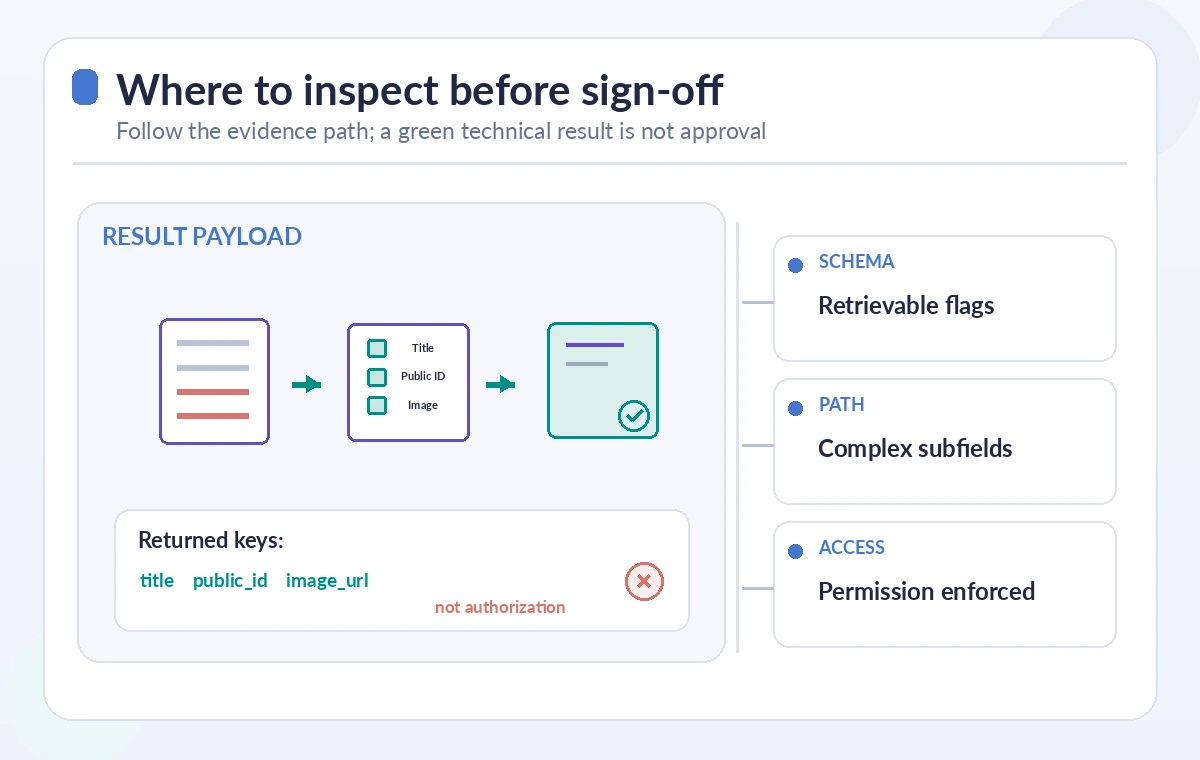
A migration can add a new retrievable property to a complex object while leaving the public code unchanged. If that code selects the parent property, the new child may now be returned. Create a test that checks the exact returned keys for a public visitor and an authorized staff member. Test requests using select star, omitted select, and an explicit field list, under the permissions each user actually has. Confirm that restricted documents do not appear even when the client alters its query. Save representative sanitized payloads in a controlled QA environment and compare them at deployment time. A screenshot showing fewer fields is not a substitute for these network and permission tests.
Deploy a minimal public catalog response
Start with approved display fields and a minimal retrieval endpoint. Verify the index schema, exact select paths, query credentials, and document-access policy. Use synthetic artifact records with clearly labeled restricted notes so a reviewer can spot an accidental exposure. Have a curator check factual descriptions and rights, and a security reviewer verify that bypassing the front end does not reveal restricted data. This is a design and test procedure based on Microsoft documentation; it is not a claim of a live security penetration test. Recheck the REST API version and field attribute documentation before implementation, because service versions and permission options may change.
How We Research
We reviewed the following named first-party technical references for the documented behavior and constraints: Microsoft Azure AI Search OData select reference, Microsoft Azure AI Search full-text query guide, Microsoft Azure Search Documents REST reference. The article connects these documented mechanisms to a hypothetical museum or nonprofit workflow. We did not execute a live production service, inspect private customer accounts, measure API performance, verify a real archive or run an institutional penetration test. Diagrams show instructional states, not real screenshots or observed measurements. Before using this process, confirm current API and SDK versions, availability, pricing, data handling and identity permissions; reproduce the failure cases in an authorized staging environment and obtain human editorial or security approval.
Frequently Asked Questions
It limits which retrievable fields appear in the search response, using a star or a comma-separated list of field paths.
No. It shapes returned fields; document-level authorization and credential restrictions must be enforced separately.
The response can contain all fields marked retrievable in the index schema, subject to the request and service behavior.
Yes. Selecting a parent complex field can include all of its retrievable child fields; explicitly name the needed paths.
Not necessarily. A smaller response may help transfer cost or client handling, but performance must be measured for the actual workload.