
Define what needs protection in a kiosk build
A museum kiosk build pipeline may create a temporary token for a synthetic integration test. Although the token may be short-lived, exposing it in a public workflow log could still grant unintended access during its valid lifetime. GitHub Actions offers a workflow command called add-mask that registers values for log redaction. Start by classifying tokens, identifiers, and nonsecret test data separately; never mask every string indiscriminately or you may make failures hard to diagnose. Prefer test credentials generated in a confined environment with limited scope and short lifetime. A masking command is one defense layer, not permission to feed production visitor records into a pull request workflow.
Register the value before any output
GitHub’s workflow command syntax is ::add-mask::{value}. The documentation stresses that a value must be registered before it is printed in build logs or passed through another workflow command. A common mistake is to generate a token, echo it for debugging, and only then register the mask. That first occurrence may already be visible. Have the generating step capture the value without writing it to standard output, then register the mask at the earliest safe point. If the tool itself logs the token when creating it, masking afterward will not retroactively remove the exposure. Design test commands to avoid printing secrets at their source.
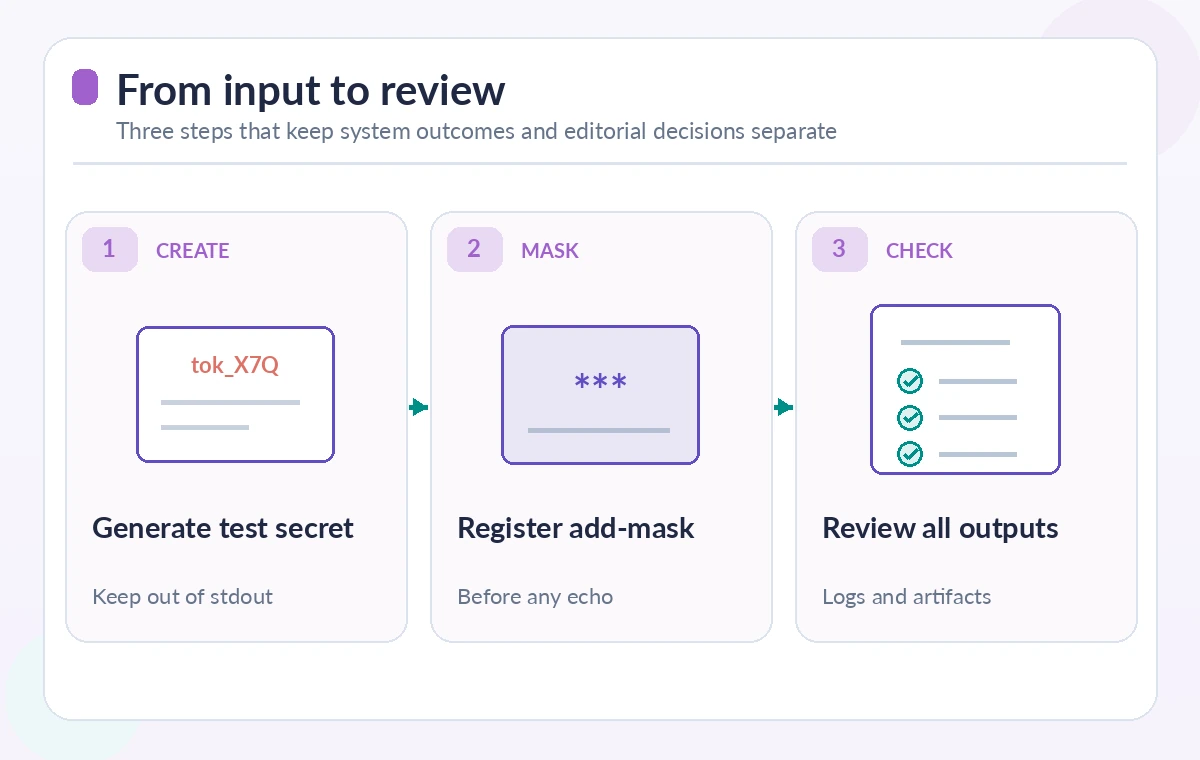
Know what a masked value looks like
Once registered, matching values in the runner’s log are redacted, commonly displayed as asterisks. GitHub describes special handling when a masked value contains whitespace, so test the intended token representation rather than assuming every transformation, encoding, or substring is automatically covered. A token that appears in base64 form, inside a URL, or in an attached JSON file may require additional safeguards; add-mask is not a general-purpose data-loss-prevention product. Avoid examples that contain actual credentials. Use synthetic strings in training images and tests. When verifying a masking setup, inspect the raw logs permitted to authorized reviewers and check that no earlier unmasked occurrence is present.
Handle job outputs and secrets cautiously
GitHub’s documentation notes that masked values are treated as secrets by the runner and that a masked value cannot simply be set as an ordinary output in the same way as nonsecret data. Do not work around this by printing it in a special marker or writing it into a build summary. If a later job needs credentials, obtain them directly through a controlled secret store or authorized identity flow. Limit who can call the workflow and which pull request events may access secrets. A job output should carry nonsecret status such as “test-auth-complete,” not a bearer token. This also makes it easier to compare tests without leaking the underlying credential into the release log.
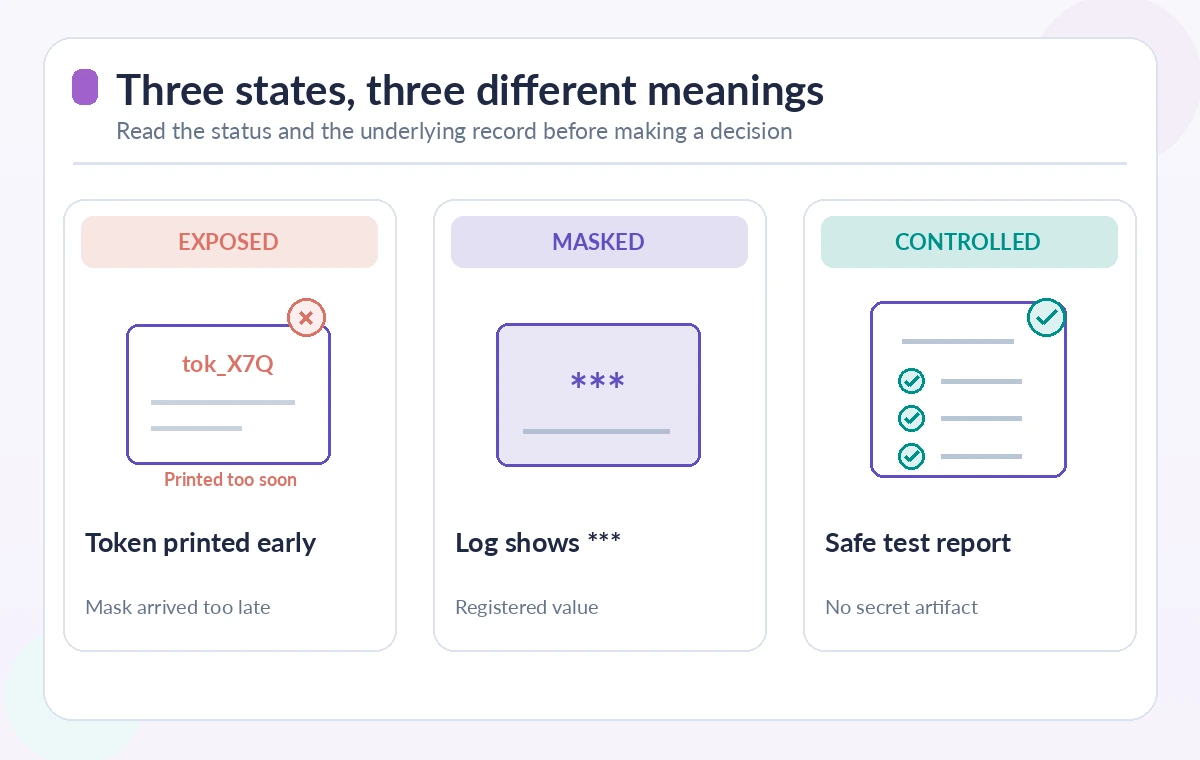
Contrast the exposed, masked, and safe states
A clear conceptual comparison shows a token printed before registration, the same synthetic token redacted after add-mask, and a final test report that never contains the token at all. The first state is an incident requiring rotation and log access review; the second demonstrates a protection mechanism for a particular string; the third is the preferred design for routine reporting. These are examples, not screenshots of a live GitHub run. The redacted appearance does not prove that the token was absent from artifacts, package files, caches, telemetry, or third-party services used by the workflow. Each output channel needs separate consideration.
Inspect artifacts, caches, and generated files
Integration tests often produce screenshots, HTTP traces, test reports and zipped debug bundles. A token can leak in a captured request header even if stdout was perfectly masked. Configure test frameworks to redact authorization headers at their own logging layer, and inspect sample artifacts before making upload steps automatic. Keep artifacts private and retain them only as long as the approved QA process requires. Avoid uploading environment dumps or full runner workspaces. A secret check should include the artifact list, log output, job summary, any cache archives, and the repository diff. Masking a string in one channel does not remove copies already written elsewhere.
Use least privilege for the workflow itself
Reduce the damage if a test token escapes by restricting its scope and lifetime. Give the GitHub job only the repository permissions it needs, and use a separate protected job for deployment. Do not give an untrusted pull request workflow access to production kiosk endpoints or organization-wide credentials. If a temporary test account can perform a destructive action, redesign the test with read-only or sandbox permissions. Store secrets using the provider’s supported mechanism and audit access. A successful add-mask command is not an authorization boundary: it merely changes how certain values appear in logs. Review runner trust and third-party action usage as part of the same threat model.
Respond if a value was printed before masking
If a token appears in logs before registration, treat it as exposed even if later lines show asterisks. Revoke or rotate the credential as appropriate, inspect who could access the log or artifacts, and assess whether related accounts were affected. Do not assume deleting a workflow log is enough to invalidate a credential or remove all copies. Preserve incident evidence according to policy and redact sensitive details from the incident ticket. Update the build to mask earlier or avoid generating a printable token at all. A regression test should deliberately search a synthetic run’s outputs for an unmasked example to catch accidental logging paths before production releases.
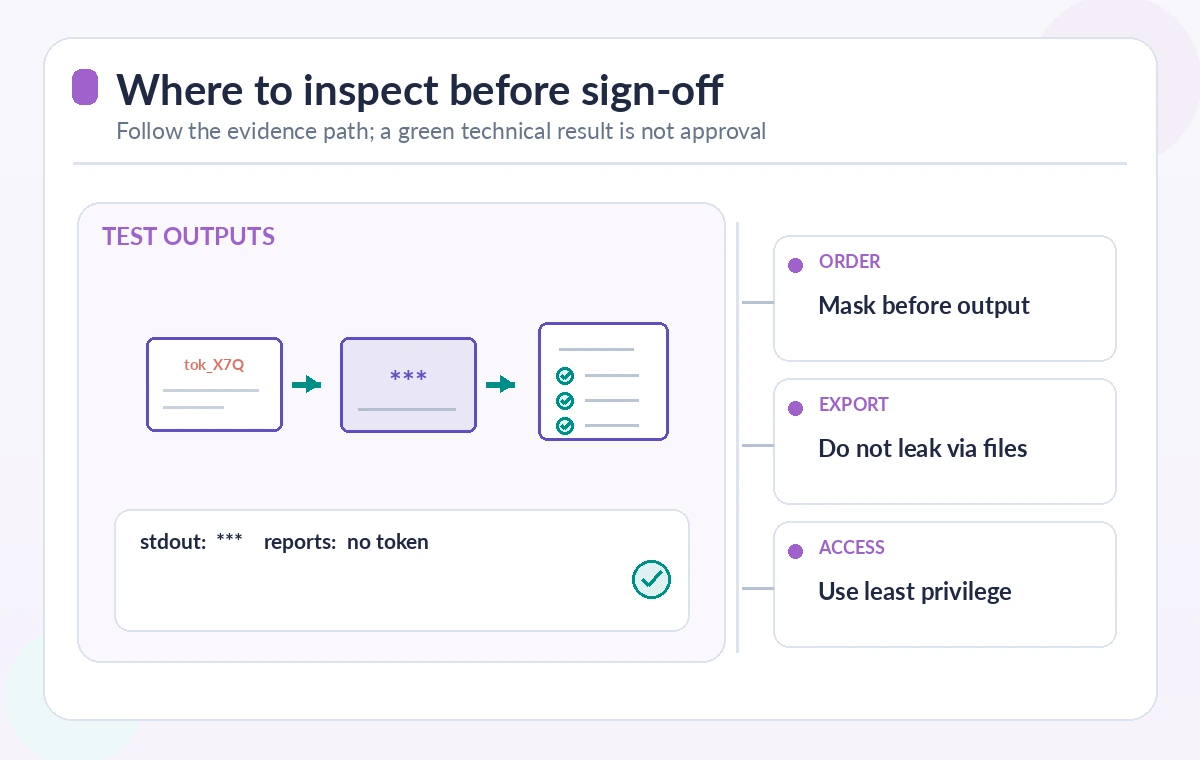
Rehearse a safe test-report handoff
In a nonproduction repository, use synthetic values to exercise token generation, immediate masking, a deliberately failed test, and artifact inspection. Compare the displayed job log, generated report contents, output variables, and uploaded files. Confirm that failure reporting still contains useful error categories but no credentials. Record the action versions and workflow permissions, and require review of any new debug command that could reveal environment variables. This is an instructional QA plan, not a claim that LabFin executed a production GitHub workflow. Consult the current GitHub workflow-command, secret, and security-hardening documentation before deployment, and have a security reviewer approve the final configuration.
How We Research
We reviewed the following named first-party technical references for the documented behavior and constraints: GitHub Actions workflow commands reference, GitHub Actions secrets reference, GitHub Actions security hardening guide. The article connects these documented mechanisms to a hypothetical museum or nonprofit workflow. We did not execute a live production service, inspect private customer accounts, measure API performance, verify a real archive or run an institutional penetration test. Diagrams show instructional states, not real screenshots or observed measurements. Before using this process, confirm current API and SDK versions, availability, pricing, data handling and identity permissions; reproduce the failure cases in an authorized staging environment and obtain human editorial or security approval.
Frequently Asked Questions
It registers a value so GitHub Actions masks matching text in runner logs after registration.
No. Registration does not retroactively remove earlier log entries; treat such a value as exposed and rotate it if necessary.
No. Files, screenshots, traces, caches and reports need separate secret-handling controls.
GitHub treats masked values as secrets; use a supported secret store or secure identity flow instead of bypassing that protection.
No. Least-privilege credentials, runner trust, dependency review, artifact inspection and incident response remain essential.