
A Search Result Can Reveal More Than a Visitor Should See
A museum catalog contains public object descriptions, staff-only conservation records and donor-restricted files. A visitor requests pottery records for a particular exhibition, and the application must restrict the index results to collection IDs the visitor is allowed to explore. Azure AI Search offers the OData `search.in` function to compare a field with a supplied list of values without writing an enormous chain of `or` comparisons. That can simplify filtering, including security-trimming patterns, but the list must come from a trusted permission system. An application that lets visitors supply their own ‘allowed IDs’ has not enforced access control merely because the query contains a filter. The museum, data and search results in this guide are fictional illustrations.
Understand the search.in Expression Precisely
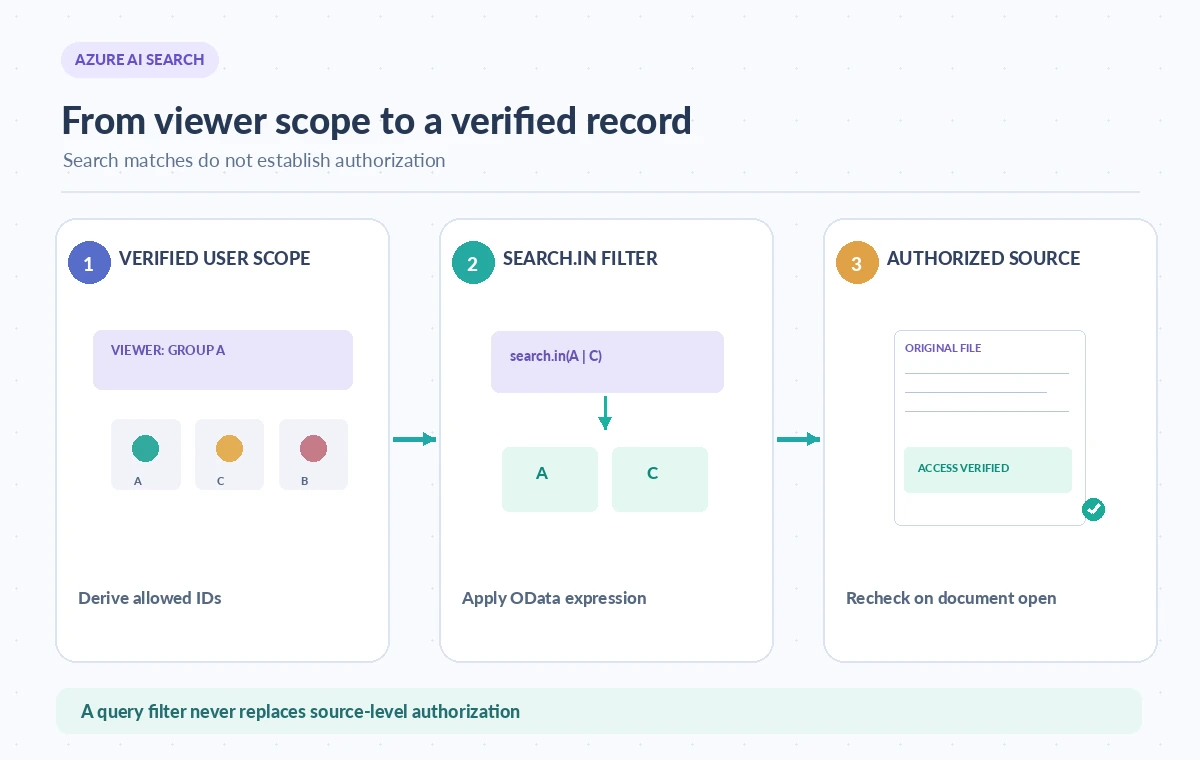
Microsoft’s reference defines `search.in(variable, valueList)` and a variant with a delimiter string. The first argument is a string-valued field or a string range variable in a collection filter. The second is one delimited string containing the allowed values. With the default delimiters, spaces and commas separate items. If collection identifiers themselves contain those characters, select another delimiter such as a vertical bar and provide it as the third argument. Comparison is case-sensitive, matching `eq` behavior for string equality. Azure AI Search does not support the similarly named OData 4.01 `in` operator as a substitute. Syntax details matter because malformed values can exclude valid records or create an unexpectedly broad query.
Index the Scope Fields That the Workflow Really Needs
For an example catalog, make approved collection IDs consistently named and represented as filterable fields. A record may have one collection ID or a collection of permitted group identifiers; the latter needs an appropriate `any` lambda expression, as shown in Microsoft’s security-trimming examples. Decide which scope applies to the actual user, not just the URL they visited. Remove legacy IDs and expired permissions in the source system before relying on the index. Also record the revision of a catalog entry; an accessible collection may contain older guidance that should not be presented as the current instruction. A filter limits candidates but does not assess whether a document is true, timely, complete or safe to display.
Build Filter Values Only From Trusted Authorization
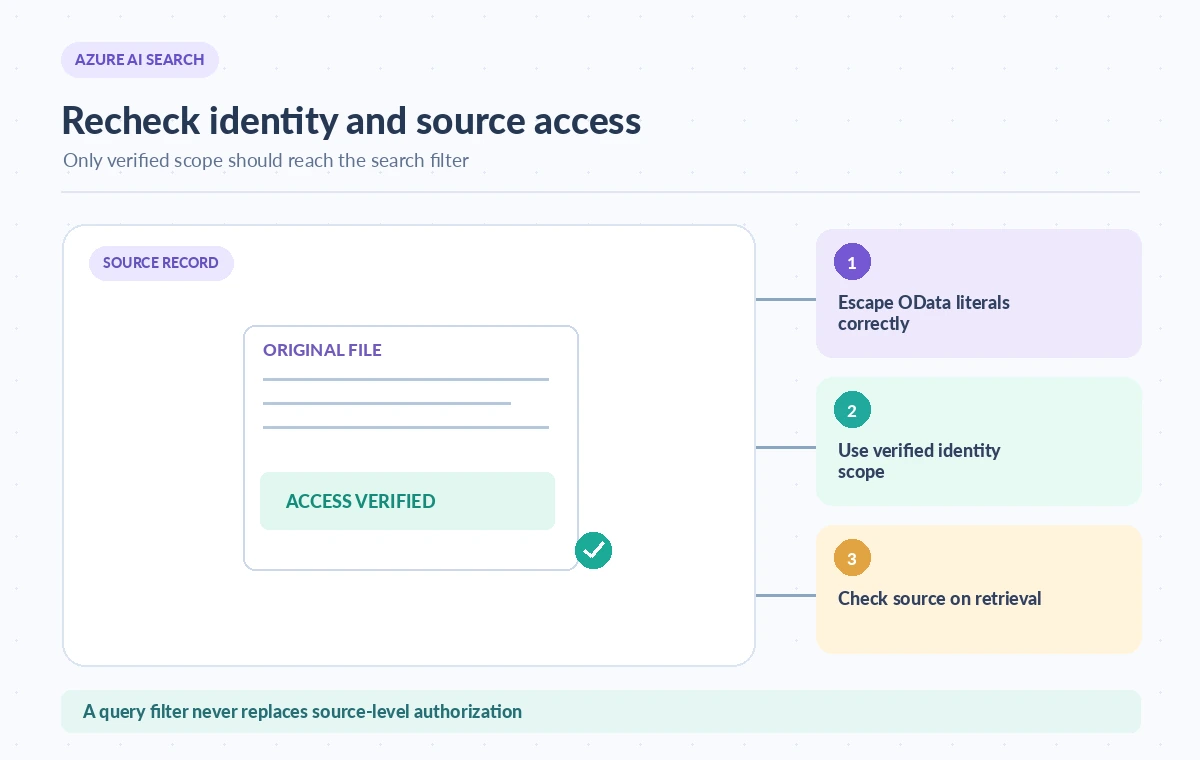
First authenticate the viewer in the application. Then obtain allowed group or collection IDs from the authoritative access service. Construct the OData filter carefully, escaping string literals and delimiting values according to the documented grammar. Do not concatenate raw user input as though it were already an authorization scope. If the viewer has no allowed collections, return an empty result or a deliberate denial rather than skipping the filter. Enforce the same permissions when a search hit is opened or its underlying file is downloaded. Query-level security trimming is a defense in depth, not a replacement for authorization checks at the protected content store. Avoid exposing restricted titles in suggestions, counts, debug output and error messages.
Compare Unfiltered, Filtered and Opened Results
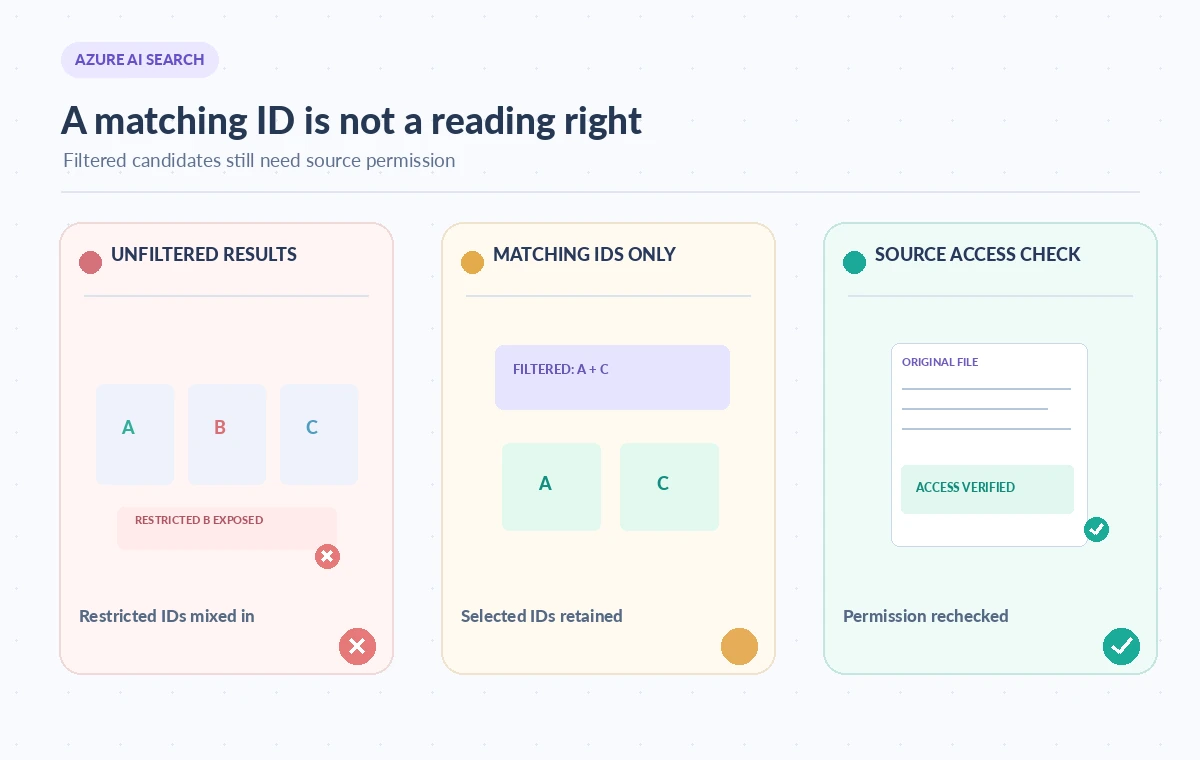
The comparison diagram starts with public and restricted object rows intermixed. The middle state illustrates the exact selected collection IDs surviving `search.in`, while the final state shows a document-open permission check against the original repository. It does not show an actual Azure portal result or an observed service response. The key point is that a filtered list can still contain material outside a user’s rights if the scope list was wrong, or if the index security metadata is stale. Conversely, a legitimately accessible record can be hidden by a case mismatch or an incorrect delimiter. Test those cases explicitly. The workflow’s safe outcome requires both a trustworthy scope and a source-level permission decision.
Use search.in for Readability and Practical Scale
A long set of equality clauses can be difficult to inspect and may approach query complexity limits. Microsoft recommends `search.in` for large lists, noting that its single function call can avoid limits that arise from many `or` branches. That does not mean unlimited values, constant latency or a guaranteed performance improvement in every deployment. Requests still have size limits, and actual latency depends on data, index design and other query features. Make a synthetic test suite with a few IDs, hundreds of IDs, IDs with separators, different casing, and unauthorized identifiers. Compare expected results, rejected cases, and service timing only after executing the test. Do not present the schematic as a benchmark or quote an unmeasured speedup.
Preserve Source Identity and Retrieval Safety
Search results should carry enough information for reviewers to find the original approved source. Keep an immutable document key, collection ID, revision or last-approved date, and access scope in the application metadata. If users can request an extracted snippet, the same rights check must cover the snippet and any linked image. A public index might deliberately omit sensitive metadata rather than relying on filters to conceal it. Re-check permission when opening documents because access membership can change between search and download. The correct security architecture depends on the catalog and its source repository; an OData expression cannot establish identity, obtain consent, or grant a license by itself.
Deploy With a Deny-by-Default Test Plan
Before release, create fabricated documents across public, staff-only, expired and mixed-access collections. Verify that a user with no membership sees no restricted results, that a mixed membership returns only authorized records, and that a direct file URL cannot bypass the check. Include case sensitivity, separator characters, stale index metadata, and revocation while a user has search results open. Keep evidence of the filter expression, trusted membership source, index revision, and source-repository decision. If a test fails, hold the release rather than widening the filter to make the query look successful. A correct result is one the viewer is authorized to access and can verify in the original source, not merely a record that matched a string list.
How We Research
We reviewed the following named primary-source documentation on November 8, 2026: Microsoft: OData search.in reference, Microsoft: OData filters. We compared the specific API behavior, availability caveats, and failure boundaries with the editorial workflow described above. We also checked the proposed topic against the WordPress title inventory supplied by LabFin. We did not authenticate to a cloud account, run an API call, measure performance, evaluate model accuracy or verify any real client outcome. The case study and diagrams are explicitly hypothetical. Check present model and region support, billing, licensing, permissions, and privacy rules before deployment.
Frequently Asked Questions
It compares one string field or collection range variable with values in a delimited list, using case-sensitive equality.
No. Azure AI Search documents the search.in function rather than support for the OData 4.01 in operator.
Choose an alternate delimiter through the third argument and escape OData string literals correctly.
No. Allowed values need to come from trusted identity and entitlement data, and source files require their own access checks.
It shortens filters and helps avoid clause-complexity issues for long value lists, while request-size and latency constraints still apply.