
The overwrite that versioning does not excuse
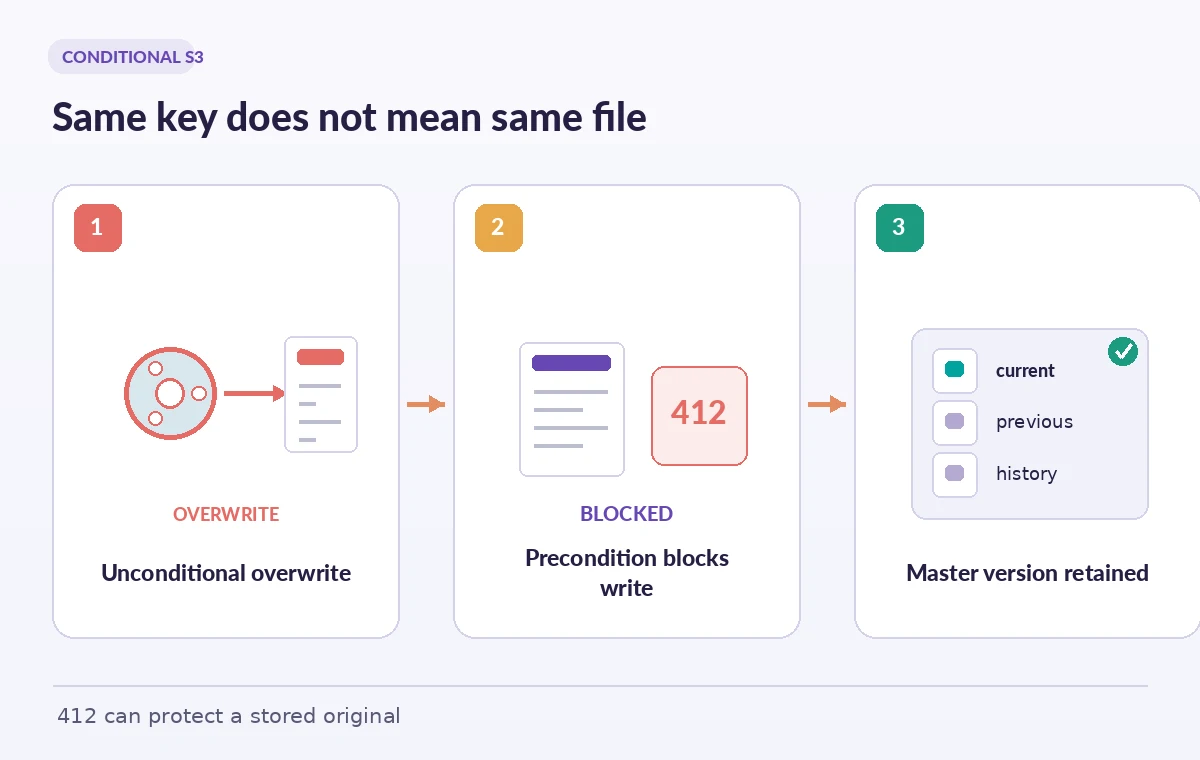
Two archive employees digitize the same oral-history cassette using different processing stations. Both export a file called master.wav into a shared S3 prefix. If each uploader writes without checking what already exists, a later upload can replace the current object even if the underlying content differs. Object versioning may preserve history, but the public-facing pointer or downstream transcode job could already follow the wrong current version. Amazon S3 conditional writes offer a narrower preventive control: ask the service to accept the upload only when the key has no current object. That avoids a common race before it becomes a restoration exercise. The conditional request is a key-level safeguard, not a statement that the audio, access rights or checksum is correct.
Understand the If-None-Match star condition
For supported write operations, If-None-Match with the value * tells S3 to create the object only when the specified key does not already have a current object. If a current object exists, S3 returns 412 Precondition Failed rather than silently replacing it. The condition is evaluated by the service, so it is safer than doing a separate HEAD check followed by an unconditional upload; another worker could win that race between the two requests. Use the exact S3 API supported by your client and document where the header is attached. This is not the same as If-Match, which compares a supplied ETag to the existing object’s ETag for conditional replacement.
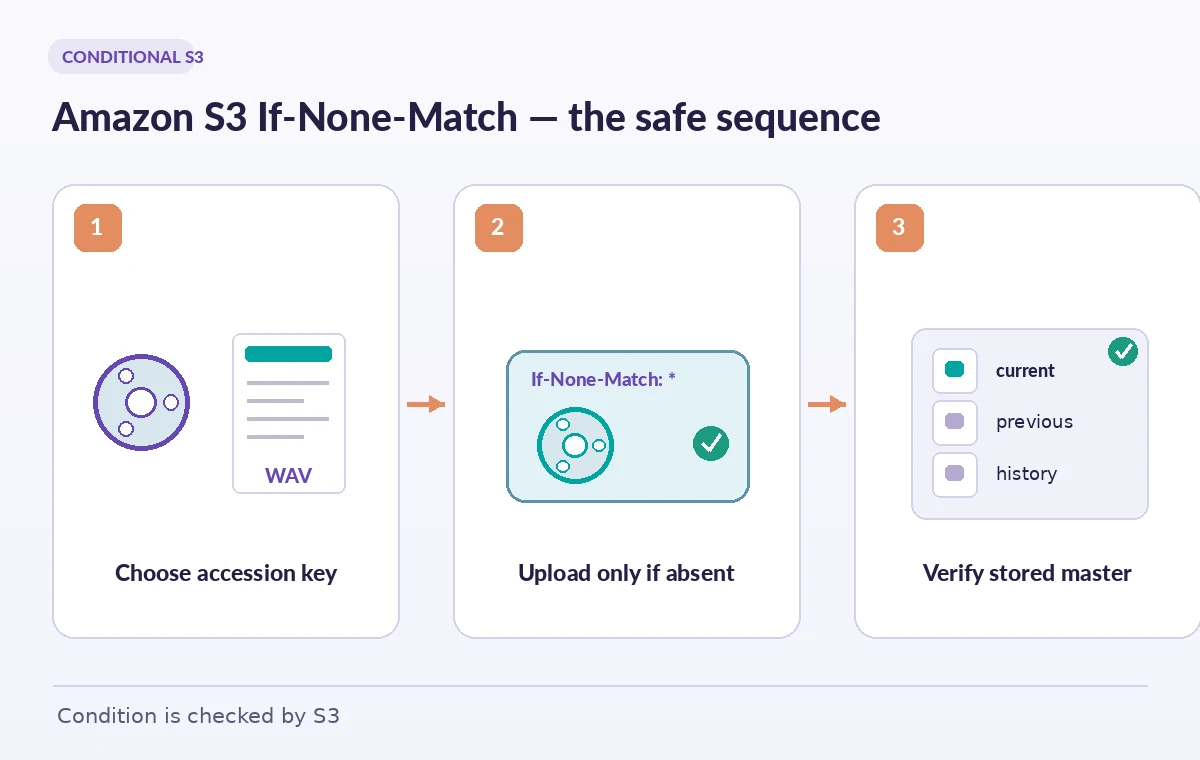
Map every key to an accession and version
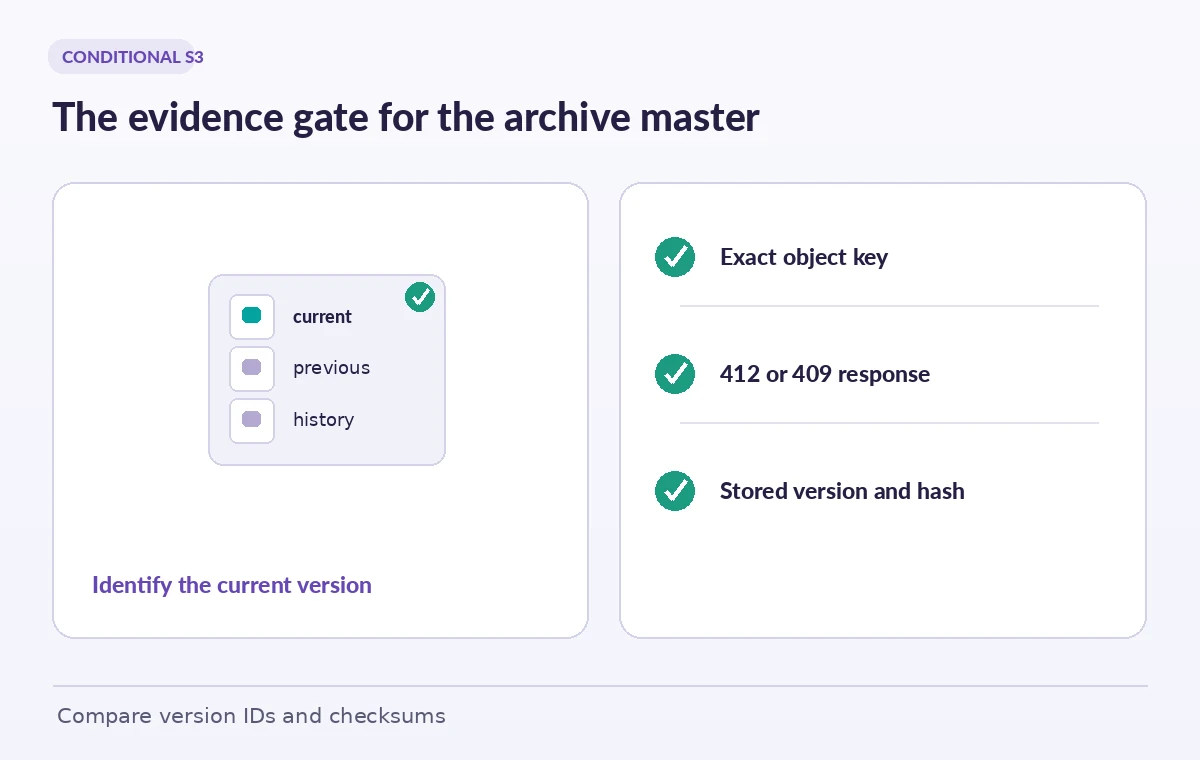
A disciplined key convention can combine a stable collection identifier, object identifier, asset role and a designated revision. Avoid a generic key such as originals/latest.wav, where a naming mistake can mix unrelated items. Before upload, resolve the accession from the catalog, compare the submitted source checksum with the ingest manifest and confirm that the uploader has rights to store the media. After a successful conditional upload, read back the version ID when versioning is enabled and the service-reported metadata. Preserve an independently computed cryptographic checksum in the archive manifest; an ETag is not universally equivalent to the full-object MD5, particularly for multipart uploads and some encryption scenarios. Staff approval remains a separate step.
Treat 412 as information, not a reason to remove the guard
Suppose the first station successfully writes the key and the second receives 412. The second uploader must not retry the same bytes without the condition or delete the existing object merely to force success. Instead, display the accession ID, expected key and a safe summary of the existing object’s version and checksum metadata. An archivist can compare the two source files and decide whether the second is a duplicate, a different master requiring a new revision, or evidence of a catalog mismatch. Keep the failed attempt in the ingest log with its request ID and operator. A precondition failure is a successful preservation boundary, not a transport bug to conceal under a generic retry.
Handle concurrent 409 conflicts distinctly
Amazon also documents 409 ConditionalRequestConflict for certain concurrent operations. A straightforward PutObject can be retried according to the documented operation behavior. For a multipart upload, a 409 when completing the upload requires starting a new multipart upload and sending the parts again; simply resending the completion request is not the documented recovery path. Record multipart upload identifiers and cleanup responsibilities so abandoned parts do not accumulate. The difference matters for very large uncompressed audio masters, where multipart upload is common. Do not claim all S3 client libraries expose the exact same exception wording: surface the service status, operation name and idempotency context in a readable error report.
Account for delete markers and current versions
In a versioned bucket, the current version may be a delete marker. S3 documents special behavior for conditional checks in this situation; a key with a current delete marker can be treated as having no current object for If-None-Match, even though older object versions remain. Therefore a successful create-only write does not prove the accession has no history. Before deciding that a master is genuinely new, inspect the version listing and archival retention policy. Some restoration tasks should create a new approved version or remove a marker under controlled procedure; others should leave history intact and use a separate key. The illustration contrasts a visible current object, a current delete marker and earlier retained generations rather than depicting deletion as a blank history.
Know when bucket policies complicate uploads
A bucket policy can require conditional headers for particular prefixes or operations, but S3 warns about interactions with copy requests and multipart upload stages. Some copy operations cannot be combined with those required conditional headers in the same way as PutObject, so a one-size-fits-all policy could break migrations or background ingestion. Test policies against the exact APIs used by scanners, transfer tools and archival services, including initiation and completion of multipart uploads. Roll out in a staging bucket first with a non-sensitive fixture set. A policy that prevents an accidental replacement is valuable only when it also leaves the legitimate, documented ingest path functional.
Run a small concurrency rehearsal
With fictional accession numbers, prepare two distinct binary files and attempt to write both to the same empty test key using create-only conditions. Confirm only one becomes the current version and that the other attempt reports the expected failure or conflict. Repeat against a key already populated, then against a versioned key with a delete marker where it is safe to do so. Check that the ingest dashboard differentiates success, precondition rejection and ambiguous network failure; never interpret a timeout as proof that no object was written. The diagram’s outcomes are logical examples, not a claim of a measured S3 race test. Clean up test objects only after recording their version IDs.
Release only the accession that was reconciled
A durable handoff includes the archive catalog key, source checksum, S3 bucket and object key, resulting version ID, signed review decision and any exception from a competing upload. The published media workflow should resolve an explicitly approved version rather than blindly consuming whichever version happens to be current. Periodically test restoration and confirm retention controls meet the museum’s obligations; If-None-Match cannot replace backups or Object Lock. Do not normalize bypassing preconditions after a failed upload. Good operations make the safer action the easiest one: preserve the current master, surface the conflict and let a qualified archivist decide how a legitimate new revision enters the record.
How We Research
For this guide, we consulted the original provider documentation: AWS S3 conditional writes; AWS CompleteMultipartUpload API; Enforce conditional writes with bucket policies. We compared the AWS conditional write guide with the CompleteMultipartUpload API and bucket policy guidance, looking specifically at 412, 409 and versioned-key edge cases. The diagrams show possible write outcomes, not an actual concurrency benchmark. The ingest team must independently confirm client support, retention settings, checksums and object version IDs before protecting production masters. We verified the terminology as documented rather than inventing product tests or production measurements. Recheck the effective API, organization policy and workflow settings before deploying this design.
Frequently Asked Questions
It requests that S3 accept the object only if the key has no current object under the documented conditional-write rules. Otherwise a precondition error is returned.
It typically means the condition was not satisfied. Inspect the existing key and version before deciding whether the new file belongs in a new revision.
No. For a conflicting multipart completion, AWS documents re-initiating the multipart upload and uploading its parts again before completion.
No. It prevents an unintended current-key replacement in a specific write, while version history and retention address different preservation requirements.
No. Multipart uploads and certain encryption cases make that assumption unreliable. Preserve your own trustworthy checksum in the archival ingest manifest.