
The best AI video generator depends on what the finished clip must accomplish. A marketer who needs a branded five-second background, a filmmaker controlling camera motion and an L&D manager producing a presenter video are not shopping for the same workflow. Ranking them by a single invented image-quality score would obscure costs, rights and human review needs.
This 2026 shortlist compares documented capabilities rather than claiming LabFin performed controlled generation tests. Start with a use case, check available modes and credit conditions, then run a small approval test in the vendor account. Models and entitlements change rapidly, so a dated decision framework lasts longer than a brittle universal winner.
Match the job to a category before choosing a brand
The first decision is whether you need text-to-video, image-to-video, a talking presenter, or edits to existing footage. Text-to-video is useful for exploratory visual concepts, while image-to-video can anchor a composition in a supplied first frame. Presenter platforms are a different product category with identity, voice and policy considerations. Pick the format before you compare headline prices.
Write down output duration, target aspect ratio, audio requirement, number of shots and the destination channel. A 9:16 silent social loop has different acceptance criteria from a narrated training segment. Choosing one platform for both may be convenient but is not automatically cheaper.
Runway: consider it for directed camera and motion work
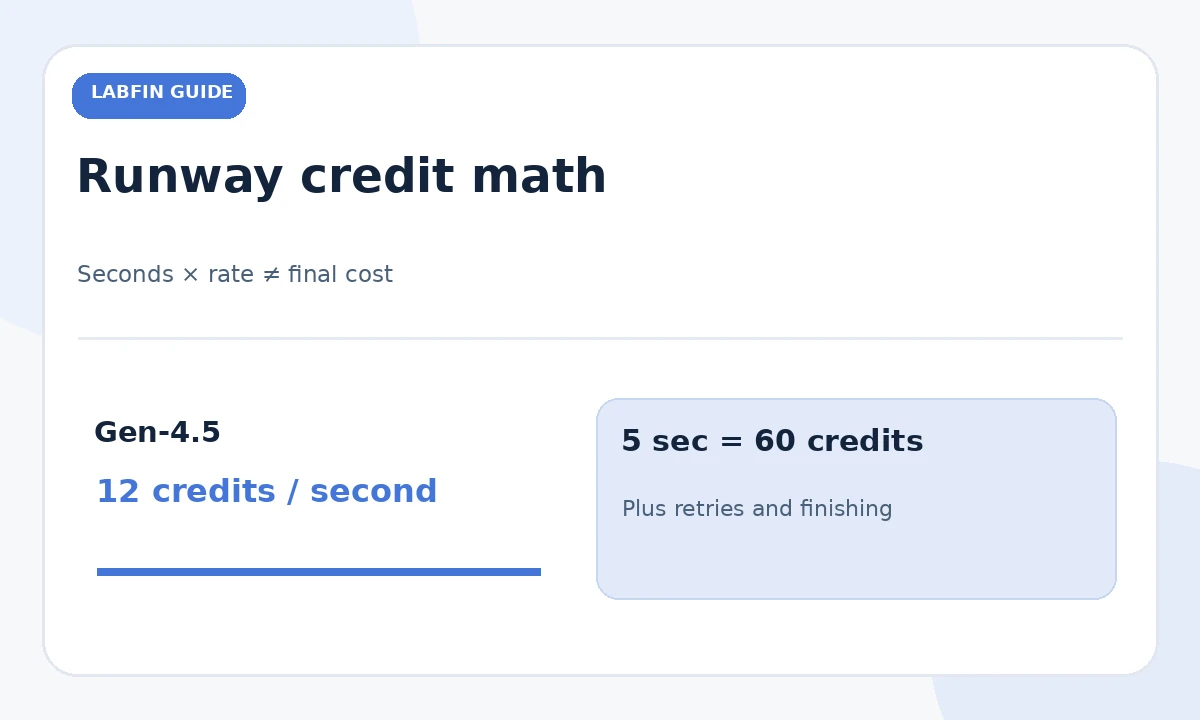
Runway documents Gen-4.5 text-to-video and image-to-video workflows with detailed camera and action instructions. Its current help page lists 2–10-second generations, available aspect ratios and 12 credits per second for this model. That makes it a reasonable shortlist candidate when the camera move is central to the brief, although precise adherence still requires human inspection.
Treat an attractive vendor demo as a capability illustration, not a guarantee. Generate a short proof with one focal motion, examine continuity and artifact severity, then price the necessary retries. For instance, five seconds at the documented rate is 60 credits before rework; the real usable-shot cost is higher if multiple attempts fail.
Google Flow: check the active Veo model and sound support
Google Flow offers several video models and feature combinations. Its official supported-features table distinguishes Veo 3.1 variants and which support text, frames, references and extension. Before prompting, Google directs users to verify the selected model, resolution and latest credit cost. This matters because a feature available in one variant may be absent in another.
For a narrative clip with sound or first/last-frame direction, confirm the relevant mode inside your account rather than assuming every Veo label means identical audio or framing controls. Check pronunciation, on-screen text, voice consent and whether the output requires additional sound editing.

Adobe Firefly: weigh references and the editing ecosystem
Adobe’s Firefly video workspace supports text prompts, model selection and camera-direction inputs, alongside tools for generation and editing. It can suit teams already finishing images, clips and campaign assets in Adobe software. Be careful with the phrase “commercially safe”: review the actual model, sources, license, people and output context rather than interpreting a marketing phrase as a universal legal warranty.
Use Firefly when a matching image-first campaign workflow, consistent references and human finishing are as important as raw output. Credit usage may differ by model and premium feature; inspect the current quota and rate before scheduling a multi-shot production.
HeyGen or Synthesia: treat presenters separately
Avatar-centered products are built around scripted presenters, templated explainers and production controls rather than cinematic camera choreography. They may be a practical fit for standardized training or localized corporate communication. That is not equivalent to claiming that an avatar tool wins a photorealistic film-generation contest. Check the vendor’s current voice, consent, language and commercial-use rules for any identifiable likeness.
For company training, prioritize script approval, subtitle accuracy, translation review and the ability to correct one scene without rebuilding the entire lesson. Use a real presenter or human voice where audience trust, employment policy or sensitive information makes synthetic delivery inappropriate.
Compare inputs, outputs and editable handoff
A video product should be assessed against its actual controls: first-frame image, last-frame direction, reference assets, clip length, aspect ratio, download format, audio, revision history and timeline export. A tool can be great at generating one beautiful shot but awkward at combining three shots into a campaign. An editor-compatible output can save more time than a small difference in render rate.
Set a minimum requirement for your deliverable before evaluating software. A tool that cannot meet the orientation, file or disclosure needs should be rejected early regardless of its demo reel. Record which elements must be completed later in an external editor.
Budget for iterations instead of paying per perfect clip
Generative video often requires reruns for physics, continuity, unwanted words or face distortion. Do not divide a plan’s credit allowance by one nominal render cost and claim that result is the number of usable videos. Budget accepted shots, rejected takes, extension, upscale, audio, captions and final edit. Runway’s help makes the per-second model explicit, while other platforms publish different structures.
A simple cost ledger has columns for model, seconds generated, operations, credits spent, usable take and final deliverable. Keep estimates and measured account debits separate. This guide does not assign fake failure percentages or hypothetical “quality scores” to vendors.
Create one fair evaluation brief
Use a narrow common task: a five-second shot of a paper notebook opening on a desk with a slow camera push and no visible text. Keep intended motion, aspect ratio and evaluation rubric consistent, then adapt only what each interface genuinely supports. Grade observable defects: extra objects, unstable hands, cut errors, exposure flicker and prompt drift.
One demonstration does not establish a model-wide winner. Record the settings and source materials and repeat only if budget permits. A text-to-video platform without image input should not receive a low score for failing to accept an unavailable control; decide whether that capability is required first.

Select by team risk and publishing requirements
For a social creative, iteration speed may dominate. For regulated or sensitive training, consent, provenance and legal review can outweigh visual polish. For a brand ad, verify whether the model invents packaging or text. Establish a sign-off flow: owner approves script, creative lead checks visual continuity, legal or brand reviewer approves claims, and the producer exports the final accessible version.
Do not publish synthetic footage as authentic evidence of a real event or depict somebody endorsing a product without permission. Preserve licensed source materials, approvals and original footage. The strongest generator is still only one step in an accountable production process.
How We Research
Research checked October 27, 2026. We compared current manufacturer documentation for Runway Gen-4.5, Google Flow/Veo models and Adobe Firefly video, then organized the shortlist by production job. Presenter tools are discussed as a separate class, not represented as a tested quality winner. No LabFin hands-on benchmark, standardized render test or unpublished price is claimed; check live usage and licenses. Primary sources: Runway Gen-4.5 guide; Runway credit FAQ; Google Flow supported features; Adobe video generation guide.
Frequently Asked Questions
Runway is worth shortlisting because it documents Gen-4.5 camera and motion prompting. Test your specific shot before subscribing.
No. Google publishes a model-and-feature table; confirm active model, resolution, credits and supported mode inside Flow.
Runway documents 12 credits per generated second. A five-second render is 60 credits before rejected takes or other operations.
Potentially, subject to the chosen service and model terms. Verify likeness consent, source rights, product accuracy and necessary disclosures.
No. Presenter platforms emphasize scripted human-like communication; cinematic generators emphasize scenes, camera motion and shot creation.